
Introduction
This manual provides detailed instructions for the operation and maintenance of your YMDJL Y-096AMBT Portable AM/FM Radio with Bluetooth Speaker. Please read this manual thoroughly before using the device to ensure proper function and longevity.
Product Overview
The YMDJL Y-096AMBT is a versatile portable audio player featuring AM/FM radio, Bluetooth 5.0 connectivity, and MP3 playback via USB or TF card. It includes a built-in rechargeable battery and an LED flashlight for convenience.
Setup
- Unpack: Carefully remove all components from the packaging. Verify that all included items are present (radio, battery, charging cable, lanyard, owner's manual).
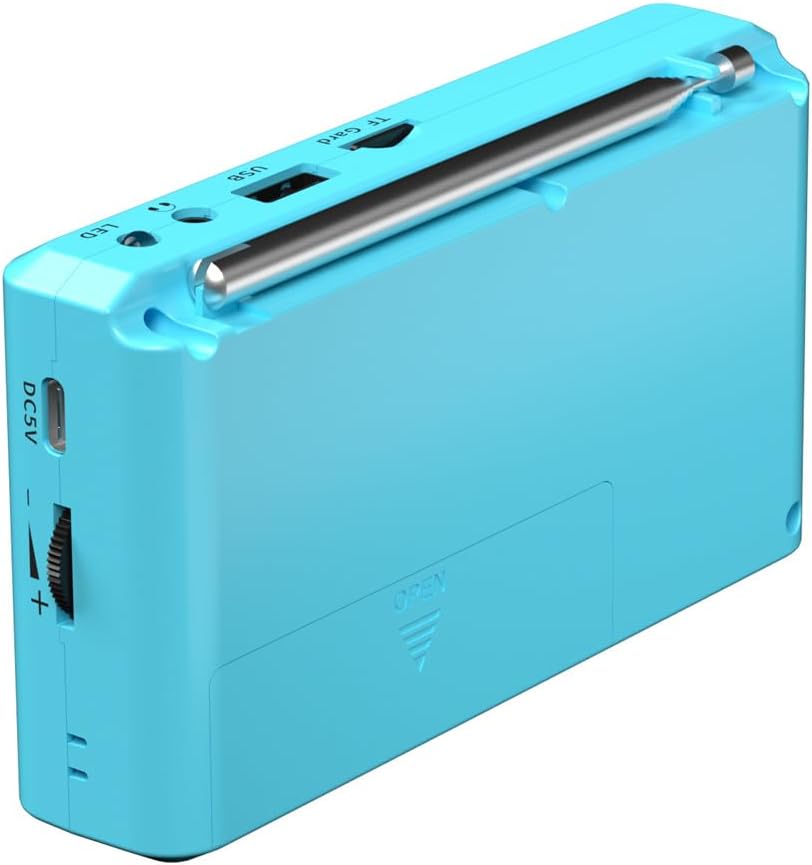
- Battery Installation: The radio is powered by a standard 18650 lithium battery, which is included. Ensure the battery is correctly installed in the battery compartment, observing polarity.
- Initial Charge: Before first use, fully charge the radio. Connect the included USB-C charging cable to the DC5V port on the side of the radio and plug the other end into a compatible USB power adapter (not included). The charging indicator will show the charging status.
- Attach Lanyard: If desired, attach the included lanyard to the designated loop on the radio for easy carrying.
Operating Instructions
Power On/Off
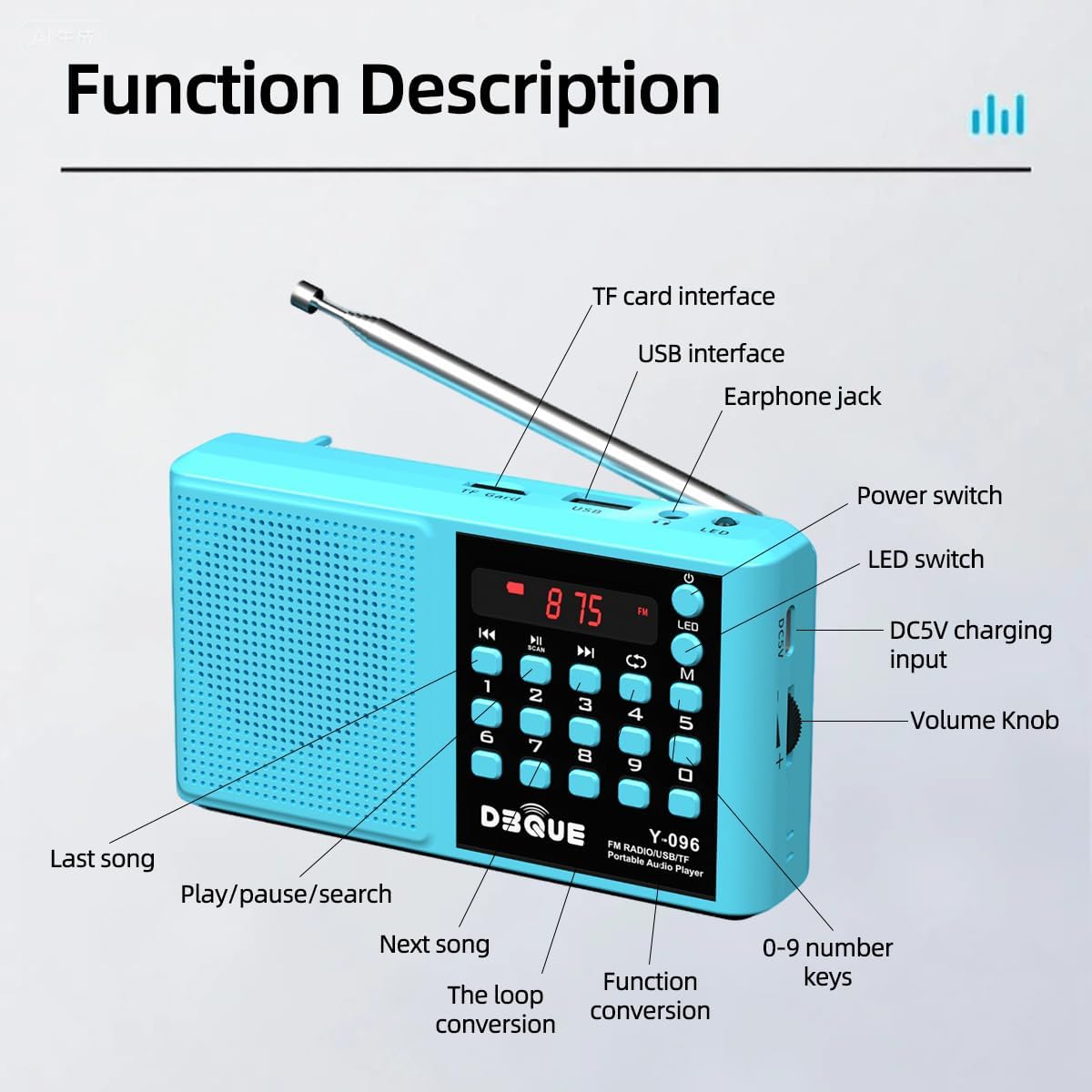
- To Power On: Long-press the power button (usually marked with a circle and a vertical line) for 3 seconds.
- To Power Off: Long-press the power button for 3 seconds again.
Mode Selection
- Press the "M" button to switch between available modes: FM Radio, AM Radio, Bluetooth, USB Playback, and TF Card Playback.
FM/AM Radio Operation
- Extend Antenna: For optimal reception, fully extend the telescopic antenna.
- Auto Scan and Save: In FM or AM mode, long-press the "Scan" button (often integrated with the Play/Pause button) for 3 seconds. The radio will automatically scan for and save available stations. This is most effective in open, low-interference areas.
- Manual Tuning/Direct Access: Use the numeric keypad (0-9) to directly enter a station frequency (e.g., "9-3-9" for FM 93.9). Precision may vary based on local signal conditions.
- Navigate Saved Stations: Use the previous/next track buttons to cycle through saved stations.
Bluetooth Playback
- Enter Bluetooth Mode: Press the "M" button until "BLUE" appears on the display. The radio will indicate "Bluetooth mode" and "The Bluetooth device is connected successfully" once paired.
- Pairing: On your mobile device, enable Bluetooth and search for "YMDJL Y-096AMBT" (or similar). Select it to pair. The radio will confirm successful connection.
- Playback: Once connected, you can play audio from your device through the radio's speaker. Use the radio's play/pause and previous/next buttons to control playback, or control directly from your paired device.
USB/TF Card Playback
- Insert Media: Insert a TF card into the TF card slot or a USB drive into the USB port. The radio will automatically switch to the corresponding playback mode.
- Playback Control: Use the play/pause and previous/next track buttons to navigate your audio files.
- Direct Track Selection: Use the numeric keypad (0-9) to directly jump to a specific track number (e.g., "9-3-9" for track 939).
LED Flashlight
- To Turn On/Off: Press the "LED" button located near the top of the radio to activate or deactivate the flashlight.
Volume Control
- Adjust the volume using the rotary volume knob located on the side of the radio.
Charging
The YMDJL Y-096AMBT radio is equipped with a rechargeable 18650 lithium battery. To charge:
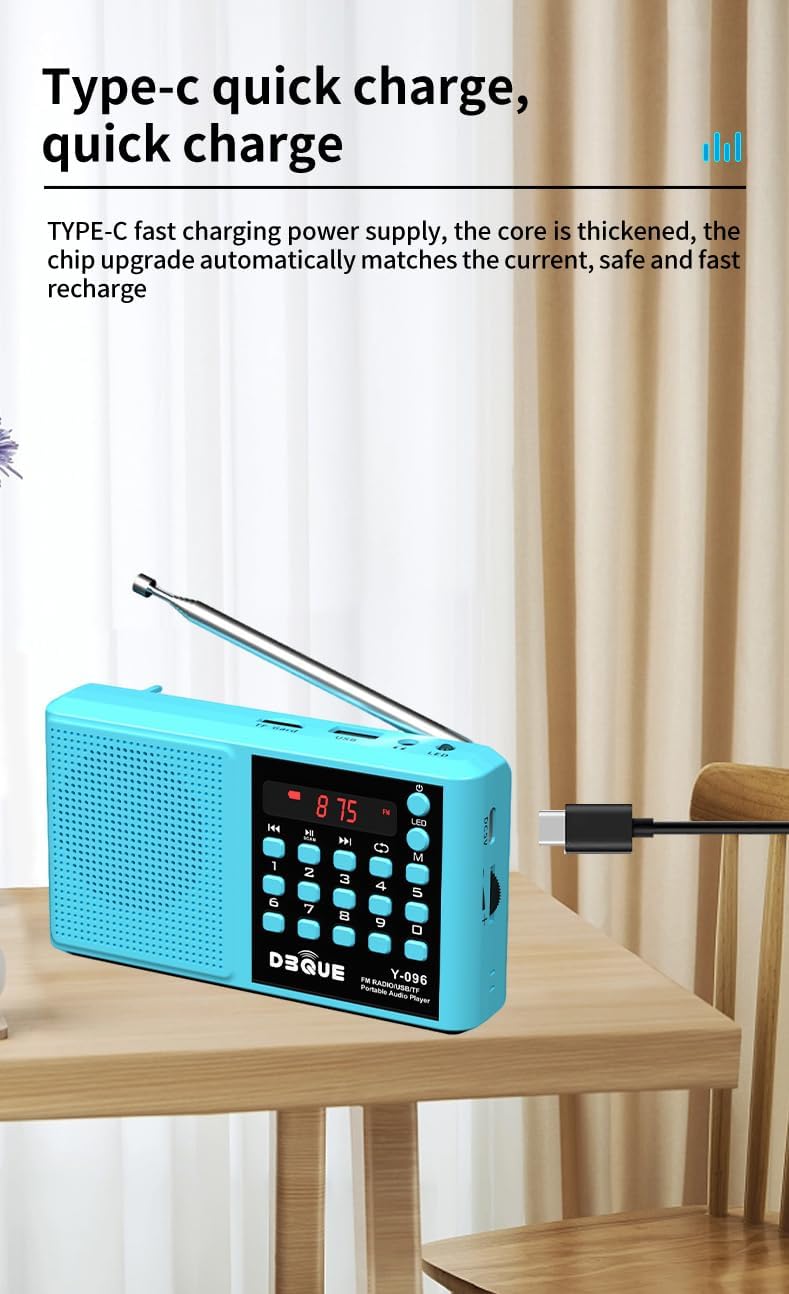
- Connect the included USB-C charging cable to the DC5V port on the side of the radio.
- Plug the other end of the USB-C cable into a standard USB power source (e.g., wall adapter, computer USB port, power bank).
- The charging indicator light will illuminate during charging and typically change color or turn off when fully charged.
A full charge provides approximately 3-4 hours of playback at maximum volume, or 5-8 hours at normal volume.
Maintenance
- Cleaning: Use a soft, dry cloth to clean the exterior of the radio. Do not use abrasive cleaners or solvents.
- Storage: Store the radio in a cool, dry place away from direct sunlight and extreme temperatures.
- Battery Care: If the radio will not be used for an extended period, charge the battery periodically to maintain its health.
- Water Exposure: This device is not waterproof. Avoid exposure to water or high humidity.
Troubleshooting
| Problem | Possible Cause | Solution |
|---|---|---|
| Radio does not power on. | Low battery or incorrect battery installation. | Charge the battery. Ensure the battery is installed with correct polarity. |
| Poor FM/AM reception. | Antenna not extended, weak signal, or interference. | Fully extend the telescopic antenna. Try moving to an area with better signal. Perform an auto scan. |
| Bluetooth not connecting. | Radio not in Bluetooth mode, device too far, or already paired with another device. | Ensure the radio is in Bluetooth mode ("BLUE" displayed). Keep devices within 66ft. Disconnect from other devices. |
| USB/TF card not playing. | Incorrect file format, card/drive not inserted properly, or corrupted media. | Ensure audio files are in a compatible format (e.g., MP3). Reinsert the card/drive. Try a different card/drive. |
| Low audio volume. | Volume knob set too low. | Adjust the volume knob on the side of the radio. |
Specifications
- Model: Y-096AMBT
- Product Dimensions: 5 x 1.18 x 2.83 inches
- Item Weight: 8.4 ounces
- Power Source: Battery Powered (1 x 18650 Lithium Battery, included)
- Charging: USB-C (DC5V)
- Tuner Technology: AM/FM
- Radio Bands Supported: AM/FM
- Connectivity Technology: Auxiliary, Bluetooth 5.0, USB, TF Card
- Special Features: Built-In AM Antenna, Built-In Flashlight, Lightweight, Portable, Rechargeable
What's in the Box
- YMDJL Y-096AMBT Portable Radio
- 18650 Rechargeable Battery
- USB-C Charging Cable
- Lanyard
- Owner's Manual
Warranty and Support
For warranty information or technical support, please refer to the contact details provided on the product packaging or contact the manufacturer directly. Keep your purchase receipt for warranty claims.