
Nobsound SUC-NS-21G-AU
Contents
Nobsound Mini Mono Subwoofer Amplifier NS-21G
User Manual
Introduction
The Nobsound NS-21G Mini Mono Subwoofer Amplifier is designed to deliver powerful and precise bass reproduction for your home audio system. Featuring a robust TPA3116 amplifier chip, an adjustable low-pass filter, and versatile input options, this compact unit is ideal for driving passive subwoofers and bass shakers, enhancing your movies, music, and gaming experiences.

Image: The Nobsound NS-21G Mini Mono Subwoofer Amplifier, a compact black unit with a volume knob on the front panel and a red power indicator light.
Key Features
- 100W TPA3116 Powerhouse: Features a robust Class D TPA3116 amplifier chip delivering 100W RMS (THD+N: 0.04%) for deep, clean bass reproduction.
- Precision Low-Pass Filter (20-160Hz): Customize your bass response with the built-in adjustable low-pass filter (20-160Hz) to ensure only powerful low frequencies reach your subwoofer.
- RCA & AUX Input Versatility: Connect seamlessly to various audio sources via dual RCA or 3.5mm AUX inputs.
- NE5532 Op-Amp Clarity: Equipped with the audiophile-grade NE5532 operational amplifier for exceptionally clean, detailed bass signals, achieving ultra-low noise (SNR ≥103dB).
- Durable Compact Metal Design: Built into a sturdy all-metal enclosure measuring just 3.54x4.13x1.18 inches (90x105x30mm), ensuring reliable long-term performance and discreet placement.
What's in the Box
Upon opening the package, please verify that all the following items are included:
- 1 x Nobsound NS-21G Amplifier
- 1 x DC 19V Power Adapter
- 1 x User Manual

Image: A visual representation of the Nobsound NS-21G amplifier, its DC 19V power adapter, and the user manual, indicating the contents of the product package.
Product Overview
Familiarize yourself with the various components and connection points of the NS-21G amplifier.

Image: A diagram showing the front and rear panels of the NS-21G amplifier. The front panel indicates the Power indicator and Power/Frequency cutoff knob. The rear panel shows RCA input, AUX input, Subwoofer output (SPK OUT), and DC 12V-24V power input.
- Power Indicator: A small LED light on the front panel that indicates the power status of the unit.
- Power/Frequency Cutoff Knob: This multi-function knob controls both the power on/off and the adjustable low-pass filter frequency (20-160Hz).
- RCA Input: Stereo RCA jacks for connecting audio sources like TVs, CD/DVD players, or media players.
- AUX Input: A 3.5mm auxiliary input jack for connecting devices such as smartphones, tablets, or computers.
- Subwoofer Output (SPK OUT): Speaker terminals for connecting a passive subwoofer.
- DC 12V-24V IN: Power input jack for connecting the provided DC 19V power adapter.
Setup
Follow these steps to set up your Nobsound NS-21G amplifier:
- Connect Subwoofer: Connect your passive subwoofer to the "SPK OUT" terminals on the rear of the NS-21G amplifier. Ensure correct polarity (+ to + and - to -).
- Connect Audio Source:
- For RCA connection: Use an RCA cable to connect your audio source (e.g., TV, PC, media player) to the "RCA" input jacks.
- For AUX connection: Use a 3.5mm audio cable to connect your audio source (e.g., smartphone, tablet) to the "AUX" input jack.
- Connect Power: Plug the provided DC 19V power adapter into the "DC 12V-24V IN" jack on the rear of the amplifier, then plug the adapter into a wall outlet.
- Power On: Rotate the Power/Frequency cutoff knob clockwise until the power indicator light illuminates, indicating the unit is on.

Image: The Nobsound NS-21G amplifier integrated into a home theater setup, positioned on a media console between a television and stereo speakers, with a subwoofer on the floor.
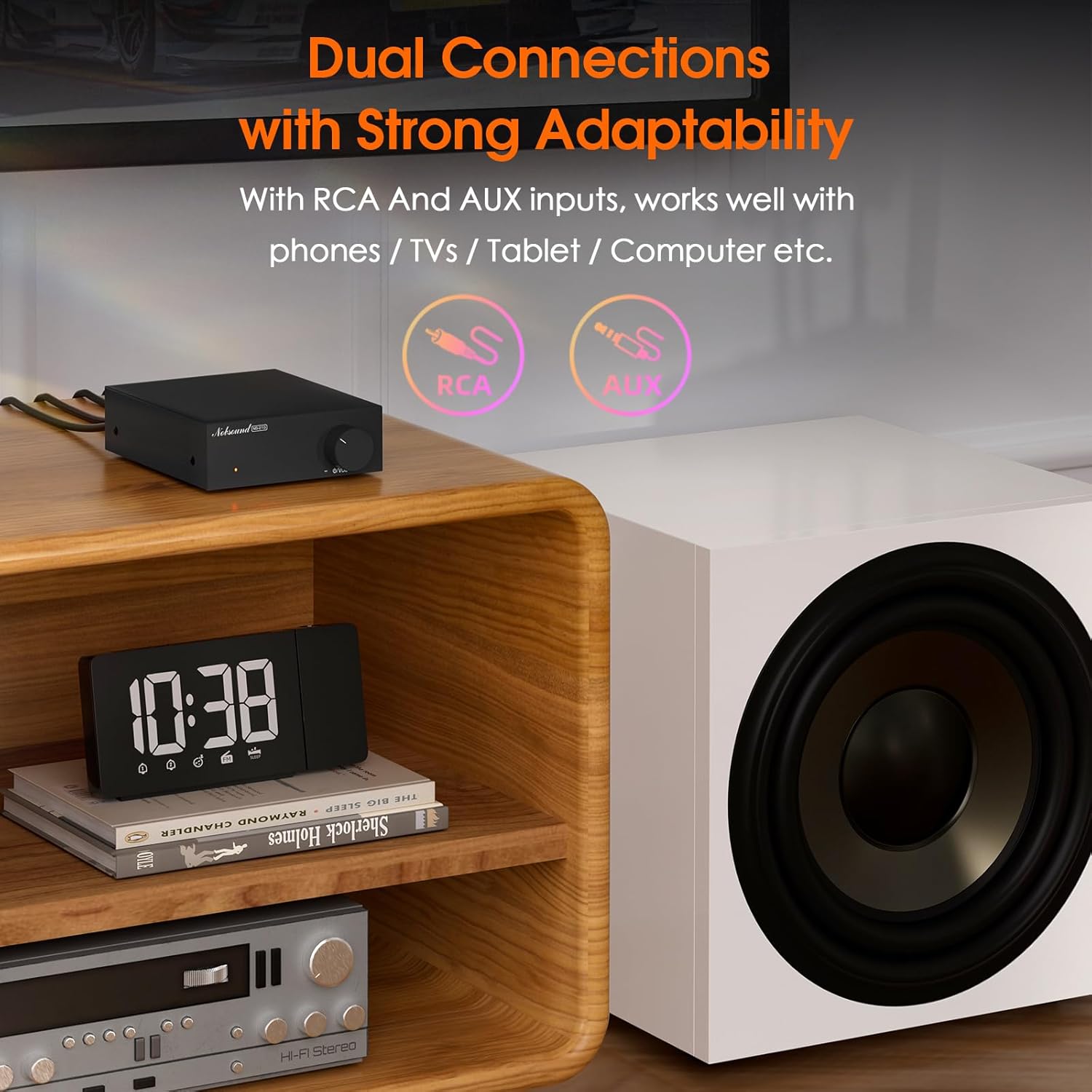
Image: A close-up showing the rear panel of the Nobsound NS-21G amplifier with RCA and AUX input ports highlighted, illustrating its dual connection versatility for various devices.
Operating Instructions
Once set up, operate your NS-21G amplifier as follows:
- Power On/Off: Rotate the Power/Frequency cutoff knob clockwise to turn the unit on. Rotate it counter-clockwise until it clicks to turn it off.
- Adjust Volume: The same Power/Frequency cutoff knob also functions as the volume control. Rotate it clockwise to increase volume and counter-clockwise to decrease volume.
- Adjust Low-Pass Filter: The knob allows you to adjust the low-pass filter frequency from 20Hz to 160Hz. This controls the upper frequency limit of the bass output, allowing you to blend the subwoofer seamlessly with your main speakers. Experiment with different settings to find the optimal bass response for your listening environment and subwoofer.

Image: A close-up of the Nobsound NS-21G's main knob, illustrating its function as a 20-160Hz bass cutoff tuning control, with a frequency response curve in the background.
Maintenance
To ensure the longevity and optimal performance of your Nobsound NS-21G amplifier, follow these maintenance guidelines:
- Cleaning: Use a soft, dry cloth to wipe the exterior of the amplifier. Do not use liquid cleaners or abrasive chemicals, as they may damage the finish or internal components.
- Ventilation: Ensure the amplifier is placed in a well-ventilated area. Do not block any ventilation openings. Proper airflow prevents overheating.
- Storage: If storing the unit for an extended period, disconnect it from power and store it in a cool, dry place away from direct sunlight and extreme temperatures.
- Handling: Handle the amplifier with care. Avoid dropping it or subjecting it to strong impacts.
Troubleshooting
If you encounter issues with your NS-21G amplifier, refer to the following common problems and solutions:
| Problem | Possible Cause | Solution |
|---|---|---|
| No power / Power indicator off | Power adapter not connected or faulty; Wall outlet no power; Power knob not turned on. | Ensure power adapter is securely connected and plugged into a live outlet. Rotate the power knob clockwise to turn on the unit. |
| No sound from subwoofer | Incorrect audio input connection; Subwoofer not connected or faulty; Volume too low; Source device not playing audio. | Verify audio input cables (RCA/AUX) are correctly connected. Check subwoofer connections and ensure it is functional. Increase the volume. Confirm audio is playing from the source device. |
| Distorted or unclear bass | Low-pass filter set too high or too low; Input signal too strong; Faulty cables. | Adjust the low-pass filter knob to find the optimal frequency. Reduce the volume from the source device if the input signal is too strong. Try different audio cables. |
| Humming or buzzing noise | Ground loop issue; Interference from other electronics; Faulty cables. | Ensure all components are plugged into the same power strip or outlet. Move the amplifier away from other electronic devices. Replace audio cables if damaged. |
If the problem persists after trying these solutions, please contact Nobsound customer support for further assistance.
Specifications
| Model Number | SUC-NS-21G-AU |
| Amplifier Chip | TPA3116 |
| Output Power | 100W RMS (THD+N: 0.04%) |
| Op-Amp | NE5532 |
| Low-Pass Filter Range | 20Hz - 160Hz |
| Signal-to-Noise Ratio (SNR) | ≥103dB |
| Input Interfaces | RCA, 3.5mm AUX |
| Output Interface | Subwoofer (Speaker Terminals) |
| Supply Voltage | DC 12V-24V (Recommended 19V) |
| Dimensions (L x W x H) | 90 x 105 x 30 mm (3.54 x 4.13 x 1.18 inches) |
| Net Weight | 325g / 0.72 lbs |
| Manufacturer | Nobsound |
Warranty and Support
Nobsound products typically come with a standard manufacturer's warranty. Please refer to the warranty card included in your product packaging or visit the official Nobsound website for detailed warranty terms and conditions.
For technical support, troubleshooting assistance, or warranty claims, please contact Nobsound customer service directly. You can often find contact information on the manufacturer's website or through the retailer where you purchased the product.
Visit the official Nobsound Store for more information: Nobsound Store on Amazon
Documents and downloads
Ask a question about this manual
Ask about setup, troubleshooting, compatibility, parts, safety, or missing instructions. Manuals+ will review the question and use this page’s manual context to help answer it.