
Introduction
Thank you for choosing the Lamicall Universal Metal Handlebar Phone Mount. This manual provides essential information for the safe and effective use of your new phone mount. Please read these instructions carefully before installation and operation, and retain them for future reference.
Product Overview
The Lamicall BCSP20-EU-OG is a robust and versatile phone mount designed for secure attachment to various handlebars. It features a metallic quick-release caliper, a front-mounted security lock, and 360-degree rotation for optimal viewing.
Key Features:
- Metallic Quick-Release Caliper: Constructed from high-quality metal for enhanced durability, stability, and load capacity, supporting over 10kg.
- Front-Mounted Security Lock: Innovative design allows for quick visual confirmation and secure locking of your phone with a single finger.
- Wide Handlebar Compatibility: Designed to fit handlebars with diameters ranging from 17mm to 40mm, suitable for bicycles, motorcycles, scooters, strollers, treadmills, and wheelchairs.
- Folding Panel Design: Unique four-corner folding panel reduces the main body thickness to 19mm when folded, tested for over 3,000 folding and stretching cycles.
- Comprehensive Silicone Protection: Extensive silicone coverage on the front and reinforced silicone pads on all four corners prevent scratches and absorb shocks, protecting your device.
- 360° Free Adjustment: A 360-degree rotatable ball joint allows for easy adjustment to any comfortable viewing angle, enabling one-hand operation for calls or GPS navigation.
- Broad Device Compatibility: Compatible with 4-7 inch smartphones, including various models from iPhone (17, 16, 15, 14, 13, 12, 11, XS, XR, X, 8, 7, 6 series), Samsung Galaxy (S25, S24, S23, S22, S21, S20, S10, S9, S8, S7, S6, A series), Google Pixel (9, 8, 7, 6, 5, 4 series), and Motorola.
Package Contents
Please verify that all components are present and undamaged upon opening the package. If any items are missing or damaged, please contact customer support.
- Lamicall Universal Metal Handlebar Phone Mount (Model: BCSP20-EU-OG)
- Instruction Manual
- Mounting Hardware (pre-installed on the clamp)
Setup and Installation
Follow these steps to properly install your Lamicall phone mount on your handlebar.
Installation Steps:
- Step 1: Loosen the Screws.
Locate the clamp on the phone mount. Use an appropriate tool (if necessary, usually hand-tightened or with an included hex key) to loosen the screws on the handlebar clamp. This will allow the clamp to open sufficiently to fit around your handlebar.

Detailed description: An image illustrating the first step of installation. The phone mount's handlebar clamp is shown with arrows indicating to loosen the screws. The clamp is open, ready to be placed on a handlebar.
- Step 2: Position and Tighten the Clamp.
Place the loosened clamp around your handlebar at the desired position. Ensure the mount is oriented correctly for optimal viewing. Once positioned, tighten the screws firmly to secure the mount to the handlebar. Do not overtighten, but ensure it is snug and does not rotate freely.

Detailed description: An image illustrating the second step of installation. The phone mount's clamp is shown tightened around a handlebar, with arrows indicating the tightening action. The mount is now securely attached.
- Step 3: Installation Completed.
Verify that the mount is stable and securely attached to the handlebar. It should not wobble or shift during use. Your Lamicall phone mount is now ready for use.

Detailed description: An image illustrating the final step of installation. The phone mount is shown fully installed on a handlebar, ready to hold a phone.
The mount is compatible with handlebars ranging from 17mm to 40mm in diameter. It can be used on various vehicles and equipment such as bicycles, motorcycles, scooters, strollers, treadmills, and wheelchairs.

Detailed description: A visual representation of the phone mount securely installed on a motorcycle handlebar. Below the mount, icons depict various compatible vehicles including a motorcycle, bicycle, scooter, and indoor bike, indicating its wide applicability for handlebars between 17-40mm.
Operating Instructions
Inserting Your Phone:
- Open the Mount: Gently pull the top and bottom arms of the phone mount apart to create an opening for your phone.
- Place Your Phone: Carefully insert your smartphone into the mount, ensuring it sits flush against the silicone pads for maximum grip and protection. The mount is compatible with 4-7 inch phones, even with thick cases.
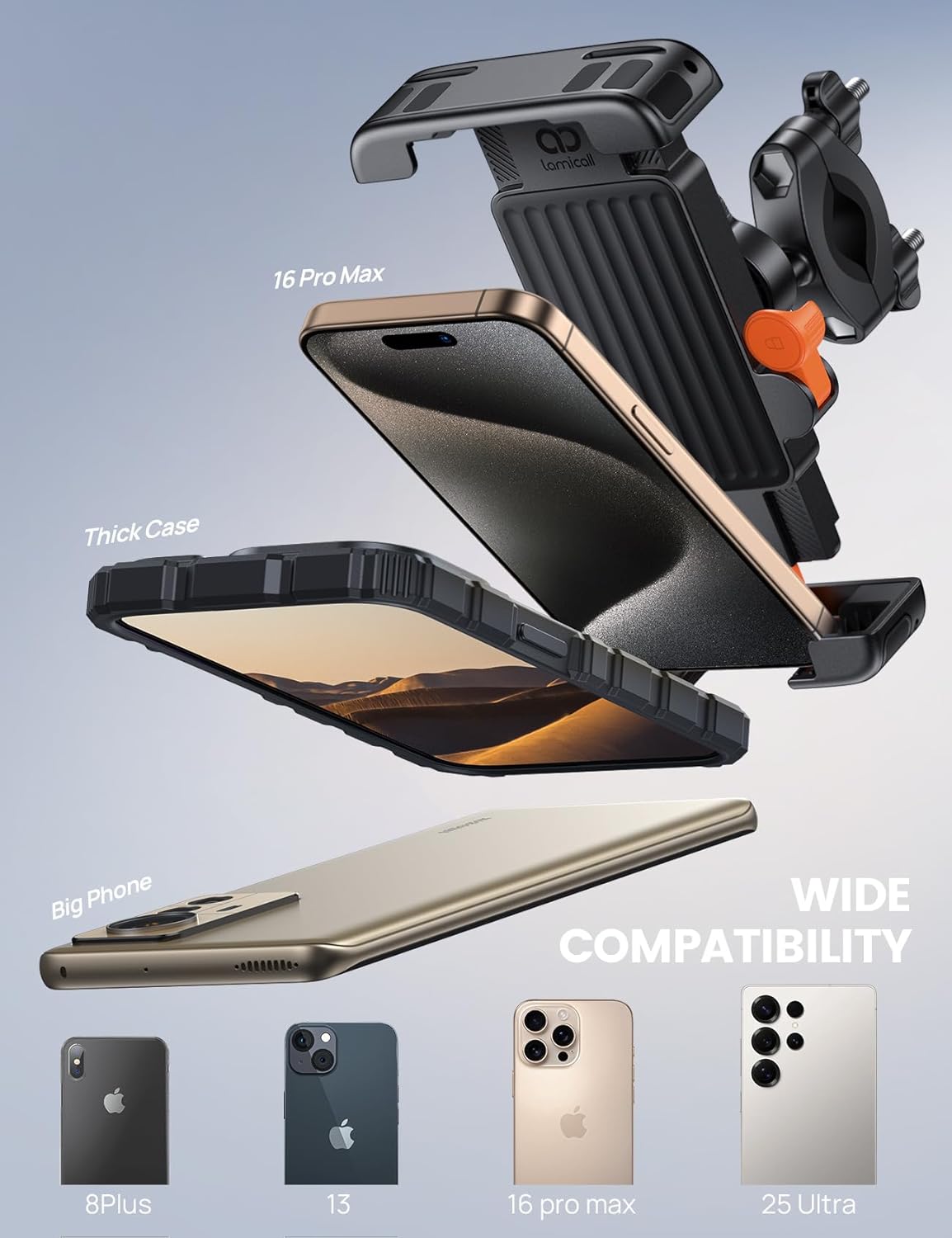
Detailed description: An image demonstrating how to place a smartphone into the mount. The image emphasizes the mount's ability to accommodate different phone sizes, including those with thick cases, showcasing its wide compatibility.
- Secure the Phone: Once the phone is in place, release the arms. The metallic quick-release caliper will automatically adjust to securely hold your phone.
- Engage Security Lock: Push the front-mounted security lock outwards with your finger until it clicks into place. This ensures your phone is firmly secured and prevents accidental release, especially during bumpy rides or sudden stops.

Detailed description: A hand is shown placing a smartphone into the Lamicall phone mount, with an orange arrow indicating the 'LOCK' position on the side mechanism. This illustrates the quick and secure locking feature for the phone.
Adjusting Viewing Angle:
The mount features a 360-degree rotatable ball joint. Loosen the adjustment knob slightly, rotate your phone to the desired portrait or landscape orientation, and then tighten the knob to fix the angle. This allows for easy one-hand operation for navigation or calls.
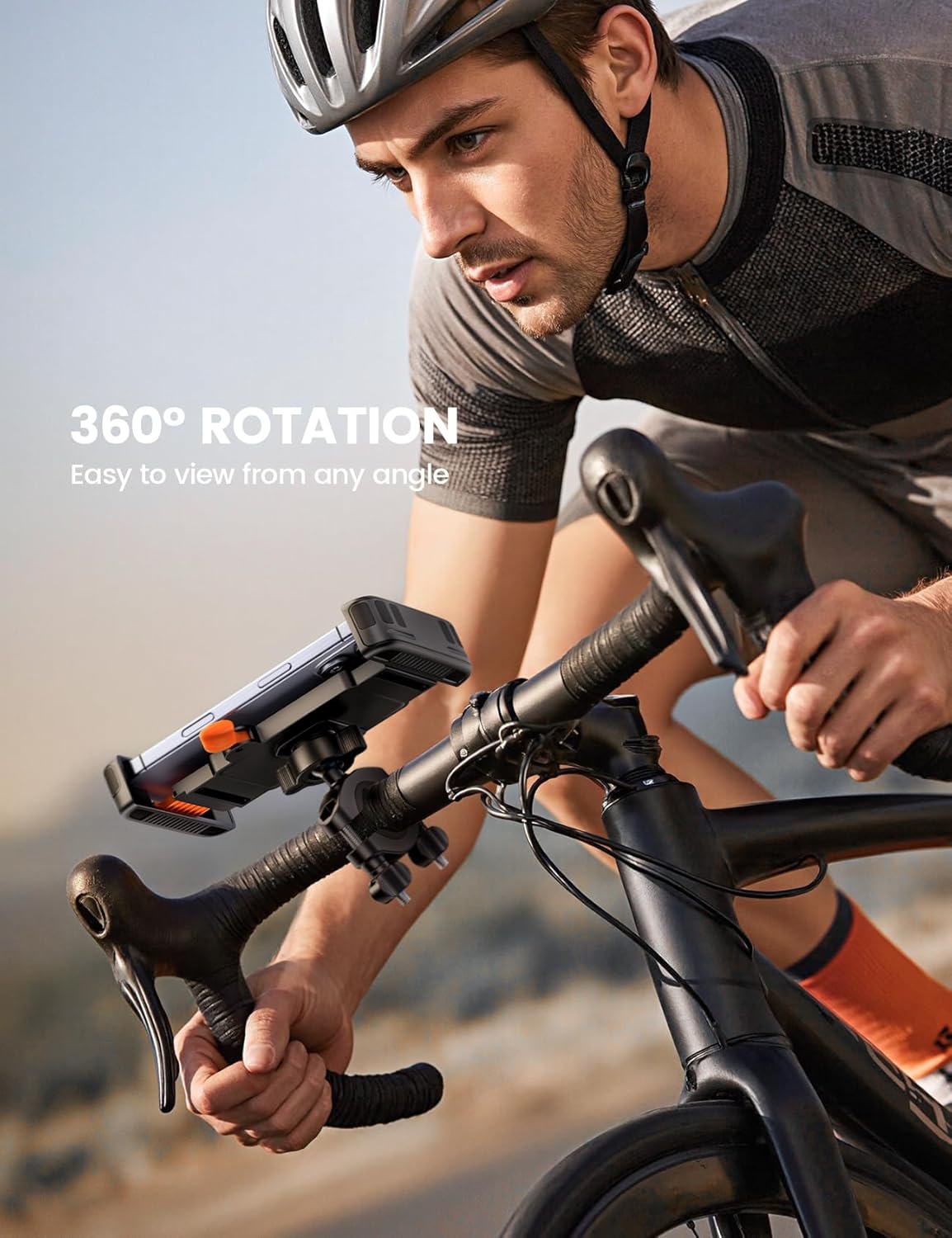
Detailed description: A cyclist is shown riding a road bike, with a smartphone mounted on the handlebar using the Lamicall holder. An arrow indicates the 360-degree rotation capability, highlighting the ease of adjusting the viewing angle.
Maintenance
Regular maintenance ensures the longevity and optimal performance of your phone mount.
- Cleaning: Wipe the mount with a soft, damp cloth to remove dust and dirt. Avoid using harsh chemicals or abrasive cleaners, as these can damage the silicone and plastic components.
- Check Tightness: Periodically check the tightness of the handlebar clamp screws and the rotation knob. Retighten if necessary to ensure the mount remains secure.
- Inspect for Wear: Regularly inspect the silicone pads and metallic caliper for any signs of wear or damage. If any part appears compromised, discontinue use and consider replacement.
- Storage: When not in use for extended periods, store the mount in a cool, dry place away from direct sunlight. The folding panel design allows for compact storage.
Troubleshooting
If you encounter any issues with your Lamicall phone mount, refer to the following common problems and solutions:
| Problem | Possible Cause | Solution |
|---|---|---|
| Mount is loose on the handlebar. | Handlebar clamp screws are not tight enough. | Tighten the handlebar clamp screws firmly. Ensure the handlebar diameter is within the 17-40mm range. |
| Phone is not held securely. | Security lock not engaged; phone not properly seated; phone too small/large for the mount. | Ensure the front-mounted security lock is fully engaged. Reposition the phone to ensure it is centered and the arms grip it properly. Verify your phone size is 4-7 inches. |
| Mount rotates freely after adjustment. | Rotation knob is not tight enough. | Tighten the knob on the 360-degree rotatable ball joint after adjusting the viewing angle. |
| Scratches on phone or handlebar. | Improper installation; missing or damaged silicone pads. | Ensure the phone is placed correctly within the silicone pads. Inspect silicone pads for damage; contact support if they are missing or damaged. |
Specifications
| Feature | Detail |
|---|---|
| Model Number | BCSP20-EU-OG |
| Brand | Lamicall |
| Material | Plastic, Metal, Silicone |
| Compatible Handlebar Diameter | 17mm - 40mm |
| Compatible Phone Size | 4-7 inches |
| Weight Limit | 10 Kilograms |
| Rotation | 360 degrees |
| Water Resistance | Not waterproof |
| Package Dimensions | 18.9 x 18.5 x 1.9 cm |
| Product Weight | 230 grams |
| Country of Origin | China |
Warranty and Support
Lamicall products are designed for durability and performance. For warranty information or technical support, please refer to the official Lamicall website or contact their customer service directly. Keep your purchase receipt for warranty claims.
Return Policy: The product has a return policy duration of 30 days for refund/replacement.
Manufacturer: Lamicall
Seller: LA-Malta-Store (Fulfilled by Amazon)
Safety Information
- Always ensure the phone mount is securely attached to the handlebar before placing your phone.
- Verify that your phone is firmly secured in the mount and the security lock is engaged before starting your ride.
- Do not operate your phone while riding. Pull over to a safe location if you need to use your device.
- Avoid obstructing your view or controls with the phone mount.
- This product is not waterproof. Avoid exposure to heavy rain or submersion in water.
- Keep out of reach of children.


