
Introduction
This manual provides comprehensive instructions for the assembly and care of your ROBOTIME 3D Wooden Notre Dame de Paris Building Set, model RBT-TG511. This kit allows you to construct a detailed scale model of the iconic Notre Dame Cathedral using precision laser-cut wooden pieces. Please read all instructions carefully before beginning assembly.
Safety Information
This product contains small parts and is recommended for individuals aged 14 years and up. Keep all components out of reach of young children to prevent choking hazards. Adult supervision is advised for younger users. Handle wooden pieces carefully to avoid splinters.
What's Included
Your ROBOTIME 3D Wooden Notre Dame de Paris Building Set includes the following components:
- Laser-cut wood pieces
- Instruction book

Image: The kit contents, including multiple sheets of laser-cut wooden pieces and the assembly instruction booklet.
Setup
Prepare Your Workspace: Choose a clean, well-lit, and flat surface for assembly. Ensure there is enough space to lay out all components and work comfortably.
Unpack Components: Carefully remove all laser-cut wooden sheets and the instruction book from the packaging.
Review Instructions: Before detaching any pieces, thoroughly read through the entire instruction book to familiarize yourself with the assembly steps and part identification.
Inspect Parts: Check all wooden sheets for any damage or missing pieces. If any issues are found, refer to the "Troubleshooting" section.
Assembly Instructions
The Notre Dame de Paris model is designed for glue-free assembly. Follow the numbered steps in the included instruction book. Each piece is precision laser-cut and designed to interlock.
Identify Parts: Each wooden piece is numbered or clearly identifiable on the sheets. Refer to the instruction book's diagrams to locate the correct pieces for each step.
Detaching Pieces: Gently push out the required pieces from their wooden sheets. If a piece is difficult to remove, use a small, blunt object to carefully push it out from the back. Avoid forcing pieces, as this may cause damage.
Interlocking Assembly: Follow the step-by-step diagrams in the instruction book. Pieces are designed to fit together snugly. Align the tabs and slots carefully and apply gentle, even pressure to connect them.
Building Sections: The model is typically built in sections (e.g., base, walls, towers, roof, spire). Complete each section as instructed before joining them together.
Attention to Detail: Pay close attention to the orientation of pieces, especially for intricate details like the flying buttresses, arches, and rose windows. The instruction book provides detailed illustrations for correct placement.
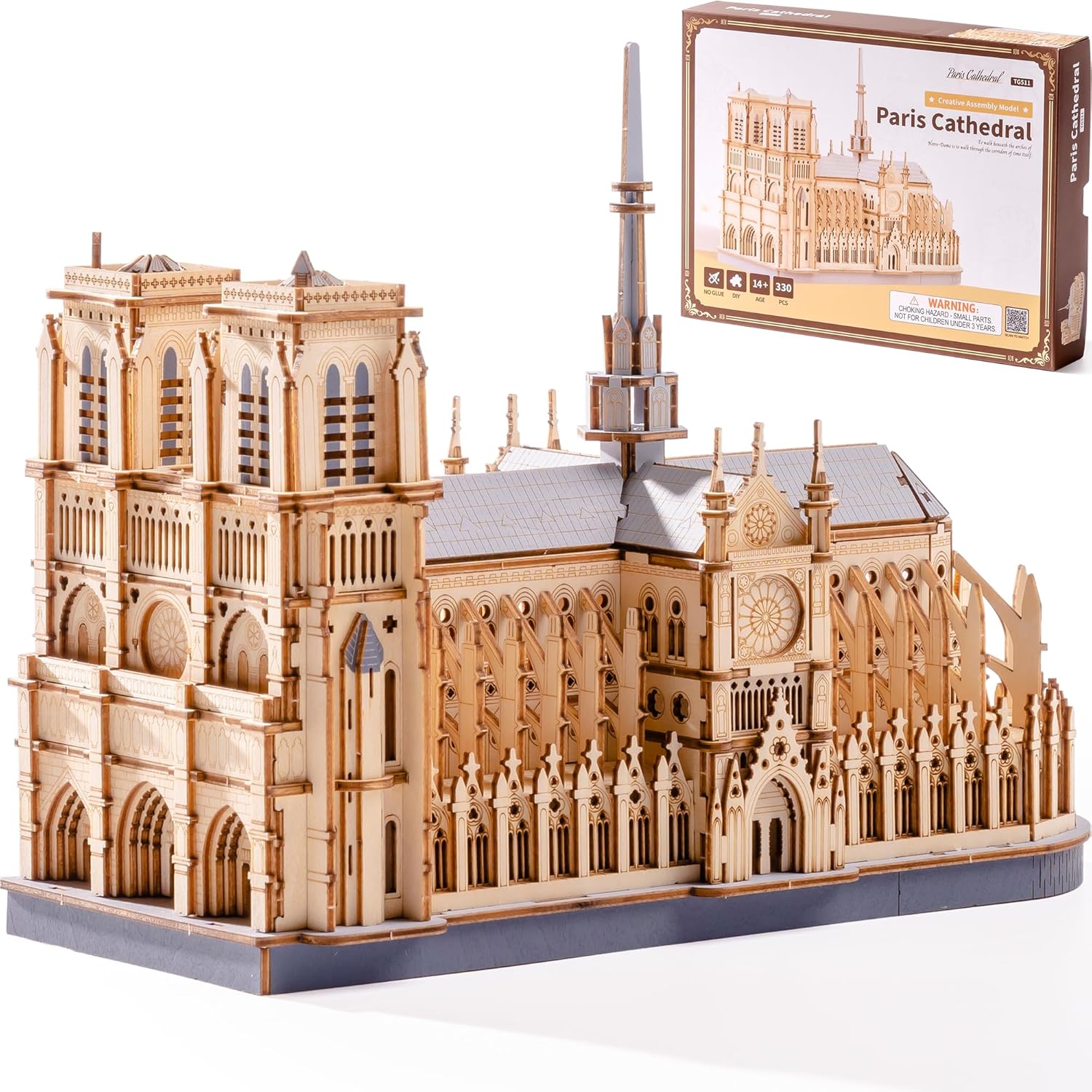
Image: The fully assembled Notre Dame de Paris model, highlighting its detailed design.

Image: Detailed view of the model's spire and flying buttresses, demonstrating the precision of the laser-cut components.
Video: This video demonstrates the assembly process and highlights the intricate details of the Notre Dame de Paris 3D wooden puzzle, showcasing how pieces fit together to form the complete structure.
Display and Care
Once assembled, your Notre Dame de Paris model is ready for display.
Placement: Place the model on a stable, flat surface away from direct sunlight, excessive heat, or humidity to prevent warping or fading of the wood.
Handling: Handle the model gently, especially delicate parts like spires and flying buttresses, to avoid accidental damage.
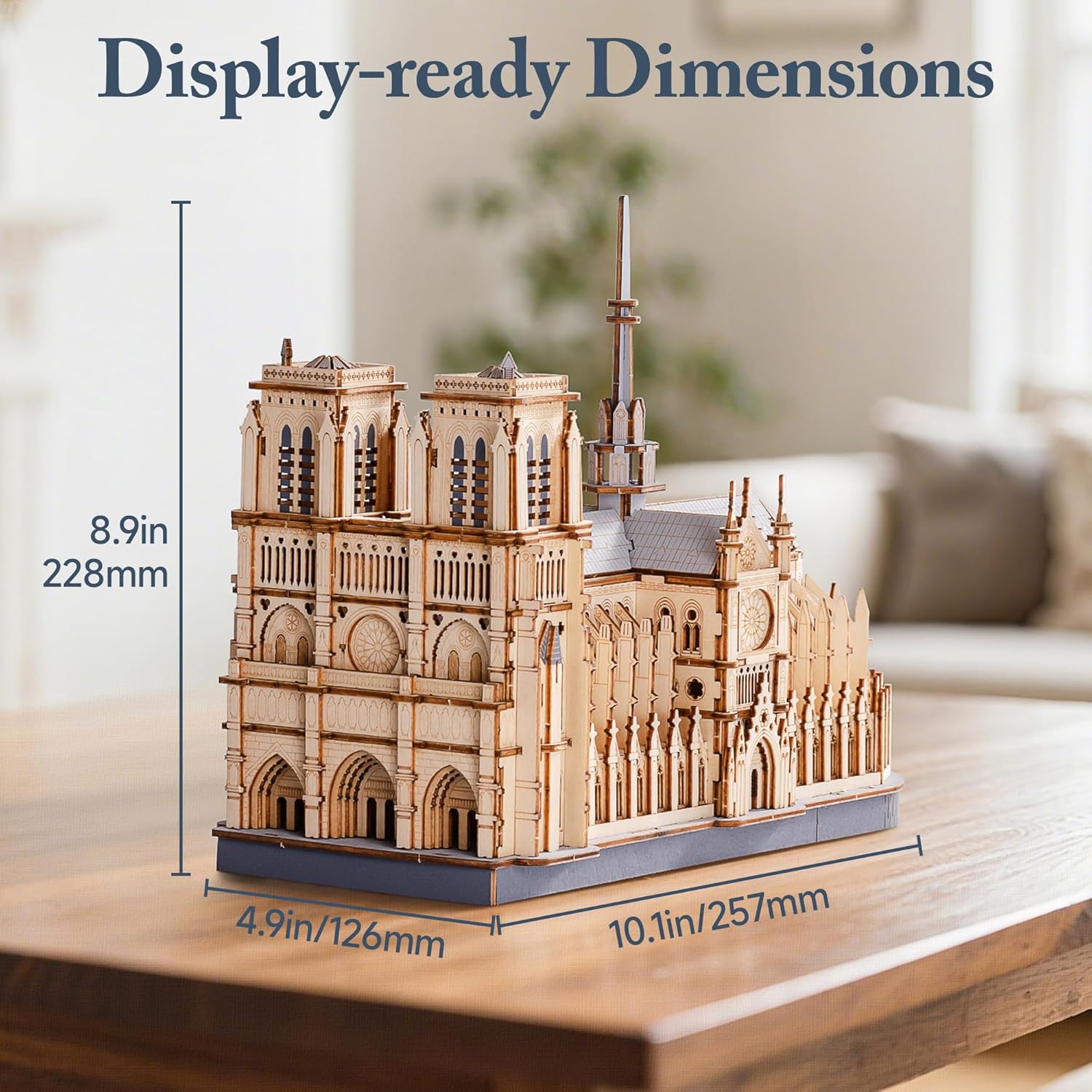
Image: The completed model on display, illustrating its final dimensions of 10.1 inches (257mm) in length, 4.9 inches (126mm) in width, and 8.9 inches (228mm) in height.
Maintenance
To keep your wooden model in optimal condition:
Cleaning: Dust the model regularly with a soft, dry cloth or a soft-bristled brush. Avoid using water or chemical cleaners, as these can damage the wood.
Storage: If storing the model, ensure it is placed in a dry environment, protected from dust and physical impact.
Troubleshooting
Missing or Broken Parts:
In the event that any parts are broken or lost during the assembly process, ROBOTIME offers a part replacement service. Please contact customer support with details of the missing or damaged parts.
Difficulty with Assembly:
If you encounter difficulty fitting pieces, ensure you are using the correct parts for the step and that they are oriented correctly. Refer to the detailed diagrams in the instruction book. Gentle pressure is usually sufficient; avoid excessive force.
Specifications
| Product Dimensions | 10.2 x 5 x 0.1 inches (unassembled sheet size) |
| Assembled Dimensions | Approximately 10.1 x 4.9 x 8.9 inches (257 x 126 x 228 mm) |
| Item Weight | 1.37 pounds |
| Model Number | RBT-TG511 |
| Recommended Age | 14 years and up |
| Number of Pieces | 330 |
| Assembly Time | Approximately 2-3 hours |
| Material | Premium Wood (Laser-cut plywood) |
Warranty and Support
ROBOTIME is committed to providing quality products and customer satisfaction.
Quality Guarantee: This product is backed by ROBOTIME's commitment to premium materials and craftsmanship.
Part Replacement Service: As mentioned in the Troubleshooting section, if any parts are broken or lost during assembly, a part replacement service is available.
Customer Support: For any inquiries, assistance, or to request part replacements, please contact ROBOTIME customer support. Refer to the product packaging or the official ROBOTIME website for contact information.