
Product Overview
The Foxtop 14 Inch Roman Numerals Wall Clock is a battery-operated, silent, non-ticking round clock designed for indoor use. It features a classic vintage retro style with large Roman numerals for easy readability. The clock is equipped with a precise quartz movement for accurate timekeeping.

Figure 1: Front view of the Foxtop 14 Inch Roman Numerals Wall Clock.
Package Contents
- 1 x Foxtop 14 Inch Roman Numerals Wall Clock
- Instruction Manual (this document)
Note: 1 AA battery is required for operation and is not included in the package.
Setup Instructions
1. Battery Installation
- Locate the battery compartment on the back of the clock.
- Insert one (1) AA alkaline battery into the compartment, ensuring the correct polarity (+/-) as indicated.
- Close the battery compartment cover securely.
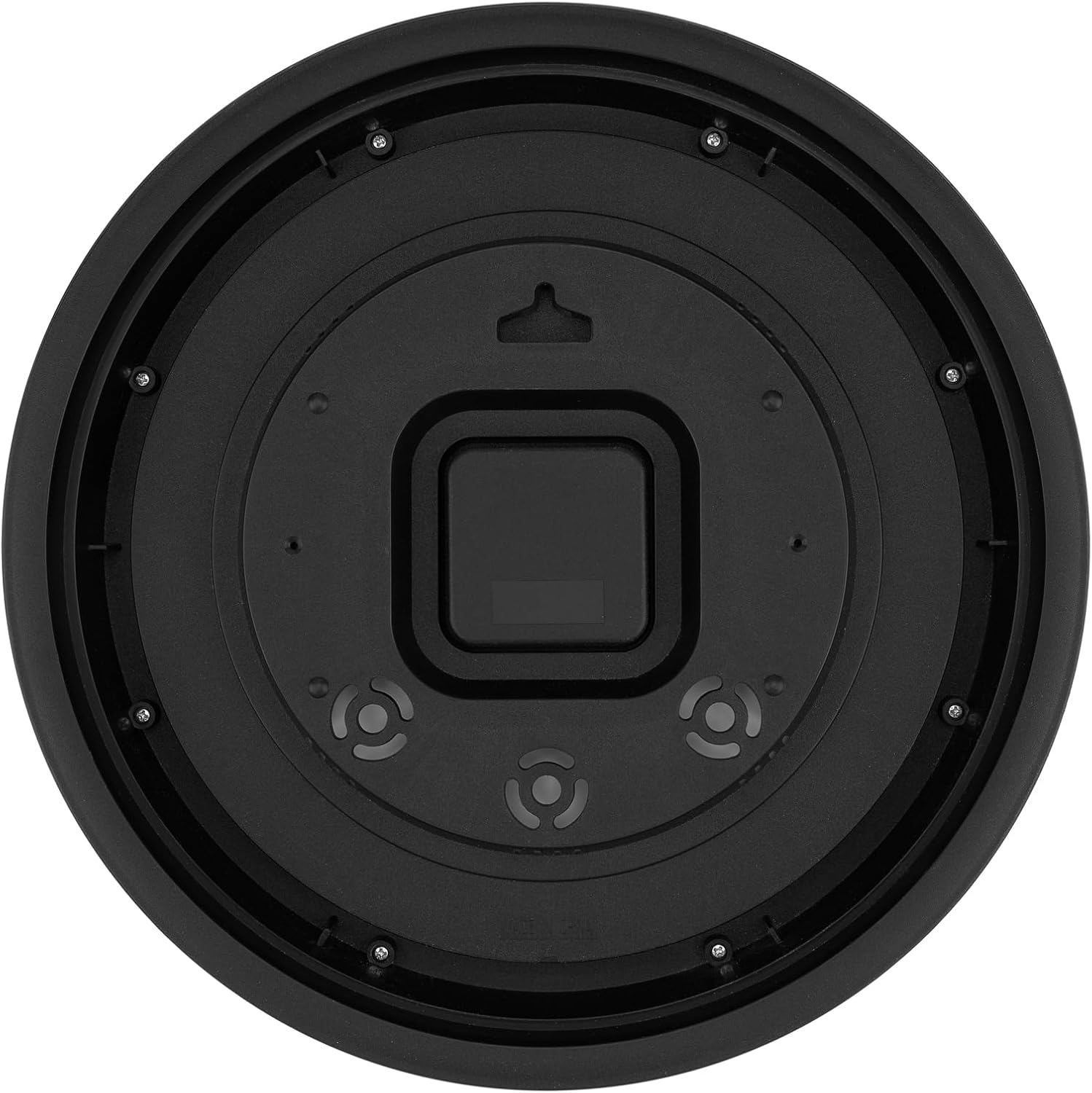
Figure 2: Rear view of the clock with the battery compartment.
2. Setting the Time
- On the back of the clock, locate the time adjustment knob (usually a small wheel or dial near the battery compartment).
- Gently turn the knob in either direction to move the clock hands to the correct time.
- Ensure the minute and hour hands are aligned correctly.
3. Mounting the Clock
- Choose a suitable location on a wall for hanging.
- Insert a nail or screw into the wall at the desired height.
- Utilize the hook and wide slot located on the back of the clock to securely hang it on the nail or screw.
Operating Instructions
The Foxtop Wall Clock operates continuously once the battery is installed and the time is set. Its precise quartz movement ensures accurate timekeeping, and the silent sweep second hand provides a non-ticking environment suitable for various rooms including bedrooms, living rooms, and offices.

Figure 3: The clock seamlessly integrates into a living room environment.
Maintenance
Battery Replacement
The clock's upgraded movement is compatible with alkaline batteries and offers a battery life of over 2 years (tested with AA Alkaline High Performance Batteries 1.5V). When the clock stops or begins to lose time, replace the AA battery following the installation steps in the "Setup Instructions" section.
Cleaning
To clean the clock, gently wipe the front glass cover and the frame with a soft, dry cloth. Avoid using abrasive cleaners or harsh chemicals, as these may damage the finish or the glass.
Troubleshooting
- Clock not keeping accurate time: Ensure the battery is fresh and correctly installed. If the issue persists after replacing the battery, re-adjust the time using the setting knob.
- No movement: Check if the battery is inserted with the correct polarity and if it has sufficient charge. Replace with a new AA battery if necessary.
- Loud ticking sound: This clock features a super silent mechanism. If you hear a ticking sound, ensure the clock hands are not obstructed or touching each other.
Specifications
| Feature | Detail |
|---|---|
| Brand | Foxtop |
| Model | 14 Inch Roman Numerals Wall Clock |
| Color | Bronze Roman Numeral |
| Display Type | Analog |
| Style | Retro |
| Special Feature | Silent Clock |
| Product Dimensions | 14"W x 14"H |
| Power Source | Battery Powered (1 AA battery, not included) |
| Room Type | Bedroom, Dining Room, Home Office, Kitchen, Living Room |
| Shape | Round |
| Indoor/Outdoor Usage | Indoor |
| Material | Plastic |
| Frame Material | Plastic |
| Item Weight | 2 pounds |

Figure 4: Product dimensions of the 14-inch wall clock.
Warranty and Support
For warranty information or product support, please contact Foxtop customer service. Refer to the product packaging or the official Foxtop website for contact details.