
1. Introduction
Welcome to the user manual for your new iCan iSmart Home PC AMD Ryzen 5 5600GT Desktop. This document provides essential information to help you set up, operate, maintain, and troubleshoot your computer. Please read this manual thoroughly before using your device to ensure optimal performance and longevity.
2. Product Overview
The iCan iSmart Home PC is designed for reliable performance across various tasks, including work, study, streaming, and light gaming. It features an AMD Ryzen 5 5600GT processor, integrated Radeon Graphics, 16GB DDR4 RAM, and a fast 500GB NVMe SSD. The system comes pre-installed with Windows 11 Home and includes built-in Wi-Fi and Bluetooth connectivity.
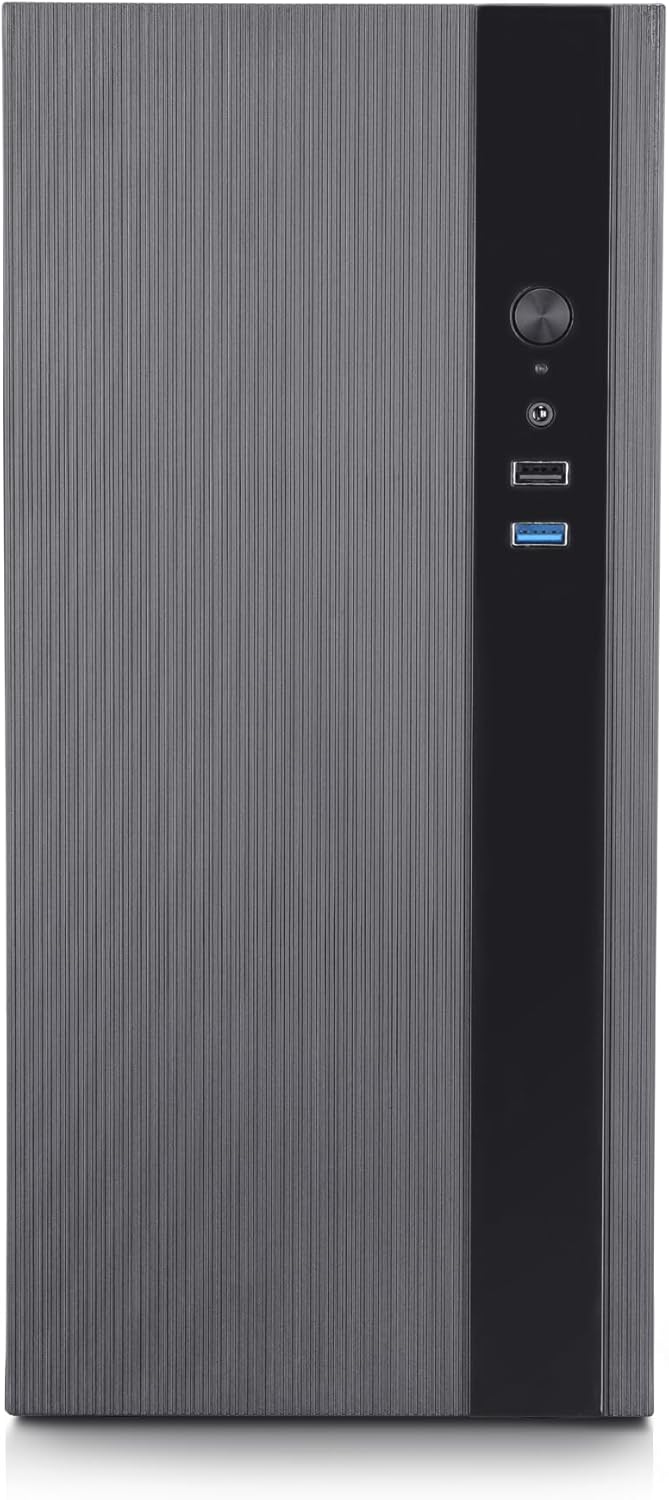
Figure 2.1: Front view of the iCan iSmart Home PC desktop tower, showcasing its sleek design with a textured grey panel and a black vertical strip containing front ports and power button.

Figure 2.2: An illustration highlighting the core components: AMD Ryzen 5 5600GT Processor (6 Cores / 12 Threads), 16GB DDR4-3200 RAM, 512GB NVMe SSD (3500MB/s Read Speed), Windows 11 Home (Pre-activated OS), and AMD Radeon™ Graphics (4K Video Ready).
3. Package Contents
Please check the box for the following items:
- iCan iSmart Home PC Desktop (Model: ISM-3)
- Power Cable
- Quick Start Guide (if included)
Note: Peripherals such as monitor, keyboard, and mouse are not included and must be purchased separately.
4. Setup Guide
4.1 Unpacking
- Carefully remove the desktop from its packaging.
- Place the desktop on a stable, flat surface with adequate ventilation.
- Remove any protective films or packaging materials.
4.2 Connecting Peripherals
Connect your monitor, keyboard, mouse, and other devices to the appropriate ports on the desktop. Refer to the port diagram below for assistance.

Figure 4.1: Detailed diagram of the front and rear ports. The front panel includes a Power Button, HDD LED indicator, USB 2.0, and USB 3.2 Gen ports. The rear panel features a power input, PS/2 ports, USB 3.2 Gen 1x2, D-Sub port, HDMI x2, USB 2.0 x2, Wi-Fi/Bluetooth antenna connectors, Realtek 1Gb LAN, Microphone x1, Line Out x1, and Line In x1.
- Monitor: Connect your monitor to one of the HDMI ports or the D-Sub port on the rear panel.
- Keyboard & Mouse: Connect your USB keyboard and mouse to any available USB ports (USB 2.0 or USB 3.2 Gen).
- Power: Connect the power cable to the power input on the rear of the desktop and then to a wall outlet.
- Network: For a wired connection, connect an Ethernet cable to the Realtek 1Gb LAN port. For wireless, ensure Wi-Fi antennas are connected (if external).

Figure 4.2: Rear view of the desktop showing various ports and cables connected to a monitor, keyboard, and mouse, illustrating a typical setup. Highlighted connections include USB 3.2/2.0, HDMI, and Wi-Fi.
4.3 Powering On
- Ensure all connections are secure.
- Press the power button located on the front panel of the desktop.
- Follow the on-screen instructions to complete the initial Windows 11 Home setup.
5. Operating Instructions
5.1 Windows 11 Home Basics
Your iSmart Home PC comes with Windows 11 Home pre-installed. Familiarize yourself with its features:
- Start Menu: Centered on the taskbar, providing quick access to apps and settings.
- Snap Layouts: Organize your open windows efficiently by hovering over the maximize button.
- Widgets: Access personalized information like news, weather, and calendar.
- Microsoft Edge: The default web browser for fast and secure browsing.
5.2 Connectivity
- Wi-Fi: To connect to a wireless network, click the network icon on the taskbar, select your desired network, and enter the password.
- Bluetooth: To pair Bluetooth devices, go to Settings > Bluetooth & devices, turn on Bluetooth, and select 'Add device'.
5.3 Multitasking and Performance
The AMD Ryzen 5 5600GT processor and 16GB DDR4 RAM enable smooth multitasking and responsive performance for various applications.
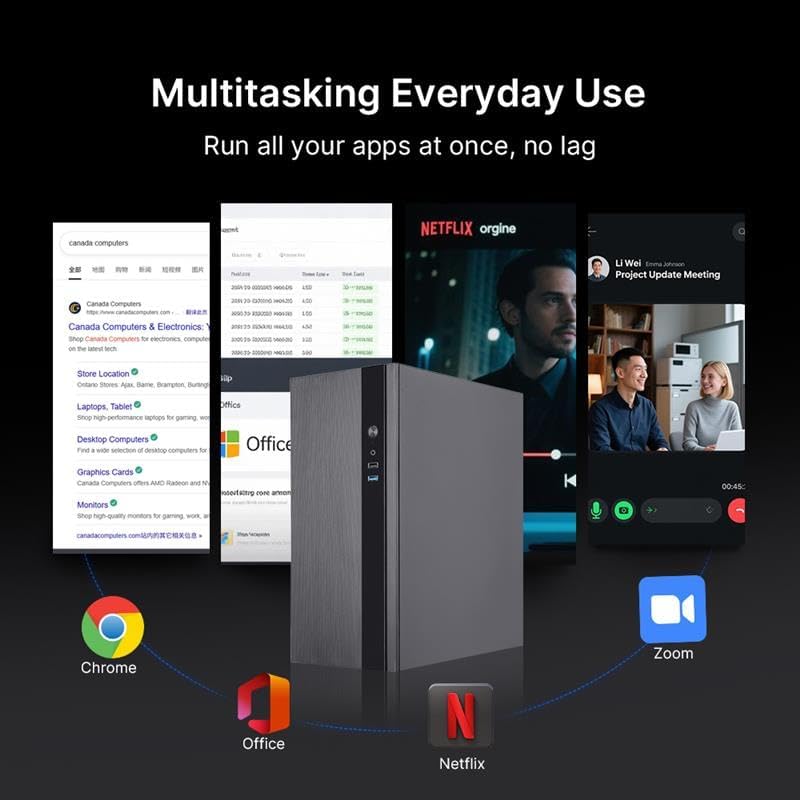
Figure 5.1: The iCan iSmart Home PC desktop shown with multiple applications open simultaneously, including web browsers, Microsoft Office, Netflix, and Zoom, illustrating its capability for everyday multitasking without lag.
5.4 Graphics Capabilities
The integrated AMD Radeon Graphics provide crisp visuals and fluid video playback, suitable for streaming and light gaming.

Figure 5.2: The iCan iSmart Home PC desktop integrated into a gaming setup with two monitors displaying game content, highlighting its ability to deliver crisp visuals and smooth performance for casual gaming.
6. Maintenance
6.1 Cleaning
- Regularly clean the exterior of the desktop with a soft, dry cloth.
- Use compressed air to clear dust from ventilation grilles and ports to prevent overheating.
- Avoid using liquid cleaners directly on the components.
6.2 Software Updates
- Keep your Windows 11 operating system updated by regularly checking for updates via Settings > Windows Update.
- Ensure your drivers, especially for graphics and chipset, are up to date for optimal performance.
6.3 Data Backup
Regularly back up your important files to an external drive or cloud storage to prevent data loss.
7. Troubleshooting
This section addresses common issues you might encounter.
7.1 No Power
- Check if the power cable is securely connected to both the desktop and the wall outlet.
- Ensure the power outlet is functional by testing it with another device.
7.2 No Display on Monitor
- Verify that the monitor is powered on and its video cable is securely connected to the desktop's video output port (HDMI or D-Sub).
- Ensure the correct input source is selected on your monitor.
7.3 Slow Performance
- Close unnecessary applications running in the background.
- Check for and install any pending Windows updates or driver updates.
- Ensure there is sufficient free space on your 500GB NVMe SSD.
8. Specifications
Detailed technical specifications for the iCan iSmart Home PC AMD Ryzen 5 5600GT Desktop.

Figure 8.1: An illustration showing the AMD Ryzen 5 6-Core processor, built-in Radeon Graphics, and a fast 500GB NVMe SSD, highlighting the core performance components of the desktop.

Figure 8.2: A close-up image of a 500GB NVMe SSD, emphasizing the fast storage solution that allows Windows to load in seconds and provides ample space.
| Feature | Specification |
|---|---|
| Brand | iCan |
| Model Name | ISM-3 |
| Item Model Number | RTISM00003 |
| Operating System | Windows 11 Home |
| CPU Model | AMD Ryzen 5 5600GT |
| CPU Speed | Base 3.6GHz, Up to 4.4 GHz boost |
| RAM Memory Installed Size | 16GB DDR4 |
| Hard Drive | 500GB NVMe SSD |
| Graphics Card Description | Integrated AMD Radeon Graphics |
| Graphics Memory Size | 1 GB (Integrated) |
| Wi-Fi | Built-in (Compatible with Wi-Fi 5/6) |
| Bluetooth | Built-in |
| USB 2.0 Ports | 4 (2 front, 2 rear) |
| USB 3.0/3.2 Gen Ports | 4 (2 front, 2 rear) |
| Video Output | 2x HDMI, 1x D-Sub |
| LAN | Realtek 1Gb LAN |
| Audio Ports | Microphone x1, Line Out x1, Line In x1 |
| Optical Storage Device | N/A |
9. Warranty and Support
Your iCan iSmart Home PC comes with a 1-year manufacturer warranty. This warranty covers defects in materials and workmanship under normal use.

Figure 9.1: An image depicting a shield with a prominent '1 Year' text, symbolizing the 1-year manufacturer warranty provided with the iSmart product.
For technical support or warranty claims, please contact the manufacturer, Canada Computers & Electronics, or your point of purchase. Keep your proof of purchase for warranty validation.