
1. Safety Information
Please read and understand all safety instructions before using this device. Failure to follow these instructions may result in injury or damage to the device.
- Non-Contact Use: This thermometer is designed for measuring the surface temperature of inanimate objects only. It is not intended for human or medical use.
- Laser Safety: The device emits a Class 2 laser. Do not stare directly into the laser beam or point it at people or animals. Avoid direct eye exposure.
- Operating Environment: Use the device within the specified operating temperature and humidity ranges.
- Maintenance: Do not attempt to disassemble or modify the device. Refer to the maintenance section for cleaning instructions.
- Battery Handling: Ensure correct battery polarity. Remove batteries if the device will not be used for an extended period.

Important safety notice: This infrared thermometer is designed for inanimate surfaces only and should not be used for human or medical purposes.
2. Product Overview
The ERICKHILL ROOKMAX Infrared Thermometer Gun is a versatile non-contact device designed for accurate surface temperature measurements across a wide range. It features adjustable emissivity, a clear color LCD, and laser aiming for precise targeting.

The ERICKHILL ROOKMAX Infrared Thermometer Gun, a non-contact device for measuring surface temperatures, shown with two AAA batteries.
Key Features:
- Wide Temperature Range: -58°F to 1472°F (-50°C to 800°C).
- Adjustable Emissivity: Improves accuracy on various surface types.
- Non-Contact Measurement: Safely measure hot, moving, or hard-to-reach targets.
- Laser Aiming: Provides precise targeting for accurate readings.
- Color LCD: Large, easy-to-read display with backlight.
- Fast Response Time: Measures in less than 0.5 seconds.
3. Setup
Battery Installation:
- Locate the battery compartment on the handle of the thermometer.
- Gently open the battery compartment cover.
- Insert the two included AAA batteries, ensuring correct polarity (+/-) as indicated inside the compartment.
- Close the battery compartment cover securely.
4. Operating Instructions
4.1 Taking a Measurement:
- Point the thermometer at the target surface.
- Pull and hold the trigger to activate the device and begin scanning. The laser pointer will activate (if enabled) to indicate the measurement area.
- The temperature reading will appear on the color LCD.
- Release the trigger to hold the reading on the display. The device will automatically power off after a period of inactivity to conserve battery life.

Shows the non-contact measurement capability, allowing users to check temperatures from up to 144 inches away, ideal for ovens and other hot surfaces.
4.2 Distance-to-Spot Ratio (D:S):
The ROOKMAX thermometer has a 12:1 D:S ratio. This means that from a distance of 12 inches, the measurement spot diameter will be 1 inch. To ensure accurate readings, make sure the target area is larger than the spot size.
4.3 Switching Temperature Units (°C/°F):
Press the '°C/°F' button located on the keypad to toggle between Celsius and Fahrenheit temperature units.
4.4 Laser On/Off:
Press the laser button (triangle with laser symbol) on the keypad to turn the laser pointer on or off. The laser helps in precisely identifying the measurement target.
4.5 Adjusting Emissivity (EMS):
Emissivity is the efficiency with which an object emits thermal energy. Different materials have different emissivity values. Adjusting the emissivity setting improves measurement accuracy for various surfaces.
- While the device is on, pull and hold the trigger.
- Press and hold the 'MODE' button to enter emissivity adjustment mode. The 'EMS' indicator will appear on the screen.
- Use the up/down arrow buttons to adjust the emissivity value (typically between 0.10 and 1.00).
- Release the 'MODE' button to save the setting and exit emissivity adjustment mode.
Note: Most organic materials, painted surfaces, and water have an emissivity of 0.95. Shiny metals may require lower settings.

Highlights the adjustable emissivity feature, allowing for accurate temperature readings on diverse surfaces by adjusting the emissivity value.

A close-up of the thermometer's display, detailing indicators for scan, hold, emissivity, laser status, and temperature units.
4.6 Versatile Applications:
The ERICKHILL ROOKMAX is suitable for a variety of uses:
- Cooking & BBQ: Check grill, oven, or food surface temperatures.
- HVAC: Diagnose air conditioning and heating system performance.
- Automotive: Monitor engine components, tires, or brake temperatures.
- Home Use: Verify refrigerator/freezer temperatures, check insulation, or identify drafts.
- Industrial: Monitor machinery, electrical panels, or process temperatures.
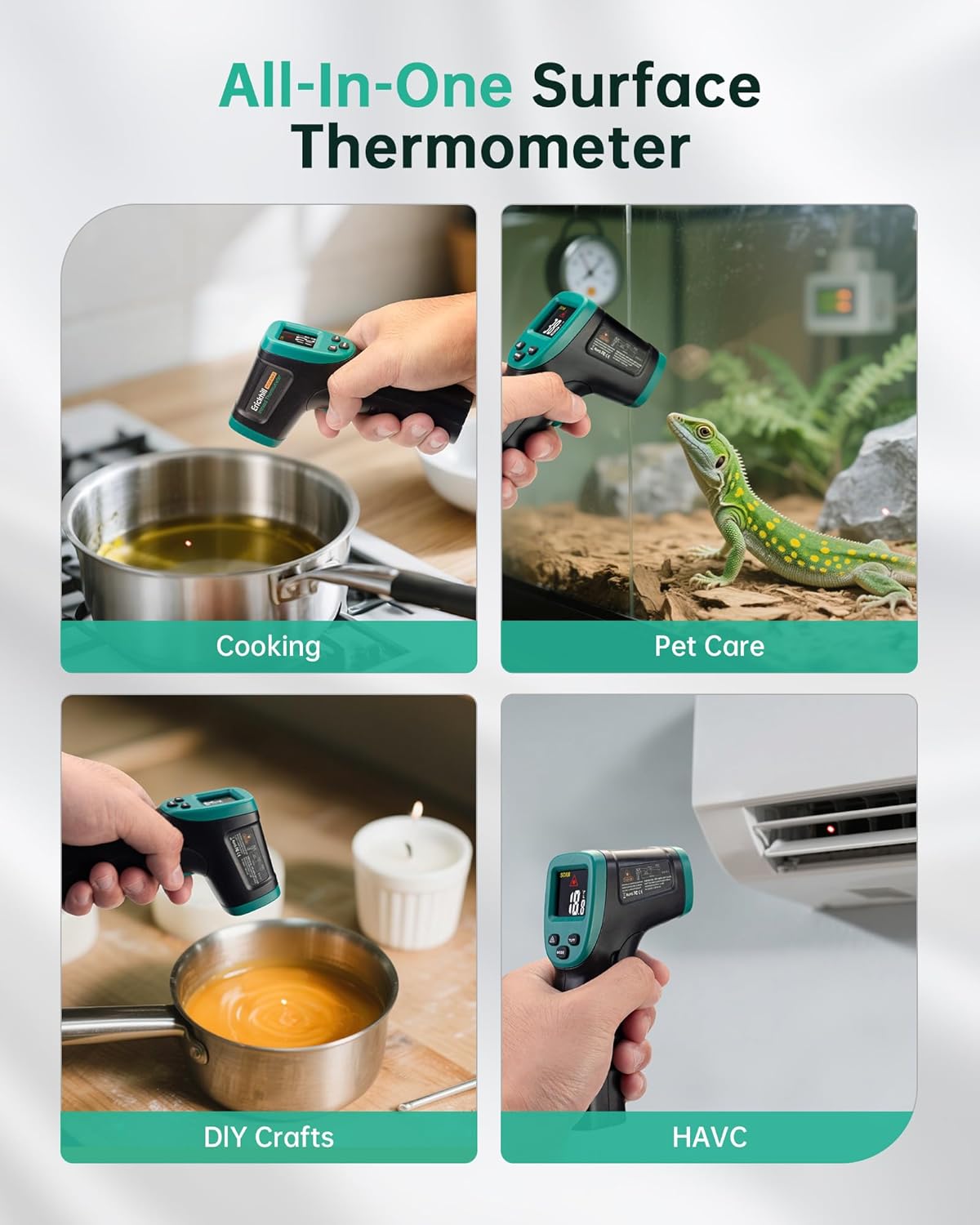
A visual summary of the thermometer's versatile applications across various household and professional tasks.
Official video from ERICKHILL STORE showcasing the features and various uses of the ROOKMAX Infrared Thermometer Gun.
5. Maintenance
5.1 Cleaning:
- Use a soft, damp cloth to clean the device casing.
- For the lens, use a soft, lint-free cloth or a lens cleaning wipe. Avoid abrasive cleaners or solvents.
- Ensure the device is dry before storage or next use.
5.2 Battery Replacement:
When the low battery indicator appears on the display, replace the AAA batteries as described in the Setup section.
6. Troubleshooting
- No Display/Device Not Turning On: Check battery installation and ensure batteries are not depleted. Replace if necessary.
- Inaccurate Readings:
- Verify the emissivity setting is appropriate for the surface being measured.
- Ensure the distance-to-spot ratio is respected (target area larger than spot size).
- Clean the lens if it appears dirty.
- Avoid measuring through glass or highly reflective surfaces without proper emissivity adjustment.
- Laser Not Working: Check if the laser is enabled via the laser on/off button.
7. Specifications
| Feature | Value |
|---|---|
| Model Name | ROOKMAX |
| Temperature Range | -58°F to 1472°F (-50°C to 800°C) |
| Distance-to-Spot Ratio (D:S) | 12:1 |
| Emissivity | Adjustable (0.10-1.00) |
| Response Time | < 0.5 seconds |
| Display Type | Color LCD |
| Power Source | 2 AAA batteries (included) |
| Special Features | Auto Off, Fast Reading System, High Accuracy, Large Display, Non-Contact |
| Outer Material | Acrylonitrile Butadiene Styrene |
| Package Dimensions | 6.3 x 5.91 x 1.73 inches |
| Item Weight | 5.61 ounces |
8. Warranty and Support
The ERICKHILL ROOKMAX Infrared Thermometer Gun is manufactured by ERICKHILL. For warranty information, technical support, or service inquiries, please contact ERICKHILL customer service directly.
This product is typically covered by a refund/replacement policy. Please refer to your purchase documentation or contact the seller for specific details regarding your warranty period and return options.
For additional support, visit the official ERICKHILL website or contact their customer service department.