
MOOER Groove Looper X2, Air P05
Contents
MOOER Groove Looper X2 & Air P05 User Manual
Model: Groove Looper X2, Air P05 | Brand: MOOER
1. Introduction
This manual provides comprehensive instructions for the MOOER Groove Looper X2 Stereo Drum Machine Looper Pedal and the MOOER Air P05 Guitar Wireless System. Please read this manual thoroughly before operating the devices to ensure proper usage and optimal performance.

Figure 1.1: MOOER Groove Looper X2 and Air P05 components. The image displays the silver-colored Groove Looper X2 pedal on the left, featuring various knobs and footswitches, and two compact black Air P05 wireless units (transmitter and receiver) on the right, each with a 1/4-inch jack.
2. Product Features
The MOOER Groove Looper X2 and Air P05 offer a range of advanced features designed for musicians:
- Groove Looper X2:
- 14 save slots, each storing loops up to 10 minutes in length.
- Flexible looper controls with toggleable count-in mode and automatic detection mode.
- Time Stretch functionality to alter playback speed without affecting pitch.
- Integrated drum machine with 11 genres and 11 variations per genre.
- Manual Tap Tempo or automatic tempo detection for drum machine.
- Split stereo inputs and outputs for looper and drum machine.
- Justify function for perfect synchronization between drum groove and loop.
- Free editor software available for easier track editing and management.
- Air P05 Wireless System:
- Compact and minimalist design with high-quality sound transmission.
- Utilizes 2.4GHz ISM worldwide technology for low-distortion and low-signal-loss audio.
- Automatic sleep mode to conserve battery life.
- Up to 8 hours of battery life with a built-in 400mAh rechargeable battery.
- Quick charging via included USB cable, compatible with portable power banks.
- 4 selectable channels for robust connectivity and optimal performance.

Figure 2.1: The Groove Looper X2 pedal, shown with text overlay "2 IN 1 DRUM LOOPER PEDAL" and icons indicating 14 save slots, 10 min capacity per track, 11 rhythm styles, and 11 rhythm types.
3. Setup
3.1. Groove Looper X2 Pedal Setup
- Power Connection: Connect a DC 9V power adapter (not included) to the DC 9V input jack on the pedal. Ensure the power supply meets the pedal's specifications.
- Audio Input: Connect your instrument (e.g., guitar) to the INPUT (L/MONO) jack using a standard 1/4-inch instrument cable. For stereo input, connect a second instrument or stereo source to the R input jack.
- Audio Output: Connect the OUTPUT (L/MONO) jack to your amplifier or audio interface. For stereo output, connect the R output jack as well.
- External Footswitch (Optional): If using an external footswitch, connect it to the EXT CTRL jack.
- USB Connection: For software editing, connect the pedal to your computer via the USB port.
3.2. Air P05 Wireless System Setup
- Charging: Before first use, fully charge both the transmitter and receiver units using the included USB cable. The built-in 400mAh rechargeable battery provides up to 8 hours of operation.
- Transmitter Connection: Plug the transmitter unit (marked "TRANSMITTER") into your instrument's output jack (e.g., guitar).
- Receiver Connection: Plug the receiver unit (marked "RECEIVER") into the input of your amplifier, pedal, or audio interface.
- Power On: Press and hold the power button on both the transmitter and receiver until the indicator lights illuminate.
- Pairing: The units should automatically pair. If not, press the channel button on both units simultaneously to cycle through the 4 available channels until they connect. The indicator light will turn solid blue when connected.

Figure 3.1: The Air P05 wireless system units, with text "4 SELECTABLE CHANNELS" and an illustration showing the channel selection button and indicator lights.

Figure 3.2: Various applications of the Air P05 wireless system, including direct connection to a guitar, connection to a pedalboard, and connection to an amplifier, demonstrating its versatility.
4. Operating Instructions
4.1. Groove Looper X2 Operation
The Groove Looper X2 combines a powerful looper with a versatile drum machine.
4.1.1. Looper Functionality
- Recording/Playback: Use the left footswitch (REC/PLAY/DUB) to control recording, playback, and overdubbing.
- Press once to start recording.
- Press again to stop recording and start playback.
- Press again during playback to overdub.
- Double-press to stop playback.
- Save Slots: The pedal features 14 save slots. Use the UP/DOWN buttons to navigate between slots. Each slot can store up to 10 minutes of loop audio.
- Record Modes: The Groove Looper X2 offers three record modes:
- Count-in: Provides a metronome count-in before recording begins.
- Automatic: Recording starts automatically when an instrument signal is detected.
- Normal: Standard immediate recording upon footswitch press.
- Time Stretch: Adjust the playback speed of your loops using the SPEED knob without altering the original pitch. This allows for creative tempo changes.

Figure 4.1: Close-up of the Groove Looper X2 pedal illustrating the three record modes: Count-in, Automatic, and Normal, with corresponding indicator lights.

Figure 4.2: The Groove Looper X2 pedal with text "TIME STRETCH" indicating the ability to change playback speed without affecting pitch, highlighting the SPEED knob.
4.1.2. Drum Machine Functionality
- Genre Selection: Use the GENRE knob to select from 11 different drum genres.
- Pattern Selection: Use the PATTERN knob to choose from 11 variations within the selected genre.
- Tempo Control:
- Tap Tempo: Tap the right footswitch (STOP/TAP) multiple times to set the drum machine tempo manually.
- Automatic Tempo: When used with the looper, the drum machine tempo will automatically detect and sync with your loop.
- Justify Function: This feature ensures perfect synchronization between your drum groove and recorded loop. Activate it to align the timing precisely.
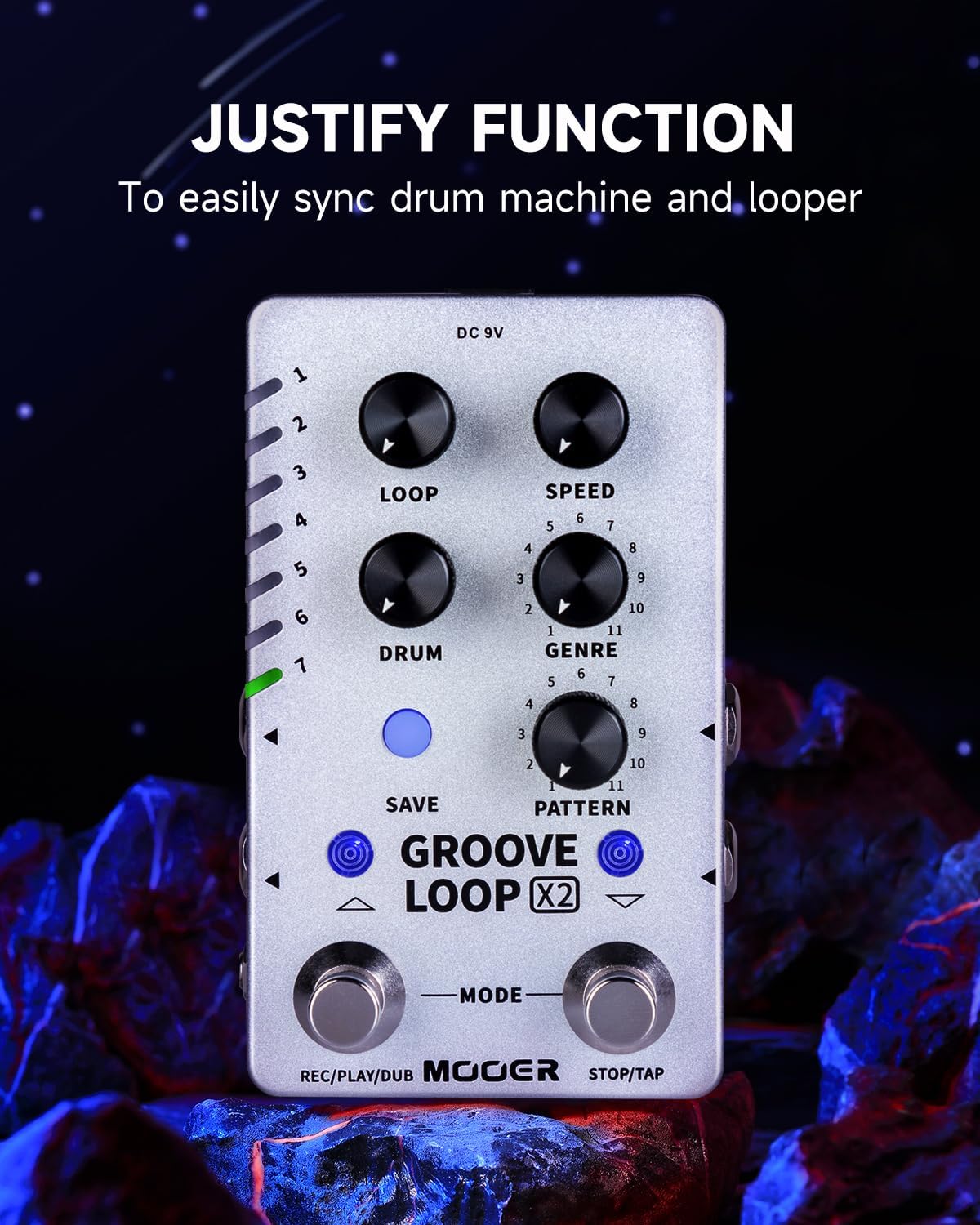
Figure 4.3: The Groove Looper X2 pedal with text "JUSTIFY FUNCTION" explaining its purpose to easily sync drum machine and looper, highlighting the relevant controls.
4.1.3. Editor Software
Free editor software can be downloaded from mooeraudio.com. This software allows for easier editing of stored tracks, importing, and exporting audio files, providing greater flexibility for managing your loops and drum patterns.
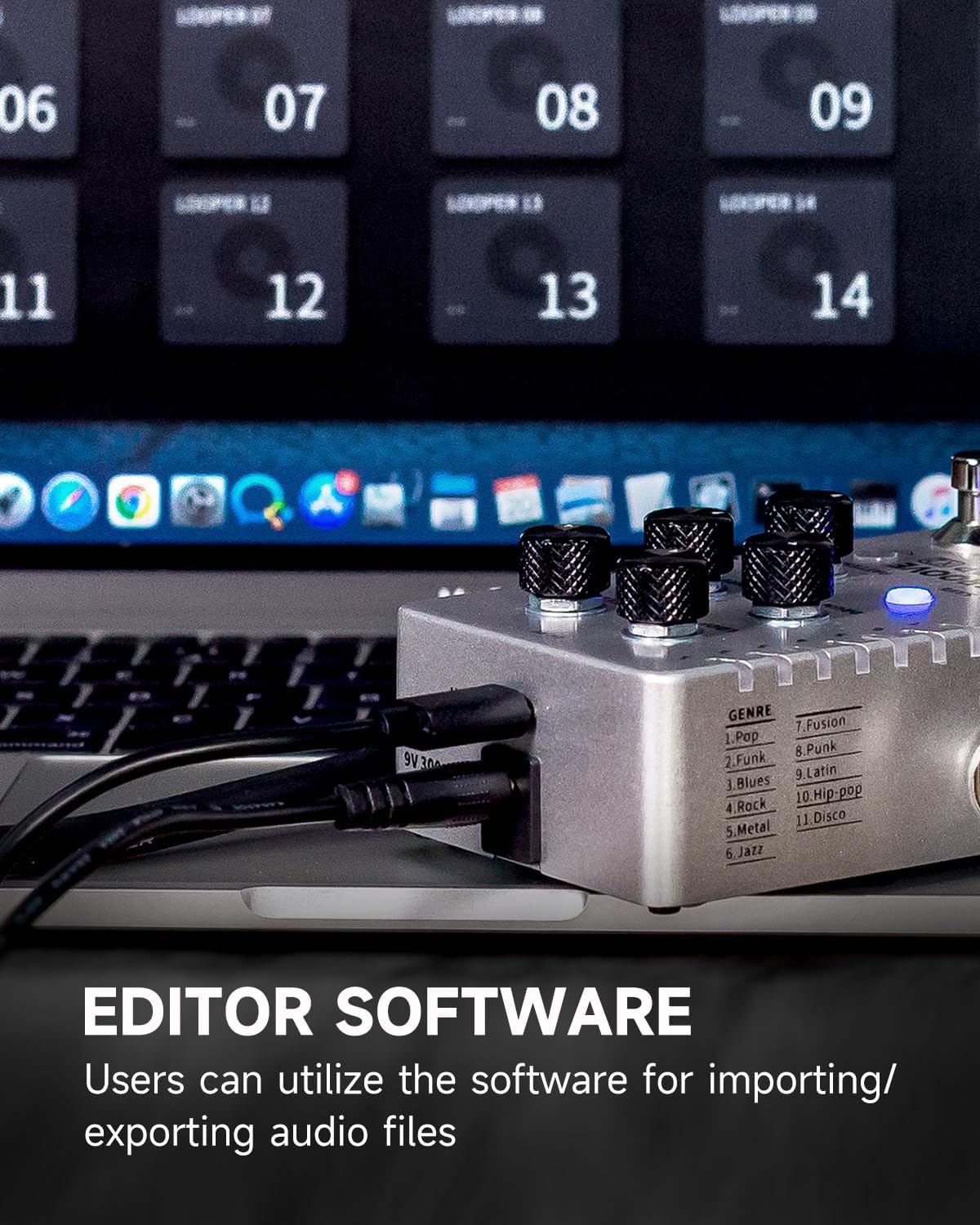
Figure 4.4: The Groove Looper X2 pedal connected via USB to a laptop, illustrating the use of the editor software for importing and exporting audio files.
4.2. Air P05 Wireless System Operation
- Power On/Off: Press and hold the power button on each unit to turn them on or off.
- Channel Selection: If interference occurs or you need to use multiple units, press the channel button on both the transmitter and receiver to cycle through the 4 available channels. Ensure both units are on the same channel for proper operation.
- Automatic Sleep Mode: The Air P05 features an automatic sleep mode that activates when no signal is detected for a period, conserving battery life. The unit will wake up automatically upon signal detection.
- Charging: When the battery indicator flashes, connect the units to a USB power source using the provided cable. A full charge takes approximately 2 hours.
5. Maintenance
- Cleaning: Use a soft, dry cloth to clean the exterior of both devices. Do not use abrasive cleaners or solvents.
- Storage: Store the devices in a cool, dry place away from direct sunlight and extreme temperatures.
- Battery Care (Air P05): For optimal battery longevity, avoid fully discharging the Air P05 units frequently. Recharge them regularly. If storing for extended periods, charge them to about 50% every few months.
- Firmware Updates: Check the MOOER official website periodically for any available firmware updates for the Groove Looper X2 to ensure optimal performance and access to new features.
6. Troubleshooting
| Problem | Possible Cause | Solution |
|---|---|---|
| No sound from Groove Looper X2 | Incorrect power supply; cables not connected properly; volume knobs set to zero. | Ensure correct 9V DC power supply is used. Check all audio cable connections. Verify LOOP and DRUM volume knobs are not at minimum. |
| Air P05 not connecting/intermittent signal | Units not paired; low battery; interference from other 2.4GHz devices; distance too far. | Ensure both units are powered on and charged. Press channel button on both units to find a clear channel. Reduce distance between units. Avoid strong Wi-Fi signals or other 2.4GHz devices. |
| Loops out of sync with drums | Timing discrepancy during recording. | Use the "Justify" function to re-sync. Practice recording with the count-in mode or automatic mode for better timing. |
| Cannot save loops | Memory full; incorrect save procedure. | Ensure you are following the save procedure correctly (refer to full manual if needed). If slots are full, delete old loops via the pedal or editor software. |
7. Specifications
- Product Name: MOOER Groove Looper X2 Stereo Drum Machine Looper Pedal
- Product Name: MOOER Air P05 Guitar Wireless System
- ASIN: B0FF99NMG5
- First Available: June 21, 2024
- Looper Capacity: 14 save slots, up to 10 minutes per slot
- Drum Machine: 11 genres, 11 patterns per genre
- Wireless Frequency (Air P05): 2.4GHz ISM worldwide
- Air P05 Battery Life: Up to 8 hours
- Air P05 Battery Capacity: 400mAh rechargeable
- Power Supply (Looper X2): DC 9V (center negative, not included)
- Connectivity: Stereo inputs/outputs, USB port, external footswitch jack (Looper X2)
8. Warranty and Support
MOOER products are designed for reliability and performance. For warranty information, technical support, or service inquiries, please visit the official MOOER website or contact your local distributor. Keep your purchase receipt as proof of purchase for warranty claims.
Official MOOER Website: www.mooeraudio.com
Ask a question about this manual
Ask about setup, troubleshooting, compatibility, parts, safety, or missing instructions. Manuals+ will review the question and use this page’s manual context to help answer it.