
1. Introduction & Important Safeguards
Thank you for choosing the Hiswelle 8L/2.1Gal Ultrasonic Cool Mist Humidifier. This manual provides essential information for safe operation, maintenance, and troubleshooting. Please read it thoroughly before use and keep it for future reference.
Safety Information:
- Always unplug the humidifier before cleaning or refilling.
- Do not add essential oils directly into the water tank; use the dedicated essential oil tray.
- Ensure the humidifier is placed on a flat, stable, and water-resistant surface.
- Do not add water into the mist tube.
- Do not fill water past the MAX line.
- The humidifier is equipped with an auto shut-off function when the water tank is empty for safe operation.
2. Product Overview
Key Features:
- 8L/2.1Gal Large Capacity Clear Water Tank
- Ultrasonic Cool Mist Technology with 4 Mist Levels
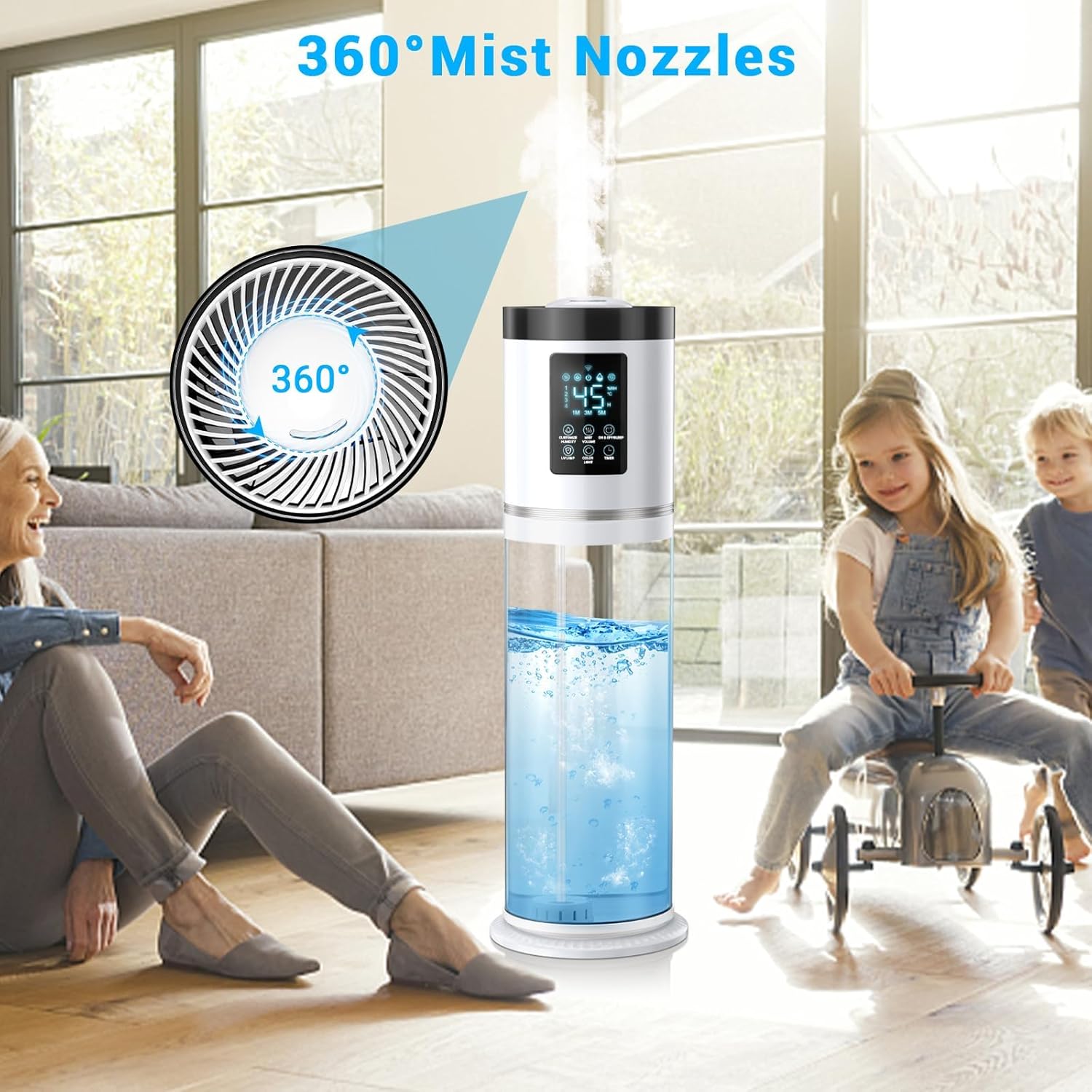
- 360° Adjustable Mist Nozzle
- Built-in Humidistat for Customized Humidity (40%-90% RH)
- 7-Color Ambient Night Light
- Essential Oil Tray for Aromatherapy
- Ultra-Quiet Operation (35dB) with Sleep Mode
- 1-16 Hour Timer
- Top-Fill Design for Easy Refilling
- Intuitive Touch Screen and Remote Control
- Auto Shut-Off and Low Water Indicator
Components:
The humidifier consists of a base, a large clear water tank, and a top control unit with a mist nozzle. An essential oil tray is located at the back.

This image illustrates the humidifier's four adjustable mist output levels, ranging from Low (56 hours runtime) to Highest (18 hours runtime), allowing users to select their preferred humidity intensity and duration.

This image displays the humidifier's user-friendly control panel and included remote control, emphasizing its convenient features such as a large clear tank, long timer, automatic shut-off, quiet operation, multi-color LED light, and easy top-fill design.

This image illustrates the dedicated essential oil tray, located on the side of the humidifier, where users can add essential oils to diffuse fragrance into the room along with the mist.
3. Setup
Initial Use:
- Unpack all components and remove any protective packaging.
- Place the humidifier on a flat, stable, and water-resistant surface, at least 12 inches (30 cm) away from walls or furniture.
- Ensure the mist nozzle is directed away from walls or any obstacles.
Filling the Water Tank:
- Remove the top cover of the humidifier.
- Pour clean, cool tap water directly into the water tank. Do not exceed the "MAX" fill line (8L/2.1Gal).
- Do not add water into the mist tube located in the center of the tank.
- Replace the top cover securely.
This image demonstrates the convenient top-fill feature, allowing users to pour water directly into the tank without needing to disassemble the unit.
4. Operating Instructions
Power On/Off:
- Plug the power cord into a suitable electrical outlet.
- Press the Power button on the touch screen or remote control to turn the humidifier ON/OFF.
Mist Level Adjustment:
- Press the Mist Volume button to cycle through 4 mist levels (Low, Medium, High, Highest).
Humidity Setting (Humidistat):
- Press the Custom Humidity button to set your desired humidity level between 40% and 90% RH in 5% increments.
- The humidifier will automatically adjust mist output to maintain the set humidity.
- The ambient light color will change based on ambient humidity: Yellow (≤30% Dry), Green (31%-60% Comfortable), Blue (≥61% Wet).

This image illustrates the humidifier's smart sensor technology, which automatically adjusts mist levels to maintain a desired humidity range (40%-90% RH), indicated by different light colors (Yellow for Dry, Green for Comfortable, Blue for Wet).
Night Light & Sleep Mode:
- Press the Night Light button to cycle through 7 ambient light colors or turn the light off.
- Activate Sleep Mode for ultra-quiet operation (35dB) and screen shut-off.
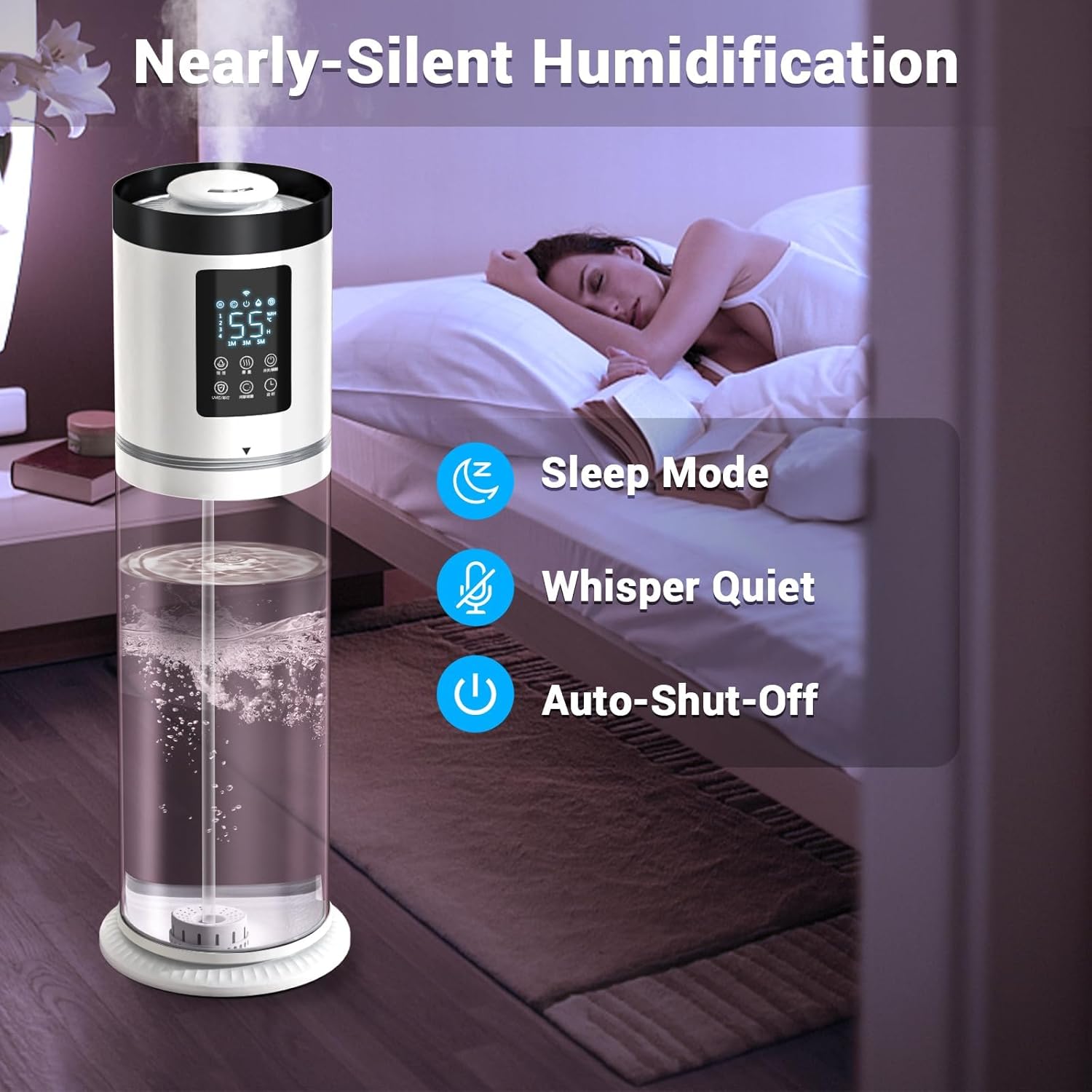
This image shows the humidifier operating in a bedroom, emphasizing its nearly silent humidification with Sleep Mode, whisper-quiet performance, and automatic shut-off for undisturbed rest.
Aroma Diffuser:
- Pull out the essential oil tray located at the back of the humidifier.
- Add 5-10 drops of your preferred essential oil onto the aroma pad.
- Slide the tray back into the humidifier.
Timer Function:
- Press the Timer button to set the humidifier to run for 1-16 hours.
Remote Control:
The included remote control allows you to conveniently adjust all settings from a distance.
This video demonstrates the humidifier's features, including the 7-color night light and remote control functionality, showcasing how to operate the device and its various settings.
This video provides an overview of the Hiswelle humidifier, highlighting its suitability for large rooms and bedrooms, and demonstrating its ease of use.
This video showcases the large clear water tank and the vibrant 7-color light feature of the humidifier, illustrating its aesthetic appeal and functional design.
5. Maintenance
Routine Cleaning:
- Unplug the humidifier before cleaning.
- Remove and rinse the water tank cover and water inlet tank.
- Remove the humidifier base and clean the base chamber with a dry cloth.
- Clean the inside of the tank with the cleaning brush, then rinse with room-temperature water.
- Place the humidifier base and water inlet tank back.
- Fill the water inlet tank with room-temperature water.
Descaling:
For optimal performance, descale the humidifier at least once a month. Refer to the full user manual (pages 16-18) for detailed descaling instructions.
6. Troubleshooting
Common Issues:
- No Mist: Check water level. Ensure the unit is properly assembled and powered on.
- Leaking: Ensure water is not added into the mist tube. Verify water does not pass the MAX line. Confirm the humidifier is on a flat surface.
- Unusual Noise: Check for proper water level. Ensure no foreign objects are in the water tank or base.
- White Dust: Use distilled or demineralized water to reduce mineral buildup. The demineralization cartridge helps reduce this issue.
If issues persist, please refer to the full user manual or contact customer support.
7. Specifications
| Feature | Detail |
|---|---|
| Brand | Hiswelle |
| Model Name | HQ-JS2301 |
| Color | White |
| Capacity | 2.1 Gallons (8L) |
| Operation Mode | Ultrasonic |
| Floor Area Coverage | 500 Square Feet |
| Product Dimensions | 17"D x 13"W x 7"H |
| Item Weight | 6.07 pounds |
| Wattage | 30 watts |
| Special Features | 7-Color Night Light, 1-16H Timer, 35dB Quiet Operation, Aroma Diffuser, 8L Removable Clear Tank, 4 Modes Cool Mist, 360° adjustable nozzle, Custom humidity 40%-90% RH, Humidistat, Auto Shut Off, Low Water Indicator, Digital Display, Remote Control |
8. Warranty & Support
For warranty information, product registration, or technical support, please refer to the contact details provided in the full user manual or visit the official Hiswelle website.
Hiswelle is committed to improving living quality and providing excellent products. Your feedback is valuable for future product enhancements.