
1. Safety Information
Please read all safety instructions carefully before assembly and use. Retain this manual for future reference.
- Maximum Weight Capacity: Do not exceed the chair's maximum load capacity of 330 LBS (approximately 150 kg). Exceeding this limit may cause damage to the chair and potential injury.
- Assembly: Ensure all components are correctly assembled and tightened according to the instructions. Periodically check all screws and bolts to ensure they remain secure.
- Stability: Avoid sudden movements or leaning excessively to one side, especially when the backrest is reclined or the footrest is extended, to prevent tipping.
- Children: Keep children away from the chair during assembly. Do not allow children to play on or around the chair unsupervised.
- Movement: Use caution when moving the chair, especially on uneven surfaces.
2. Product Overview
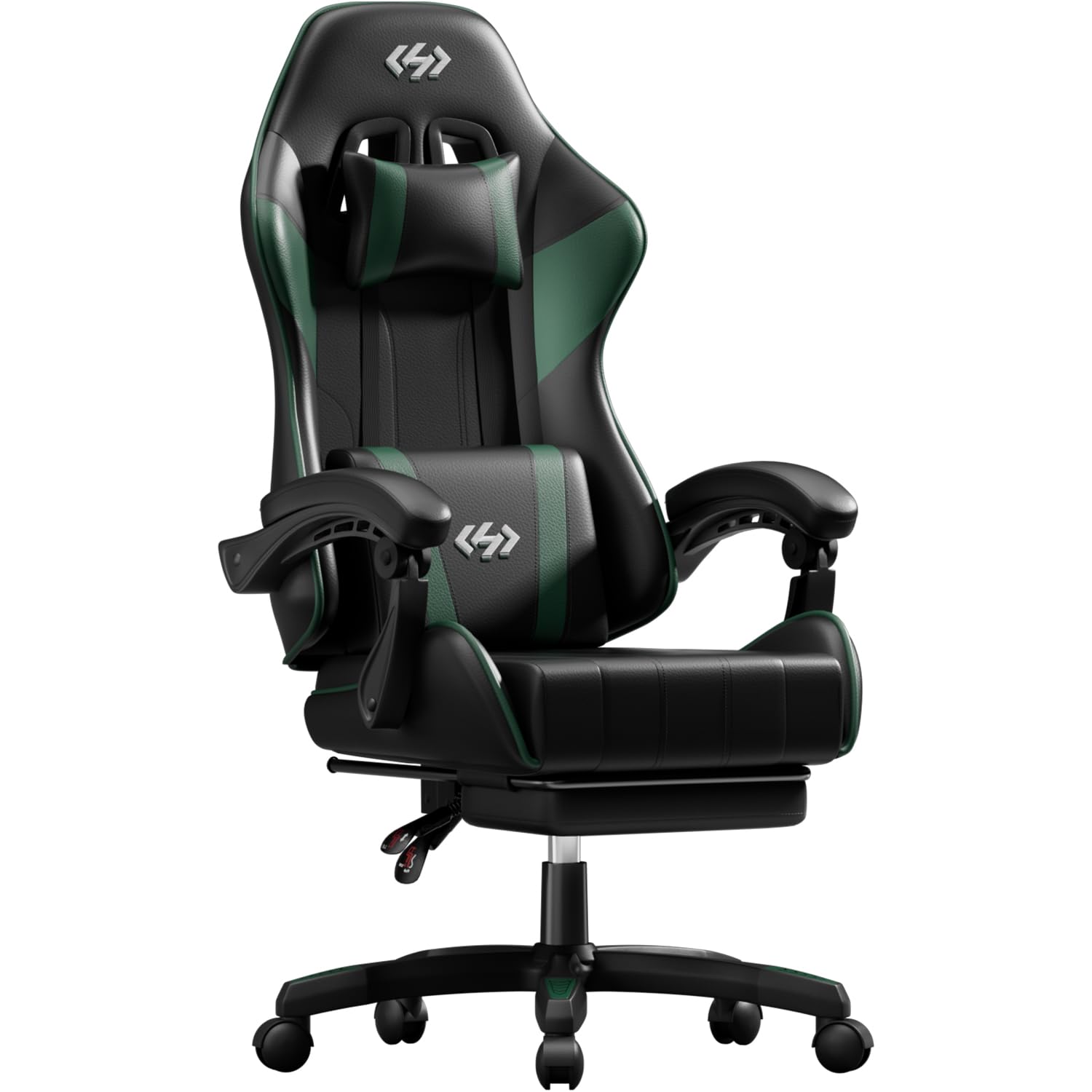
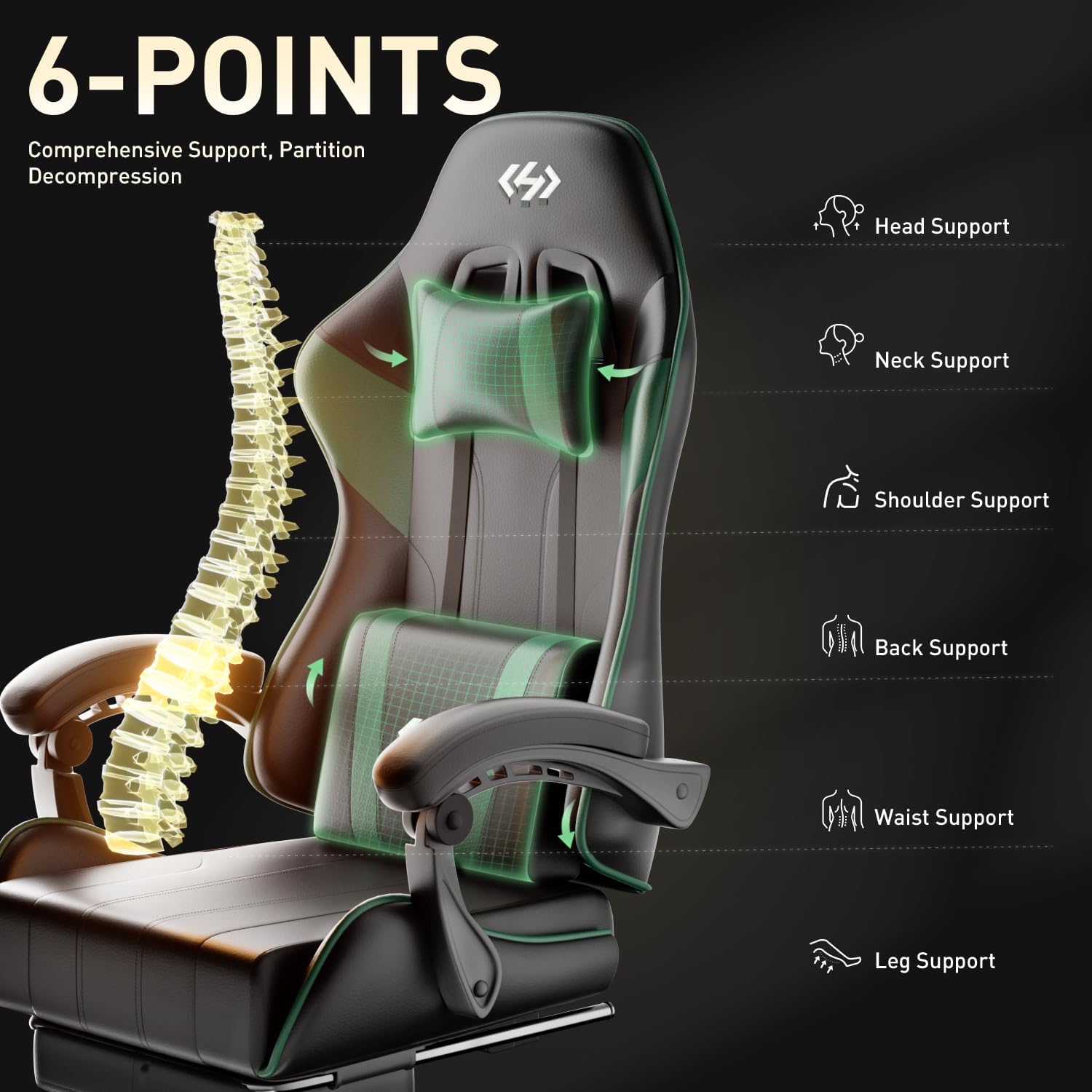
The HLDIRECT Gaming Chair is designed for ergonomic comfort and support during extended periods of sitting, whether for work, gaming, or relaxation. It features a thickened and widened backrest, high-density memory latex headrest and lumbar support, and a pocket spring seat cushion to provide comprehensive support for the head, neck, shoulders, back, waist, buttocks, and legs. Key features include adjustable height, a reclinable backrest, a retractable footrest, and 360-degree swivel functionality.

3. Components List
Before beginning assembly, ensure all parts listed below are present and undamaged. If any parts are missing or damaged, please contact customer service.

The package includes:
- Seat Cushion
- Backrest
- Armrests (Left & Right)
- Star Base
- Casters (5 pieces)
- Gas Lift Cylinder
- Gas Lift Cover
- Seat Mechanism
- Lumbar Support Pillow
- Headrest Pillow
- Retractable Footrest
- Assembly Hardware (screws, washers, Allen wrench)
- Instruction Manual
4. Setup Instructions (Assembly)
Assembly is required and can typically be completed in less than 30 minutes with the included tools and detailed instructions. Follow the steps below for proper setup:
- Attach Casters to Base: Insert the five casters into the holes on the star base until they click securely into place.
- Install Gas Lift: Place the gas lift cylinder into the center hole of the star base. Cover it with the gas lift cover.
- Attach Seat Mechanism: Secure the seat mechanism to the underside of the seat cushion using the provided screws. Ensure the front of the mechanism faces the front of the seat.
- Connect Seat to Gas Lift: Place the assembled seat onto the gas lift cylinder.
- Attach Backrest: Secure the backrest to the seat using the designated brackets and screws. Ensure all screws are tightened firmly.
- Install Armrests: Attach the armrests to the sides of the seat and backrest using the provided hardware.
- Attach Headrest and Lumbar Pillows: Position the headrest and lumbar support pillows as desired. They are typically adjustable via straps.
- Install Footrest: Slide the retractable footrest into its designated slots under the seat.
For a visual guide, please refer to the official product video:
5. Operating Instructions
The HLDIRECT Gaming Chair offers multiple adjustment options to customize your seating experience:
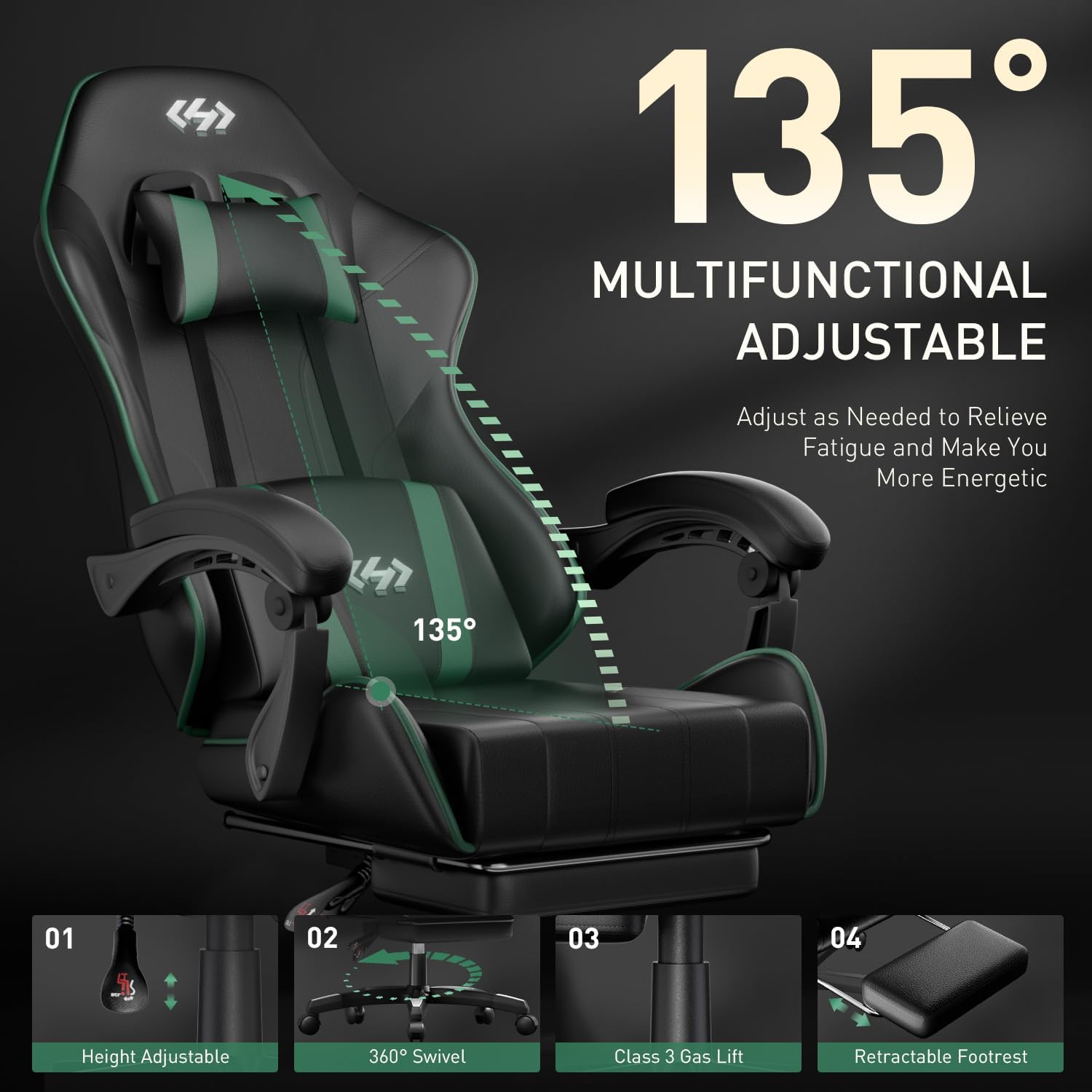
- Height Adjustment: Locate the lever on the right side under the seat. Pull the lever upwards to raise the chair. To lower the chair, remain seated and pull the lever upwards. Release the lever at the desired height. The chair offers 3.5 inches of adjustable height.
- Backrest Recline: Use the lever on the left side of the chair to adjust the backrest angle. Pull the lever up to unlock the backrest, lean back to your desired angle (between 90 and 135 degrees), and release the lever to lock it in place.
- Retractable Footrest: Pull the footrest out from under the seat when desired. Push it back in when not in use.
- 360° Swivel: The chair base is designed for smooth, silent 360-degree rotation, allowing for easy movement and access to your surroundings.
- Armrests: The cushion-linked armrests move with the backrest when reclining, providing continuous support.

6. Maintenance
Proper care will extend the life and appearance of your HLDIRECT Gaming Chair:
- Cleaning: Wipe the chair clean with a damp cloth. For tougher stains, use a mild soap solution. Dry immediately after cleaning.
- Avoid Harsh Chemicals: Do not use harsh chemicals, abrasive cleaners, or solvents, as these can damage the PU leather and other materials.
- Sunlight Exposure: Do not expose the chair to direct sunlight for prolonged periods, as this can cause the material to fade or crack.
- Regular Checks: Periodically inspect all bolts and screws and tighten them as necessary to maintain stability and prevent wobbling.
7. Troubleshooting
If you encounter any issues with your gaming chair, refer to the following common solutions:
- Chair Feels Wobbly: Ensure all assembly screws and bolts are securely tightened. Check the connection points of the base, gas lift, seat mechanism, and backrest.
- Chair Not Adjusting Height: Verify that the gas lift lever is fully engaged or disengaged as required. If the issue persists, the gas lift cylinder may need replacement.
- Backrest Not Reclining/Locking: Check the recline lever on the left side of the chair. Ensure it is fully pulled to unlock and fully released to lock.
- Footrest Difficult to Extend/Retract: Ensure there are no obstructions in the footrest mechanism. Apply a small amount of silicone lubricant to the sliding parts if necessary.
- Noisy Swivel: The chair is designed for silent operation. If you hear noise, check for any debris caught in the casters or the base mechanism.
If these steps do not resolve the issue, please contact HLDIRECT customer service for further assistance.
8. Specifications
| Feature | Detail |
|---|---|
| Brand | HLDIRECT |
| Model Name | Hldirect Gaming Chair |
| Model Number | Hldirect-gc-001 |
| Color | Black&green |
| Material | PU Leather, Foam, Sponge, Metal Frame |
| Product Dimensions (D x W x H) | 19.3"D x 20.9"W x 46"H |
| Item Weight | 30 Pounds (approx. 13.6 kg) |
| Maximum Weight Recommendation | 330 LBS (150 kg) |
| Adjustable Height | Yes (3.5 inches) |
| Adjustable Backrest Angle | 90 - 135 degrees |
| Swivel | 360 degrees |
| Footrest | Retractable |
| Gas Lift | SGS Certified Level 3 |
| Included Components | Casters, Lumbar Pillow, Headrest Pillow |
| Recommended Uses | Adult Use, Computer, Gaming, Office, Video Gaming |

9. Warranty and Support
HLDIRECT is committed to providing high-quality products and excellent customer service. While specific warranty details are not provided in this manual, we offer comprehensive support for our products.
If you have any questions, concerns, or require assistance with your HLDIRECT Gaming Chair, our experienced and professional customer service team is available to provide 7*24 hours of premium service. Please contact us through the retailer's platform or the official HLDIRECT website for support.
Please have your purchase information and model number (Hldirect-gc-001) ready when contacting support to ensure efficient service.
