1. Introduction
Thank you for purchasing the ONGTEED SM-616 Portable Video Radio. This device combines a 7-inch LCD screen for video playback with AM/FM/SW radio capabilities, Bluetooth connectivity, and support for USB/Micro SD card media. It is designed for versatile entertainment and information access. Please read this manual thoroughly before use to ensure proper operation and to maximize your enjoyment of the product.
What's in the Box
- ONGTEED SM-616 Portable Video Radio (Grey)
- 1200 mAh Rechargeable Batteries x 3 (pre-installed in battery compartment)
- USB Power Cord x 1
- Owner's Manual (this document)
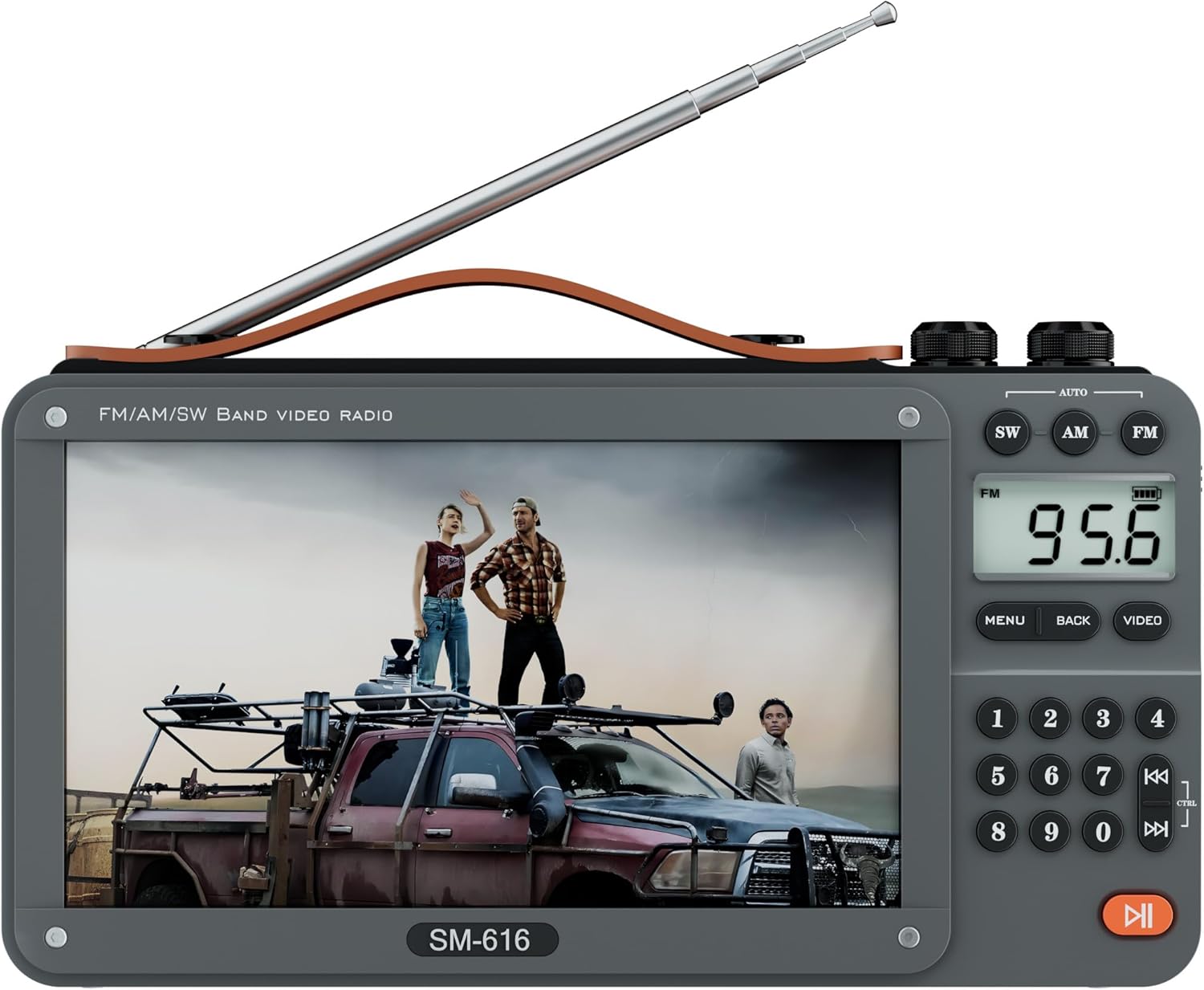
Image 1.1: The ONGTEED SM-616 Portable Video Radio.
2. Safety Information
- Do not expose the device to extreme temperatures, direct sunlight, or high humidity.
- Avoid dropping or subjecting the device to strong impacts.
- Keep the device away from water and other liquids.
- Do not attempt to disassemble or repair the unit yourself. Refer all servicing to qualified personnel.
- Use only the provided USB power cord and recommended charging adapters.
- Ensure proper ventilation when charging to prevent overheating.
- Dispose of batteries according to local regulations.
3. Product Overview
The SM-616 features a user-friendly design with a 7-inch LCD screen, intuitive controls, and multiple connectivity options. Below are key features and physical aspects of the device.

Image 3.1: Overview of the SM-616's multi-functional capabilities including video play, AM/FM/SW radio, Bluetooth, MP3 music, USB/SD card support, e-book, picture viewing, and rechargeable battery.
Key Features
- 7-inch LCD Screen: For clear video and image display (Note: No TV function).
- AM/FM/SW Radio: Robust reception with telescopic antenna.
- Bluetooth Connectivity: Wireless audio streaming from compatible devices.
- Media Playback: Supports MP3/MP4 via USB drive or Micro SD card (up to 128GB).
- E-book & Photo Viewer: Read text files and browse images.
- Built-in Speaker & Headphone Jack: For versatile audio output.
- Rechargeable Batteries: Three 1200mAh batteries for extended use.
- Portable Design: Lightweight with a leather carry handle and 90° movable support frame.
Physical Components
Familiarize yourself with the various ports and controls on your device.
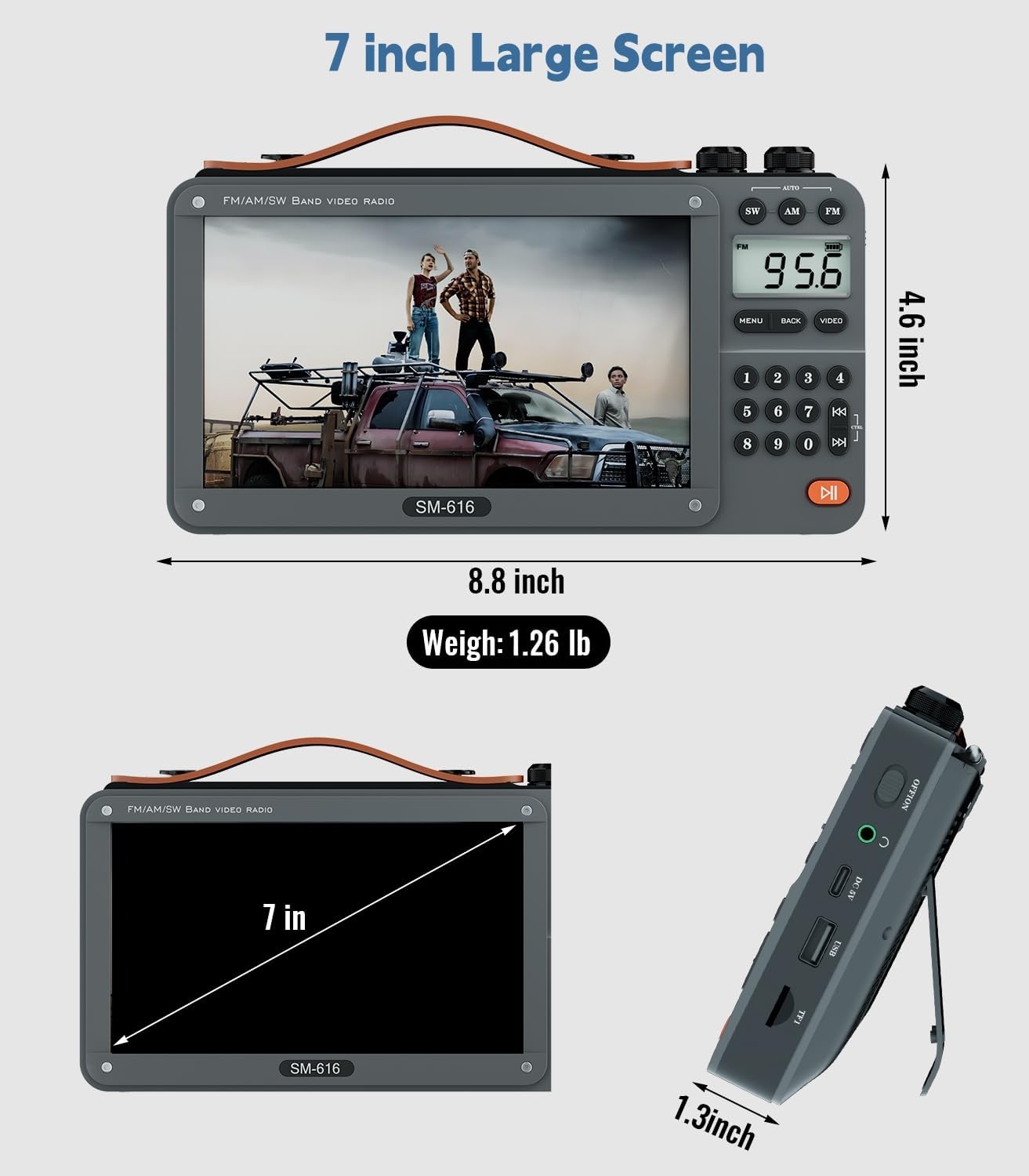
Image 3.2: Front view and dimensions of the SM-616, highlighting the 7-inch screen and overall size.

Image 3.3: Rear view of the SM-616, illustrating the flexible back support frame for adjustable viewing angles.
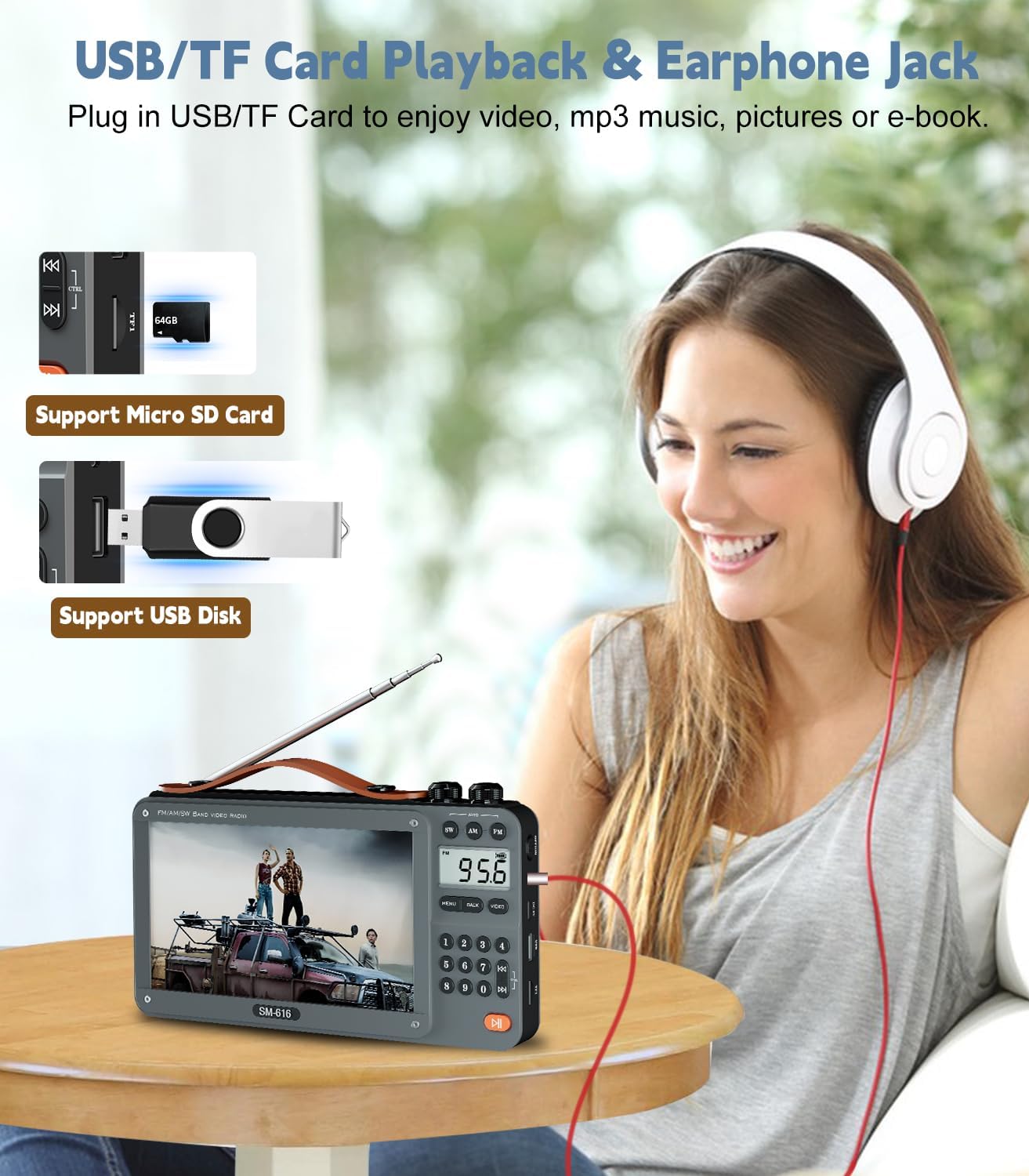
Image 3.4: Side view of the SM-616, detailing the USB port, Micro SD card slot, and 3.5mm headphone jack.
4. Setup
4.1 Battery Installation and Charging
The SM-616 comes with three 1200mAh rechargeable lithium-ion batteries pre-installed in the battery compartment. Before first use, it is recommended to fully charge the device.
- Locate the USB-C charging port on the side of the device.
- Connect the provided USB power cord to the device's USB-C port.
- Plug the other end of the USB power cord into a compatible USB power adapter (not included) or a computer's USB port.
- The charging indicator light will illuminate, typically red, during charging and turn off or change color when fully charged.
- A full charge typically takes several hours.

Image 4.1: The SM-616 connected to a USB-C charger, illustrating the charging process.
4.2 Initial Power-On
To power on the device, locate the power switch, usually on the side or top panel, and slide it to the "ON" position. The screen will light up, and the device will enter its default mode.
5. Operating Instructions
5.1 Radio Functions (AM/FM/SW)
The SM-616 supports FM, AM, and Shortwave (SW) radio bands. The radio screen measures 1.46 x 0.78 inches for clear frequency display.
- Antenna: Extend the telescopic metal antenna fully for optimal reception, especially for FM and SW bands.
- Band Selection: Use the dedicated buttons (FM, AM, SW) on the control panel to switch between radio bands.
- Auto Search and Storage: Press and hold the "MENU" or "AUTO" button (refer to device markings) to initiate an automatic scan for available stations. The device will store found stations.
- Manual Tuning: Use the number keypad to directly input a frequency, then press "ENTER" or a similar button to tune. Alternatively, use the tuning knob or arrow buttons to manually adjust the frequency.
- Volume Control: Adjust the volume using the dedicated rotary knob or volume buttons.

Image 5.1: The SM-616 demonstrating strong AM, FM, and SW radio reception with its extended antenna.
5.2 Video and Audio Playback (USB/Micro SD)
The device supports playback of video and audio files from a USB flash drive or a Micro SD card (up to 128GB).
- Insert Media: Insert your USB drive into the USB port or your Micro SD card into the designated slot. Ensure it is inserted correctly.
- Select Mode: Navigate to the "Video" or "Music" mode using the device's menu or dedicated buttons.
- Browse Files: Use the navigation buttons to browse through your files and folders.
- Play: Select a file and press the "PLAY/PAUSE" button to start playback.
- Supported Formats: For video, H-264 codec in MP4/MOV containers is recommended for optimal performance (e.g., 1080p 16:9 aspect ratio, 2500 kb/s bitrate, 24 fps). For audio, MP3 is widely supported (e.g., 128 kb/s, 2 channels, 44100 Hz sample rate). Other formats may experience scaling issues or distortion.
Image 5.2: Illustrates the insertion points for USB drives and Micro SD cards for media playback.
5.3 Bluetooth Speaker Function
Connect your smartphone or other Bluetooth-enabled devices to the SM-616 to use it as a wireless speaker.
- Enable Bluetooth: Switch the device to Bluetooth mode using the mode button. The screen will indicate Bluetooth pairing mode, often with a blinking icon.
- Pairing: On your external device (e.g., smartphone), enable Bluetooth and search for available devices. Select "SM-616" or a similar name from the list.
- Connect: Once paired, the device will confirm the connection, and you can now play audio from your external device through the SM-616 speaker.

Image 5.3: A smartphone wirelessly connected to the SM-616 via Bluetooth, playing music.
5.4 E-book Reading and Photo Browsing
The SM-616 can display text files (.TXT) and images from your USB drive or Micro SD card.
- Insert your media with .TXT or image files.
- Navigate to the "E-book" or "Photo" mode from the main menu.
- Select the desired file to view. Note that images not matching the screen's aspect ratio may appear distorted.
5.5 Headphone Jack Usage
For private listening, connect standard 3.5mm headphones to the headphone jack located on the side of the device. The internal speaker will automatically mute when headphones are connected.
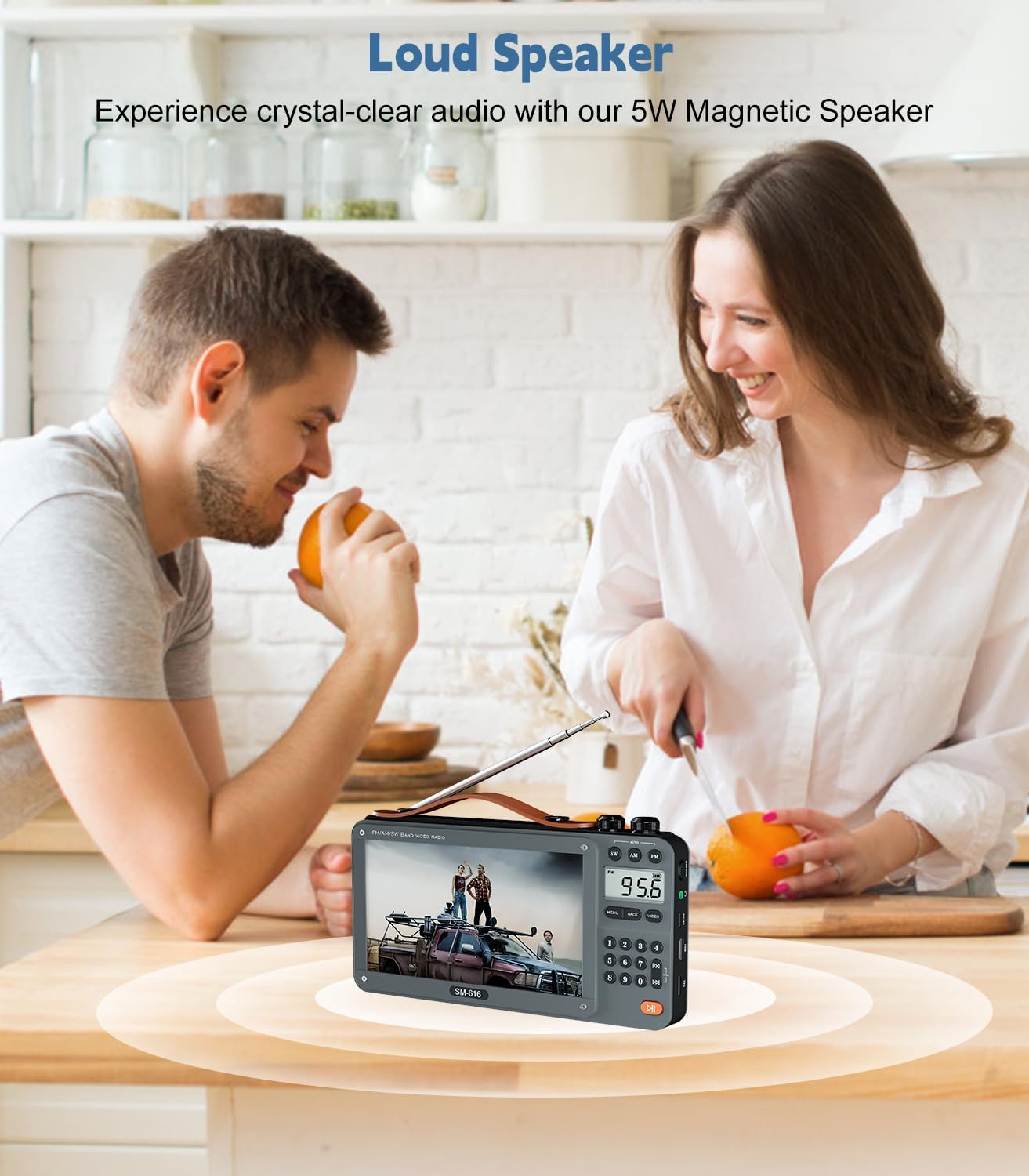
Image 5.4: A user enjoying audio privately through headphones connected to the SM-616.
6. Maintenance
- Cleaning: Use a soft, dry cloth to clean the exterior of the device. For the screen, use a microfiber cloth specifically designed for electronics. Do not use liquid cleaners or abrasive materials.
- Storage: When not in use for extended periods, store the device in a cool, dry place, away from direct sunlight and extreme temperatures.
- Battery Care: To prolong battery life, avoid fully discharging the batteries frequently. If storing for a long time, charge the batteries to about 50% every few months.
7. Troubleshooting
| Problem | Possible Cause | Solution |
|---|---|---|
| Device does not power on. | Low battery; Power switch off. | Charge the device fully. Ensure the power switch is in the "ON" position. |
| No radio reception or weak signal. | Antenna not extended; Poor location; Interference. | Extend the telescopic antenna fully. Move to a location with better signal. Avoid strong electromagnetic interference. |
| Video files do not play or play with distortion/lag. | Unsupported video format/codec; Incorrect resolution/aspect ratio; Corrupt file. | Ensure video files use H-264 codec in MP4/MOV container, 1080p 16:9 aspect ratio, 2500 kb/s bitrate, 24 fps. Convert files if necessary. Try a different file. |
| Bluetooth device cannot connect. | Device not in pairing mode; Bluetooth off on external device; Out of range. | Ensure the SM-616 is in Bluetooth pairing mode. Enable Bluetooth on your external device. Keep devices within close range (approx. 10 meters). |
| No sound from speaker/headphones. | Volume too low; Headphones not fully inserted; Mute activated. | Increase volume. Ensure headphones are fully plugged in. Check if the device is muted. |
8. Specifications
| Feature | Detail |
|---|---|
| Model | SM-616 |
| Brand | ONGTEED |
| Screen Size | 7 inches LCD (No TV function) |
| Radio Bands | FM: 87.5-108MHz, AM: 520-1730kHz, SW: 4.75-21.95 MHz |
| Bluetooth Version | 5.3 (Connectivity Technology) |
| Speaker Output | 5W High-Performance Speaker |
| Media Support | USB/Micro SD Card (up to 128GB) |
| Supported Formats | MP3 (audio), MP4 (video - H-264 recommended), .TXT (e-book), Image files |
| Batteries | 3 x 1200mAh Rechargeable Lithium Ion (included) |
| Power Source | Battery Powered, USB-C Rechargeable |
| Product Dimensions | 8.8"L x 1.4"W x 4.9"H |
| Item Weight | 1.26 lbs (approx. 0.57 kg) |
| Color | Grey |
9. Warranty and Support
ONGTEED products are designed and manufactured to the highest quality standards. This product comes with a limited warranty against defects in materials and workmanship. For specific warranty terms and conditions, please refer to the documentation provided with your purchase or contact ONGTEED customer support.
Customer Support
If you encounter any issues or have questions regarding your ONGTEED SM-616 Portable Video Radio, please contact our customer support team. Contact information can typically be found on the product packaging, our official website, or through your retailer.
Please have your model number (SM-616) and purchase details ready when contacting support.