Introduction
The LOBKIN X21 Bone Conduction Headphones are designed for active users, offering an open-ear listening experience with IPX8 waterproofing and 32GB of internal MP3 storage. This manual provides essential information for setting up, operating, and maintaining your headphones.
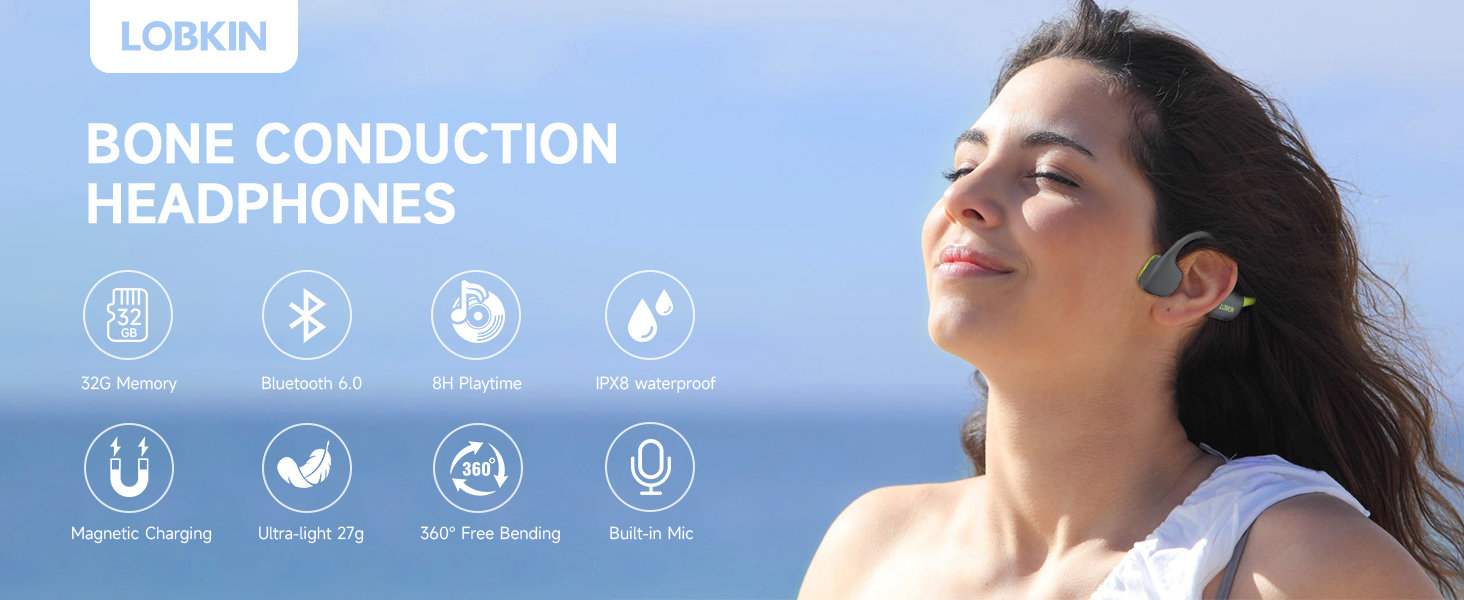
Overview of LOBKIN Bone Conduction Headphones features.
- Open Ear Design: Allows you to hear your surroundings while enjoying audio, enhancing safety during outdoor activities.
- IPX8 Waterproof: Fully sealed design, suitable for swimming and resistant to sweat and rain, submersible up to 10 meters.
- Bluetooth 6.0 & 32GB MP3 Storage: Offers stable wireless connection and internal memory for up to 4,000 songs, enabling phone-free listening.
- Comfortable Wear: Lightweight (27g) with a flexible titanium frame wrapped in silicone for a secure and comfortable fit during exercise.
- Long Battery Life: Up to 8 hours of continuous playtime on a 2-hour magnetic fast charge.
Package Contents
Ensure all items are present in the package:
- Bone Conduction Headphones (LOBKIN X21)
- Magnetic Charging Cable
- User Manual (this document)
- A pair of earplugs
- Adjustable strap
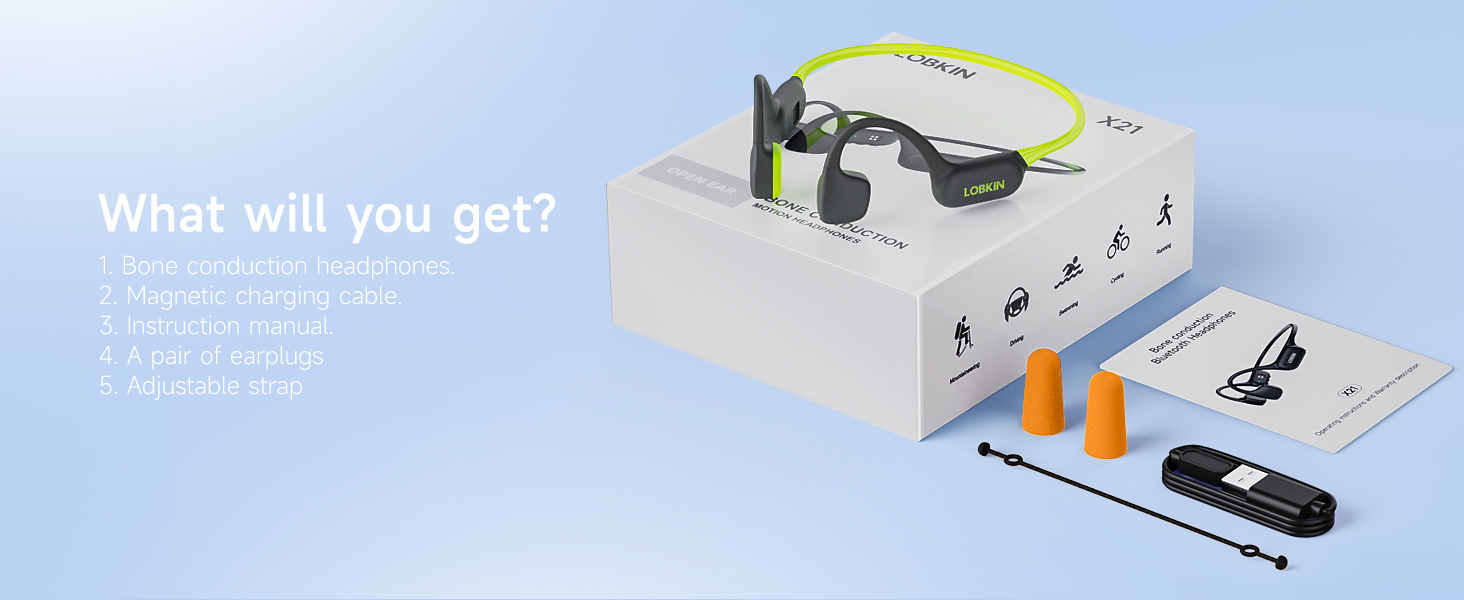
Contents included with your LOBKIN X21 headphones.
Setup Guide
1. Charging the Headphones
Before first use, fully charge your LOBKIN X21 headphones.
- Connect the magnetic charging cable to the charging port on the headphones.
- Connect the USB end of the cable to a standard USB power adapter (not included) or a computer's USB port.
- The LED indicator will show charging status (refer to the operating section for LED behavior).
- A full charge takes approximately 2 hours and provides up to 8 hours of playtime.

Magnetic charging and battery life details.
2. Bluetooth Pairing
To connect your headphones to a Bluetooth-enabled device:
- Ensure the headphones are powered off.
- Press and hold the Power button for 3-5 seconds until the LED indicator flashes red and blue, indicating pairing mode.
- On your device (smartphone, tablet, etc.), enable Bluetooth and search for available devices.
- Select "LOBKIN X21" from the list.
- Once connected, the LED indicator will flash blue slowly.
- The headphones support simultaneous connection to two devices.
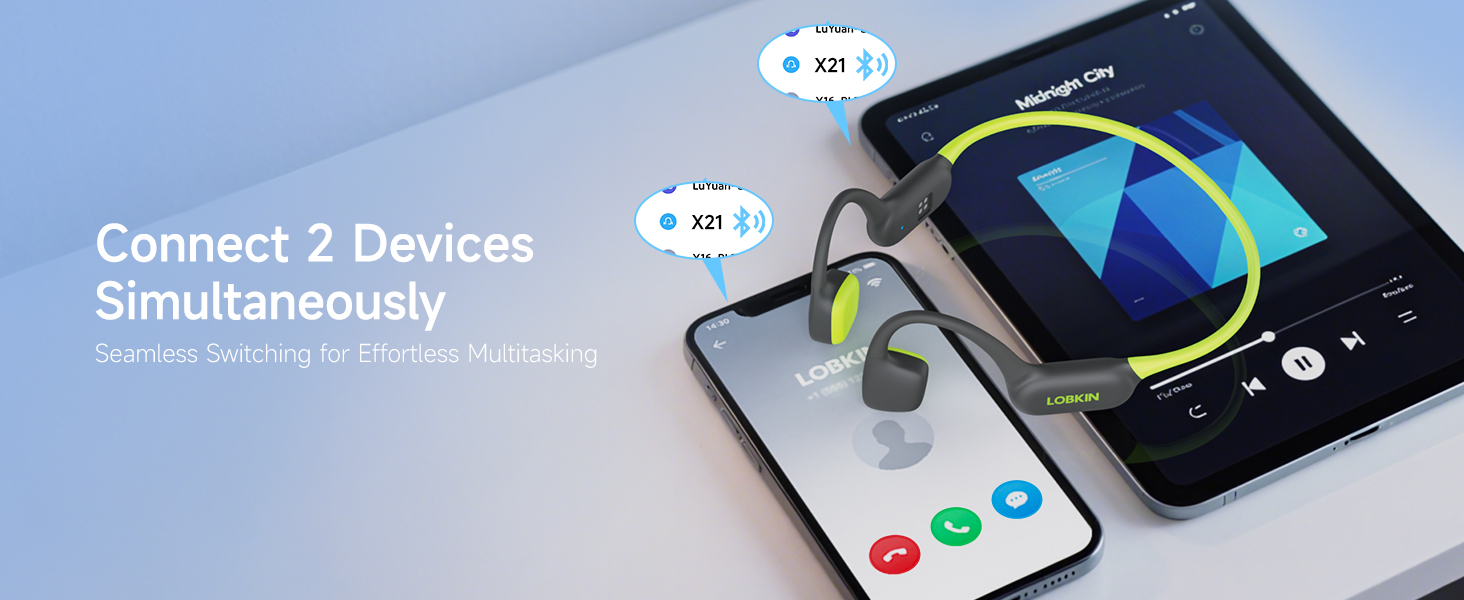
Connecting to multiple devices via Bluetooth 6.0.
3. MP3 Mode (Offline Playback)
The headphones feature 32GB of internal storage for MP3 files, ideal for use where Bluetooth signals are unreliable, such as underwater.
- To switch to MP3 mode, double-click the Power button.
- To load music, connect the headphones to a computer using the magnetic charging cable. The headphones will appear as a removable drive.
- Drag and drop your MP3 audio files into the headphone's storage.
- Always switch to MP3 mode when swimming, as Bluetooth signals do not transmit effectively underwater.
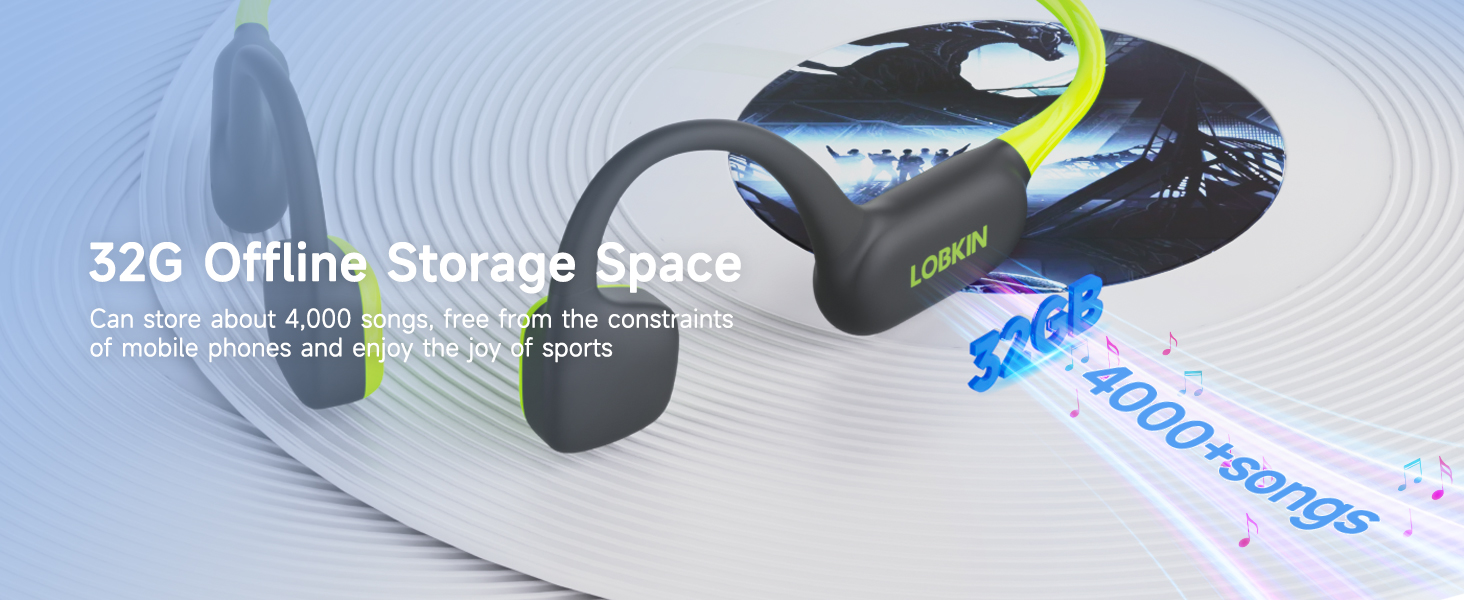
32GB internal memory for offline music playback.

The headphones are IPX8 waterproof and feature 32GB offline MP3 mode for underwater use. Bluetooth does not work underwater.
Operating Instructions
The LOBKIN X21 headphones feature intuitive button controls.
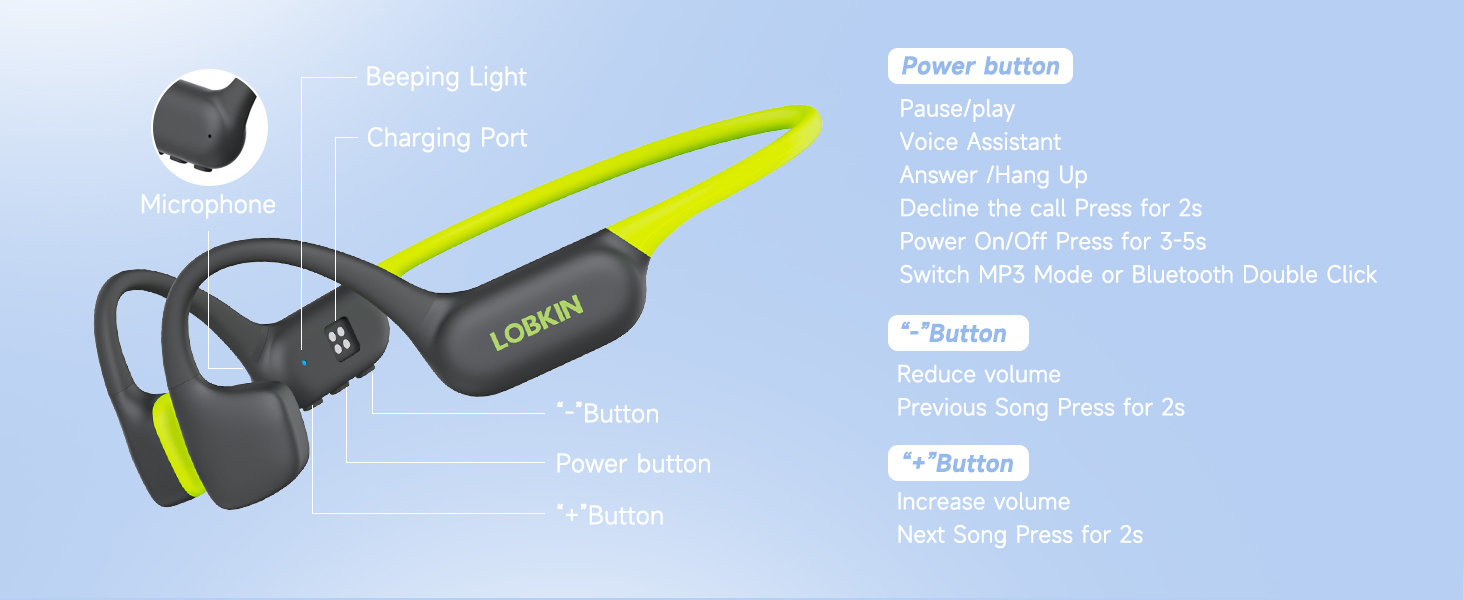
Control layout and functions of the LOBKIN X21 headphones.
Button Functions:
- Power Button:
- Press for 3-5 seconds: Power On/Off
- Single click: Play/Pause music, Answer/Hang up calls, Activate Voice Assistant
- Press for 2 seconds: Decline incoming calls
- Double click: Switch between MP3 Mode and Bluetooth Mode
- "-" Button:
- Single click: Reduce volume
- Press for 2 seconds: Previous Song
- "+" Button:
- Single click: Increase volume
- Press for 2 seconds: Next Song
Wearing the Headphones
Place the headphones with the bone conduction transducers resting on your cheekbones, just in front of your ears. The band should wrap around the back of your head.

The open-ear design ensures comfort and allows awareness of surroundings.

Lightweight design (27g) for comfortable, long-term wear.
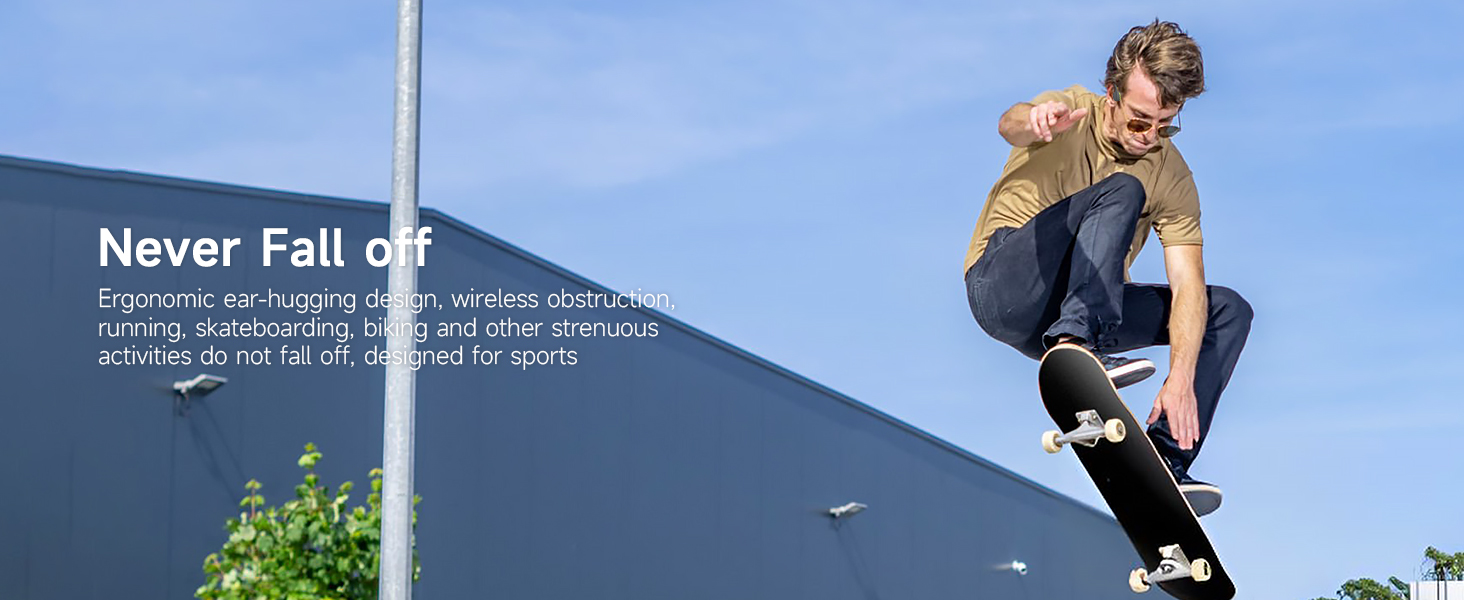
Ergonomic design ensures the headphones stay secure during active use.
Maintenance and Care
Proper care will extend the lifespan of your LOBKIN X21 headphones.
- Cleaning: Wipe the headphones with a soft, damp cloth after each use, especially after swimming or heavy sweating. Do not use harsh chemicals or abrasive cleaners.
- Drying: Although IPX8 waterproof, ensure the charging port is completely dry before connecting the magnetic charging cable to prevent damage.
- Storage: Store the headphones in a cool, dry place away from direct sunlight and extreme temperatures.
- Earplugs: Use the included earplugs when you desire a more immersive audio experience or when in noisy environments, as they can enhance the bone conduction sound quality by blocking external noise.
Official LOBKIN video demonstrating the use of swimming headphones, highlighting their waterproof capabilities and suitability for swimmers. This video is provided by the seller, LOBKIN-US.
Troubleshooting
If you encounter issues with your headphones, refer to the following common solutions:
| Problem | Possible Cause | Solution |
|---|---|---|
| No Power | Low battery. | Charge the headphones fully (approx. 2 hours). |
| Cannot Pair via Bluetooth | Headphones not in pairing mode; device Bluetooth off; too far from device. | Ensure headphones are in pairing mode (flashing red/blue LED). Turn on device Bluetooth. Move headphones closer to the device (within 10 meters). |
| No Sound / Low Sound | Volume too low; incorrect mode (Bluetooth/MP3); earplugs not used in noisy environments. | Increase headphone and device volume. Double-check if you are in the correct mode. Use earplugs for better sound clarity in loud surroundings. |
| Bluetooth Disconnects Underwater | Bluetooth signals do not transmit through water. | Switch to MP3 mode before entering water for uninterrupted music playback. |
| Headphones not recognized by computer | Improper connection or driver issue. | Ensure the magnetic cable is securely connected. Try a different USB port or computer. |
Product Specifications
| Feature | Detail |
|---|---|
| Model Name | X21 |
| Brand | LOBKIN |
| Connectivity Technology | Wireless (Bluetooth 6.0) |
| Wireless Communication Technology | Bluetooth |
| Bluetooth Version | 6.0 |
| Bluetooth Range | 10 Meters |
| Water Resistance Level | IPX8 Waterproof |
| Internal Memory | 32GB (for MP3 playback) |
| Audio Driver Type | Bone Conduction Driver |
| Audio Driver Size | 16 Millimeters |
| Frequency Response | 20 KHz |
| Sensitivity | 84.5 dB |
| Impedance | 8 Ohms |
| Battery Life | 8 Hours |
| Charging Time | 2 Hours |
| Item Weight | 27 Grams (0.952 ounces) |
| Product Dimensions | 4.74 x 3.7 x 1.77 inches |
| Material | Acrylonitrile Butadiene Styrene (ABS), Metal, Silicone |
| Special Features | Fast Charging, Lightweight, Microphone Included, Sweatproof, Waterproof |
| Recommended Uses | Calling, Cycling, Exercising, Running, Swimming |
Warranty and Support
LOBKIN products are manufactured with high-quality standards. For any warranty claims or technical support, please refer to the contact information provided on the product packaging or visit the official LOBKIN website. Keep your purchase receipt for warranty validation.
Included components: Cable, Swimming Headphones, User Manual.


