
1. Introduction
Welcome to the AZZUNO MIG-155F 5-in-1 Multi-Process Welder instruction manual. This guide provides essential information for the safe and effective operation, setup, maintenance, and troubleshooting of your new welding machine. The AZZUNO MIG-155F is a versatile welding machine capable of performing five different welding processes: Flux Core MIG, Gas MIG, Aluminum MIG, Lift TIG, and Stick Welding. Please read this manual thoroughly before operating the machine to ensure optimal performance and safety.
2. Safety Information
WARNING: Welding can be dangerous. Always follow safety precautions to prevent injury or death.
- Always wear appropriate personal protective equipment (PPE), including a welding helmet with proper shade, welding gloves, protective clothing, and safety shoes.
- Ensure adequate ventilation to avoid inhaling welding fumes, which can be hazardous to your health.
- Protect yourself and others from electric shock. Never touch live electrical parts.
- Be aware of fire and explosion hazards. Keep flammable materials away from the welding area.
- Arc rays can burn eyes and skin. Use proper shielding.
- Always disconnect power before servicing or making adjustments to the machine.

Image: AZZUNO MIG-155F Welder with visible warning labels. Always read and understand all warning labels on the product.
3. Package Contents
Upon unpacking, verify that all items listed below are included and in good condition:
- 155A MIG Welder (1)
- MIG Torch (1)
- Electrode Holder (1)
- Ground Clamp (1)
- 2 lbs .030" Flux-Cored Wire (1)
- Gas Hose (1)
- Hose Clamps (2)
- Contact Tips (.030" ×1, .035" ×1)
- Welding Nozzle (1)
- V-Groove Drive Roller (.030" ×1)
- U-Groove Drive Roller (.035"/.040" ×1)
- Brush & Hammer (1)
Note: TIG torch is sold separately. Compatible with WP-17V (with 10-25mm² connector).

Image: All accessories included with the AZZUNO MIG-155F Welder, such as the MIG torch, electrode holder, ground clamp, wire, and various tips.
4. Product Overview
The AZZUNO MIG-155F is a compact and powerful multi-process welder designed for various welding tasks. It features a user-friendly control panel and supports multiple welding modes.
4.1. Welding Modes
This machine offers 5-in-1 functionality:
- Gasless Flux MIG: Uses flux-cored wire, ideal for outdoor use or when shielding gas is not available.
- Gas MIG: Uses solid wire with shielding gas (CO2 or mixed gas) for cleaner welds.
- Aluminum MIG: Specifically designed for welding aluminum with appropriate wire (AlMg5356) and shielding gas.
- Lift TIG: For precise welding of thinner materials (TIG torch not included).
- Stick Welding (MMA): Uses coated electrodes for general-purpose welding.
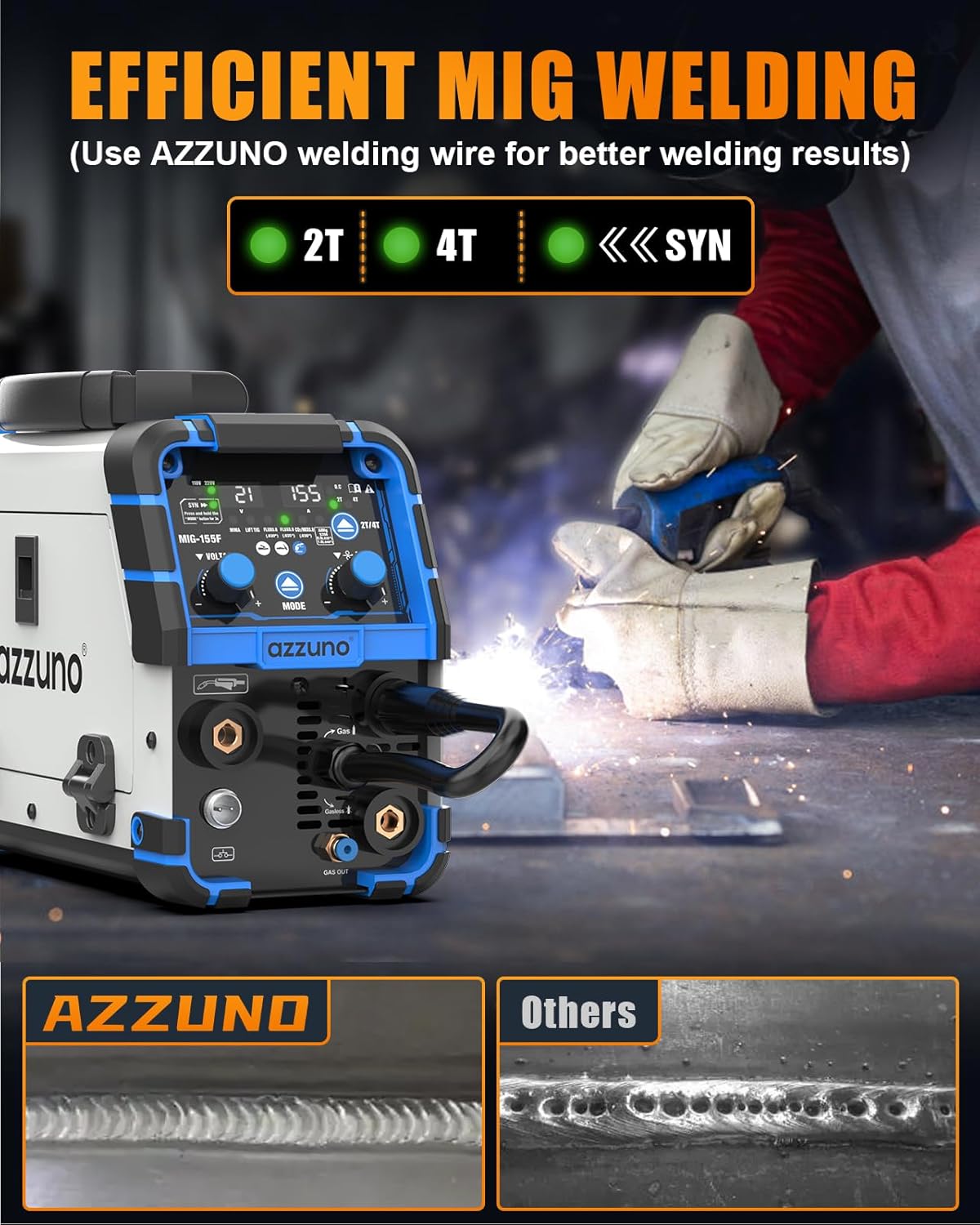
Image: Visual representation of the five welding modes: Gasless MIG, Gas MIG, Aluminum MIG, MMA (Stick), and Lift TIG.
4.2. Control Panel
The front panel provides intuitive controls for mode selection and parameter adjustment.

Image: The control panel showing the power light, overheat indicator, SYN mode, 2T/4T mode, and welding mode selection buttons and knobs.

Image: Detailed diagram of the front panel, indicating the MIG Torch Connector, 2-pin Plug, '+' Terminal, '-' Terminal, Polarity Conversion, and Gas Connector.
5. Setup
5.1. Connecting Welding Cables
Proper connection of welding cables is crucial for safe and effective operation. Refer to the diagram below for correct connections based on your chosen welding process.

Image: Connection diagrams for Flux MIG, Gas MIG, Stick, and Lift TIG welding modes, illustrating where to connect the MIG torch, electrode holder, and ground clamp.
5.2. Installing Welding Wire
The AZZUNO MIG-155F supports 1lb to 2lb wire spools. Ensure the correct drive roller is installed for your wire type (K-groove for Flux, V-groove for Solid, U-groove for Aluminum).

Image: Diagram showing the installation of a welding wire spool (1lb/2lbs) and the different drive roller types (K-groove for Flux, V-groove for Solid, U-groove for Aluminum).
5.3. Power Connection
This welder supports dual voltage 110V/220V. Use the appropriate power adapter if necessary. Ensure the power source matches the machine's requirements.
5.4. Setup Demonstration Video
Video: A demonstration of setting up the AZZUNO MIG Welder, including connecting cables and installing wire. This video provides a visual guide to the initial setup process.
Video: Another visual guide demonstrating the setup and initial operation of the AZZUNO MIG Welder, showing cable connections and basic functionality.
6. Operating Instructions
6.1. Powering On and Mode Selection
Turn on the machine using the power switch. Use the 'MODE' button to cycle through the available welding processes (Flux Core MIG, Gas MIG, Aluminum MIG, Lift TIG, Stick Welding). The display will show the selected mode and allow for parameter adjustments.
6.2. SYN/2T/4T MIG Welding Modes
The AZZUNO MIG-155F offers flexible welding control with SYN, 2T, and 4T functions:
- SYNERGIC (SYN) Mode: Automatically adjusts voltage and wire speed for optimal performance based on material and wire diameter.
- 2T Mode: Standard trigger operation. Press and hold the trigger to weld, release to stop.
- 4T Mode: Latching trigger operation. Press and release to start welding, press and release again to stop. Useful for long welds.
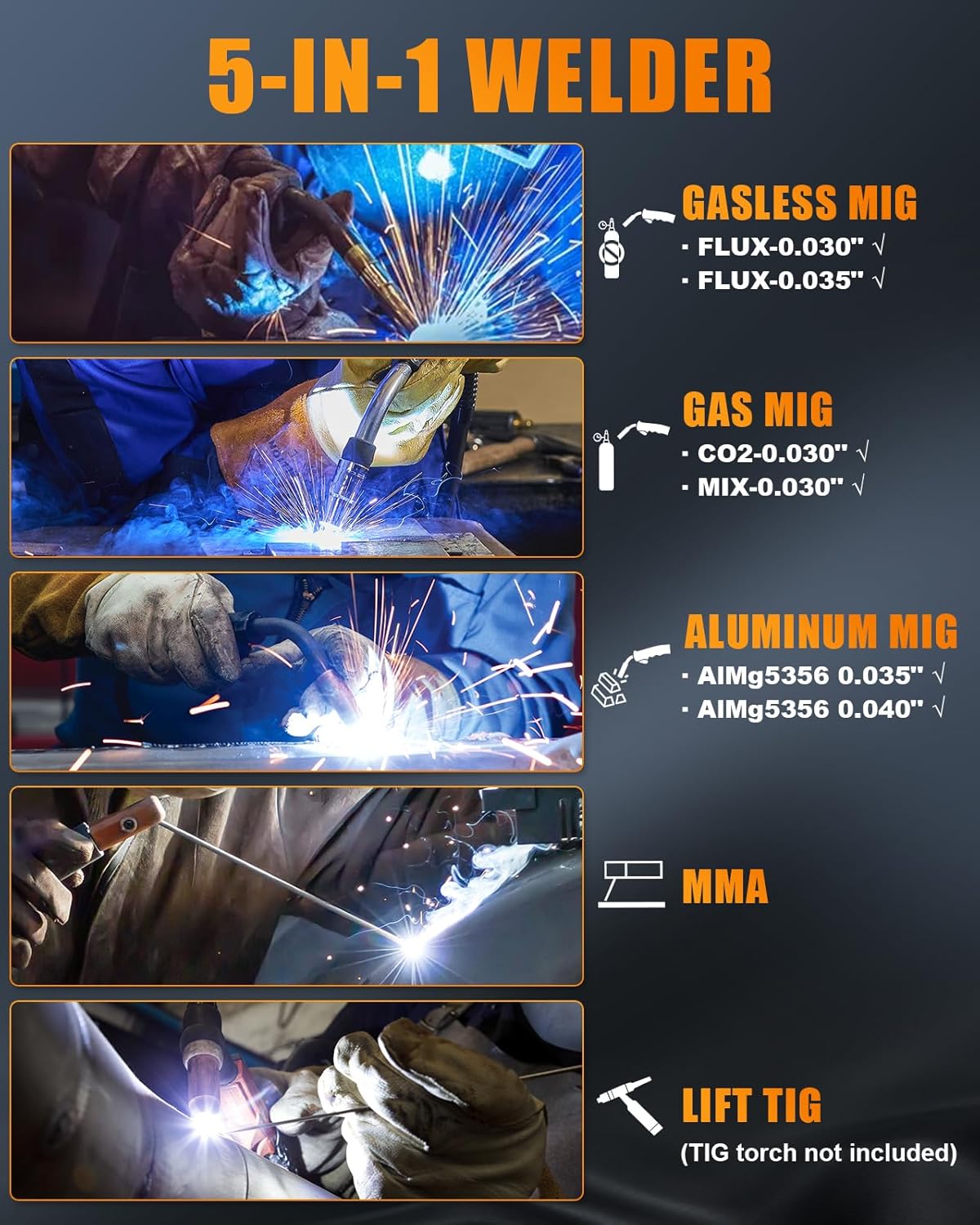
Image: Display showing the 2T, 4T, and SYN mode indicators for efficient MIG welding.
6.3. Aluminum Welding Specifics
When welding aluminum, ensure you use the correct aluminum wire (.035"/.040" AlMg5356) and U-groove drive roller. For optimal results, position the torch facing left and weld from right to left. The machine is designed to simplify aluminum welding without requiring a Teflon tube or spool gun.

Image: Visual guide to simplified aluminum welding, indicating the use of AlMg 5356 wire and that external accessories like Teflon tubes or spool guns are not required.
6.4. Recommended MIG Welding Parameters
Use the following table as a general guide for MIG welding parameters. Adjustments may be necessary based on specific materials and desired weld characteristics.

Image: Table providing recommended welding wire diameter, plant thickness, adjust current, and adjust voltage for Flux, CO2/MIX, and AL welding.
7. Maintenance
Regular maintenance ensures the longevity and optimal performance of your welding machine.
- Cleaning: Periodically clean the machine's exterior and ventilation openings to prevent dust and debris buildup. Use compressed air to clear internal components if necessary, ensuring the machine is unplugged.
- Wire Feed Mechanism: Inspect the wire feed rollers and liner for wear or blockages. Clean or replace as needed to ensure smooth wire feeding.
- Cable Connections: Regularly check all welding cable connections for tightness and signs of damage. Replace worn or damaged cables immediately.
- Contact Tips and Nozzles: Replace contact tips and nozzles as they wear out to maintain arc stability and weld quality.
8. Troubleshooting
If you encounter issues with your AZZUNO MIG-155F welder, refer to the following common problems and solutions:
- No Power: Check power connections, circuit breaker, and ensure the machine is properly plugged into a compatible 110V or 220V outlet.
- Poor Arc Start/Unstable Arc: Verify correct welding parameters (voltage, amperage, wire speed), ensure proper ground clamp connection, check for worn contact tips or clogged nozzles, and confirm wire feed is smooth.
- Wire Feeding Issues: Check wire spool installation, ensure the correct drive roller is used for the wire diameter, inspect the liner for kinks or blockages, and adjust wire tension.
- Overheat Indicator On: Allow the machine to cool down. Ensure ventilation openings are clear and the duty cycle is not exceeded.
8.1. Common Questions

Image: Q&A section addressing common inquiries such as TIG torch compatibility, MIG gun liner changes for aluminum, and supported wire spool sizes.
- Is the TIG torch included? No, the machine does not include a TIG torch. The compatible TIG torch model is WP-17V (with 10-25mm² connector).
- Does the MIG gun liner need to be changed when welding aluminum? No, the MIG gun liner does not need to be changed when welding aluminum with this machine.
- Can 10LBS wire be used? No, this machine is suitable for 1LB-2LBS wire spools only.
9. Specifications
Detailed technical specifications for the AZZUNO MIG-155F welder:
| Feature | Specification |
|---|---|
| Manufacturer | AZZUNO |
| Part Number | MIG-155F-3 |
| Item Weight | 12 pounds |
| Product Dimensions | 13 x 5.7 x 8.5 inches |
| Style | 5 in 1 Aluminum MIG Welder |
| Input Voltage | 110V/220V Dual Voltage |
| Amperage | 155 Amp |
| Welding Processes | Flux Core MIG, Gas MIG, Aluminum MIG, Lift TIG, Stick Welding |
| Wire Compatibility | .030"/.035" flux core, .030" solid, .035"/.040" aluminum (up to .045" in manual mode) |
| Spool Size | Up to 2 lbs |
| Date First Available | June 23, 2025 |

Image: Manufacturer's specification chart for the MIG-155F, detailing various electrical and performance metrics.
10. Warranty and Support
AZZUNO is committed to providing high-quality products. For specific warranty information, please refer to the documentation included with your purchase or contact AZZUNO customer support directly. Protection plans are available for extended coverage.
For further assistance, technical support, or to inquire about compatible accessories, please visit the official AZZUNO store or contact their customer service department.


