
1. Introduction
The MINDKEEPS G90 is a retro handheld game console designed for portable gaming. It features a 7-inch IPS HD screen, a quad-core processor, and supports HDMI output for connection to external displays. This manual provides instructions for setting up, operating, and maintaining your G90 console.
2. Package Contents
Please verify that all items listed below are included in your package:
- G90 Console Unit
- Type-C Charging Cable
- Instruction Manual (this document)
- Protective Film
- HDMI Cable
- Gamepad Receiver/Adapter
- Alcohol Wipe Pack
- A Pair of Gamepads

Image: Standard accessories included with the G90 console, showing the console, packaging box, data line, and instruction manual.
3. Device Layout and Controls
Familiarize yourself with the buttons, ports, and features of your G90 console:
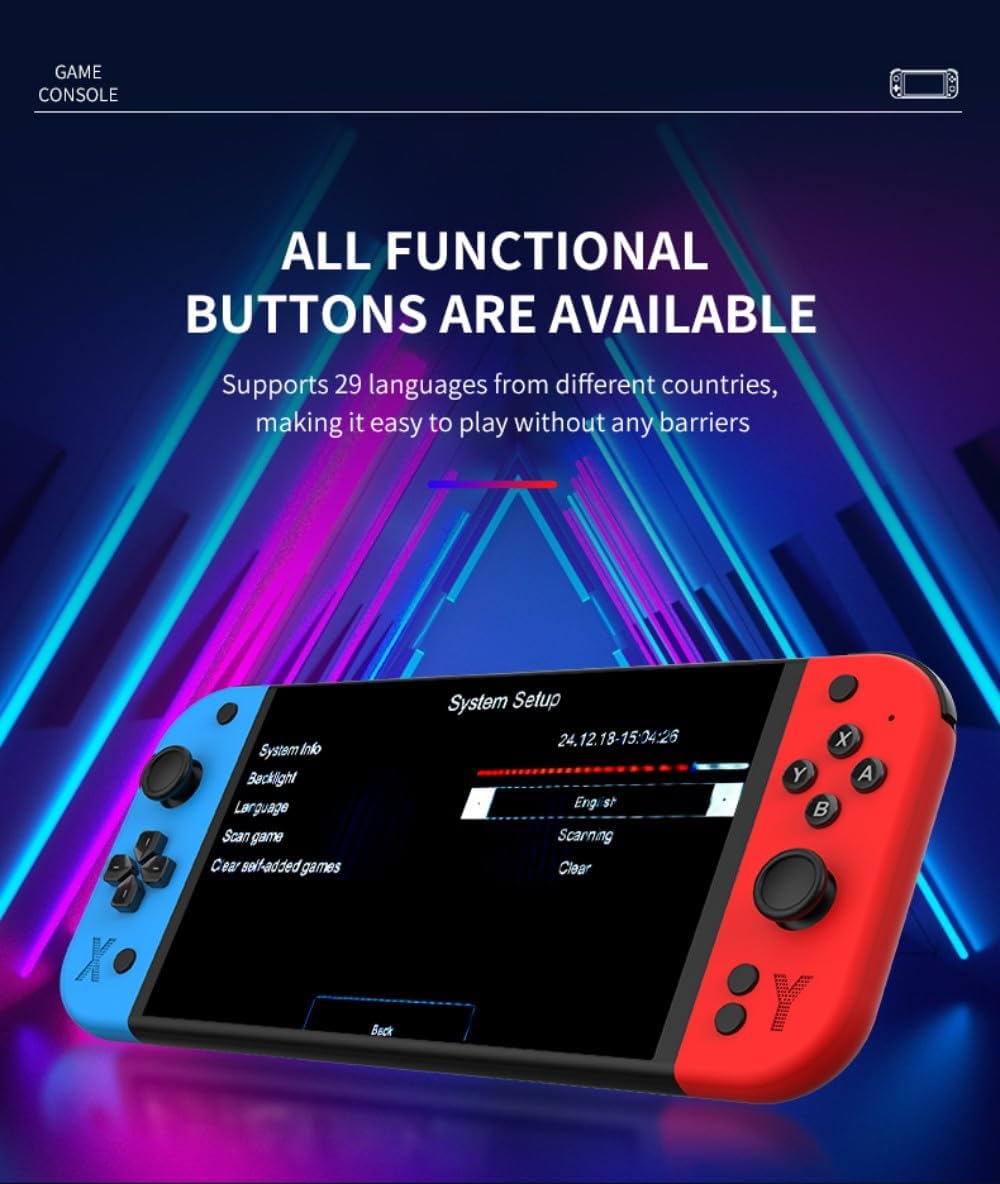
Image: Front and rear view of the G90 console with labels for 3D joysticks, directional keys, speaker, ESC, R1/R2, L1/L2, vol-/vol+, X/Y/A/B buttons, TF card slot, HDMI port, charging interface, On/Off button, and handle interface.
- 3D Joysticks: For precise directional control in games.
- Directional Keys (D-Pad): For menu navigation and game control.
- Action Buttons (X, Y, A, B): For in-game actions.
- Shoulder Buttons (L1, L2, R1, R2): Additional control inputs.
- Volume Buttons (vol+, vol-): Adjust audio output.
- ESC Button: Typically used to exit menus or games.
- SELECT/START/A Buttons: Standard game control buttons.
- TF Card Slot: For inserting a TF (microSD) card to expand storage.
- Charging Interface (Type-C): For connecting the charging cable.
- HDMI Port: For connecting the console to an external display.
- On/Off Button: Powers the console on or off.
- Handle Interface: For connecting external gamepads.
- Speakers: Integrated stereo speakers for audio output.
4. Setup
4.1 Charging the Console
Before first use, fully charge the console. Connect the provided Type-C charging cable to the console's charging interface and the other end to a compatible USB power adapter (not included) with a maximum load of 2A. The battery indicator will show charging status.
4.2 TF Card Installation
The console supports TF card expansion up to 256GB for additional game storage. Locate the TF card slot on the console. Gently insert the TF card into the slot until it clicks into place. To remove, push the card in slightly until it springs out.
4.3 Connecting to an External Display (HDMI Output)
To play games on a larger screen, connect the G90 console to a TV or monitor using the provided HDMI cable. Plug one end of the HDMI cable into the console's HDMI port and the other end into an HDMI input on your display device. Select the correct HDMI input on your display.

Image: The G90 console displaying game content on an external television via HDMI output.
4.4 Connecting External Gamepads
The G90 console supports external gamepads for two-player gaming. Connect the gamepad receiver/adapter to the console's handle interface. The included gamepads should automatically connect to the receiver. Refer to the gamepad's individual instructions for specific pairing procedures if necessary.
5. Operating Instructions
5.1 Power On/Off
- To Power On: Press and hold the On/Off button until the screen illuminates.
- To Power Off: Press and hold the On/Off button until a power-off prompt appears, then confirm. A short press will typically put the device into sleep mode.
5.2 Navigation and Game Selection
Use the 3D joysticks or directional keys to navigate through the console's menu interface. Press the 'A' button (or equivalent action button) to select options or launch games. The 'ESC' button typically functions as a back or exit command.
5.3 Adjusting Volume
Use the 'vol+' and 'vol-' buttons located on the console to increase or decrease the audio volume from the integrated stereo speakers.
5.4 Language Settings
The G90 console supports 29 languages. To change the system language:
- Navigate to the 'System Setup' menu.
- Select 'Language' from the options.
- Choose your desired language from the list.
Image: The G90 console's 'System Setup' screen, highlighting the language selection option.
6. Maintenance
6.1 Cleaning
Use a soft, dry cloth to clean the console's exterior. For the screen, use a microfiber cloth. Avoid using harsh chemicals or abrasive materials, as they may damage the finish or screen. The included alcohol wipe pack can be used for screen cleaning.
6.2 Battery Care
To prolong battery life:
- Avoid fully discharging the battery frequently.
- Store the console in a cool, dry place when not in use for extended periods.
- Charge the console regularly, even if not in use, to maintain battery health.
7. Troubleshooting
- Console does not power on: Ensure the console is fully charged. Connect the charging cable and try again.
- Screen is blank or flickering: Check HDMI cable connection if using an external display. Restart the console.
- Games are lagging or freezing: Ensure the TF card is properly inserted. Some games may require specific settings adjustments within the emulator.
- No sound: Check the volume settings on the console and any connected external display. Ensure headphones are properly connected if in use.
- External gamepads not connecting: Ensure the gamepad receiver is properly inserted into the console's handle interface. Check gamepad batteries.
If issues persist, please refer to the support information provided with your purchase.
8. Specifications
| Feature | Specification |
|---|---|
| Model Number | 14RE304OZ04BKFYXRX3 |
| Display | 7-inch IPS HD Screen, OCA Lamination Technology |
| Resolution | 1024x600 |
| CPU | Quad-core ARM Cortex-A7MP |
| RAM | DDR3 1GB |
| ROM | eMMC 4GB |
| Operating System | Linux 5.1 RetroArch |
| HDMI Output | Supports HDMI high-definition output |
| Languages | Supports 29 languages |
| Audio | High-quality stereo speakers |
| Battery | 4000mAh |
| TF Card Support | Up to 256GB expansion |
| Charging | Type-C, max 2A load |
| External Gamepads | Supports external gamepads for two-player battles |
| Joysticks | Dual 3D stereo joysticks |
| Material | ABS |
| Console Body Dimensions | 24.5 x 2.8 x 10.5 cm |
| Console Body Weight | 393g |
| Recommended Age | 15 years and up |
9. Warranty and Support
For warranty information and technical support, please refer to the documentation included with your purchase or contact MINDKEEPS customer service through the retailer where the product was purchased. Keep your proof of purchase for warranty claims.