
1. Introduction
Thank you for choosing the TWOMEOW KM802-GY Single Serve Hot & Iced Coffee Maker. This manual provides essential information for the safe operation, maintenance, and troubleshooting of your new coffee maker. Please read it thoroughly before first use and retain it for future reference.
Important Safety Instructions
- Read all instructions before using the appliance.
- Do not touch hot surfaces. Use handles or knobs.
- To protect against fire, electric shock, and injury to persons, do not immerse cord, plugs, or appliance in water or other liquid.
- Close supervision is necessary when any appliance is used by or near children.
- Unplug from outlet when not in use and before cleaning. Allow to cool before putting on or taking off parts, and before cleaning the appliance.
- Do not operate any appliance with a damaged cord or plug, or after the appliance malfunctions or has been damaged in any manner. Contact customer support for examination, repair, or adjustment.
- The use of accessory attachments not recommended by the appliance manufacturer may result in fire, electric shock, or injury to persons.
- Do not use outdoors.
- Do not let cord hang over edge of table or counter, or touch hot surfaces.
- Do not place on or near a hot gas or electric burner, or in a heated oven.
- Always attach plug to appliance first, then plug cord into the wall outlet. To disconnect, turn any control to 'off', then remove plug from wall outlet.
- Do not use appliance for other than intended use.
- Use only cold water in the water tank.
- Do not remove the drip tray during brewing.
2. Product Overview
The TWOMEOW KM802-GY coffee maker is designed for versatility, offering options for K-cups, ground coffee, and tea, with settings for both hot and iced beverages.
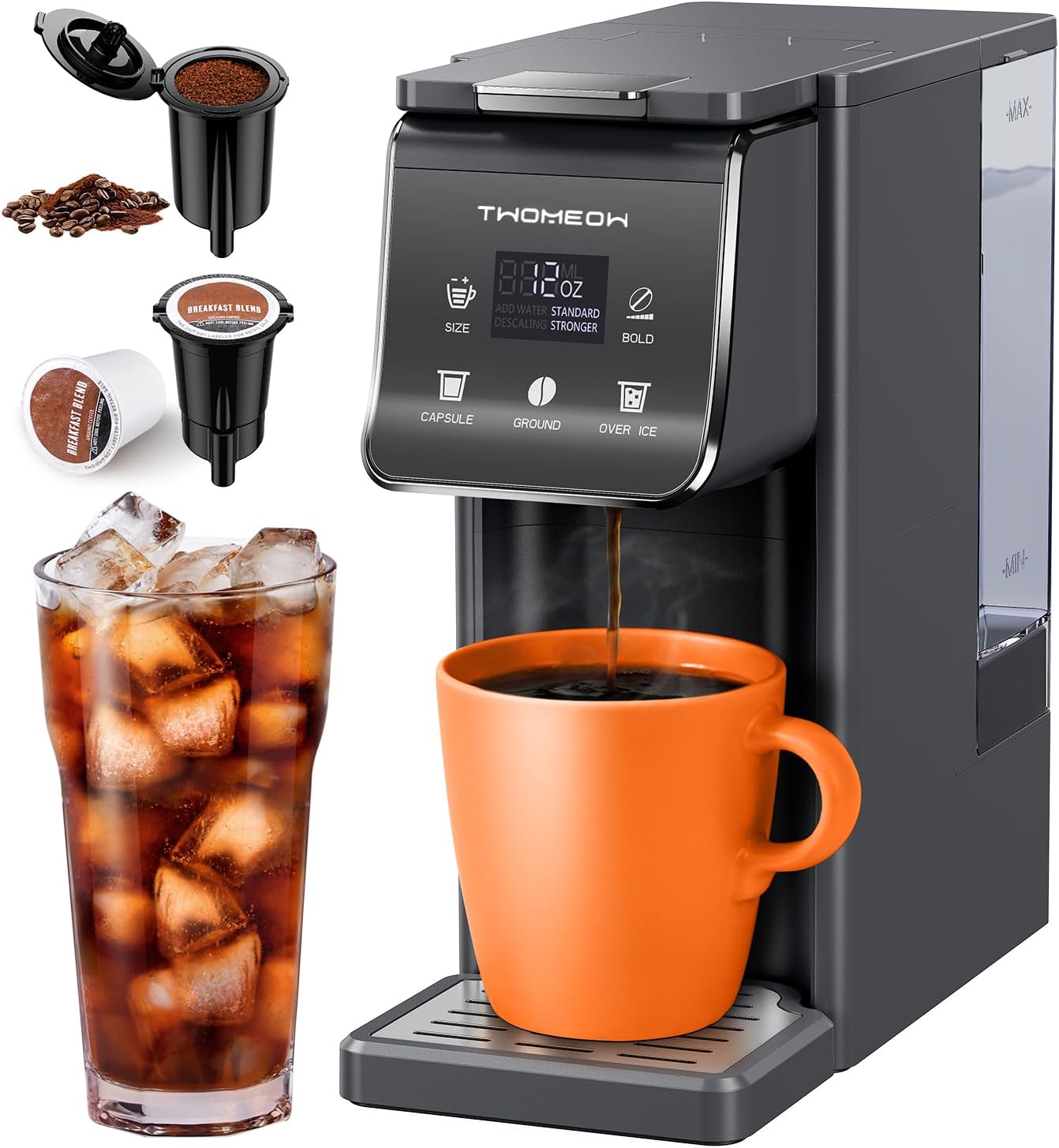
Image: The TWOMEOW KM802-GY coffee maker, showcasing its compatibility with K-cups and ground coffee, and its ability to brew both hot and iced beverages. An orange mug of hot coffee sits on the drip tray, while a glass of iced coffee is shown to the left.
Key Features
- Bold Setting: Customize brew strength for standard or stronger coffee.
- 52 oz Removable Reservoir: Large capacity water tank for multiple brews without frequent refilling.
- 5 Brewing Capacities: Select from 6, 8, 10, 12, or 14 oz brew sizes.
- 3-in-1 Compatibility: Works with K-pods, ground coffee, and tea using included accessories.
- Fast Brewing: Delivers hot or iced coffee in approximately one minute.
- Removable Drip Tray: Accommodates taller cups and travel mugs up to 6.8 inches.
- Energy Saving: Automatic shut-off function activates 5 minutes after the last brew.
3. Setup
Initial Cleaning
- Remove all packaging materials and labels from the coffee maker.
- Wash the removable water tank, K-pod holder, ground coffee holder, and drip tray in warm, soapy water. Rinse thoroughly and dry.
- Wipe the exterior of the coffee maker with a damp cloth.
First Use / Priming the Machine
- Place the coffee maker on a stable, flat surface.
- Fill the removable water tank with fresh, cold water up to the MAX line.
- Ensure no K-pod or ground coffee is in the brewing chamber.
- Place a large mug (at least 14 oz) on the drip tray.
- Plug the coffee maker into a grounded electrical outlet.
- Press the 'Power' button to turn on the machine.
- Select the 14 oz brew size and press the 'Brew' button to run a cleansing cycle with just water.
- Discard the hot water. Your coffee maker is now ready for use.

Image: A hand demonstrating the removal of the 52 oz water tank from the side of the coffee maker, highlighting its easy access for refilling and cleaning.
4. Operating Instructions
Brewing Hot Coffee (K-Cup)
- Ensure the water tank is filled with fresh, cold water.
- Lift the handle to open the brewing chamber.
- Insert a K-cup pod into the K-pod holder. Close the handle firmly.
- Place your mug on the drip tray.
- Select your desired brew size (6, 8, 10, 12, or 14 oz) using the 'SIZE' button.
- To adjust strength, press the 'BOLD' button to toggle between 'STANDARD' and 'STRONGER'.
- Press the 'CAPSULE' button to start brewing. The machine will automatically stop when brewing is complete.
Brewing Hot Coffee (Ground Coffee)
- Ensure the water tank is filled with fresh, cold water.
- Lift the handle to open the brewing chamber.
- Fill the reusable ground coffee holder with your preferred ground coffee. Do not overfill.
- Insert the filled ground coffee holder into the brewing chamber. Close the handle firmly.
- Place your mug on the drip tray.
- Select your desired brew size (6, 8, 10, 12, or 14 oz) using the 'SIZE' button.
- To adjust strength, press the 'BOLD' button to toggle between 'STANDARD' and 'STRONGER'.
- Press the 'GROUND' button to start brewing. The machine will automatically stop when brewing is complete.

Image: A detailed view of the TWOMEOW coffee maker's 3-in-1 compatibility, illustrating the K-pod holder, ground coffee holder, and loose tea, emphasizing its versatility.
Bold Setting
The 'BOLD' setting allows you to customize the strength of your coffee. Select 'STRONGER' for a more intense flavor, suitable for both hot and iced coffee. Selecting a smaller brew size, such as 6 oz, can also contribute to a stronger taste.

Image: Two cups of coffee, one labeled 'STANDARD' and the other 'STRONGER', demonstrating the visual difference in brew intensity achievable with the Bold Flavor Option.
Brewing Capacities
The coffee maker offers five distinct brewing capacities: 6 oz, 8 oz, 10 oz, 12 oz, and 14 oz. Use the 'SIZE' button to cycle through these options and select the volume appropriate for your cup or preference.

Image: A close-up of the coffee maker's control panel, highlighting the 'SIZE' button and the display showing the five available brewing capacities (6, 8, 10, 12, 14 oz) with corresponding coffee cup icons.
Brewing Iced Coffee
- Fill the water tank with fresh, cold water.
- Fill your serving cup with ice cubes.
- Insert a K-cup pod or ground coffee into the brewing chamber.
- Place the ice-filled cup on the drip tray.
- Select a brew size between 6-8 oz for optimal iced coffee concentration.
- Press the 'OVER ICE' button to start brewing. The hot coffee will brew directly over the ice, chilling it rapidly.
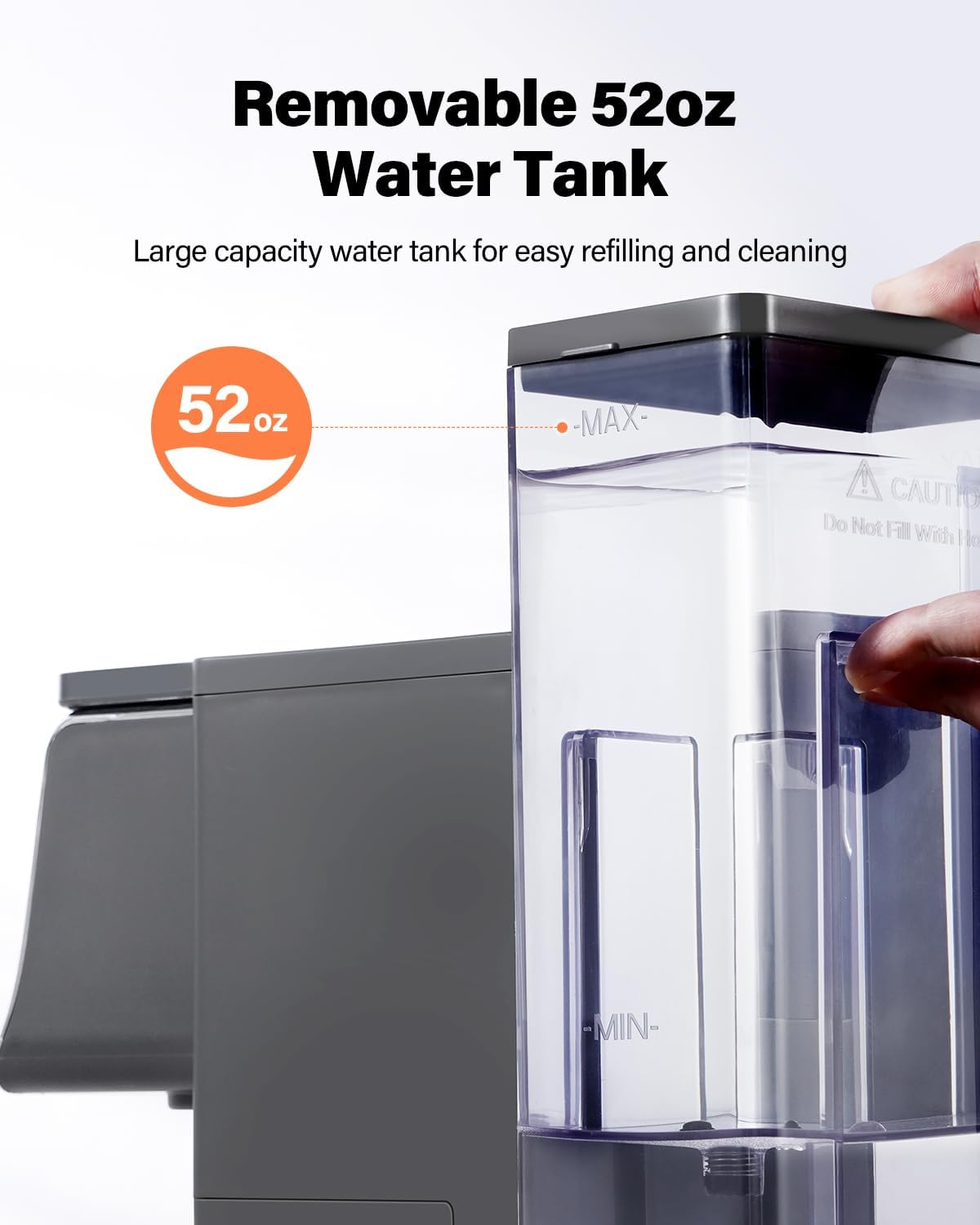
Image: The coffee maker's display indicating options for both high-temperature (hot) and lower-temperature (iced) brewing, with visual cues of a hot coffee cup and an iced coffee glass.
Removable Drip Tray
The drip tray is removable to accommodate various cup heights, including travel mugs up to 6.8 inches tall. To remove, simply slide it out from the front of the machine. Ensure it is properly reinserted after use.

Image: The TWOMEOW coffee maker shown with and without its removable drip tray, illustrating how removing the tray allows for taller cups, such as a travel mug, to fit under the dispenser.
5. Maintenance
Cleaning
- Always unplug the coffee maker before cleaning.
- The water tank, K-pod holder, ground coffee holder, and drip tray are dishwasher safe (top rack only) or can be hand-washed with warm, soapy water.
- Wipe the exterior of the machine with a damp, soft cloth. Do not use abrasive cleaners or scouring pads.
- Clean the exit needle (where coffee dispenses) and the K-cup piercing needle regularly using a straightened paper clip to dislodge any clogs.
Descaling
Mineral deposits (scale) can build up in your coffee maker over time, affecting performance and coffee taste. The 'DESCALE' indicator light will flash when descaling is required. It is recommended to descale every 3-6 months, depending on water hardness.

Image: A close-up of the coffee maker's control panel, with the 'DESCALE' indicator light flashing, signaling that a descaling process is needed.
Descaling Procedure:
- Empty the water tank.
- Pour 10 oz of white vinegar into the water tank.
- Place a large mug on the drip tray.
- Press the 'DESCALE' button (if available, or follow manual's specific descaling mode instructions). If no dedicated button, run a 14 oz brew cycle with the vinegar solution.
- Repeat the process with fresh water to rinse the machine thoroughly. Run at least two full cycles with fresh water.
- Discard all water after each cycle.
6. Troubleshooting
| Problem | Possible Cause | Solution |
|---|---|---|
| Coffee not brewing. | No water in tank; machine not powered on; brewing chamber not closed properly; clogged needle. | Fill water tank; ensure power is on; close handle firmly; clean piercing needle. |
| Weak coffee. | Incorrect brew size selected; 'BOLD' setting not activated; stale coffee; too much water for grounds. | Select smaller brew size; activate 'STRONGER' setting; use fresh coffee; adjust coffee-to-water ratio. |
| Coffee overflows or leaks. | Mug too small; drip tray not positioned correctly; K-cup not seated properly. | Use a larger mug; ensure drip tray is secure; reseat K-cup or ground coffee holder. |
| 'DESCALE' indicator flashing. | Mineral buildup in the machine. | Perform descaling procedure as outlined in the Maintenance section. |
| Machine turns off unexpectedly. | Energy-saving auto-off feature activated. | This is normal operation; press power button to restart. |
7. Specifications
| Feature | Detail |
|---|---|
| Brand | TWOMEOW |
| Model Name | KM802-GY |
| Color | Dark Gray |
| Product Dimensions | 5"D x 3"W x 6"H |
| Water Tank Capacity | 52 oz (Removable) |
| Brewing Capacities | 6, 8, 10, 12, 14 oz |
| Compatibility | K-pods, Ground Coffee, Tea |
| Voltage | 120 Volts |
| Item Weight | 3.3 pounds |
| Special Features | 3-in-1, Removable Tank, Bold Setting, Auto-off |
8. Warranty and Support
TWOMEOW products are manufactured to high-quality standards. For warranty information or technical support, please refer to the documentation included with your purchase or contact TWOMEOW customer service directly. Please have your model number (KM802-GY) and purchase date available when contacting support.
For further assistance, please visit the official TWOMEOW website or contact their customer support channels.