
1. Product Overview
The ZZA Z32B is a 32-inch curved monitor designed for a clear and immersive visual experience. It features 4K UHD (3840 x 2160P) resolution, a 60Hz refresh rate, and a 3000R VA panel. This monitor supports AMD FreeSync technology, HDR10, and 100% sRGB color gamut, making it suitable for various applications including streaming, web browsing, and casual gaming.

Figure 1: Front view of the ZZA Z32B 32-inch 4K UHD 60Hz Curved Monitor.
2. Package Contents
Please verify that all components are present in the package:
- ZZA Z32B 32-inch Curved Monitor
- Monitor Stand (Base and Neck)
- Power Adapter
- HDMI Cable
- DisplayPort (DP) Cable
- User Manual
3. Setup Instructions
3.1 Stand Assembly
- Carefully remove the monitor from its packaging, placing it face down on a soft, clean surface to prevent scratches.
- Attach the stand neck to the monitor panel. Ensure it clicks securely into place or is fastened with screws if provided.
- Attach the stand base to the stand neck. Tighten the thumb screw or screws at the bottom of the base to secure it.
- Carefully lift the assembled monitor and place it on a stable, flat surface.
3.2 Connecting the Monitor
The monitor provides multiple input options for connectivity.

Figure 2: Available input and output ports on the ZZA Z32B monitor.
- Power Connection: Connect the power adapter to the DC input port on the monitor and then plug it into a power outlet.
- Video Input: Connect one end of the HDMI or DisplayPort cable to the corresponding port on your computer or video source, and the other end to an HDMI 2.0 or DisplayPort 1.4 input port on the monitor.
- Audio Output: If you are using external speakers or headphones, connect them to the audio output port on the monitor. This monitor does not have built-in speakers.
3.3 Wall Mounting (Optional)
The monitor is VESA compatible (100x100mm) for wall mounting. A VESA bracket is not included and must be purchased separately.
- Remove the stand from the monitor if it is already attached.
- Attach the VESA compatible wall mount bracket (not included) to the four screw holes on the back of the monitor.
- Follow the instructions provided with your VESA wall mount for secure installation.

Figure 3: VESA mounting points (100x100mm) on the monitor.
4. Operating the Monitor
4.1 Power On/Off
Press the power button, usually located on the back or bottom of the monitor, to turn the monitor on or off. The power indicator light will illuminate when the monitor is on.
4.2 Basic Display Settings
Access the On-Screen Display (OSD) menu using the buttons on the monitor to adjust various settings.
- Resolution: The native resolution is 3840 x 2160P (4K UHD). Ensure your computer's display settings are configured to this resolution for optimal clarity.
- Refresh Rate: The monitor supports a 60Hz refresh rate. Adjust this setting in your operating system's display settings for smooth visuals.

Figure 4: The monitor supports an incredible 60Hz refresh rate for smooth visuals.
- Response Time: The monitor features a 1ms MPRT (Moving Picture Response Time) for reduced motion blur.

Figure 5: The monitor offers a 1ms MPRT response time.
- Color Settings: The monitor supports 100% sRGB and HDR10, providing vivid and accurate colors. Adjust brightness, contrast, and color temperature through the OSD menu.
- Adaptive Sync (AMD FreeSync): Enable AMD FreeSync in the OSD menu and your graphics card settings to synchronize the monitor's refresh rate with your GPU's frame rate, reducing screen tearing and stuttering.

Figure 6: FreeSync technology ensures a smoother visual experience.
- Curvature: The 3000R curvature provides an immersive viewing experience.
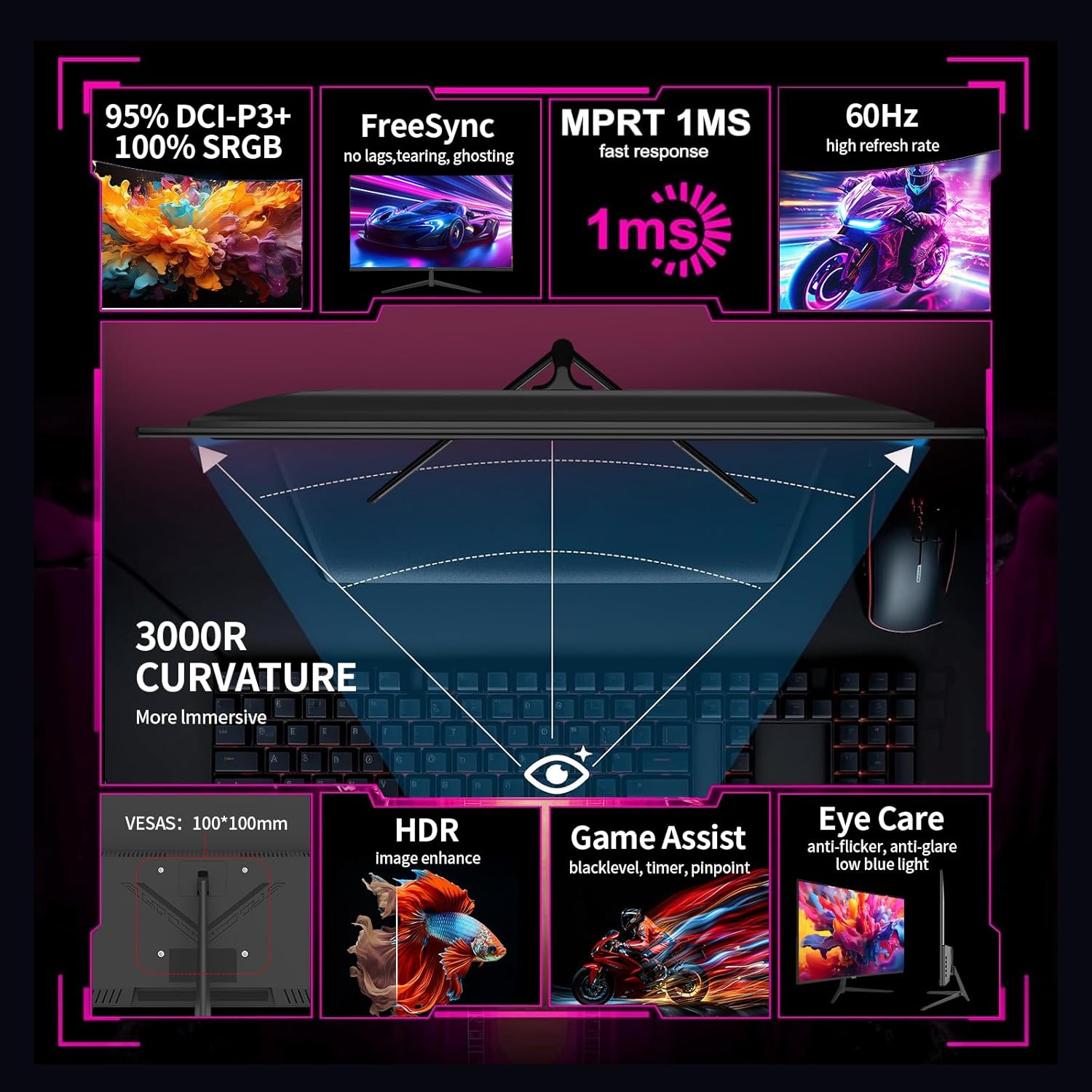
Figure 7: Key features including 3000R curvature, FreeSync, HDR, and Eye Care.
4.3 Eye Care Features
The monitor includes features to reduce eye strain during extended use:
- Anti-Flicker: Reduces screen flickering for comfortable viewing.
- Anti-Glare: Minimizes reflections on the screen.
- Low Blue Light: Reduces harmful blue light emissions.
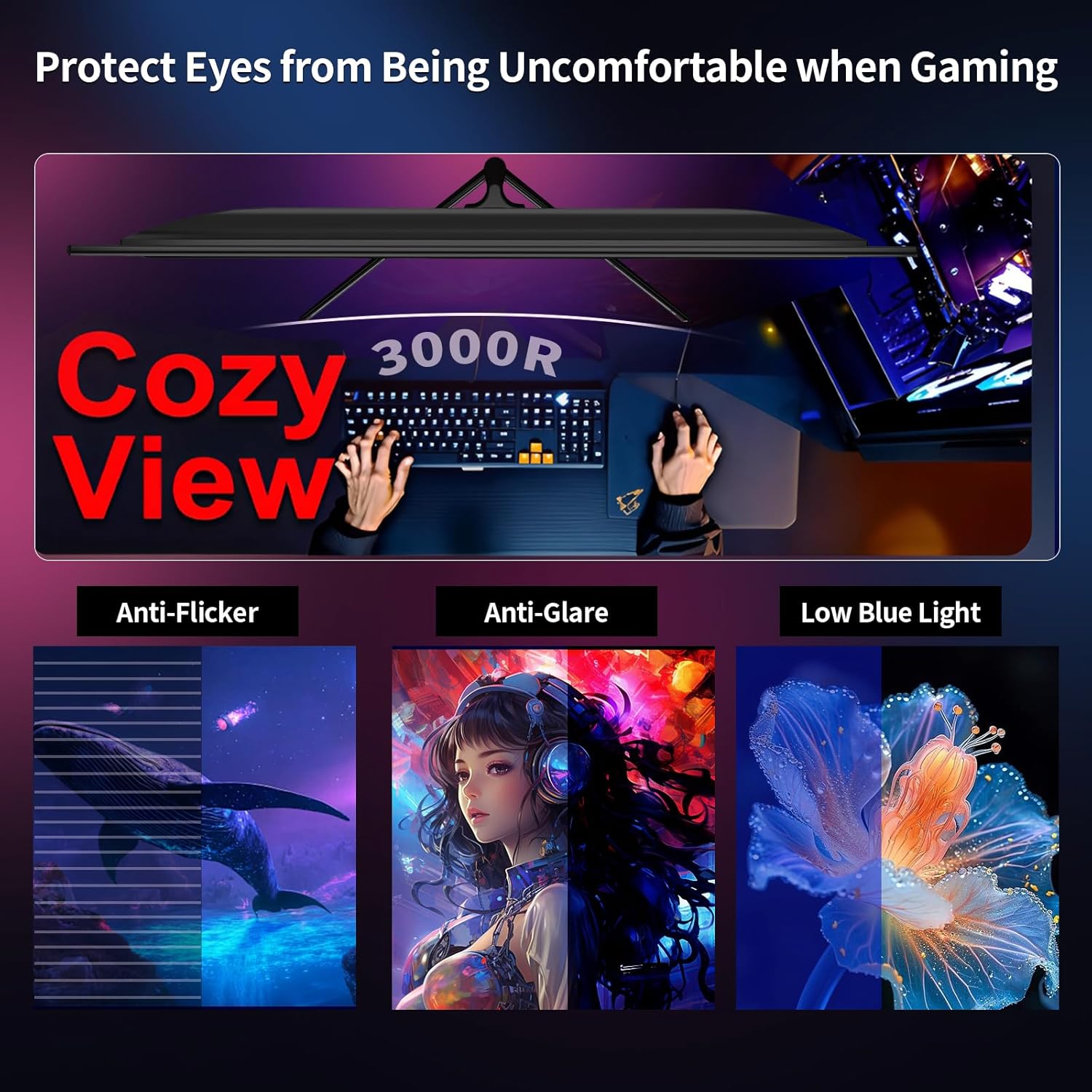
Figure 8: Eye protection features: Anti-Flicker, Anti-Glare, and Low Blue Light.
4.4 Game Assist Features
Enhance your gaming experience with built-in game assist functions:
- Blacklevel: Adjusts dark areas for better visibility in dim scenes.
- Timer: Displays an on-screen timer.
- Pinpoint: Provides an on-screen crosshair for improved aiming.
5. Maintenance
Proper maintenance ensures the longevity and performance of your monitor.
- Cleaning the Screen: Use a soft, lint-free cloth lightly dampened with a non-abrasive screen cleaner. Do not spray cleaner directly onto the screen.
- Cleaning the Casing: Wipe the monitor casing with a soft, dry cloth. Avoid using strong detergents or solvents.
- Power Off When Not in Use: Turn off the monitor when not in use for extended periods to conserve energy and prolong its lifespan.
- Avoid Direct Sunlight: Do not expose the monitor to direct sunlight or extreme temperatures.
6. Troubleshooting
If you encounter issues with your monitor, refer to the following common troubleshooting steps:
- No Power:
- Ensure the power cable is securely connected to the monitor and the power outlet.
- Verify the power adapter is functioning correctly.
- No Signal:
- Check that the video cable (HDMI or DisplayPort) is securely connected to both the monitor and your computer.
- Ensure the correct input source is selected on the monitor via the OSD menu.
- Try a different video cable or port.
- Image Distortion or Flickering:
- Adjust the display resolution and refresh rate in your computer's settings to match the monitor's specifications (3840x2160P, 60Hz).
- Enable AMD FreeSync if your graphics card supports it.
- Check for any loose cable connections.
- Dead Pixels:
- A small number of bright or dark pixels may be present on the screen. This is a characteristic of LCD/LED technology and is generally not considered a defect unless the number exceeds manufacturer specifications.
7. Specifications
| Feature | Specification |
|---|---|
| Model Number | Z32B |
| Screen Size | 32 Inches |
| Resolution | 4K UHD (3840 x 2160 Pixels) |
| Refresh Rate | 60Hz |
| Aspect Ratio | 16:9 |
| Panel Type | VA Panel |
| Curvature | 3000R |
| Response Time | 1ms MPRT |
| Color Gamut | 100% sRGB, HDR10, DCI-P3 |
| Image Brightness | ≥230cd±20/m² |
| Contrast Ratio | 3000:1 |
| Viewing Angle | 178° (CR≥10) |
| Connectivity | 2x HDMI 2.0, 2x DisplayPort 1.4, Audio Out, DC In |
| VESA Compatibility | 100x100mm |
| Product Dimensions | 20.19 x 30.9 x 10.7 inches |
| Item Weight | 13.32 pounds |
8. Warranty and Support
ZZA provides high-quality computer monitors and premium services. If you have any questions or require assistance, please contact our customer support team. We are available to serve you and resolve any issues you may encounter.
For specific warranty details, please refer to the warranty card included with your product or visit the official ZZA website.