
1. Introduction and Overview
Thank you for choosing the iScooter W6 Electric Scooter. This manual provides essential information for the safe operation, assembly, maintenance, and troubleshooting of your new electric scooter. Please read this manual thoroughly before your first ride to ensure optimal performance and safety.
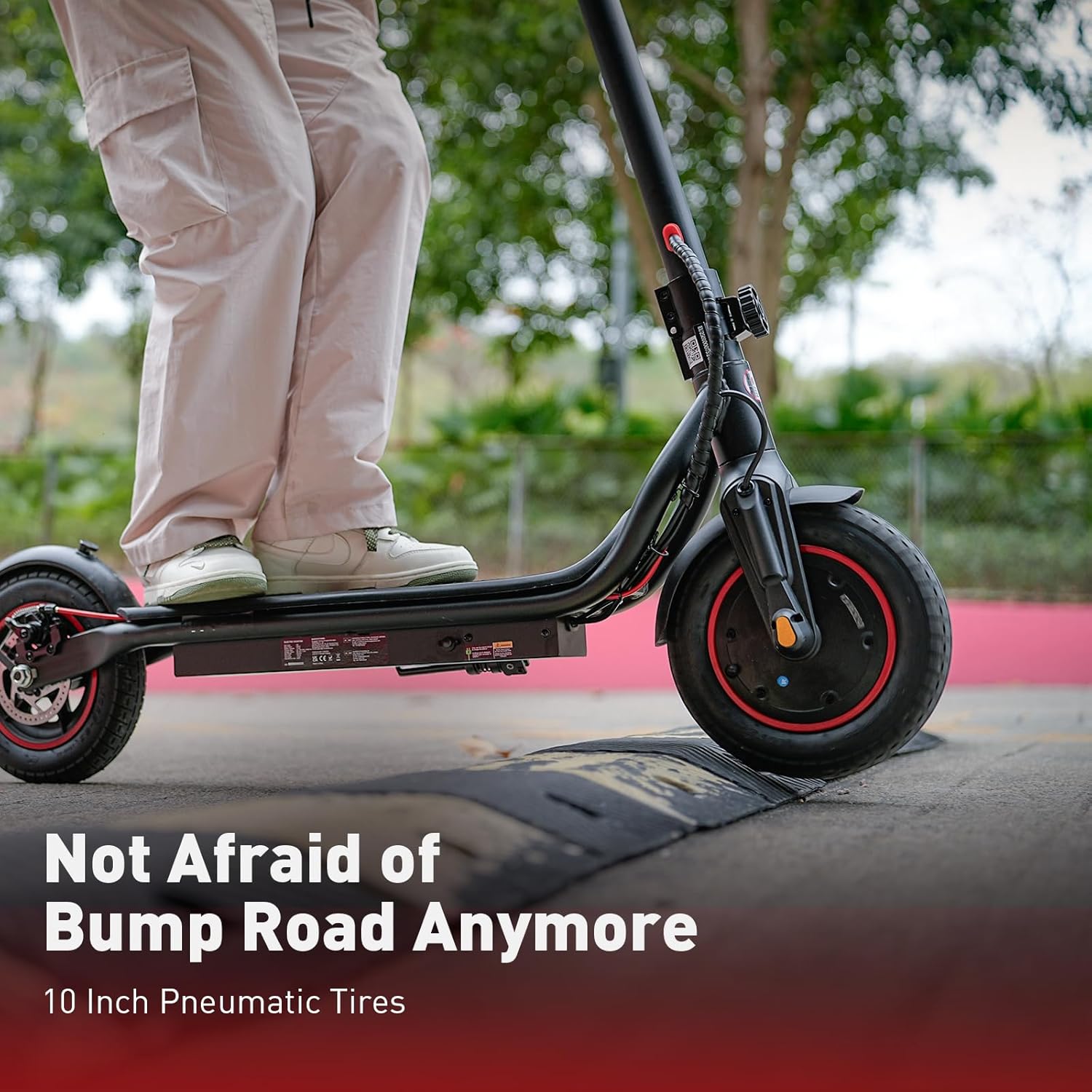
The iScooter W6 is designed for adults and teens, featuring a powerful 500W brushless motor, a top speed of 35 km/h, and a maximum range of 37 km. It is equipped with 10-inch pneumatic tires for a comfortable ride, dual braking systems for enhanced safety, and optional smart APP control for a personalized experience.
2. Safety Information
Your safety is paramount. Always wear a helmet and appropriate protective gear (knee pads, elbow pads) when riding. Familiarize yourself with local laws and regulations regarding electric scooter use.
- Always wear a certified helmet.
- Do not ride in heavy rain or through puddles deeper than 2 cm.
- Avoid riding on slippery surfaces, loose gravel, or steep inclines.
- Maintain a safe distance from other vehicles and pedestrians.
- Do not exceed the maximum weight capacity of 120 kg (264 lbs).
- Ensure all screws and quick releases are securely fastened before each ride.
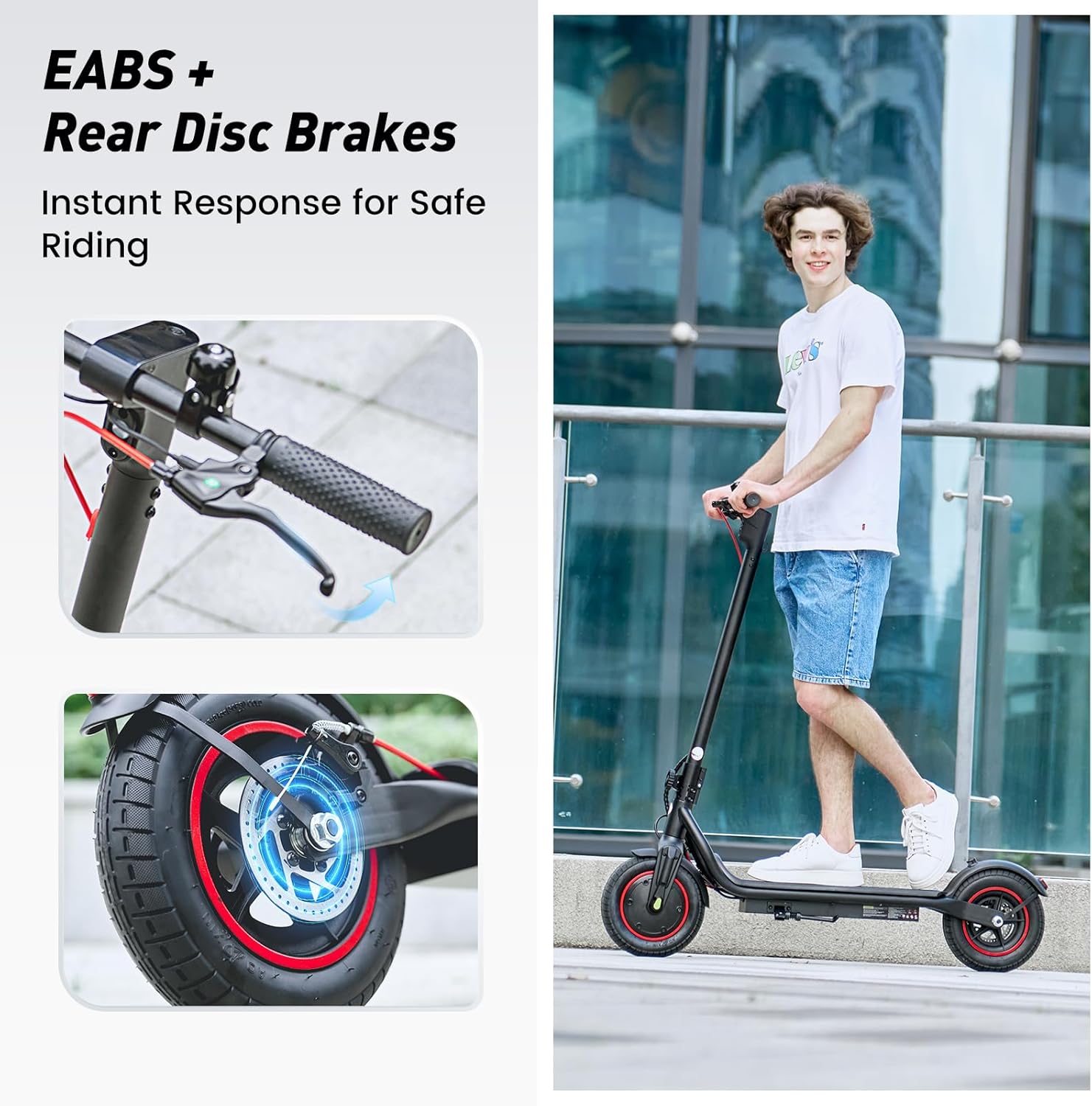
- Use both brakes simultaneously for effective stopping.
- Be aware of your surroundings and avoid distractions while riding.
3. Package Contents
Please check the contents of your package. If any items are missing or damaged, contact customer support.
- iScooter W6 Electric Scooter
- Charger
- User Manual
- Screws and Screwdriver for assembly
4. Assembly and Setup
Your iScooter W6 comes partially assembled. Follow these steps to complete the setup:
- Unfold the Scooter: Carefully lift the handlebar stem until it locks into place. Ensure the folding mechanism is securely latched.
- Attach the Handlebars: Insert the handlebars into the stem and tighten the screws using the provided screwdriver. Ensure they are firmly attached and aligned.
- Check Tire Pressure: Verify that the 10-inch pneumatic tires are inflated to the recommended pressure for optimal ride comfort and range.
- Initial Charge: Fully charge the scooter before its first use. Refer to the 'Charging' section for details.

5. Operating Instructions
Before riding, ensure you are in a safe, open area and are wearing all necessary safety gear.
5.1 Power On/Off
- To power on, press and hold the power button on the display for a few seconds.
- To power off, press and hold the power button again until the display turns off.
5.2 Riding Modes
The iScooter W6 offers three speed modes to suit different riding conditions:
- ECO Mode: Approximately 14 km/h (9 mph) - For energy saving and beginners.
- Drive Mode: Approximately 24 km/h (15 mph) - Standard mode for balanced performance.
- Sport Mode: Approximately 35 km/h (22 mph) - For maximum speed and power.
Press the power button once while the scooter is on to cycle through the speed modes.

5.3 Acceleration and Braking
- Acceleration: Push off with your foot to gain initial momentum, then gently press the throttle lever on the right handlebar.
- Braking: The scooter features dual braking systems: a rear disc brake and an electronic brake. Squeeze the brake levers on the handlebars to slow down or stop. For emergency stops, apply both brakes firmly.
- Cruise Control: To activate cruise control, maintain a consistent speed for 5 seconds. The scooter will beep, and the cruise control icon will appear on the display. To deactivate, press the throttle or brake lever.
5.4 Lights and Bell
- Headlight: Press the power button twice quickly to turn the LED headlight on or off.
- Taillight: The rear warning light automatically activates with the headlight and when braking.
- Bell: Use the integrated bell on the left handlebar to alert pedestrians or other riders.
6. Smart APP Control
The iScooter W6 supports smart APP control for enhanced functionality (for models with APP support). Download the official iScooter APP from your smartphone's app store.
- Pairing: Follow the in-app instructions to pair your scooter via Bluetooth.
- Features: The APP allows you to lock/unlock the scooter, view real-time ride data (speed, battery level, mileage), switch riding modes, and more.
- Anti-Theft Security: The APP can remotely lock the scooter, making it unridable and providing an additional layer of security.

7. Charging
Proper charging practices extend battery life and ensure safe operation.
- Battery: The scooter is equipped with a 42V / 10.5Ah lithium-ion battery.
- Charging Time: A full charge typically takes 5–7 hours.
- Charging Process: Connect the charger to the charging port on the scooter, then plug it into a standard wall outlet. The indicator light on the charger will change (e.g., red to green) when fully charged.
- Best Practices: Avoid completely draining the battery. Store the scooter with a partial charge (20-80%) if not used for extended periods. Do not charge unattended.
8. Maintenance
Regular maintenance ensures the longevity and safe operation of your scooter.
- Cleaning: Wipe the scooter with a damp cloth. Do not use high-pressure water or corrosive cleaners.
- Tires: Regularly check tire pressure and for any signs of wear or damage. The 10-inch pneumatic tires provide a comfortable ride but require proper inflation.
- Brakes: Inspect brake levers, cables, and disc brakes for proper function and wear. Adjust or replace components as needed.
- Fasteners: Periodically check all screws and bolts to ensure they are tight.
- Storage: Store the scooter in a cool, dry place away from direct sunlight and extreme temperatures.

9. Troubleshooting
If you encounter issues with your iScooter W6, refer to the following common problems and solutions:
| Problem | Possible Cause | Solution |
|---|---|---|
| Scooter does not power on | Low battery; loose connections; power button malfunction | Charge the battery; check all visible connections; contact support if issue persists. |
| Reduced range or speed | Low tire pressure; heavy load; riding uphill; cold weather; aging battery | Inflate tires to correct pressure; reduce load; ride on flatter terrain; ensure battery is fully charged. |
| Brakes not effective | Worn brake pads; loose brake cable; disc brake misalignment | Inspect and adjust brake components; replace worn parts; seek professional service if unsure. |
| Unusual noises during operation | Loose components; debris in wheels; motor issue | Check for loose parts and tighten; inspect wheels for obstructions; contact support if noise persists. |
For issues not listed here or if troubleshooting steps do not resolve the problem, please contact iScooter customer support.
10. Specifications
Key technical specifications for the iScooter W6 Electric Scooter:
| Feature | Specification |
|---|---|
| Model Number | W6 |
| Motor Power | 500W |
| Max Speed | 35 km/h |
| Max Range | 37 km |
| Battery | 42V / 10.5Ah |
| Wheel Size | 10 Inches (Pneumatic) |
| Brake Type | Rear Disc Braking & Electronic Braking |
| Max Weight Capacity | 120 Kilograms (264 lbs) |
| Item Weight | 15 kg |
| Material | Aluminum |
| Special Features | 37KM Max Range & 35KM/H Top Speed, 500W Powerful Motor & 10'' Inflatable Tires, Double Braking Systems (Rear Disc Braking & Electronic Braking), Foldable & Commuting, Smart APP Support |
11. Warranty and Support
iScooter provides a comprehensive warranty and dedicated customer support for your electric scooter.
- Warranty Period: One-year warranty for the E-scooter, and 180-day warranty for specific parts such as the motor and battery. This warranty is non-transferable after the product's initial sale.
- Returns: iScooter offers a 7-day no-reason return policy, provided there is no human damage and no stains on the product.
- Shipping Damage: If shipping damage occurs, please contact iScooter support at support@iscooterglobal.com and provide photo or video proof.
- Customer Support: iScooter is committed to providing quality items and service. For any inquiries or assistance, please reach out to our customer support team.


