
1. Introduction
This manual provides detailed instructions for the installation, operation, and maintenance of your WALI Quad Monitor Mount, model M004S-P. This mount is designed to support one ultrawide monitor (up to 49 inches) on the top bracket and three standard monitors (up to 27 inches) on the lower arm brackets. It features a robust design for enhanced stability and ergonomic adjustability.

Image 1.1: WALI Quad Monitor Mount M004S-P in a multi-monitor setup.
2. Product Features
- Monitor Compatibility: Supports one ultrawide monitor up to 49 inches (max 44 lbs) on the top bracket and three standard monitors up to 27 inches (max 19.8 lbs each) on the lower brackets. Compatible with VESA 75x75mm and 100x100mm mounting patterns.
- Flexible Adjustment:
- Top bracket: +20° to -20° tilt, 180° swivel, 360° rotation.
- Side brackets: +45° to -45° tilt, 180° swivel, 360° rotation.
- Height adjustable along the central pole.
- Durable Construction: Constructed from steel for strength, scratch resistance, and long-term stability.
- Easy Installation: Offers C-clamp mounting for desks 0.39" to 3.15" thick, and grommet mounting for desks 0.39" to 1.57" thick. All necessary tools and hardware are included.
- Cable Management: Integrated cable management system helps organize and conceal monitor cables for a tidy workspace.

Image 2.1: Monitor compatibility and VESA patterns.

Image 2.2: Adjustment ranges for tilt, swivel, and rotation.
3. Package Contents
Please verify that all components are present before beginning installation:
- 1 x WALI Quad Monitor Desk Mount (Black)
- 1 x Mounting Hardware Kit (includes screws, spacers, and Allen keys)
- 1 x User Manual
4. Safety Information
Read all instructions carefully before installation. If you do not understand these instructions or have doubts about the safety of the installation, please contact a qualified installer or customer support.
- Weight Capacity: Do not exceed the maximum weight capacity of 44 lbs for the top bracket and 19.8 lbs per lower bracket. Exceeding this limit may result in serious injury or product damage.
- Monitor Size: Ensure your monitors fit within the specified size ranges (up to 49" ultrawide for top, up to 27" for lower).
- VESA Compatibility: Confirm your monitors have VESA 75x75mm or 100x100mm mounting holes.
- Desk Stability: Ensure your desk surface is stable and strong enough to support the combined weight of the mount and all attached monitors.
- Proper Installation: Install the mount strictly according to the instructions provided. Improper installation can lead to equipment damage or personal injury.
- Moving Parts: Be cautious of pinch points when adjusting the monitor arms.
5. Setup and Installation
The WALI Quad Monitor Mount offers two installation options: C-clamp and Grommet mount. Choose the method suitable for your desk.
5.1 C-Clamp Installation
This method is suitable for desks with a thickness between 0.39 inches and 3.15 inches.
- Attach the C-clamp base to the edge of your desk. Ensure the clamp is securely tightened to prevent movement.
- Insert the main pole into the C-clamp base and secure it with the provided screws.
- Slide the monitor arm assemblies onto the main pole at your desired heights. Tighten the adjustment screws to hold them in place.
- Attach the VESA plates to the back of your monitors using the appropriate screws and spacers from the hardware kit.
- Slide the monitors (with VESA plates attached) onto the monitor arms. Secure them with the locking mechanisms.
5.2 Grommet Mount Installation
This method is suitable for desks with a grommet hole and a thickness between 0.39 inches and 1.57 inches.
- If your desk has an existing grommet hole, remove the plastic cover.
- Place the grommet base plate over the hole.
- Insert the main pole through the grommet base plate and the desk hole.
- From underneath the desk, attach the grommet mounting plate and tighten the bolt to secure the pole firmly to the desk.
- Follow steps 3-5 from the C-clamp installation to attach the monitor arms and monitors.
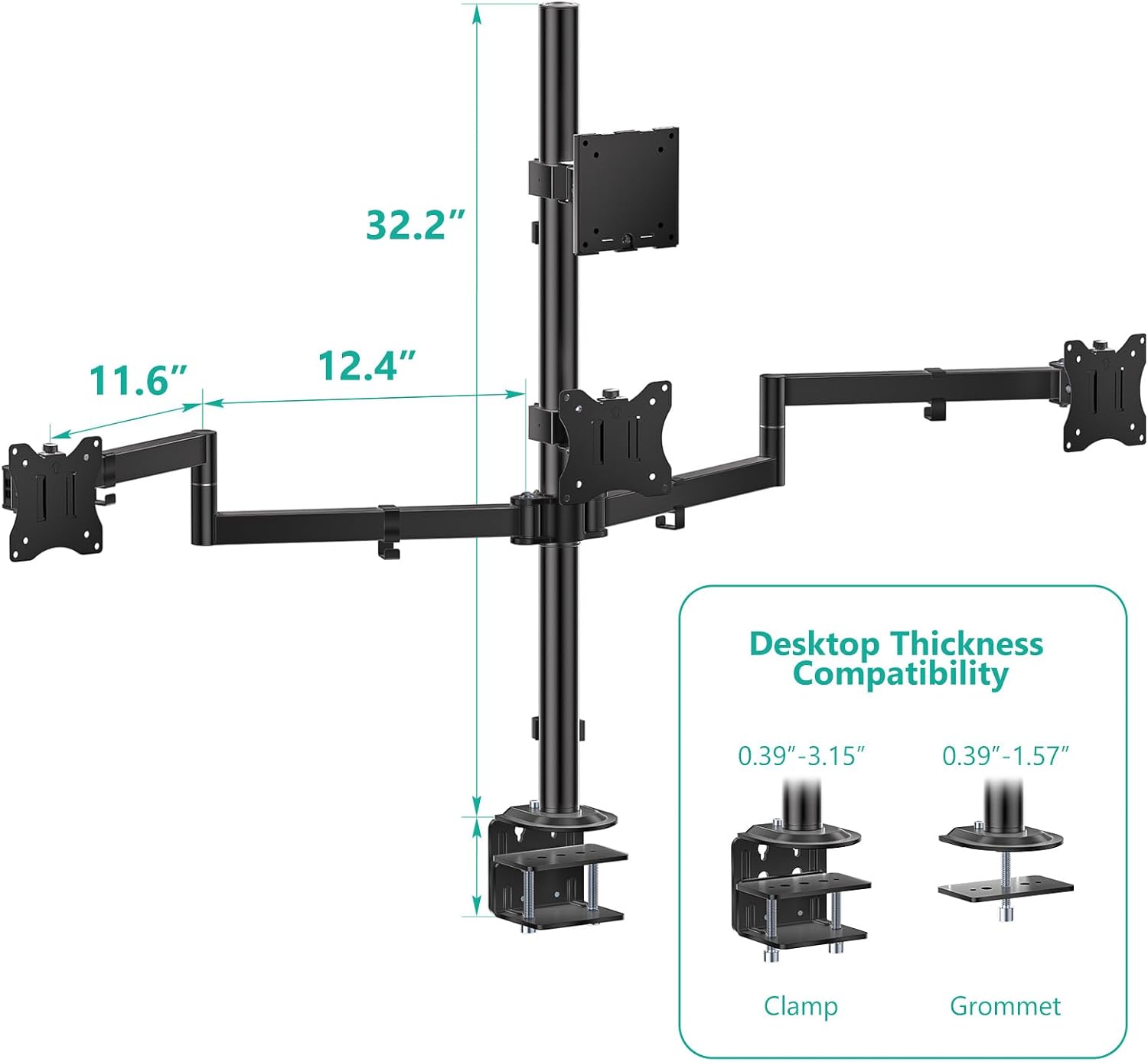
Image 5.1: C-clamp and Grommet mount installation details.

Image 5.2: Detailed view of mounting options.
5.3 Cable Management
Utilize the integrated cable clips along the main pole and monitor arms to route and organize your monitor cables. This helps maintain a clean and organized workspace.

Image 5.3: Cable management system.
6. Operating Instructions
The WALI Quad Monitor Mount allows for various adjustments to achieve an optimal ergonomic viewing experience.
- Height Adjustment: Loosen the collar on the main pole to slide the monitor arm assemblies up or down. Retighten the collar once the desired height is reached.
- Tilt Adjustment: The top bracket can tilt +20° to -20°, and side brackets can tilt +45° to -45°. Use the provided Allen key to adjust the tilt tension if monitors are too loose or too stiff.
- Swivel Adjustment: All brackets offer 180° swivel. Gently rotate the monitor to the desired angle.
- Rotation Adjustment: All brackets allow for full 360° rotation, enabling portrait or landscape orientation.
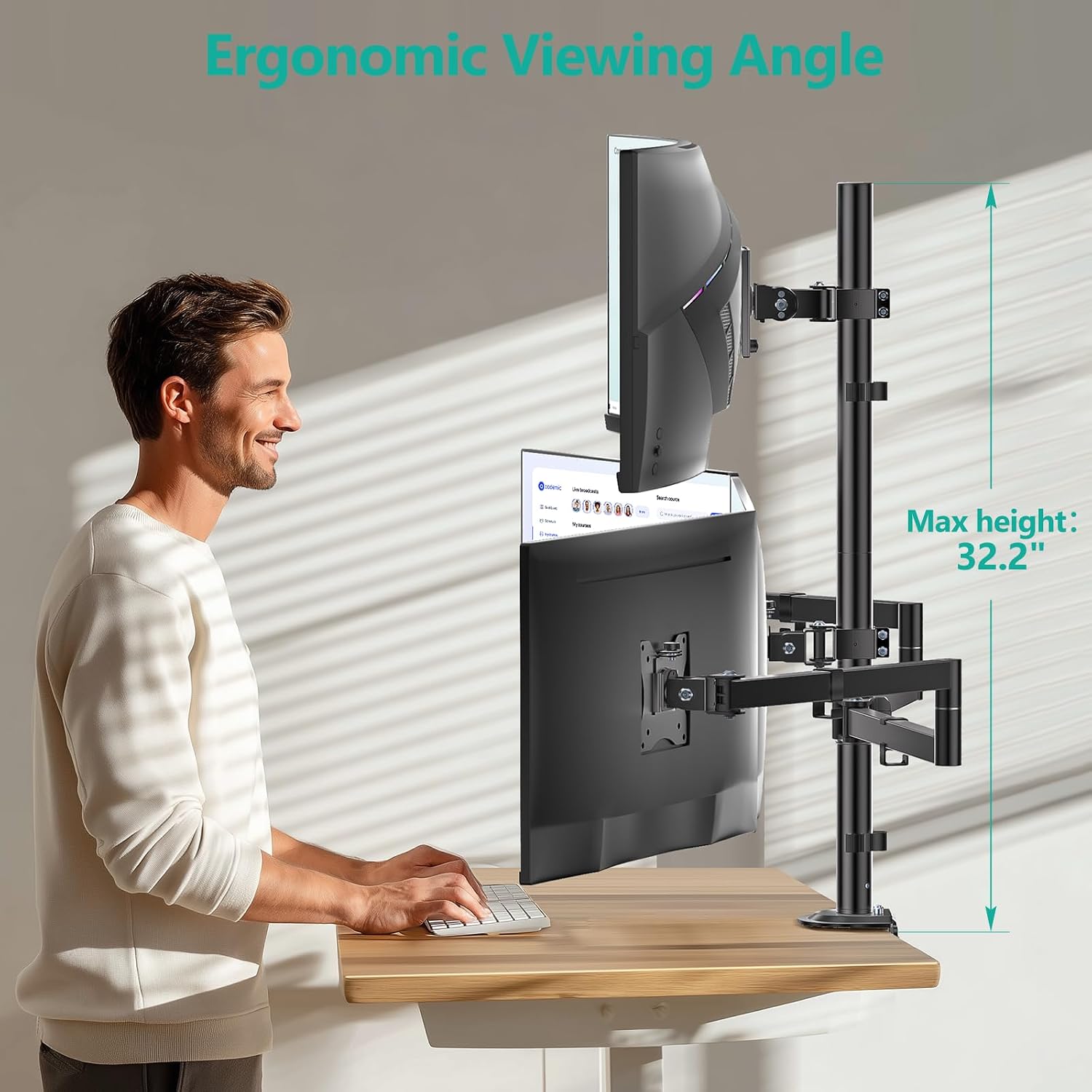
Image 6.1: Ergonomic height adjustment.

Image 6.2: Monitor mount used in sitting and standing positions.
7. Maintenance
Regular maintenance ensures the longevity and safe operation of your monitor mount.
- Cleaning: Wipe the mount with a soft, damp cloth. Avoid abrasive cleaners or solvents.
- Periodic Inspection: Periodically check all screws and connections to ensure they remain tight. Retighten if necessary.
- Tension Adjustment: If monitors begin to sag or become difficult to adjust, use the provided Allen keys to adjust the tension screws on the tilt and swivel mechanisms.
8. Troubleshooting
| Problem | Possible Cause | Solution |
|---|---|---|
| Monitor sags or tilts downward. | Tilt mechanism tension is too loose. | Tighten the tilt adjustment screw on the back of the VESA plate using the appropriate Allen key. |
| Monitors are difficult to move or adjust. | Adjustment screws are too tight. | Slightly loosen the tension screws on the relevant joints (tilt, swivel) until movement is smooth. |
| Mount feels unstable or wobbles. | C-clamp or grommet mount is not securely tightened; desk surface is not stable. | Ensure the C-clamp or grommet bolt is fully tightened. Verify your desk is stable and can support the weight. |
| Monitors do not align perfectly. | Individual arm adjustments needed. | Utilize the tilt, swivel, and height adjustments on each arm to fine-tune monitor alignment. |
9. Specifications
- Model: M004S-P
- Brand: WALI
- Mounting Type: Tabletop Mount (C-clamp or Grommet)
- Material: Metal
- Color: Black
- Compatible Devices: Monitors
- Maximum Supported Screen Size (Top Bracket): 49 inches (Ultrawide)
- Maximum Supported Screen Size (Lower Brackets): 27 inches (Standard)
- Minimum Supported Screen Size: 13 inches
- Max Weight Capacity (Top Bracket): 44 lbs
- Max Weight Capacity (Lower Brackets): 19.8 lbs per arm
- VESA Compatibility: 75x75mm, 100x100mm
- Movement Type: Tilt, Swivel, Rotate
- Tilt Angle (Top Bracket): +20° to -20°
- Tilt Angle (Side Brackets): +45° to -45°
- Swivel Angle: 180°
- Rotation: 360°
- C-Clamp Desk Thickness: 0.39" to 3.15"
- Grommet Mount Desk Thickness: 0.39" to 1.57"
- UPC: 811278027374

Image 9.1: VESA compatibility and weight limits.
10. Warranty and Support
Warranty: This WALI product is covered by a 1-Year Manufacturer Warranty.
Customer Support: For any questions, assistance with installation, or troubleshooting, please contact WALI customer support. Experienced and friendly US-based customer support is available to assist 7 days a week. Refer to the product packaging or the official WALI website for contact details.