
KKKMart SCO_2_10M
SCO2 Dual Channel Digital Oscilloscope User Manual
Model: SCO_2_10M
1. Introduction
This manual provides detailed instructions for the safe and effective use of the KKKMart SCO2 Dual Channel Digital Oscilloscope. Designed for electronic repair and diagnostics, this device offers advanced features for waveform analysis and measurement. Please read this manual thoroughly before operating the device.
2. Product Overview
The SCO2 is a compact and powerful dual-channel digital oscilloscope featuring a 50M sampling rate and 10MHz analog bandwidth. It is equipped with a 3.2-inch LCD display and offers various measurement capabilities, including voltage and current analysis. Its user-friendly interface, including a one-button AUTO function, simplifies operation for both beginners and experienced professionals.

Figure 2.1: Front view of the SCO2 Dual Channel Digital Oscilloscope, showing the display and control buttons.
3. Package Contents
Verify that all items listed below are included in your package. If any items are missing or damaged, please contact customer support.
- SCO2 Dual Channel Digital Oscilloscope Unit
- USB Cable
- Crocodile Clamp Wire (X1)
- High Voltage Probe (X1)

Figure 3.1: The SCO2 Oscilloscope along with its standard accessories, including a USB cable, crocodile clamp wire, and a high voltage probe.
4. Key Features
- Advanced Oscilloscope Features: 50M sampling rate and 10MHz analog bandwidth.
- Enhanced Waveform Functionality: 20K storage depth, supporting waveform compression and expansion up to 100 times.
- Versatile Triggering Options: Complete trigger functions (single, normal, automatic) for various signal types.
- High Voltage Measurement: Capable of measuring signals up to ±400V.
- User-Friendly Interface: High-efficiency one-button AUTO function for instant waveform display.
- Dual-Channel Mode: Supports both oscilloscope mode and current waveform display.
5. Setup
- Charging the Device: Connect the oscilloscope to a 5V power source using the provided USB cable. The battery capacity is 2500mAh, providing 4.5-6 hours of continuous working time. Ensure the charging voltage does not exceed 6.8V to prevent damage.
- Power On/Off: Locate the 'OFF/ON' button on the device. Press and hold to power on or off the oscilloscope.
- Connecting Probes: Connect the appropriate probe (high voltage probe or crocodile clamp wire) to the CH1 or CH2 BNC input ports as required for your measurement.
6. Operating Instructions
6.1 Basic Operation
The SCO2 features an intuitive button layout for easy navigation and control.
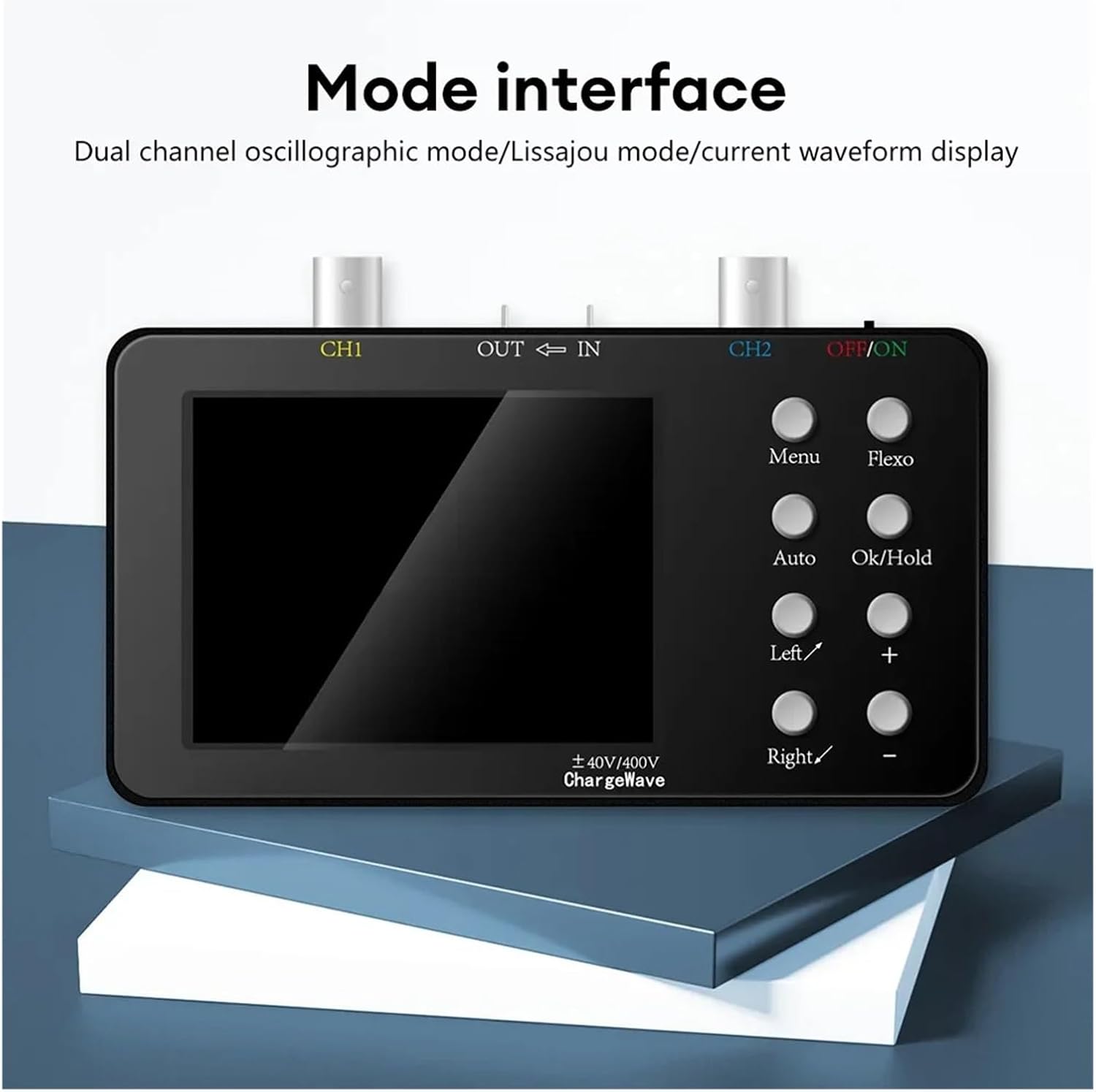
Figure 6.1: The oscilloscope displaying its mode interface, indicating dual channel oscillographic mode, Lissajous mode, and current waveform display options.
- Menu: Access various settings and options.
- Flexo: Functionality related to flexible adjustments (specific function may vary based on firmware).
- Auto: Automatically adjusts settings to display a stable waveform. This is a highly efficient one-button function.
- Ok/Hold: Confirm selections or pause/hold the current waveform display.
- Left/Right (</>): Navigate through menus or adjust parameters.
- Plus/Minus (+/-): Increase or decrease parameter values.
6.2 Waveform Measurement Display
The device supports various display modes for waveform analysis.
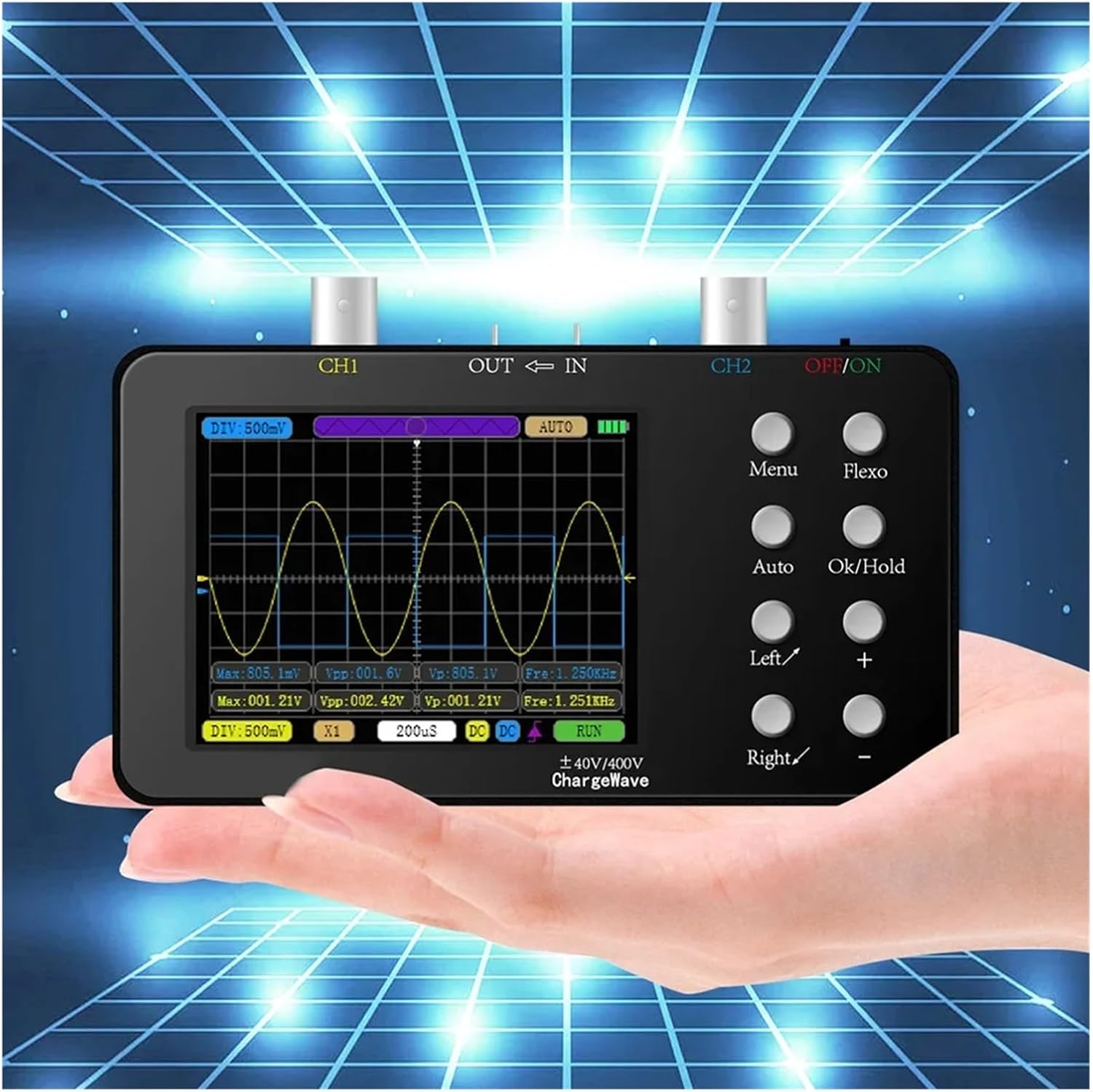
Figure 6.2: A user holding the SCO2 Oscilloscope, demonstrating its portable nature while displaying a waveform on its screen.

Figure 6.3: A detailed view of the SCO2 Oscilloscope screen, illustrating a waveform measurement with various parameters displayed.
The SCO2 offers 20K storage depth, allowing for waveform compression and expansion. This feature enables detailed viewing of current change curves with a maximum compression factor of 100 times.

Figure 6.4: Examples of different waveform displays supported by the SCO2, including dual-channel oscillator mode, Lissajous mode, and current waveform display.
6.3 Trigger Functions
The oscilloscope includes complete trigger functions (single, normal, automatic) to capture and stabilize both periodic analog signals and non-periodic digital signals effectively.
7. Applications
The SCO2 Dual Channel Digital Oscilloscope is a versatile tool suitable for a wide range of electronic repair and development tasks.

Figure 7.1: Diverse applications of the SCO2 Oscilloscope, including appliance repair, cell phone repair, automobile repair, electronic DIY R&D, and power supply repair.
- Appliance Repair
- Cell Phone Repair
- Automobile Repair
- Electronic Interest DIY R&D
- Power Supply Repair
8. Specifications
| Parameter | Value |
|---|---|
| Model | SCO_2_10M |
| Sampling Rate | 50M/channel |
| Number of Channels | 2 |
| Analog Bandwidth | 10MH/z (per channel) |
| Measuring Voltage | X1: ±40V, X10: ±400V |
| Input Impedance | 1MΩ |
| Storage Depth | 20Kb |
| Parameter Display | 12 kinds |
| Current Measurement | 0~6A |
| Minimum Current Accuracy | 2mA |
| Current Sampling Rate | 2.5KSa/S |
| Display | 3.2 inch LCD |
| Resolution | 320*240 |
| Charging Voltage | 5V |
| Battery Capacity | 2500mAh |
| Continuous Working Time | 4.5-6h |
| Shell Size | 120mm (L) x 66mm (W) x 18.5mm (T) (excluding BNC head) |
9. Safety Precautions & Troubleshooting
Adhere to the following precautions to ensure safe operation and prevent damage to the device or injury.
- Voltage Measurement: When measuring voltages exceeding 40V, always switch the probe position to X10.
- High Voltage Handling: When measuring high voltage (more than 36V AC voltage), avoid touching any metal parts of the instrument, especially the BNC interface.
- Charging Voltage: The charging voltage must not exceed 6.8V. Exceeding this limit can burn out the charging chip.
- Mains Power Connection: When measuring mains power, it is strictly forbidden to connect the oscilloscope to a computer. This can cause a short circuit between the neutral wire and the ground, posing a severe safety risk.
Troubleshooting
- Device not powering on: Ensure the device is fully charged. Check the USB cable and power adapter.
- Unstable waveform display: Use the 'Auto' button to automatically adjust settings. Check probe connections and ensure proper grounding. Adjust trigger settings if necessary.
- Inaccurate readings: Verify probe attenuation settings (X1/X10) match the probe in use. Ensure proper calibration if available.
10. Care and Maintenance
- Keep the device clean and free from dust and moisture. Use a soft, dry cloth for cleaning.
- Store the oscilloscope in a cool, dry place away from direct sunlight and extreme temperatures.
- Avoid dropping or subjecting the device to strong impacts.
- Regularly check probes and cables for any signs of wear or damage. Replace if necessary.
- Firmware upgrades are supported; refer to the manufacturer's website for the latest updates and instructions.
11. Warranty and Support
For warranty information, technical support, or service inquiries, please contact KKKMart customer service through the retailer where the product was purchased or visit the official KKKMart website. Please have your product model number (SCO_2_10M) and purchase details ready when contacting support.
Related Documents - SCO_2_10M
 |
Aideepen SCO2 Dual Channel Digital Oscilloscope: Features, Specifications, and User Guide Comprehensive guide to the Aideepen SCO2 Dual Channel Digital Oscilloscope, detailing its features, technical parameters, waveform display modes, comparison with other models, usage precautions, and package contents for electronic repair and DIY enthusiasts. |
 |
ENGINEER SCO 2 10M Oscilloscope User Manual and Features A user manual for the ENGINEER SCO 2 10M digital oscilloscope, detailing its interfaces, button functions, various measurement modes (oscilloscope, current waveform, Lissajous), safety precautions, and firmware update procedures. |
 |
Westinghouse Type SCO Single Phase Overcurrent Relay Instruction Leaflet Comprehensive instruction leaflet for the Westinghouse Type SCO Single Phase Overcurrent Relay, covering installation, operation, maintenance, theory of operation, characteristics, and testing procedures. Includes application details, construction, circuit diagrams, and performance data. |
 |
FNIRSI-1013D Two Channel Oscilloscope: Product Instructions and Operation Guide Comprehensive product instructions and operation guide for the FNIRSI-1013D dual-channel digital oscilloscope. Learn about its features, setup, usage, and troubleshooting. |
 |
Micsig STO1000 Series Smart Oscilloscope Datasheet Datasheet for the Micsig STO1000 Series Smart Oscilloscope, detailing its features, specifications, and technical parameters including bandwidth, sampling rate, memory depth, trigger functions, and connectivity options. |
 |
FNIRSI 2C53T 50M Dual Channel Oscilloscope Multimeter User Manual User manual for the FNIRSI 2C53T, a versatile 3-in-1 dual-channel digital oscilloscope, multimeter, and signal generator. Features 50MHz bandwidth, 250MS/s sampling rate, ±400V protection, 4.5-digit multimeter, DDS signal generator, and 2.8-inch HD LCD. |
Ask a question about this manual
Ask about setup, troubleshooting, compatibility, parts, safety, or missing instructions. Manuals+ will review the question and use this page’s manual context to help answer it.