Product Overview
The Panasonic Counter Top Water Purifier TK-CS500-WEX is designed to provide clean and safe drinking water. Its high-performance 4-stage filtration system effectively removes 19 harmful substances, ensuring water that is safer than boiled tap water. The advanced micro filtration membrane removes 99.999% of bacteria, offering a reliable solution for your hydration needs.
Key features include:
- High performance 4-stage filtration removes 19 harmful substances.
- Advanced water purification with a Micro Filtration membrane removes 99.999% of bacteria.
- Provides 12,000 liters of clear water with 1 cartridge.
- Equipped with an LED indicator to display cartridge life.
- Clean and flat design that fits seamlessly into modern kitchens.
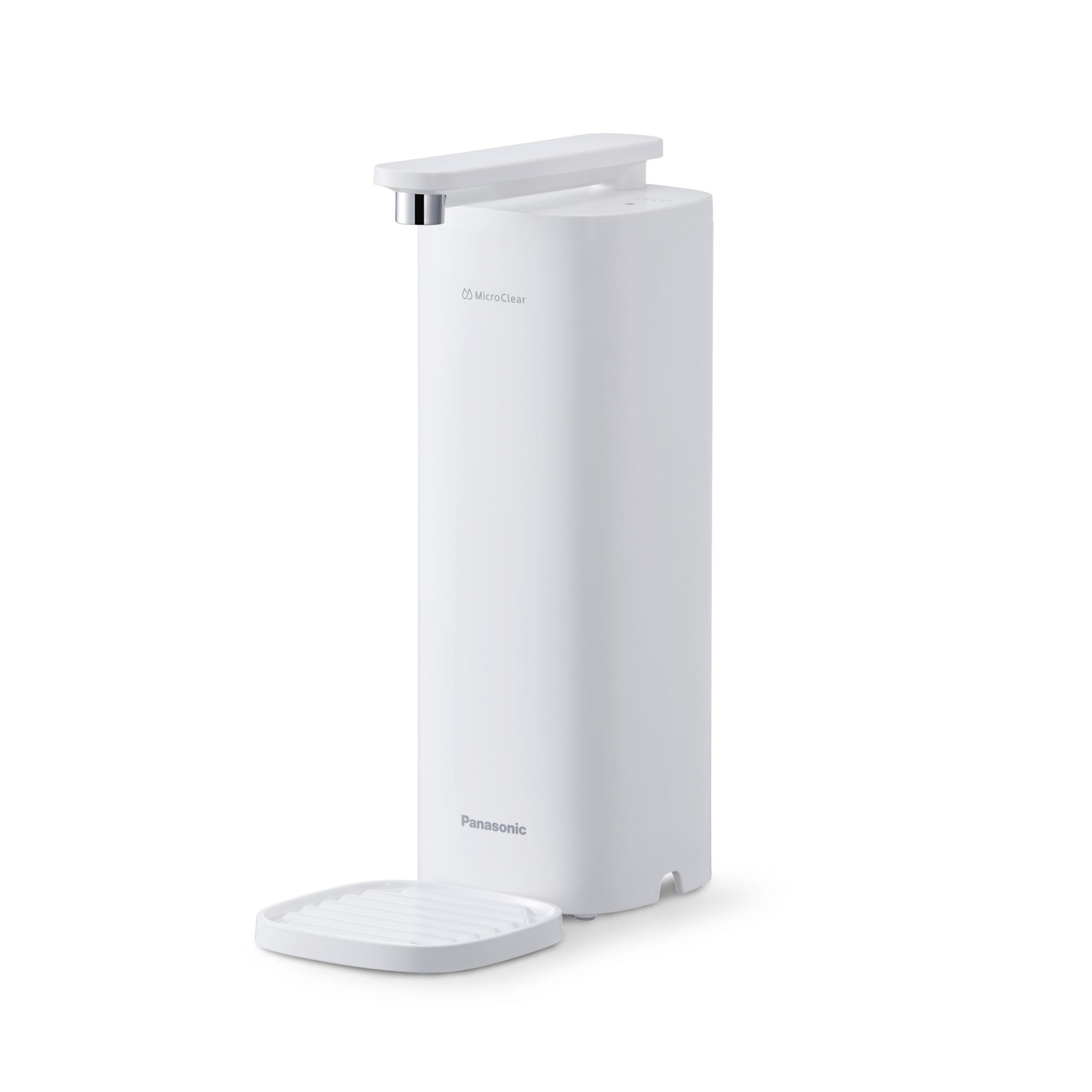
Image: The Panasonic TK-CS500-WEX water purifier in use, dispensing purified water into a glass on a clean kitchen countertop.

Image: An internal diagram of the filter cartridge, showing the multi-stage filtration layers including micro filtration and activated carbon.
Setup and Installation
The Panasonic TK-CS500-WEX is designed for countertop installation and operates using water pressure. Follow these steps for proper setup:
- Unpack the Unit: Carefully remove all components from the packaging. Ensure all parts, including the main unit, filter cartridge, and connection accessories, are present.
- Position the Purifier: Place the main purifier unit on a stable, flat countertop surface near your kitchen sink.
- Connect to Faucet: Attach the provided diverter valve to your kitchen faucet. Ensure a secure, leak-free connection. The purifier connects to this diverter valve via a hose.
- Install Filter Cartridge: Open the top cover of the purifier and insert the filter cartridge into its designated slot. Ensure it is seated correctly. Refer to the "Maintenance" section for detailed filter installation instructions.
- Flush the System: Before first use, run water through the purifier for several minutes to flush out any carbon dust or air from the new filter.

Image: The water purifier unit positioned next to a kitchen sink, with its hose connected to a diverter valve on the faucet.
Operation
Operating your Panasonic water purifier is straightforward. The unit allows you to select between purified and unpurified water flow.
- Water Selection: Use the selector switch on the diverter valve, typically located at the faucet connection, to choose between purified water (flowing through the purifier) and unpurified tap water (bypassing the purifier).
- Dispensing Purified Water: Once the selector is set to purified water, turn on your faucet. Water will flow through the purifier and dispense from the purifier's spout.
- Adjusting Spout: The purifier's spout can swivel 180 degrees for convenience, allowing you to position it as needed for filling various containers.

Image: A close-up view of the diverter valve on the faucet, indicating options for purified and unpurified water flow.

Image: A visual representation demonstrating the 180-degree swivel function of the purifier's water spout for flexible use.
Maintenance
Regular maintenance, particularly filter replacement, is crucial for ensuring the continued performance and water quality of your purifier.
Filter Cartridge Replacement
The filter cartridge has a substantial capacity of 12,000 liters, equivalent to many 1-liter bottles of water. The unit is equipped with an LED indicator to help you monitor the cartridge's remaining life.

Image: A visual comparison illustrating that one filter cartridge can purify the same amount of water as 12,000 one-liter bottled waters.
- Monitoring Cartridge Life: Observe the LED indicator lights on the top of the unit. These lights will gradually turn off as the filter approaches the end of its life. Replace the cartridge when all indicator lights are off or when water flow significantly decreases.
- Replacing the Cartridge:
- Turn off the water supply to the purifier.
- Open the top cover of the purifier.
- Carefully remove the old filter cartridge by pulling it upwards.
- Insert a new Panasonic TK-CS500-WEX compatible filter cartridge, ensuring it clicks securely into place.
- Close the top cover.
- Turn on the water supply and flush the new filter for several minutes as described in the "Setup" section.

Image: A close-up of the purifier's top panel, highlighting the LED indicators that display the remaining cartridge life.

Image: A hand demonstrating the process of inserting a new filter cartridge into the top opening of the water purifier.
Cleaning
Wipe the exterior of the unit with a soft, damp cloth. Do not use abrasive cleaners or solvents. Periodically clean the spout and drip tray (if applicable) to prevent mineral buildup.
Troubleshooting
If you encounter issues with your water purifier, refer to the following common problems and solutions:
| Problem | Possible Cause | Solution |
|---|---|---|
| Slow Water Flow | Clogged filter cartridge. | Replace the filter cartridge. |
| Low water pressure. | Check household water pressure. Ensure faucet is fully open. | |
| Water Leakage | Loose connections at faucet diverter or hose. | Tighten all connections. Ensure rubber washers are properly seated. |
| Improperly installed filter cartridge. | Re-install the filter cartridge, ensuring it is fully seated. | |
| Unpleasant Taste/Odor | Expired or saturated filter cartridge. | Replace the filter cartridge. Flush the system thoroughly. |
| New filter not flushed adequately. | Flush the new filter for a longer duration (e.g., 5-10 minutes). |
If the problem persists after attempting these solutions, please contact Panasonic customer support.
Specifications
Detailed technical specifications for the Panasonic Counter Top Water Purifier TK-CS500-WEX:
| Feature | Detail |
|---|---|
| Brand | Panasonic |
| Model | TK-CS500-WEX |
| Installation Type | Countertop |
| Purification Method | Micro Filtration, Activated Carbon (4-stage filtration) |
| Filter Capacity | 12,000 Liters per cartridge |
| Material | Plastic |
| Product Dimensions (L x W x H) | 16.5 cm x 10 cm x 29.2 cm |
| Item Weight | 1 Kilogram |
| Power Source | Water Pressure (No batteries included, but batteries required for LED indicator) |
| Special Features | 4 Stage Filtration, LED Cartridge Life Indicator |
| Included Components | Filter Cartridge |
Warranty and Support
For warranty information, technical assistance, or to purchase replacement parts, please contact Panasonic customer support. Refer to your product registration or the official Panasonic website for specific warranty terms and contact details in your region.
Online Support: Visit the official Panasonic website for FAQs, product manuals, and support contact information.
Replacement Parts: Ensure to use genuine Panasonic replacement filter cartridges (Model: TK-CS500-WEX compatible) to maintain optimal performance and warranty validity.


