
1. Introduction
This manual provides detailed instructions for the Amazon Basics Pro Series Gamepad, Model AB-C83. This gamepad offers versatile connectivity options including Bluetooth 5.3, 2.4GHz wireless, and USB Type-C wired modes. It is compatible with Nintendo Switch, Android devices, PlayStation 3 (PS3), and Windows operating systems. Key features include dual vibration motors, a 6-axis gyroscope, RGB LED indicators, customizable macro buttons, and a Turbo function.
2. Package Contents
Verify that all items are present in the package:
- Amazon Basics Pro Series Gamepad
- USB Type-C Charging Cable (1.5m)
- 2.4GHz Wireless Dongle
- User Manual (this document)
3. Product Overview
Familiarize yourself with the buttons and components of your gamepad.
Front View

Image: Front view of the gamepad with labels for Left Function Button (LB), Back Button, Joysticks, Direction Pad, Turbo Button, Start Button, Right Function Button (RB), and Function Control Buttons (A, B, X, Y).
- Left Function Button (LB) / Right Function Button (RB): Shoulder buttons.
- Back Button: Used for system functions or menu navigation.
- Start Button: Used for system functions or menu navigation.
- Joysticks (1 & 2): 360-degree analog sticks for movement and camera control.
- Direction Pad: For precise directional input.
- Turbo Button: Activates/deactivates turbo function for assigned buttons.
- Function Control Buttons (A, B, X, Y): Standard action buttons.
- Home Button: Returns to the system home screen.
Rear View

Image: Rear view of the gamepad with labels for RT (Right Trigger), K2, K1, LT (Left Trigger), M2, ML, MR, and P key.
- LT (Left Trigger) / RT (Right Trigger): Analog triggers for precise input.
- K1 / K2: Additional customizable buttons.
- ML / MR / M2: Macro buttons for advanced customization.
- P Key: Power/Pairing button.
4. Charging the Gamepad
The gamepad features a built-in 800mAh rechargeable battery.
- Connect the supplied USB Type-C cable to the charging port on the gamepad.
- Connect the other end of the cable to a USB power source (e.g., computer USB port, USB wall adapter).
- The RGB LED indicators will show the charging status. Refer to the LED indicator section for details.
- A full charge typically takes approximately 2-3 hours.

Image: Gamepad illustrating its 800mAh battery for long-lasting power and up to 10m wireless range.
5. Connectivity Modes
The gamepad supports three connectivity modes: Bluetooth, 2.4GHz Wireless, and Wired (USB Type-C).
5.1. Bluetooth Mode
Ideal for connecting to Android devices and Nintendo Switch.
- Ensure the gamepad is sufficiently charged.
- Press and hold the P Key (Power/Pairing button) for 3 seconds until the RGB indicators flash rapidly, indicating pairing mode.
- On your device (Android/Switch), go to Bluetooth settings and search for new devices.
- Select "Amazon Basics Gamepad" from the list of available devices.
- Once connected, the RGB indicators will stop flashing and remain solid.
5.2. 2.4GHz Wireless Mode
Recommended for Windows PCs and PS3 for a stable wireless connection using the included dongle.
- Insert the 2.4GHz wireless dongle into an available USB port on your PC or PS3.
- Ensure the gamepad is powered on.
- The gamepad should automatically connect to the dongle. The RGB indicators will become solid once connected.
- If connection fails, press the P Key briefly to initiate reconnection.
5.3. Wired Mode
For a direct and lag-free connection to Windows PCs or PS3.
- Connect the USB Type-C cable to the gamepad's charging port.
- Connect the USB-A end of the cable to an available USB port on your PC or PS3.
- The gamepad will be recognized automatically by the system. The RGB indicators will show a solid light.

Image: Diagram illustrating the three connectivity modes: Bluetooth, 2.4GHz Wireless (USB Dongle), and Type-C Wired.
6. Platform Compatibility
The Amazon Basics Pro Series Gamepad is designed for broad compatibility:
- Nintendo Switch: Connect via Bluetooth for wireless gameplay.
- Android: Connect via Bluetooth for mobile gaming.
- PlayStation 3 (PS3): Connect via 2.4GHz wireless dongle or USB wired mode.
- Windows (8/10/11): Connect via 2.4GHz wireless dongle or USB wired mode. Supports X-Input and D-Input.
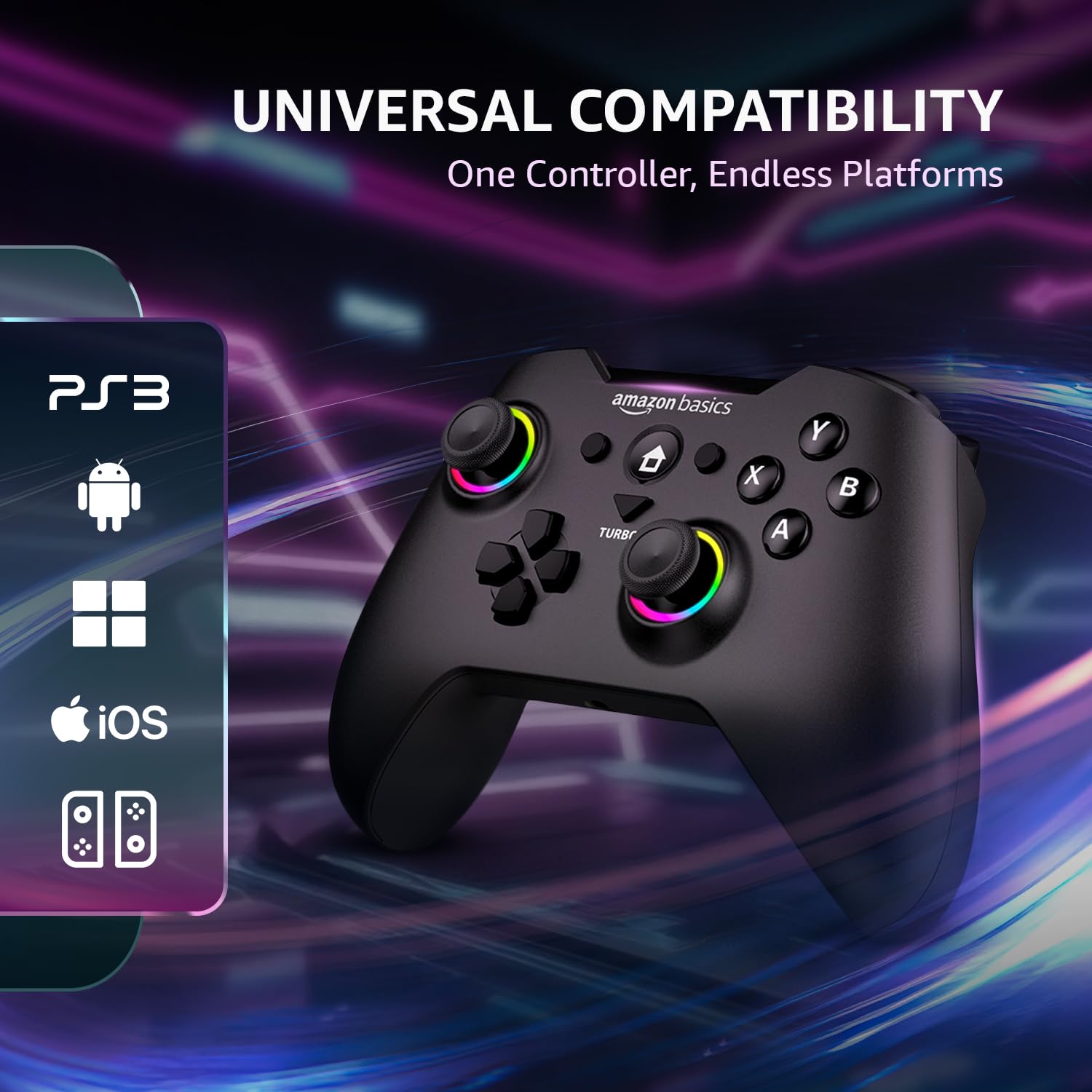
Image: Gamepad displaying icons for compatible platforms: PS3, Android, Windows, iOS, and Nintendo Switch.
7. Operating Features
7.1. Dual Vibration Motors
Experience immersive feedback with dual vibration motors. The intensity can be adjusted to up to 4 levels through system settings or specific game options.

Image: Gamepad with visual cues indicating the presence and function of dual vibration motors.
7.2. 6-Axis Gyroscope
The built-in 6-axis gyroscope provides precise motion control, enhancing gameplay in compatible titles, especially on Nintendo Switch.
7.3. Turbo Function
The Turbo function allows a button to be pressed repeatedly with a single hold, useful for rapid-fire actions in games.
- Press and hold the Turbo button.
- While holding Turbo, press the desired action button (e.g., A, B, X, Y, LB, RB, LT, RT).
- Release both buttons. The assigned button now has Turbo functionality.
- To disable Turbo for a button, repeat the process.

Image: Gamepad in use, highlighting the Turbo button and its benefits for FPS and action games, reducing thumb fatigue.
7.4. Customizable Macro Buttons
The ML, MR, and M2 buttons on the rear of the gamepad can be programmed with custom macros to execute complex sequences of commands with a single press. Refer to the detailed macro programming instructions in the full digital manual for specific steps.
7.5. RGB LED Indicators
The RGB LEDs around the joysticks and other areas provide visual feedback for connection status, charging status, and other operational modes.
- Rapid Flashing: Pairing mode.
- Solid Light: Connected/Fully charged.
- Slow Flashing: Low battery.
7.6. Precision Analog Controls
The gamepad features 360-degree dual analog sticks and responsive triggers for accurate and smooth control in various game genres.

Image: Close-up of the gamepad's analog sticks, emphasizing 360-degree precision control.
8. Care and Maintenance
- Cleaning: Use a soft, dry cloth to clean the gamepad. Do not use abrasive cleaners or solvents.
- Storage: Store the gamepad in a cool, dry place away from direct sunlight and extreme temperatures.
- Avoid Drops: Do not drop or subject the gamepad to strong impacts, as this can damage internal components.
- Liquid Exposure: Keep the gamepad away from liquids. If it comes into contact with liquid, power it off immediately and allow it to dry completely before use.
9. Troubleshooting
If you encounter issues with your gamepad, refer to the following common solutions:
| Problem | Possible Solution |
|---|---|
| Gamepad does not power on. | Ensure the gamepad is fully charged. Connect it to a power source using the USB Type-C cable. |
| Cannot connect via Bluetooth. | Ensure the gamepad is in pairing mode (rapidly flashing RGB LEDs). Check your device's Bluetooth settings and try re-pairing. Ensure no other devices are interfering. |
| 2.4GHz wireless connection issues. | Ensure the 2.4GHz dongle is securely inserted into a USB port. Try a different USB port. Briefly press the P Key on the gamepad to re-initiate connection. |
| Buttons or joysticks are unresponsive. | Ensure the gamepad is properly connected. Try restarting the gamepad and your device. If using wireless, try wired mode to rule out connection issues. |
| Vibration feedback is not working. | Check in-game settings to ensure vibration is enabled. Some games may not support vibration. Verify vibration intensity settings. |
| Gamepad disconnects frequently. | Ensure the gamepad is fully charged. Reduce distance between gamepad and receiver/device. Avoid sources of wireless interference. Try wired mode for stability. |
10. Specifications
| Feature | Detail |
|---|---|
| Brand | amazon basics |
| Model Number | AB-C83 |
| Connectivity Technology | Bluetooth 5.3, 2.4GHz Wireless, USB Type-C Wired |
| Compatible Devices | Nintendo Switch, Android, PS3, Windows (8/10/11) |
| Battery Capacity | 800 mAh Lithium Ion |
| Wireless Range | Up to 8 meters |
| Sensors | 6-Axis Gyroscope |
| Vibration | Dual Vibration Motors (4 levels adjustable) |
| Charging Port | USB Type-C |
| Item Dimensions (LxWxH) | 15.6 x 10.6 x 0.1 cm |
| Item Weight | 209 g |
| Included Components | Gamepad, USB Type-C Cable, 2.4GHz Dongle, User Manual |
11. Warranty and Support Information
This Amazon Basics Pro Series Gamepad is covered by a standard warranty. For specific warranty terms and conditions, please refer to the warranty card included in your package or visit the official Amazon Basics support website.
For technical support, troubleshooting assistance, or to inquire about replacement parts, please contact Amazon Basics customer service through their official channels. You may also find additional resources and FAQs on the Amazon Basics product support page.
An optional 1-year extended warranty by OneAssist may be available for purchase. Please check product listing details for availability and terms.
