
1. Introduction
This manual provides essential information for the safe and efficient use of your realme 14x 5G Smartphone, Model RMA2306. Please read this manual thoroughly before using your device to ensure optimal performance and longevity.
The realme 14x 5G Smartphone features a 6.67-inch 120Hz display, a 50MP AI camera, a 5000mAh battery, and is powered by the MediaTek Dimensity 6300 5G chipset. It also includes ArmorShell Protection and IP64 water and dust resistance.

Image: The realme 14x 5G Smartphone in Carbon Black and Peridot Green, showcasing its sleek design.

Image: An overview of the realme 14x 5G's key features, including Dimensity 6300 5G Chipset, 18GB Dynamic RAM, 120Hz Eye Comfort Display, Military-Grade Shock Resistance, NEXT AI, and 50MP AI Camera.
2. What's in the Box
Upon unboxing your realme 14x 5G Smartphone, verify that all the following items are included:
- realme 14x 5G Smartphone (Model RMA2306)
- Phone Case
- SIM Tray Ejector
- USB Cable (Type-C)
- Quick Start Guide (this document)
- Warranty Card
3. Device Setup
3.1. Inserting the SIM Card
The realme 14x 5G supports Dual Nano SIM cards.
- Locate the SIM card tray on the side of your device.
- Insert the SIM tray ejector tool into the small hole next to the tray and press firmly until the tray pops out.
- Place your Nano SIM card(s) into the designated slots on the tray, ensuring the gold contacts face downwards.
- Carefully reinsert the SIM tray into the phone until it clicks into place.
3.2. Initial Power On and Setup
- Press and hold the Power button until the realme logo appears.
- Follow the on-screen instructions to select your language, connect to Wi-Fi, and set up your Google account.
- Configure security features such as fingerprint recognition and a screen lock (PIN, pattern, or password). The device features a side-mounted fingerprint sensor for quick and secure unlocking.
4. Operating Your Device
4.1. Display Features
Your realme 14x 5G features a 6.67-inch display with a 120Hz refresh rate for smooth visuals. It includes various visual comfort modes to protect your eyes.
- 120Hz Refresh Rate: Provides a fluid scrolling and gaming experience.
- Visual Protection Modes: Access settings for Black and White Display, Paper-like Display, Scheduled Dark Mode, Scheduled Eye Comfort, Color Temperature Adjustment, and Auto Brightness to optimize your viewing experience and reduce eye strain.

Image: The realme 14x 5G display showcasing 120Hz refresh rate and various visual comfort options like Black and White Display, Paper-like Display, Scheduled Dark Mode, Scheduled Eye Comfort, Color Temperature Adjustment, and Auto Brightness.
4.2. Camera Features
The device is equipped with a 50MP AI main camera and an 8MP front camera.
- 50MP AI Camera: Captures detailed photos, especially in complex scenes.
- AI Clear Face: Enhances portrait shots for clearer results.
- Portrait Mode: Focuses on subjects with a blurred background for professional-looking photos.

Image: Visual representation of the realme 14x 5G's 50MP AI Camera capabilities, highlighting AI Clear Face for portraits and detailed landscape photography.
4.3. NFC Functionality
The realme 14x 5G supports NFC (Near Field Communication) for convenient transactions and data exchange.
- Mobile Payments: Use your phone for contactless payments where supported.
- Card Emulation: Store multiple digital cards for various uses.
- Data Transfer: Share files with other NFC-enabled devices by tapping them together.

Image: A visual demonstrating the 360° NFC feature on the realme 14x 5G, allowing the phone to act as multiple cards in one device.
4.4. realme UI 6.0 (Based on Android 15)
Your device runs on realme UI 6.0, based on Android 15, offering an optimized user experience.
- New Icon Design: Enjoy a refreshed visual interface.
- Wallpaper Depth: Skillfully separates the background from the subject for dynamic wallpapers.
- Separation of Notifications & Quick Settings: Provides a larger notification display area and more shortcut controls for improved accessibility.

Image: An illustration of realme UI 6.0 features, including new icon designs, wallpaper depth, and separated notification and quick settings panels.
5. Battery and Charging
The realme 14x 5G is equipped with a 5000mAh battery, designed for extended usage.
- Battery Capacity: 5000 Milliamp Hours (mAh).
- Charging: Use the provided USB Type-C cable for charging. The device supports fast charging.
- Estimated Usage: Up to 37.6 hours of call time, 15.3 hours of Instagram use, or 11.8 hours of YouTube playback on a full charge.

Image: A visual representation of the realme 14x 5G's 5000mAh battery capacity and its fast charging capability, showing estimated usage times for various activities.
6. Performance and Connectivity
The realme 14x 5G delivers robust performance and connectivity options.
- Processor: Powered by the MediaTek Dimensity 6300 5G chipset, an advanced 6nm octa-core CPU with clock speeds up to 2.4GHz.
- RAM: 6GB RAM installed, with dynamic RAM expansion for enhanced multitasking.
- Storage: 128GB internal storage capacity.
- 5G Connectivity: Supports 5G cellular technology for faster data speeds.
- Wireless Connectivity: Includes Bluetooth, Wi-Fi, and USB for versatile connections.

Image: An illustration of the MediaTek Dimensity 6300 5G Chipset, highlighting its 6nm advanced process, 50% GPU performance increase, 8-core architecture, and 11% power-efficiency enhancements.

Image: A graphic illustrating the dynamic RAM and ROM configuration, showing 8GB of dynamic RAM and 256GB of ROM for fast multitasking.
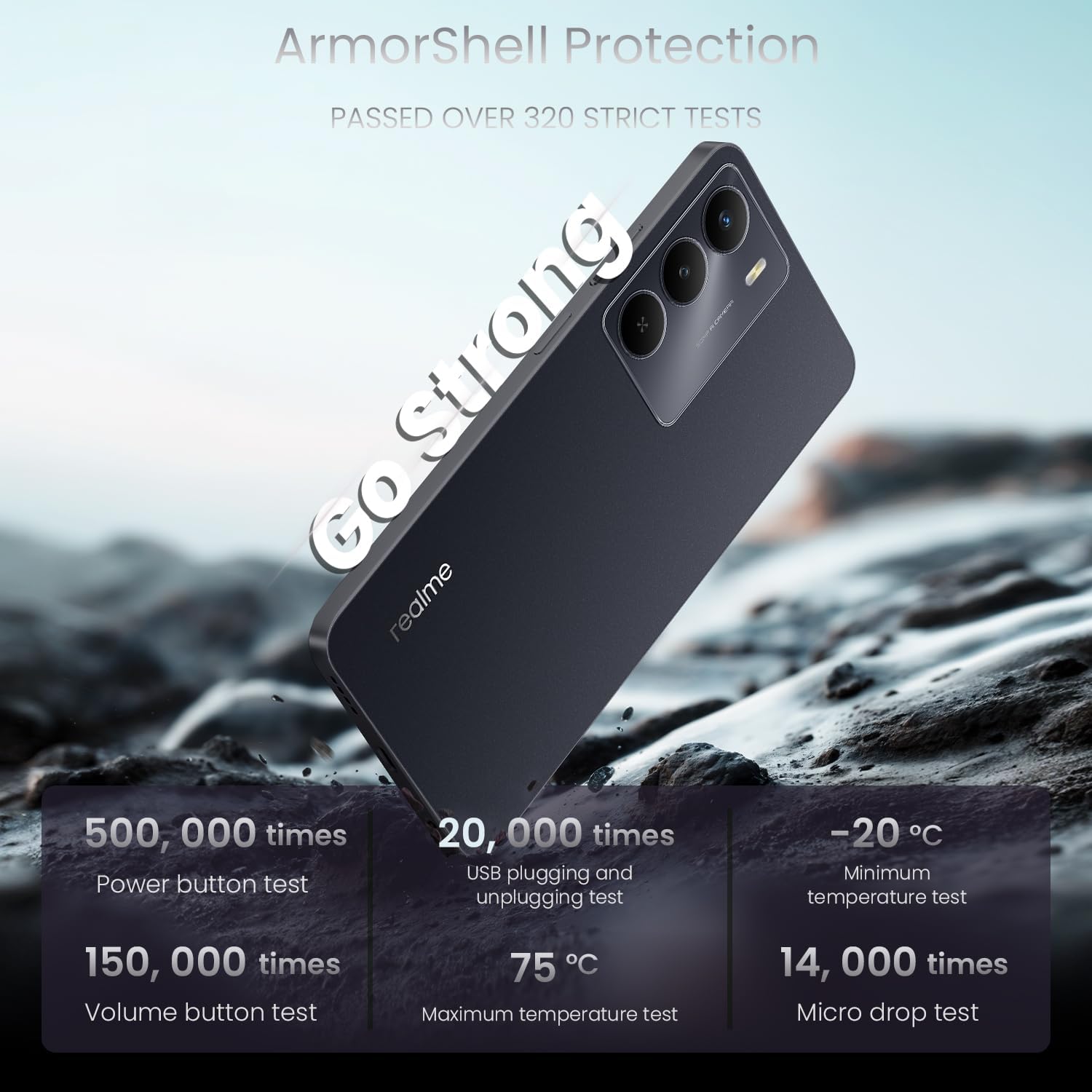
Image: A visual emphasizing the 'Go Fast' feature of the realme 14x 5G, highlighting its Dimensity 6300 5G Chipset for faster and further-reaching 5G connectivity.
7. Durability and Protection
The realme 14x 5G is built with enhanced durability features.
- ArmorShell Protection: The device has passed military-grade impact resistance tests, providing significant fall protection.
- IP64 Water and Dust Resistance: Designed to withstand exposure to raindrops, sprays, or splashes, making it suitable for daily use.

Image: The realme 14x 5G Smartphone being splashed with water, illustrating its IP64 water and dust resistance for daily life.

Image: A graphic detailing the ArmorShell Protection, showing the phone undergoing over 320 strict tests including power button, volume button, USB plugging, temperature, and micro drop tests.
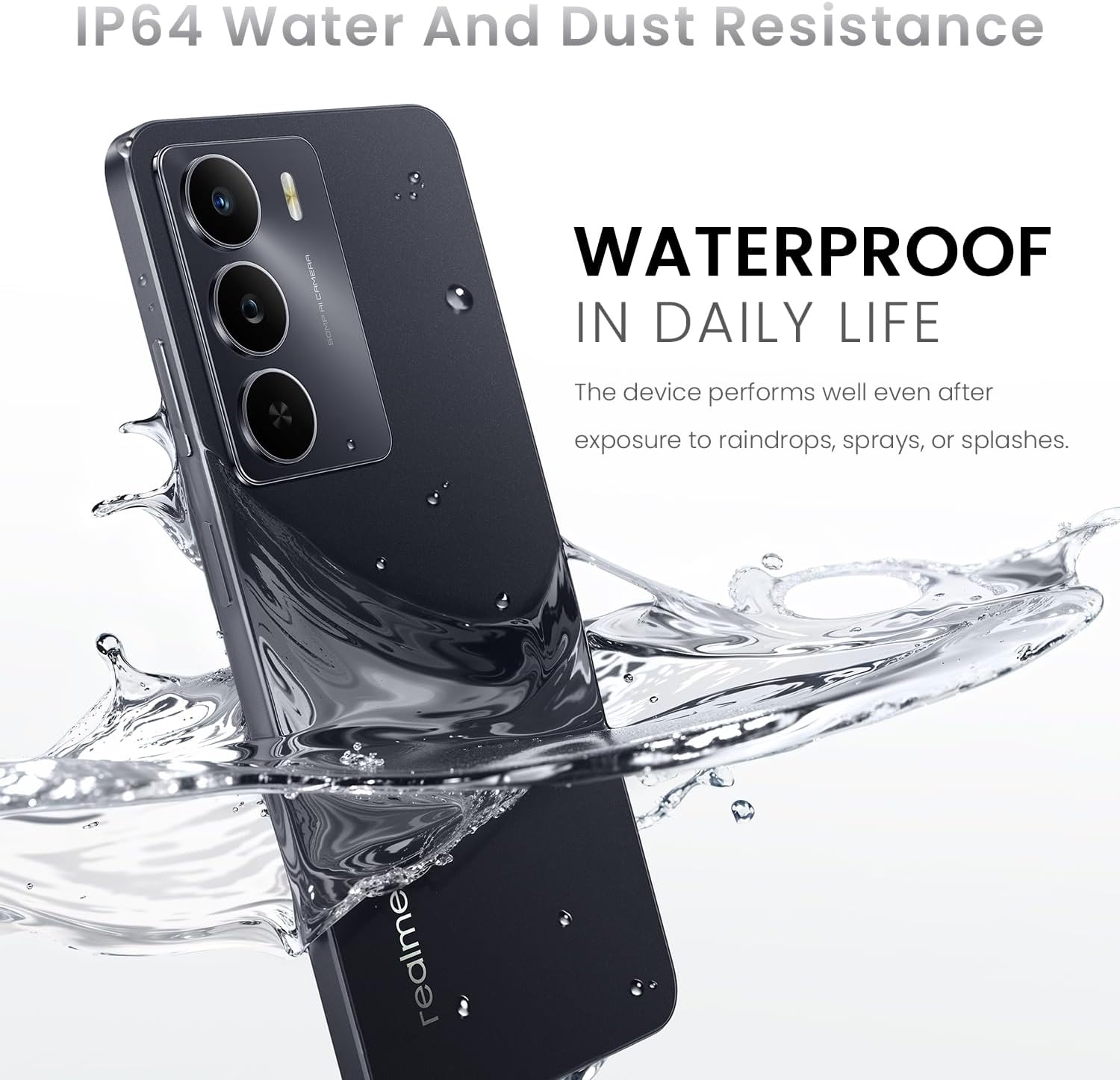
Image: An exploded view of the realme 14x 5G, illustrating its military-grade shock resistance with features like tough corner protection, airbag protection, and a reinforced aluminum structure.
8. Maintenance
- Cleaning: Use a soft, lint-free cloth to clean the screen and body of the phone. Avoid harsh chemicals or abrasive materials.
- Software Updates: Regularly check for and install system updates to ensure optimal performance, security, and access to new features.
- Battery Care: Avoid extreme temperatures. Do not fully discharge the battery frequently.
- Storage Management: Periodically clear unnecessary files and apps to maintain device speed and free up storage.
9. Troubleshooting
9.1. Common Issues and Solutions
| Issue | Solution |
|---|---|
| Device not turning on | Ensure the battery is charged. Press and hold the power button for at least 10 seconds. |
| Apps crashing or freezing | Close the app and reopen it. Clear the app's cache. Restart the device. |
| Poor battery life | Reduce screen brightness, close background apps, disable unnecessary features like GPS or Bluetooth when not in use. Check for power-intensive apps. |
| Network connectivity issues | Check SIM card insertion. Toggle Airplane Mode on and off. Restart the device. Reset network settings. |
| Fingerprint sensor not working | Ensure your finger is clean and dry. Re-register your fingerprints in settings. |
9.2. Factory Reset
If persistent issues occur, a factory reset may be necessary. This will erase all data on your phone. Backup your data before proceeding.
- Go to Settings > System > Reset options.
- Select Erase all data (factory reset).
- Confirm your decision and enter your PIN/password if prompted.
10. Specifications
| Feature | Detail |
|---|---|
| Brand | realme |
| Model Name | realme 14X (RMA2306) |
| Operating System | Android 15 (realme UI 6.0) |
| Processor | MediaTek Dimensity 6300 5G Octa-Core (up to 2.4 GHz) |
| RAM | 6 GB |
| Internal Storage | 128 GB |
| Screen Size | 6.67 Inches |
| Display Resolution | 1600 x 720 Pixels (HD+) |
| Refresh Rate | 120 Hz |
| Rear Camera | 50 MP |
| Front Camera | 8 MP |
| Battery Capacity | 5000 mAh |
| Charging Port | USB Type C |
| SIM Card Slot | Dual SIM (Nano) |
| Cellular Technology | 5G |
| Connectivity | Bluetooth, USB, Wi-Fi, NFC |
| Biometric Security | Fingerprint Recognition |
| Water Resistance Level | IP64 Water and Dust Resistant |
| Dimensions | 1.28 x 0.83 x 0.81 inches (approximate) |
| Weight | 41.8 Grams (approximate) |

Image: The realme 14x 5G Smartphone highlighting its slim design with a thickness of 7.94mm and a weight of 197g.
11. Warranty and Support
11.1. Warranty Information
Your realme 14x 5G Smartphone comes with a 1 Year Manufacturer Warranty. Please refer to the warranty card included in your product box for detailed terms and conditions.
11.2. Customer Support
For technical assistance, troubleshooting, or warranty claims, please contact realme customer support. You can find contact information on the official realme website or through the support section within your device settings.
Manufacturer: realme