1. Introduction
Thank you for choosing the HoneyPlayBox Pearl 2 Wearable Panty Vibrator. This manual provides essential information for the safe and effective use of your device. Please read it thoroughly before first use and retain it for future reference.

Image: The HoneyPlayBox Pearl 2 device in purple, featuring its unique shell shape, alongside a smartphone illustrating its app control capabilities.
2. Safety Information
Please observe the following safety guidelines:
- This product is intended for adult use only.
- Clean the device thoroughly before and after each use with warm water and a mild, toy-safe cleaner.
- Do not use with silicone-based lubricants as they may damage the silicone material. Use water-based lubricants only.
- Discontinue use immediately if you experience any discomfort, irritation, or pain.
- Keep out of reach of children.
- Store in a cool, dry place away from direct sunlight and extreme temperatures.
- Statements regarding dietary supplements have not been evaluated by the FDA and are not intended to diagnose, treat, cure, or prevent any disease or health condition.
3. Product Overview
3.1 Key Features
- APP Remote Control: Experience hands-free pleasure or thrilling long-distance play with the intuitive HoneyPlayBox app. Control your Pearl 2 discreetly from anywhere in the room or across the globe. Share control with your partner for exciting couple's intimacy or enjoy solo exploration with personalized patterns, all from your smartphone.
- Exquisite Shell Shape & Unmatched Elegance: Designed for both stunning beauty and exceptional comfort, the Pearl 2 features a unique, ergonomic shell shape that nestles perfectly against your body. Its sleek contours ensure a secure, comfortable fit during wear.
- Premium Body-Safe Silicone: Indulge in supremely soft, velvety sensations crafted from high-grade, body-safe silicone. This hypoallergenic material is incredibly gentle on sensitive skin, ensuring ultimate comfort and peace of mind.
- 9 Powerful Vibration Modes: Discover your perfect pleasure with 9 distinct vibration modes. From gentle whispers to powerful pulsations, explore a spectrum of sensations tailored to your desire.
- Discreet Wearable Design: The Pearl 2 redefines intimate fun as a sophisticated wearable vibrator. Its innovative design allows for secure, comfortable wear under clothing, transforming everyday moments or special dates into thrilling, secret adventures.
3.2 Design and Materials
The Pearl 2 is crafted from premium body-safe silicone, ensuring a smooth and comfortable experience. Its ergonomic shell shape is designed for discreet and secure placement. The device is also waterproof, allowing for easy cleaning and versatile use.

Image: The Pearl 2's ergonomic design ensures a comfortable and stable fit when worn discreetly under clothing.

Image: The ergonomic design of the Pearl 2 allows for comfortable and discreet wear.
4. Setup
4.1 Charging the Device
The Pearl 2 features a magnetic USB charging cable for convenience. Connect the magnetic end of the cable to the charging points on the device. The battery indicator on the device will show charging status. A full charge provides extended usage time.
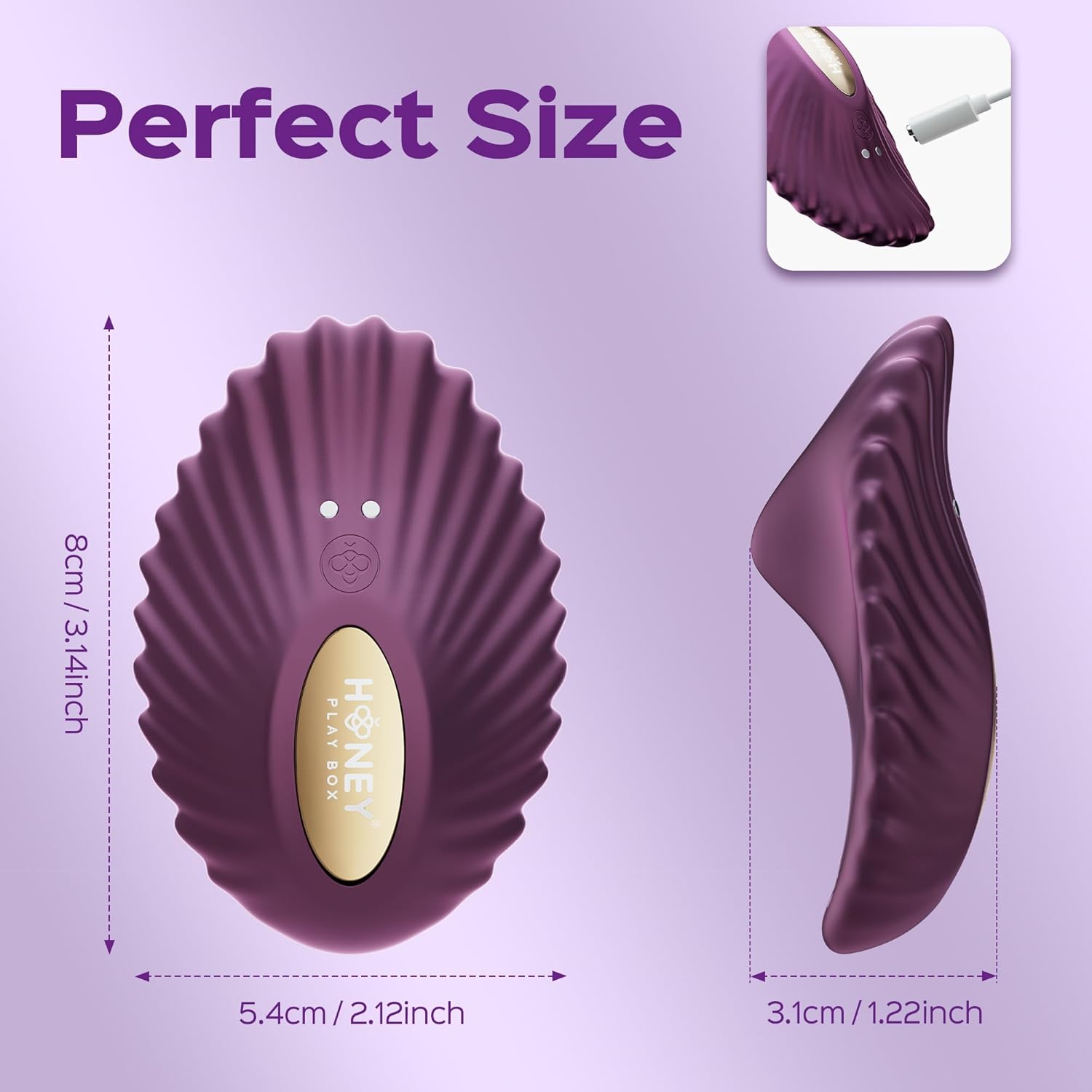
Image: The magnetic charging port is located on the device for easy power replenishment.
4.2 App Connection
To unlock the full potential of your Pearl 2, download the HoneyPlayBox app. The app allows for remote control, personalized patterns, and long-distance play.
- Download the HoneyPlayBox app from your smartphone's app store or by scanning the QR code provided in the packaging or on the product page.
- Ensure Bluetooth is enabled on your smartphone.
- Switch on your Pearl 2 device (refer to Section 5.1 for power instructions).
- Open the app and follow the on-screen instructions to connect to your device.

Image: The HoneyPlayBox Smart App offers stable connection, privacy, free download, AI features, and remote control. Download the app at social.honeyplaybox.com/download.
5. Operating Instructions
5.1 Power On/Off and Mode Selection (Device Control)
- To power on, press and hold the power button on the device for 2-3 seconds until the indicator light illuminates.
- To cycle through the 9 vibration modes, briefly press the power button. Each press will advance to the next mode.
- To power off, press and hold the power button for 2-3 seconds until the indicator light turns off.
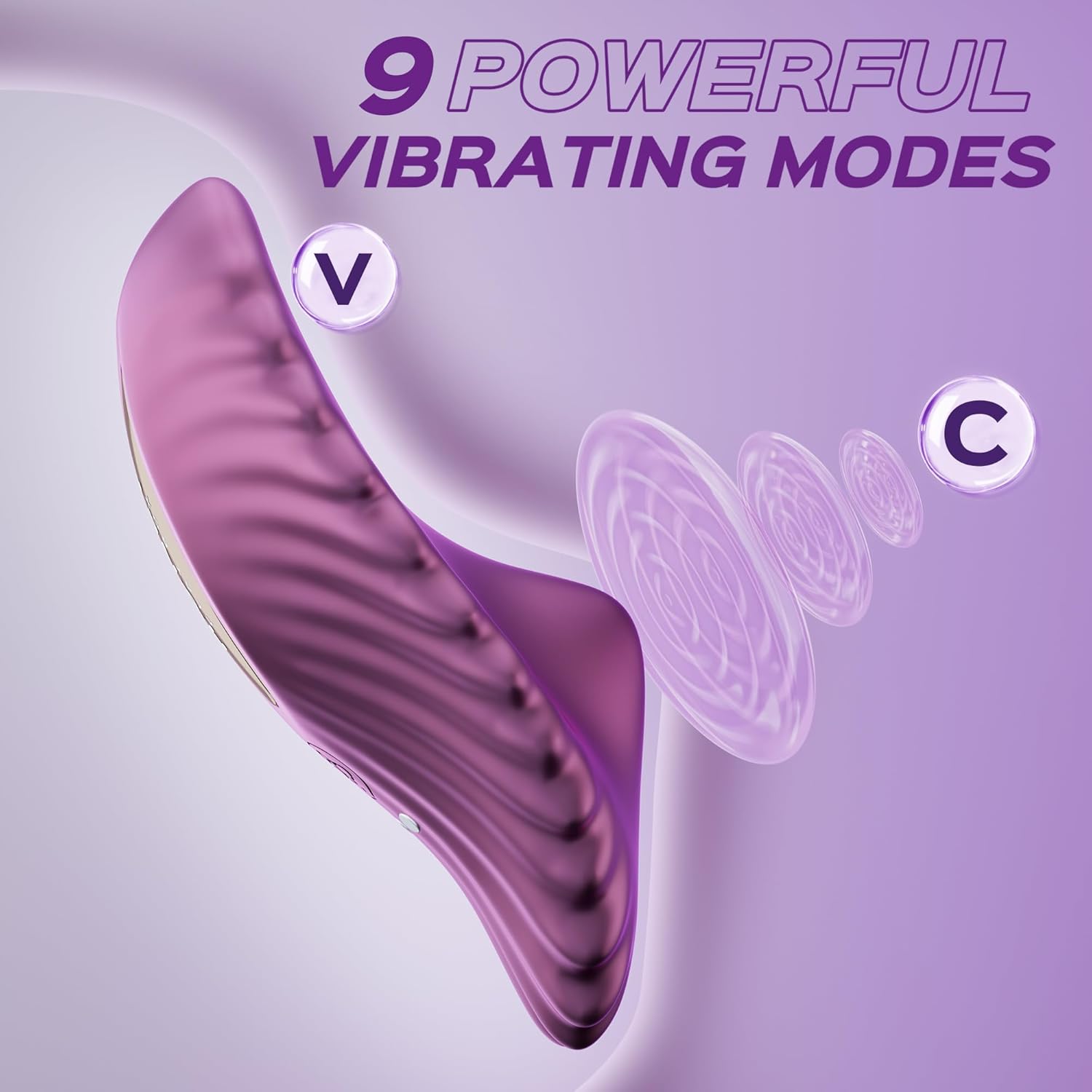
Image: The Pearl 2 offers 9 distinct vibration modes for varied sensations.
5.2 App Control
Once connected to the HoneyPlayBox app, you can control the device remotely. The app offers:
- Unlimited Vibration Patterns: Explore a vast library of patterns or create your own.
- Long-Distance Control: Connect with a partner from anywhere in the world.
- Sync to Music: Experience vibrations synchronized with your favorite tunes.
- AI Companion: Utilize AI features for enhanced and personalized experiences.
- Voice Assistant: Control the device hands-free using voice commands.

Image: Seamless app control via Bluetooth allows for shared experiences.
Video: This video demonstrates the HoneyPlayBox app-controlled features, showcasing how to connect and use the device with a smartphone.
6. Maintenance
6.1 Cleaning
The Pearl 2 is waterproof, making cleaning simple and hygienic. Wash the device thoroughly with warm water and a mild, toy-safe cleaner before and after each use. Rinse completely and allow to air dry.
6.2 Storage
Store your Pearl 2 in a clean, dry place away from direct sunlight and extreme temperatures. Keep it separate from other toys made of different materials to prevent potential reactions.

Image: The Pearl 2 is presented as a thoughtful gift, emphasizing its quality and presentation.
7. Troubleshooting
- Device not turning on: Ensure the device is fully charged. Connect it to the magnetic USB charger and allow sufficient time for charging.
- App not connecting: Verify that Bluetooth is enabled on your smartphone and that the device is powered on. Try restarting both the app and the device.
- Weak vibrations: The device may require charging. Ensure it is fully charged before use.
- Discomfort during use: Ensure you are using a water-based lubricant. Discontinue use if discomfort persists.
8. Specifications
| Model Name | Pearl 2 |
| Brand | HONEY PLAY BOX |
| Material | Silicone |
| Color | Purple |
| Product Dimensions | 0.38 x 0.24 x 0.43 inches |
| Item Weight | 6.35 ounces |
| Batteries | 1 Nonstandard Battery (included) |
| Style | Wearable Vibrator |
| Vibration Modes | 9 |
9. Warranty & Support
For any questions, concerns, or support needs regarding your HoneyPlayBox Pearl 2, please contact the manufacturer directly through their official website or the contact information provided in your product packaging. Please retain your proof of purchase for warranty claims.


