1. Introduction
This manual provides comprehensive instructions for the safe and proper installation and operation of your Perlegear Full Motion TV Wall Mount (PGXLF02) and Adjustable Soundbar Mount. Please read this manual thoroughly before installation and retain it for future reference. This product is designed to securely mount your television and soundbar, offering flexible viewing angles and optimized audio integration.
2. Important Safety Instructions
- Ensure all components are present and undamaged before beginning installation. Do not use if any parts are missing or defective.
- This mount is designed for installation on wood studs (8"/12"/16"/24" spacing), solid concrete, or brick walls only. DO NOT install on drywall alone.
- Adhere strictly to the maximum weight capacities: 150 lbs (68 kg) for the TV mount and 15 lbs (6.8 kg) for the soundbar mount. Exceeding these limits may result in instability and potential injury.
- Use appropriate personal protective equipment, such as safety glasses, during installation.
- Ensure the mounting surface can safely support the combined weight of the mount, TV, and soundbar.
- If you are unsure about any part of the installation process, seek professional assistance.
- Keep children and pets away from the work area during installation.
3. Product Components
Before installation, verify that all parts are included and in good condition. The package typically includes the TV wall mount assembly, soundbar mounting brackets, and various hardware for different TV and wall types.

Image: Overview of the Perlegear TV wall mount and soundbar mount components, including the wall plate, articulating arms, TV brackets, soundbar brackets, and various screws and anchors.

Image: Detailed dimensions of the Perlegear soundbar mounting brackets, showing full length, shorter lengths, and the L-shaped bracket dimensions, along with a maximum weight capacity of 15 lbs.
4. Setup and Installation
4.1 TV Wall Mount Installation
Follow these general steps for installing the TV wall mount. Refer to the detailed instruction sheet included with your product for specific hardware and drilling requirements based on your wall type.
- Prepare the Wall: Locate wood studs using a stud finder, or mark drilling points for concrete/brick walls. Ensure the chosen location is suitable for the TV size and viewing angles.
- Attach Wall Plate: Secure the wall plate to the wall using the appropriate screws and anchors for your wall type. Ensure it is level before tightening all fasteners.
- Attach TV Brackets: Secure the vertical TV brackets to the back of your television using the correct VESA screws. Ensure the brackets are centered and securely fastened.
- Mount TV: Carefully lift the TV with the attached brackets and hook them onto the wall plate. Secure the TV to the wall plate using the locking mechanisms.
- Leveling Adjustment: Utilize the post-installation leveling feature to ensure your TV is perfectly horizontal.

Image: Illustrates the wide compatibility of the TV mount with various wall types (concrete, wood studs 24"/16"/12", brick) and VESA patterns (200x100mm to 800x400mm) for TVs ranging from 42" to 90" and up to 150 lbs.
4.2 Soundbar Mount Installation
The soundbar mount is designed to integrate seamlessly with your TV mount, allowing the soundbar to move with the TV for optimal audio experience.
- Attach Soundbar Brackets to TV: Secure the soundbar mounting brackets to the back of your TV, typically using the same VESA holes as the TV brackets or dedicated attachment points.
- Secure Soundbar: Place your soundbar onto the attached brackets and secure it using the provided hardware.
- Adjust Height: Use the tool-free knobs on the soundbar brackets to adjust the height and position of the soundbar relative to the TV. This allows for a snug fit or to create a desired gap. The brackets can rotate 360° and extend/retract for precise positioning.

Image: Depicts the three simple steps for installing the soundbar mount: attaching the brackets to the TV, placing the soundbar onto the brackets, and securing it.

Image: Shows the height adjustment feature of the soundbar mount, highlighting how the brackets can be moved up and down to achieve a snug fit with the TV or adjust the gap.
5. Operating and Adjustments
Your Perlegear full motion TV mount offers various adjustments to optimize your viewing experience.
- Extension and Retraction: The articulating arm allows the TV to extend up to 40 inches (101.6 cm) from the wall for closer viewing or retract to a slim 3.55 inches (9 cm) to save space. This feature is particularly useful for corner installations or when clearing obstructions.
- Swivel: The mount provides a ±90° swivel range, enabling you to angle your TV towards different viewing areas within a room.
- Tilt: Adjust the TV tilt from +5° to -12° to reduce glare from lights or windows and achieve a comfortable viewing angle.
- Leveling: A post-installation leveling adjustment of ±3° ensures your TV remains perfectly horizontal, even if the wall plate was not installed perfectly level.
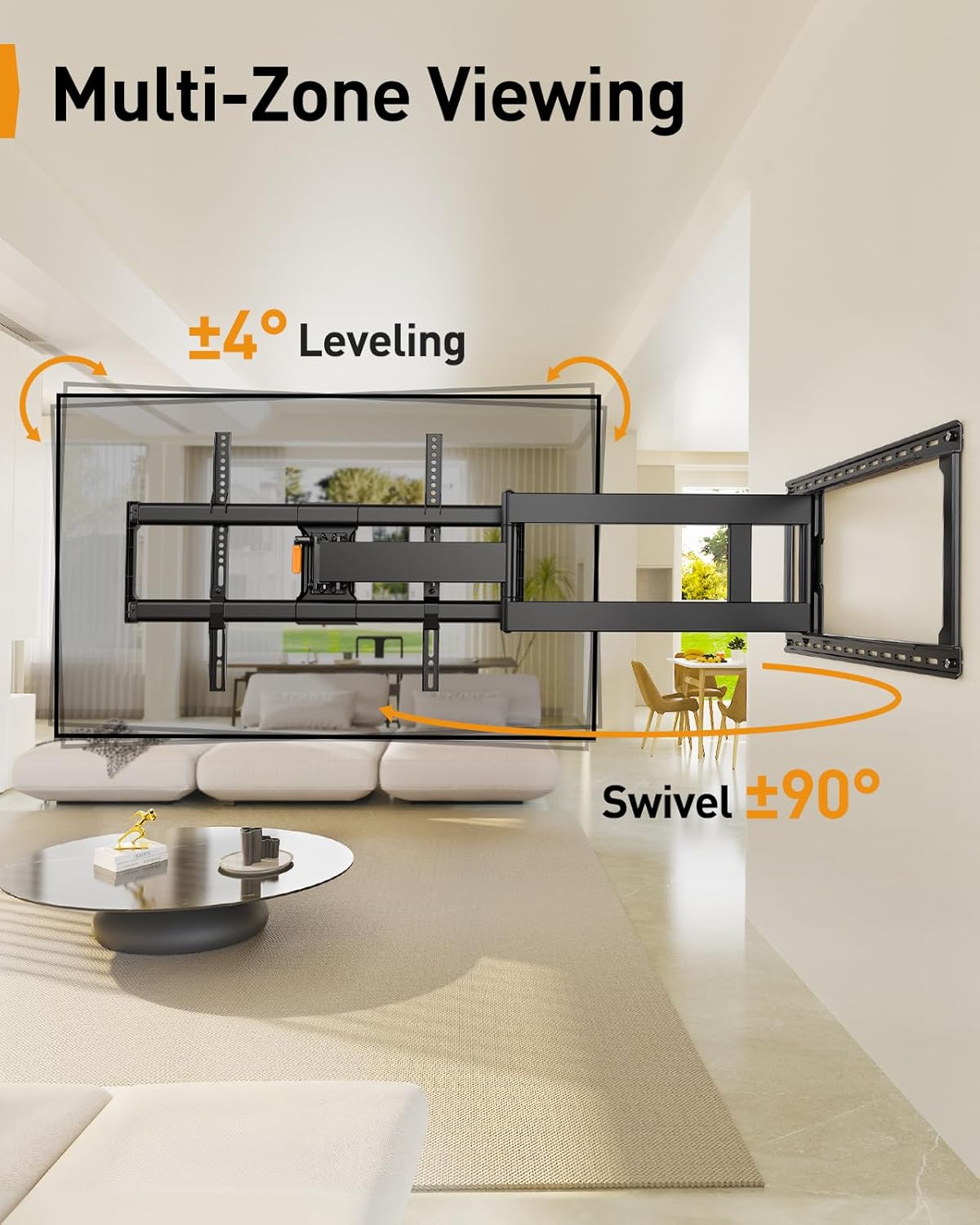
Image: Demonstrates the TV mount's ability to extend up to 40.1 inches for viewing and retract to 3.7 inches to save space, showing the range of motion from a side perspective in a living room setting.

Image: Illustrates the multi-zone viewing capabilities with ±90° swivel and ±4° leveling adjustments, showing the TV angled and leveled in a living room environment.
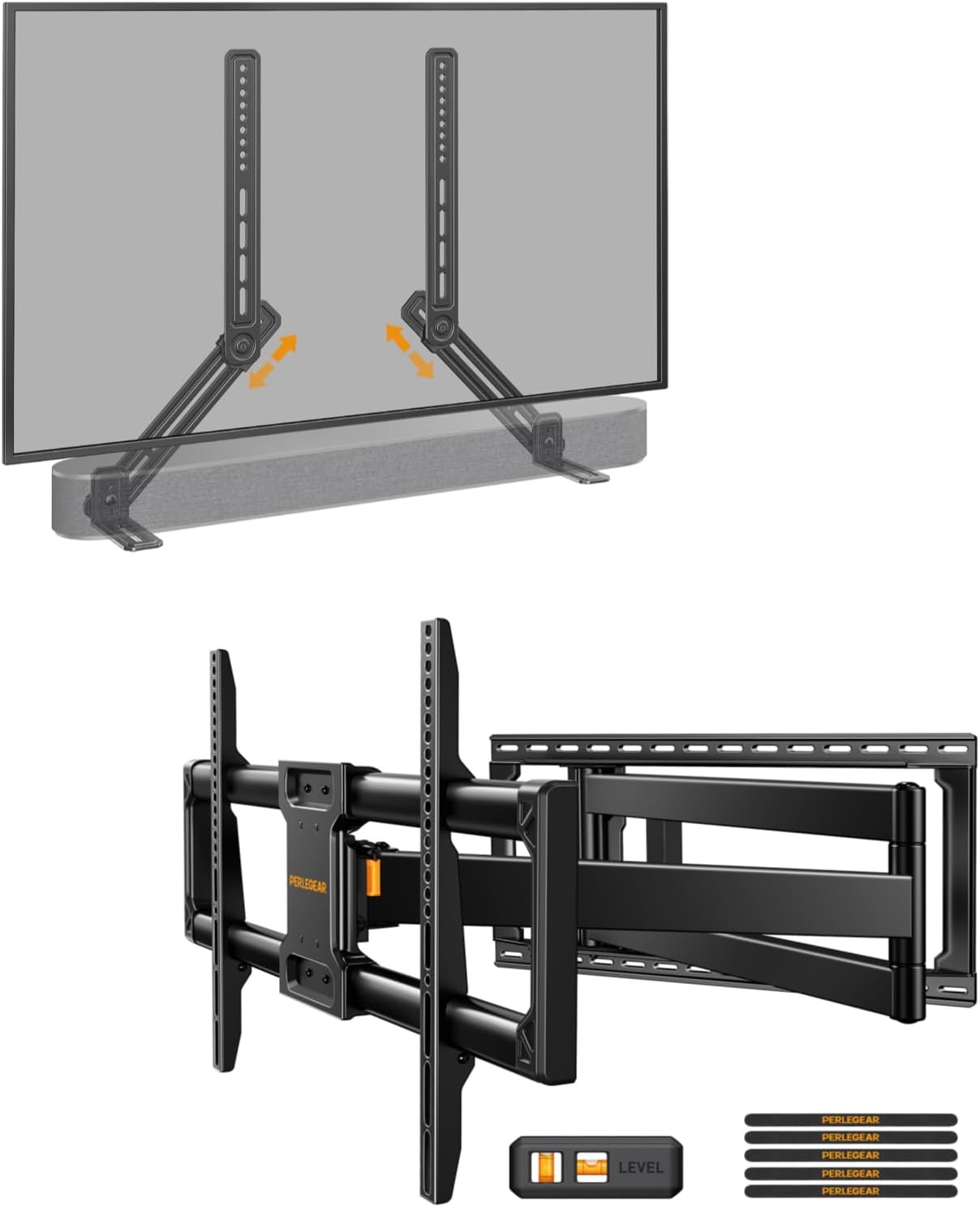
Image: Shows the Perlegear TV mount and soundbar mount installed together, demonstrating how the soundbar moves with the TV, ensuring integrated audio for full motion viewing.
6. Maintenance
- Regular Inspection: Periodically check all screws, bolts, and connections to ensure they remain tight and secure. Loose fasteners can compromise stability.
- Cleaning: Clean the mount with a soft, dry cloth. Do not use abrasive cleaners, solvents, or chemical sprays, as these may damage the finish or components.
- Movement: If the articulating arm or swivel joints become stiff, ensure no cables are snagged. Avoid applying excessive force. Consult Perlegear customer support for guidance on lubrication if necessary.
7. Troubleshooting
- TV is not level after installation: Use the post-installation leveling feature (±3°) to adjust the TV horizontally. Refer to the detailed installation guide for specific instructions on how to perform this adjustment.
- Mount feels loose or unstable: Immediately re-check all fasteners securing the wall plate to the wall and the TV brackets to the TV. Ensure appropriate anchors were used for your wall type and that all screws are tightened securely. Do not exceed the maximum weight capacities.
- Difficulty moving the articulating arm or swiveling the TV: Check for any cables that might be snagged or obstructing movement. Ensure the mount is not overloaded. If the issue persists, contact customer support.
- Soundbar is not positioned correctly: Utilize the tool-free knobs on the soundbar brackets to adjust its height and rotation for optimal placement relative to the TV.
8. Specifications
8.1 TV Wall Mount (PGXLF02)
- Compatible TV Sizes: 42 – 90 inches
- Maximum Weight Capacity: 150 lbs (68 kg)
- VESA Compatibility: 200x100mm, 200x200mm, 200x300mm, 200x400mm, 300x300mm, 300x400mm, 400x200mm, 400x300mm, 400x400mm, 500x400mm, 600x400mm, 800x400mm
- Extension from Wall: Up to 40 inches (101.6 cm)
- Retraction to Wall: 3.55 inches (9 cm)
- Swivel Range: ±90°
- Tilt Range: +5° / -12°
- Leveling Adjustment: ±3° (post-installation)
- Wall Compatibility: Wood studs (8"/12"/16"/24" spacing), solid concrete, brick walls.
8.2 Adjustable Soundbar Mount
- Maximum Weight Capacity: 15 lbs (6.8 kg)
- Adjustability: Height adjustment, 360° bracket rotation, extendable/retractable arms.
- Compatibility: Most soundbars, compatible with TV wall mounts, TV carts, floor TV stands, and tabletop TV stands.


