
1. Introduction
This manual provides essential instructions for the safe and efficient operation of your xdobo BMTL Wow MAX Portable Bluetooth Speaker. Please read this manual thoroughly before using the product and retain it for future reference.
The xdobo BMTL Wow MAX is a powerful 300W portable Bluetooth speaker designed for high-quality audio output with deep bass. It features a waterproof design, includes two microphones for vocal performances, and offers extended playtime, making it suitable for various indoor and outdoor environments.
2. Safety Information
- Do not expose the speaker to extreme temperatures or direct sunlight for prolonged periods.
- Avoid dropping or subjecting the speaker to severe impacts.
- Do not attempt to disassemble, repair, or modify the speaker. This will void the warranty and may cause damage or injury.
- Ensure the charging port cover is securely closed when using the speaker near water to maintain its waterproof integrity.
- Use only the provided power cable or a certified Type-C charger with appropriate voltage (5V–20V) for charging.
- Keep the speaker away from medical devices, as its magnetic components may interfere with their operation.
- Clean the speaker with a soft, damp cloth. Do not use abrasive cleaners or solvents.
3. Package Contents
Verify that all items are present in the package:
- xdobo BMTL Wow MAX Portable Bluetooth Speaker
- 2 x Wireless Microphones
- Power Cable (Type-C)
- User Manual (this document)

Image: The xdobo BMTL Wow MAX speaker shown alongside two wireless microphones, representing the complete package contents.
4. Product Overview
Key Features:
- 300W Powerful Sound: Delivers robust audio with deep bass through an 8-unit sound output system.
- Dual Wireless Microphones: Two UHF wireless microphones are included for karaoke and vocal performances.
- Waterproof Design: Engineered for outdoor use, resistant to water splashes.
- Long Playtime: Up to 8 hours of continuous playback on a single charge (varies with volume and content).
- Type-C Fast Charging: Supports quick charging for minimal downtime.
- Stereo Pairing: Connect two Wow MAX speakers for an enhanced stereo sound experience.

Image: An internal view of the speaker, illustrating the arrangement of its mid-treble units, tweeters, bass drivers, and diaphragms for a comprehensive sound output.
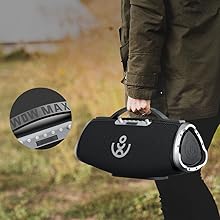
Image: The speaker shown with water splashing around it, demonstrating its waterproof capability.
5. Setup
5.1 Charging the Speaker
- Locate the Type-C charging port on the speaker.
- Connect the provided Type-C power cable to the speaker's charging port.
- Connect the other end of the cable to a compatible USB power adapter (not included) or a power source.
- The charging indicator will illuminate. A full charge typically takes approximately 5 hours.

Image: A close-up of the speaker's rear panel, highlighting the Type-C charging port and other input options like AUX, MIC, and USB, along with an indication of up to 8 hours of battery life.

Image: A visual representation of the speaker's battery life indicator, showing a gauge for up to 12 hours of playtime.
5.2 Powering On/Off
- To power on, press and hold the Power button until the indicator light illuminates.
- To power off, press and hold the Power button again until the indicator light turns off.
5.3 Bluetooth Pairing
- Ensure the speaker is powered on and in Bluetooth pairing mode (indicated by a flashing Bluetooth light).
- On your smartphone or other Bluetooth-enabled device, enable Bluetooth and search for available devices.
- Select "XDOBO BMTL WOW MAX" from the list of devices.
- Once paired, the Bluetooth indicator light will become solid, and you will hear a confirmation tone.
5.4 Microphone Connection
The included microphones are UHF wireless. They should automatically connect to the speaker when both are powered on. Ensure the microphones have fresh batteries.
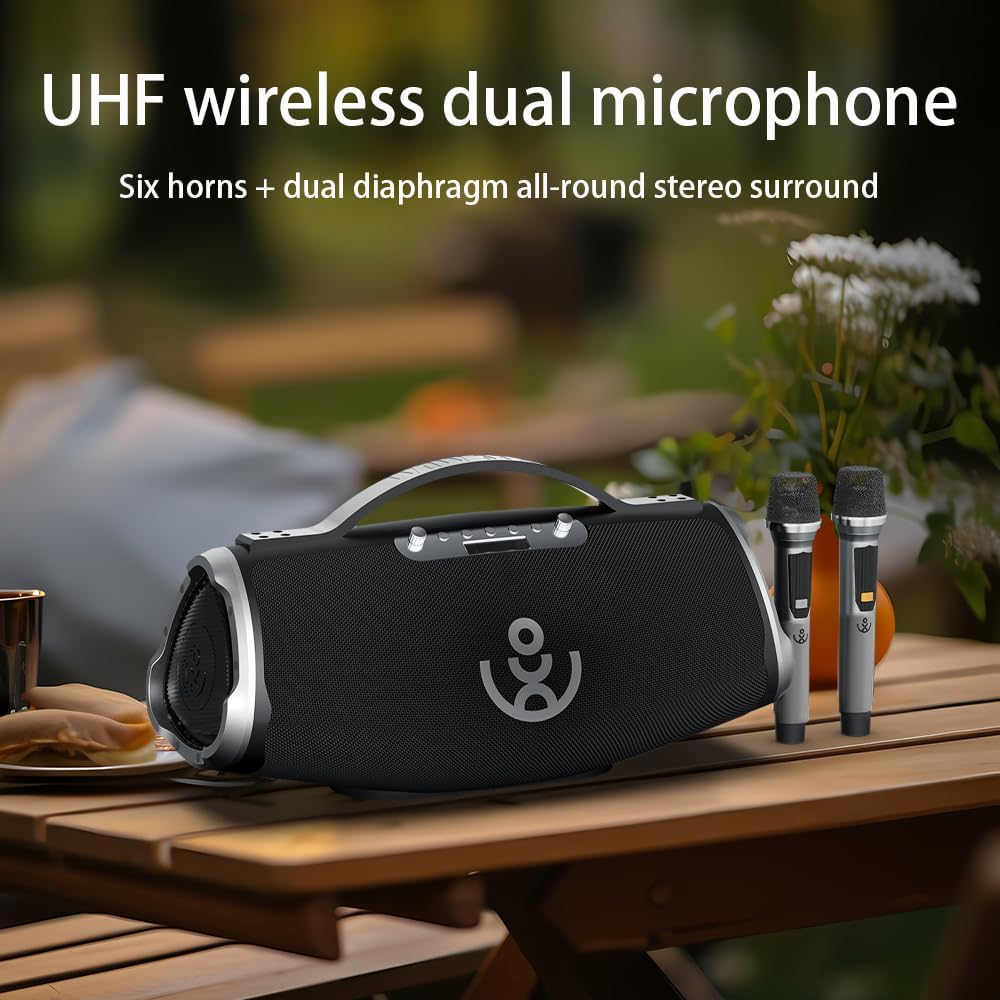
Image: The speaker and two wireless microphones positioned on an outdoor wooden table, ready for use.
5.5 True Wireless Stereo (TWS) Pairing
To pair two xdobo BMTL Wow MAX speakers for a stereo experience:
- Ensure both speakers are powered on and not connected to any Bluetooth device.
- On one speaker (this will be the primary speaker), press the TWS button. It will emit a sound indicating it's searching.
- On the second speaker, press the TWS button.
- The two speakers will automatically connect to each other. A confirmation tone will sound once connected.
- Now, connect your Bluetooth device to the primary speaker as described in section 5.3. Audio will play in stereo across both speakers.
6. Operating Instructions
6.1 Basic Playback Controls
- Play/Pause: Press the Play/Pause button once.
- Volume Up: Press the Volume + button.
- Volume Down: Press the Volume - button.
- Next Track: Press and hold the Volume + button.
- Previous Track: Press and hold the Volume - button.
6.2 Microphone Usage
- Ensure microphones are powered on and paired with the speaker.
- Adjust microphone volume using the dedicated controls on the speaker or the microphones themselves (if available).
- For optimal sound, hold the microphone approximately 2-6 inches from your mouth.
6.3 Input Modes
The speaker supports multiple input modes:
- Bluetooth: For wireless audio streaming from paired devices.
- AUX: Connect external audio devices using a 3.5mm audio cable (not included) to the AUX port.
- USB: Play audio files directly from a USB flash drive inserted into the USB port.
- OTG: The Type-C charging port can function as an OTG live broadcast interface, supporting 6.5mm instrument and microphone input, and 3.5mm audio/monitoring input.
7. Maintenance
7.1 Cleaning
- Wipe the speaker's exterior with a soft, slightly damp cloth.
- Do not use harsh chemicals, cleaning solvents, or strong detergents.
- Ensure all ports are dry before charging or connecting other devices.
7.2 Storage
- Store the speaker in a cool, dry place away from direct sunlight and extreme temperatures.
- If storing for an extended period, charge the battery to approximately 50% every three months to prolong battery life.
7.3 Waterproof Care
- The speaker is waterproof, but not designed for prolonged submersion.
- Always ensure the charging port cover is fully sealed before exposing the speaker to water.
- After exposure to water, wipe the speaker dry before charging.
8. Troubleshooting
| Problem | Possible Cause | Solution |
|---|---|---|
| Speaker does not power on. | Low battery. | Charge the speaker for at least 30 minutes. |
| Cannot pair via Bluetooth. | Speaker is not in pairing mode; device's Bluetooth is off; speaker is already paired to another device. | Ensure speaker is in pairing mode. Turn on Bluetooth on your device. Disconnect from other devices. |
| No sound. | Volume too low; incorrect input mode; device not playing audio. | Increase volume on speaker and device. Select correct input mode (Bluetooth, AUX, USB). Ensure audio is playing on the source device. |
| Microphones not working. | Microphone batteries low; microphones not powered on; interference. | Replace microphone batteries. Ensure microphones are powered on. Move away from potential interference sources. |
| Poor sound quality. | Low battery; source audio quality; distance from Bluetooth device. | Charge speaker. Use high-quality audio files. Reduce distance between speaker and Bluetooth device. |
9. Specifications
| Feature | Detail |
|---|---|
| Model Name | XDOBO BMTL WOW MAX |
| Brand | xdobo |
| Speaker Maximum Output Power | 300 Watts |
| Connectivity Technology | Bluetooth |
| Wireless Communication Technology | Bluetooth |
| Audio Output Mode | Stereo |
| Frequency Response | 32 Hz |
| Impedance | 4 Ohms |
| Speaker Type | Portable |
| Special Feature | Stereo Pairing |
| Waterproof | Yes |
| Power Source | Battery Powered & USB Powered |
| Battery Type | 1 Nonstandard Battery (included) |
| Charging Time | 5 Hours |
| Product Dimensions | 9.45"D x 21.65"W x 11.8"H (240mm D x 550mm W x 300mm H) |
| Item Weight | 15.4 pounds (7 Kilograms) |
| Material | Plastic |
| Color | Black |
| Control Method | Voice |
| Compatible Devices | Smartphone |
| Indoor/Outdoor Usage | Outdoor |
10. Warranty and Support
The xdobo BMTL Wow MAX Portable Bluetooth Speaker comes with a limited warranty. Please refer to the warranty card included in your package for specific terms and conditions. For technical support, troubleshooting assistance, or warranty claims, please contact xdobo customer service through the retailer where the product was purchased or visit the official xdobo website.
