
Lefant M2P
Lefant M2P Robot Vacuum Cleaner User Manual
Model: M2P
Introduction
This user manual provides detailed instructions for the operation and maintenance of your Lefant M2P Robot Vacuum Cleaner. Please read this manual thoroughly before using the product to ensure proper function and safety.
Important Safety Instructions
Always follow basic safety precautions when using electrical appliances to reduce the risk of fire, electric shock, or injury. This appliance is for household use only. Do not use outdoors or on wet surfaces. Keep hair, loose clothing, fingers, and all parts of the body away from openings and moving parts.
Product Overview
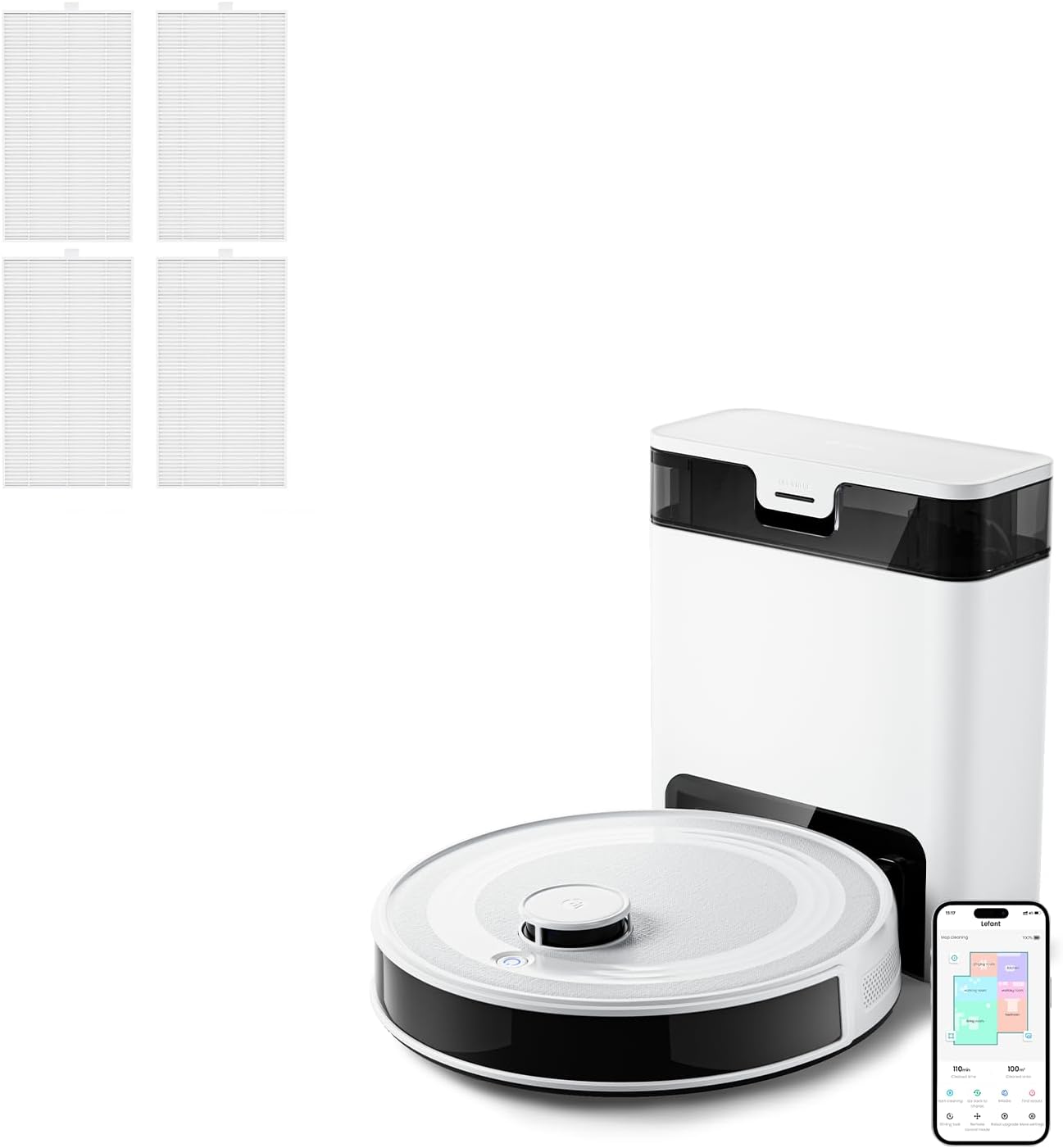
The Lefant M2P Robot Vacuum Cleaner is designed to provide efficient and hands-free cleaning for your home. It features advanced navigation, powerful suction, and a self-emptying station for convenience.

Setup
Unboxing
Carefully remove all components from the packaging. Ensure all accessories are present: robot vacuum, self-emptying station, power cord, and additional filters.
Charging the Robot
Place the self-emptying station against a wall in an open area with good Wi-Fi signal. Connect the power cord. Place the robot vacuum onto the charging contacts of the station. Ensure the robot is fully charged before first use (approximately 4-5 hours).
Connecting to the Lefant APP
Download the Lefant APP from your mobile app store. Follow the in-app instructions to connect your M2P robot vacuum to your home Wi-Fi network. The app allows for customized cleaning options, including setting cleaning modes, frequencies, selective area cleaning, and zone editing.

Operating the Robot Vacuum
Cleaning Modes
The M2P offers various cleaning modes accessible via the app or the robot's physical button. It supports 2-in-1 vacuuming and mopping. Adjust suction levels (up to 5500 Pa) and water flow for different floor types and dirt levels through the app.

Navigation and Obstacle Avoidance
The M2P utilizes advanced 360° LiDAR navigation to accurately map your home and plan efficient cleaning routes, minimizing missed spots and unnecessary repetition.

Equipped with nine triangulation distance sensors and 190° wide detection angle powered by PSD technology, the robot accurately detects and avoids objects as close as 1.6 inches, ensuring better collision prevention.

Self-Emptying Station
The self-emptying station automatically empties the robot's dustbin, providing up to 45 days of hands-free maintenance. It supports both bagless operation and optional sealed dustbags (sold separately).

Carpet Detection
The M2P features dual carpet detection modes. When the mop holder is removed, the suction power increases to 5500Pa for deep carpet cleaning. When the mop holder is attached, the robot automatically avoids carpets to prevent wetting them.

Maintenance
Regular maintenance ensures optimal performance and extends the lifespan of your robot vacuum.
Dustbin and Filter Maintenance
Empty the robot's internal dustbin regularly, especially if not using the self-emptying feature. Clean or replace the filters as needed. The product includes four replacement filters.

Main Brush and Side Brush Cleaning
Remove and clean the main brush and side brushes periodically to remove tangled hair and debris. Use the cleaning tool provided.
Mopping Pad and Water Tank Cleaning
After mopping, remove and clean the mopping pad. Empty and rinse the water tank to prevent mold and odors.
Sensor Cleaning
Wipe all sensors (cliff sensors, wall sensors, charging contacts) with a clean, dry cloth to ensure proper navigation and charging.
Troubleshooting
If you encounter issues with your Lefant M2P, refer to the following common problems and solutions:
- Robot not charging: Ensure the charging contacts on both the robot and the station are clean and free of debris. Verify the power cord is securely plugged into the station and the outlet.
- Robot stuck or navigating erratically: Clear any obstacles from the robot's path. Clean all sensors. Check if the wheels are tangled with hair or debris.
- Poor cleaning performance: Empty the dustbin and clean or replace the filter. Clean the main brush and side brushes. Ensure the suction level is set appropriately in the app.
- App connection issues: Ensure your Wi-Fi network is 2.4GHz. Restart your router, robot, and phone. Try re-pairing the robot with the app.
For more complex issues, please refer to the support section.
Specifications
| Feature | Specification |
|---|---|
| Model | M2P |
| Navigation Type | 360° LiDAR |
| Suction Power | Up to 5500 Pa |
| Water Tank Capacity | 300ml |
| Obstacle Avoidance | 190° PSD Technology |
| Self-Emptying Capacity | Up to 45 days |
| Functions | Vacuuming and Mopping (2-in-1) |
Warranty and Support
Lefant products come with a standard manufacturer's warranty. For specific warranty details, please refer to the warranty card included with your product or visit the official Lefant website.
For technical support, troubleshooting assistance, or to purchase replacement parts, please visit the Lefant Store on Amazon or contact Lefant customer service directly.
Related documentsM2P


Ask a question about this manual
Ask about setup, troubleshooting, compatibility, parts, safety, or missing instructions. Manuals+ will review the question and use this page’s manual context to help answer it.