Important Safety Information
Please read this manual carefully before using the product. Keep this manual for future reference.
- Keep this product out of reach of young children. Young children may swallow small parts.
- The product contains lithium batteries. Improper use of the product may cause fire or explosion. Do not heat, open, puncture, destroy, or place the product or battery into fire.
- Do not allow liquid or small particles to enter the product.
- Do not expose the product to high temperatures, high humidity, or direct sunlight.
- Do not place the product on an unstable surface.
- Do not use chemical solvents to clean the product. Wipe with a chemically treated cloth.
- Do not disassemble or modify the product.
Product Features
- Wide Compatibility: Supports PS5 console, PC (Windows 10 and above), Mac, iOS, Android, and Steam Deck.
- Bluetooth 5.0: For stable wireless connection.
- 3.5mm Audio Jack: For wired headsets and immersive sound.
- Customizable RGB Lighting: 7 vibrant RGB colors (Red to Violet) with 4 dynamic modes (Dazzle, Monochrome, Breathing, Cycle).
- Turbo and Macro Function: For enhanced gameplay.
- Dual Vibration: Adjustable vibration intensity (100%-75%-50%-0%).
- 6-Axis Gyro Sensor: For precise motion control.
- Two-Point Capacitive Touchpad: Supports swipe, tap, and gesture controls.
- Hall Effect Triggers: Enjoy ultra-sensitive and precise input with <0.1ms latency.
- Long Battery Life: Built-in 1500mAh battery provides up to 13 hours of gameplay.

Image: Ant Esports POWERSTRIKE 5 Wireless Gamepad highlighting Hall Effect Triggers and RGB Color Illumination.
Setup and Connection
Charging the Controller
Connect the controller to a power source using the provided Type-C USB cable. The LED indicator will flash during charging and remain solid when fully charged. A full charge takes approximately 3 hours and provides up to 13 hours of gameplay.

Image: Controller highlighting its 1500mAh battery, 3.5 hours charging time, and 10m working distance.
Connecting to Devices
The controller supports both wired and wireless (Bluetooth) connections.

Image: Controller demonstrating wide compatibility with various platforms including Android, PS5, PC, Mac, iOS, and Steam Deck.
PS5 Connection
- If the controller is not connected to the PS5 console, press the HOME button. The LED light will flash.
- If the controller is already connected to the PS5, press the HOME button to wake it up.
- When multiple controllers are connected, ensure the correct 'Player1 Controller' is selected.
PC (Windows 10 & above) Connection
- Wired Connection: Connect the controller to your PC using the USB cable. The PC will automatically recognize the controller.
- Bluetooth Connection:
- Press and hold the SHARE button and the HOME button simultaneously for 2 seconds until the LED light flashes rapidly.
- On your PC, go to Bluetooth settings and search for "Wireless Controller".
- Select and pair the controller.
Mac Connection
- Go to "System Preferences" > "Bluetooth".
- Press and hold the SHARE button and the HOME button simultaneously for 2 seconds until the LED light flashes rapidly.
- On your Mac, search for "Wireless Controller" and connect.
iOS Devices Connection (iOS 13 & above)
- Ensure your iOS device is updated to iOS 13 or above.
- Press and hold the SHARE button and the HOME button simultaneously for 2 seconds until the LED light flashes rapidly.
- On your iOS device, go to Bluetooth settings and search for "Wireless Controller".
- Select and pair the controller.
Android Devices Connection (Android 10 & above)
- Ensure your Android device is updated to Android 10 or above.
- Press and hold the SHARE button and the HOME button simultaneously for 2 seconds until the LED light flashes rapidly.
- On your Android device, go to Bluetooth settings and search for "Wireless Controller".
- Select and pair the controller.
Steam Deck Connection
- Connect the controller to the Steam Deck using a Type-C OTG converter (if necessary).
- Press and hold the SHARE button and the HOME button simultaneously for 2 seconds until the LED light flashes rapidly.
- On your Steam Deck, search for "Wireless Controller" in Bluetooth settings and connect.
Operating Instructions
Power On/Off
- Power On: Press the HOME button for 3 seconds.
- Power Off: Press the HOME button for 10 seconds.
- Auto-Sleep: The controller will enter sleep mode after 5 minutes of inactivity to conserve battery.
RGB Lighting Adjustment
The controller features customizable RGB lighting with various modes and colors.
- Press the LED button (located near the touchpad) + L3 joystick push down to cycle through RGB modes (Dazzle, Monochrome, Breathing, Cycle).
- In Single Color Breathing Light mode, press the LED button + L3 joystick push down to change colors (Red, Orange, Yellow, Green, Cyan, Blue, Purple).
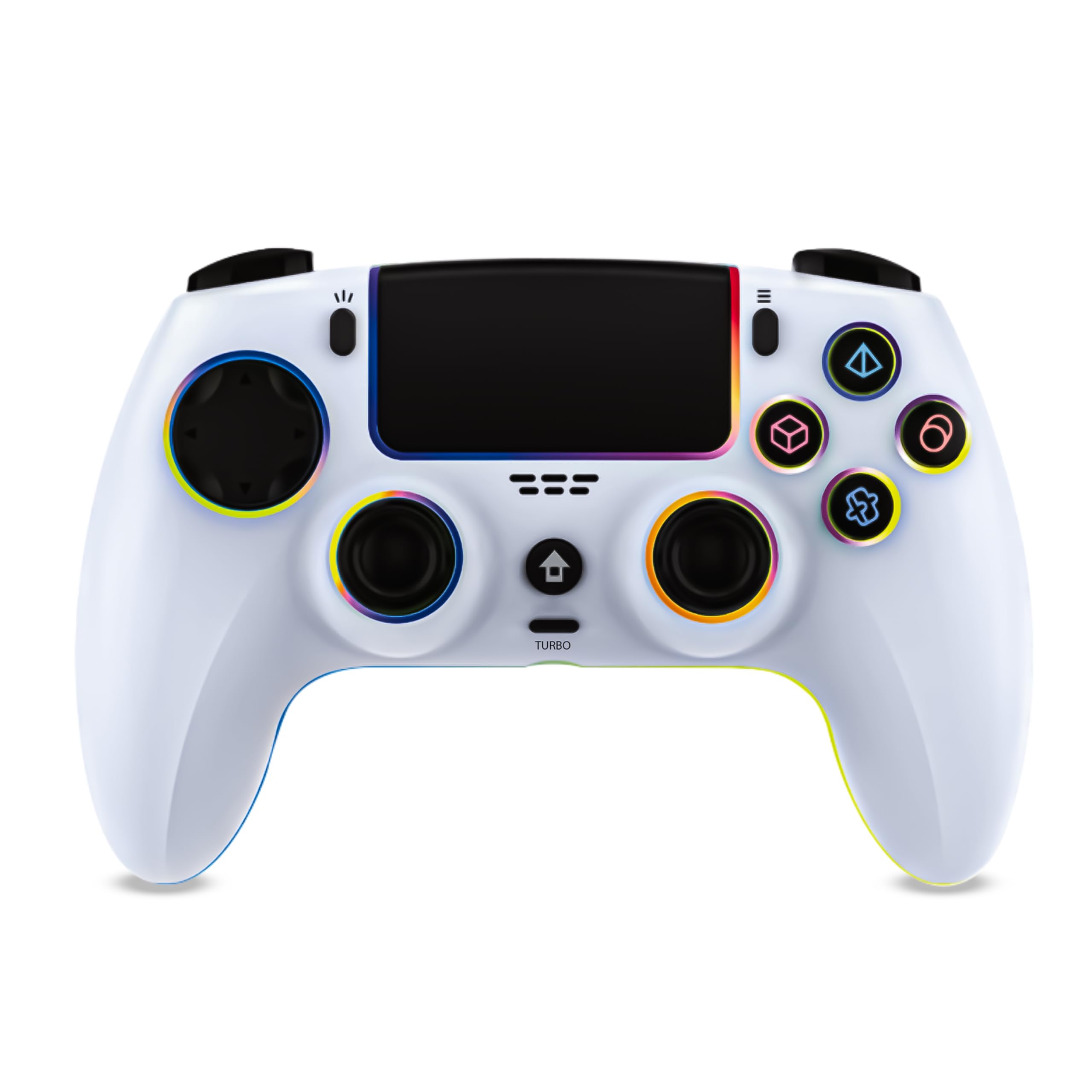
Image: Controller displaying a single color breathing light effect.
Turbo Function
The Turbo function allows for rapid, continuous firing of a button.
- Activate Turbo: Press and hold the TURBO button, then press the desired action button (e.g., X, O, Square, Triangle). The button will now continuously fire when held.
- Adjust Turbo Speed: While holding the TURBO button, push the right 3D joystick upward to increase the continuous firing speed (5/10/15 shots/s). Push the right 3D joystick downward to decrease the speed. The default speed is the middle gear.
- Deactivate Turbo: Repeat the activation step (press TURBO + action button) to turn off Turbo for that button.

Image: Controller illustrating the Turbo function with adjustable speeds of 5, 10, and 15 shots per second.
Macro Function (Programmable Buttons)
The controller features two programmable back buttons (M1/M2) to record and execute complex sequences.
- Enter Programming Mode: Press and hold the desired back button (M1 or M2) + SHARE button simultaneously. The LED will flash slowly.
- Record Sequence: Press the buttons in the desired order (up to 8 buttons).
- Save Macro: Press the M1 or M2 button again to save the macro. The LED will stop flashing.
- Clear Macro: Press and hold the M1 or M2 button + SHARE button simultaneously for 5 seconds. The LED will flash rapidly, indicating the macro is cleared.

Image: Rear view of the controller highlighting the two programmable keys (M1 and M2).
Vibration Adjustment
Adjust the intensity of the dual vibration motors for a personalized gaming experience.
- Press the LED button + R3 joystick push down to cycle through vibration intensities: 100%, 75%, 50%, and 0%.

Image: Controller illustrating dual realistic vibration with adjustable intensity levels from 0% to 100%.
6-Axis Gyro Motion Control
The built-in gyro sensor allows for precise motion control in compatible games.
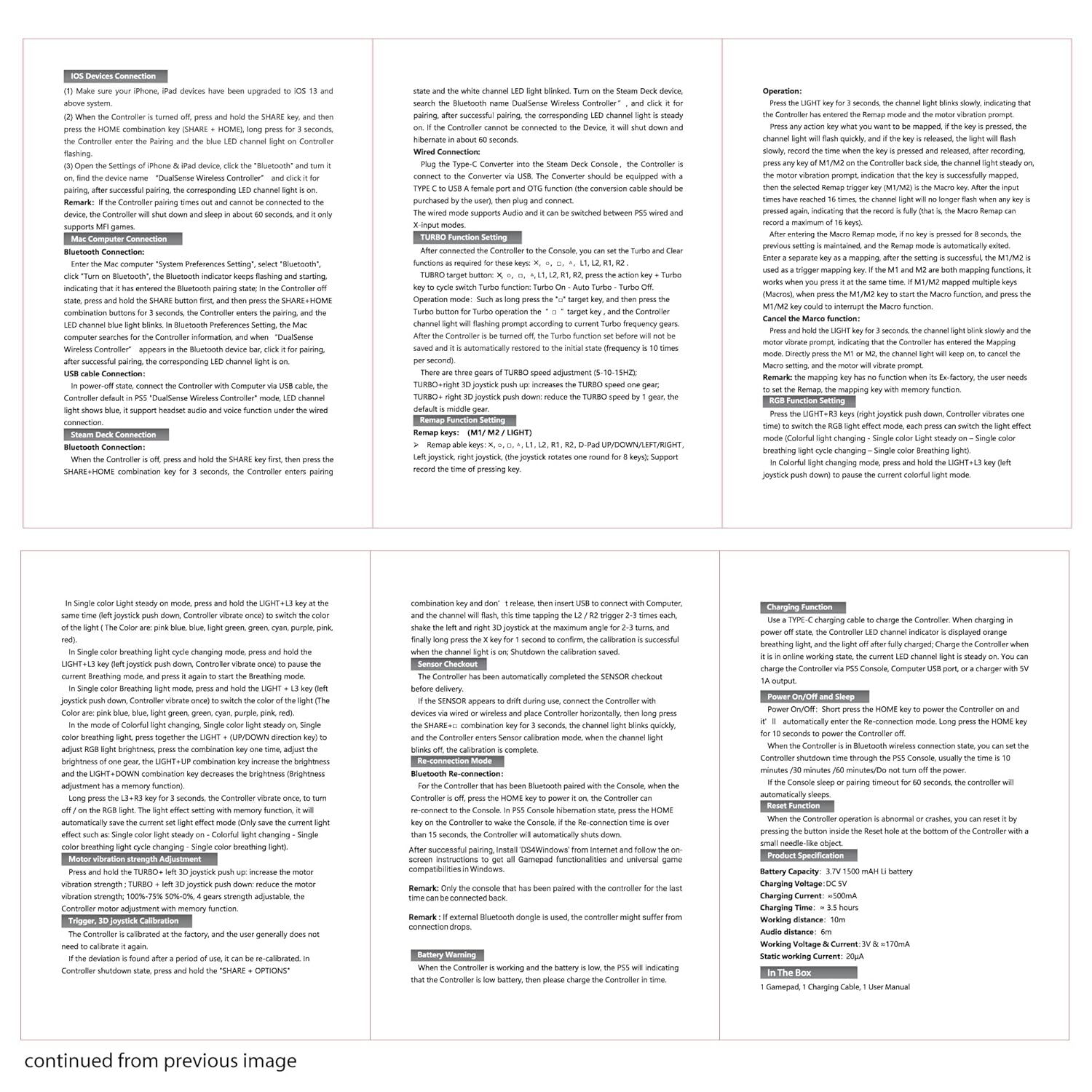
Image: Controller being used to demonstrate 6-axis gyro motion control in a racing game.
Touchpad and 3.5mm Headset Jack
- The multi-touch touchpad supports swipe, tap, and gesture controls for fluid navigation.
- Plug any wired headset into the 3.5mm audio jack for in-game chat and immersive sound.
Maintenance
- To clean the controller, use a soft, dry cloth. Do not use chemical solvents or abrasive cleaners.
- Store the controller in a cool, dry place away from direct sunlight and extreme temperatures.
Troubleshooting
Controller Not Connecting
- Ensure the controller is fully charged.
- Verify that the controller is paired correctly with your device (refer to the 'Setup and Connection' section).
- Reset the Controller: Locate the small reset hole on the back of the controller. Use a thin pin or paperclip to press the reset button inside. This will reset the controller to its factory settings.
- If connecting to a PS5, ensure that 'Player1 Controller' is selected if multiple controllers are present.
Joystick Drift or Input Issues
- The joysticks are factory calibrated. If you experience issues, try resetting the controller as described above.
- Ensure the controller's firmware is up to date. Check the Ant Esports website for any available firmware updates.
Specifications
| Feature | Specification |
|---|---|
| Battery Capacity | 1500mAh Lithium Polymer |
| Charging Time | Approximately 3 hours |
| Working Time | Up to 13 hours |
| Working Distance | Up to 10 meters |
| Working Voltage & Current | 3.7V & 110mA |
| Charging Voltage & Current | 5V & 500mA |
| Product Dimensions | 11 x 5.2 x 7 cm |
| Item Weight | 320 g |
| Model Number | Powerstrike 5 |
Warranty Information
Ant Esports provides a 1-year warranty for the POWERSTRIKE 5 Wireless Controller from the date of purchase. Please retain your purchase receipt as proof of purchase for warranty claims.
The warranty covers manufacturing defects. It does not cover damage caused by misuse, accidents, unauthorized modifications, or normal wear and tear.
Support
For further assistance, firmware upgrades, or customer support, please visit the official Ant Esports website or contact their support team:
- Website: www.antesports.com
- Support Email: support@antesports.com
- Additional Resources: https://bit.ly/3S6slUw