
1. Introduction
The Refresh R-9010 Refrigerator Water Filter is designed to provide clean, fresh-tasting water and ice by reducing common impurities. This filter is compatible with various refrigerator models from brands such as Whirlpool, KitchenAid, Maytag, and Kenmore. For optimal performance, adhere to the installation and maintenance guidelines provided in this manual.
2. Compatibility
The Refresh R-9010 water filter is compatible with the following filter models and brands:
- Kenmore: 46-9010, 469010, 9010, 46-9085
- Aquacrest: AQF-4396508
- Aquafresh: WF285
- IcePure: RFC05000A
- Other compatible brands: Whirlpool, KitchenAid, Maytag, Puriclean, Swift Green, Tier1, Water Sentinel, Pureza, Waterdrop, FilterLogic, EcoAqua, Mist, Pure Line, Glacier Fresh, Water Filter Tree, OnePurify, Pure Green, ClearWater, PureH2O, WaterChef.
Important: Always verify your refrigerator's model number to ensure compatibility before installation.
3. Safety Information
- Read and follow all instructions carefully before installation and use.
- Install the filter on COLD water lines only.
- To reduce the risk of property damage due to water leakage, install a pressure limiting device and water hammer arrestors if internal water pressure exceeds 80 psi (552 kPa). Refer to Uniform Plumbing Code, Sections 608.2 and 609.10.
- Never install or operate the filter where internal water pressure may exceed 120 psi (827 kPa).
- Protect the filter from freezing. Remove the filter if the temperature drops below 34°F (1°C).
- Do not use with water that is microbiologically unsafe or of unknown quality without adequate disinfection before or after the system.
4. Installation
Follow these steps to install your Refresh R-9010 water filter:
- Locate the filter housing in your refrigerator.
- Turn off the water supply to the refrigerator.
- Remove the old filter cartridge by rotating it approximately 1/4 turn counter-clockwise. Pull the old filter cartridge out.
- Insert the new Refresh R-9010 filter cartridge into the housing.
- Rotate the cap clockwise to the horizontal position until it locks into place.
- Turn on the water supply to the refrigerator.
- Flush 3-5 gallons of water through the dispenser to remove air and carbon fines.
- Check for any leaks around the filter housing.
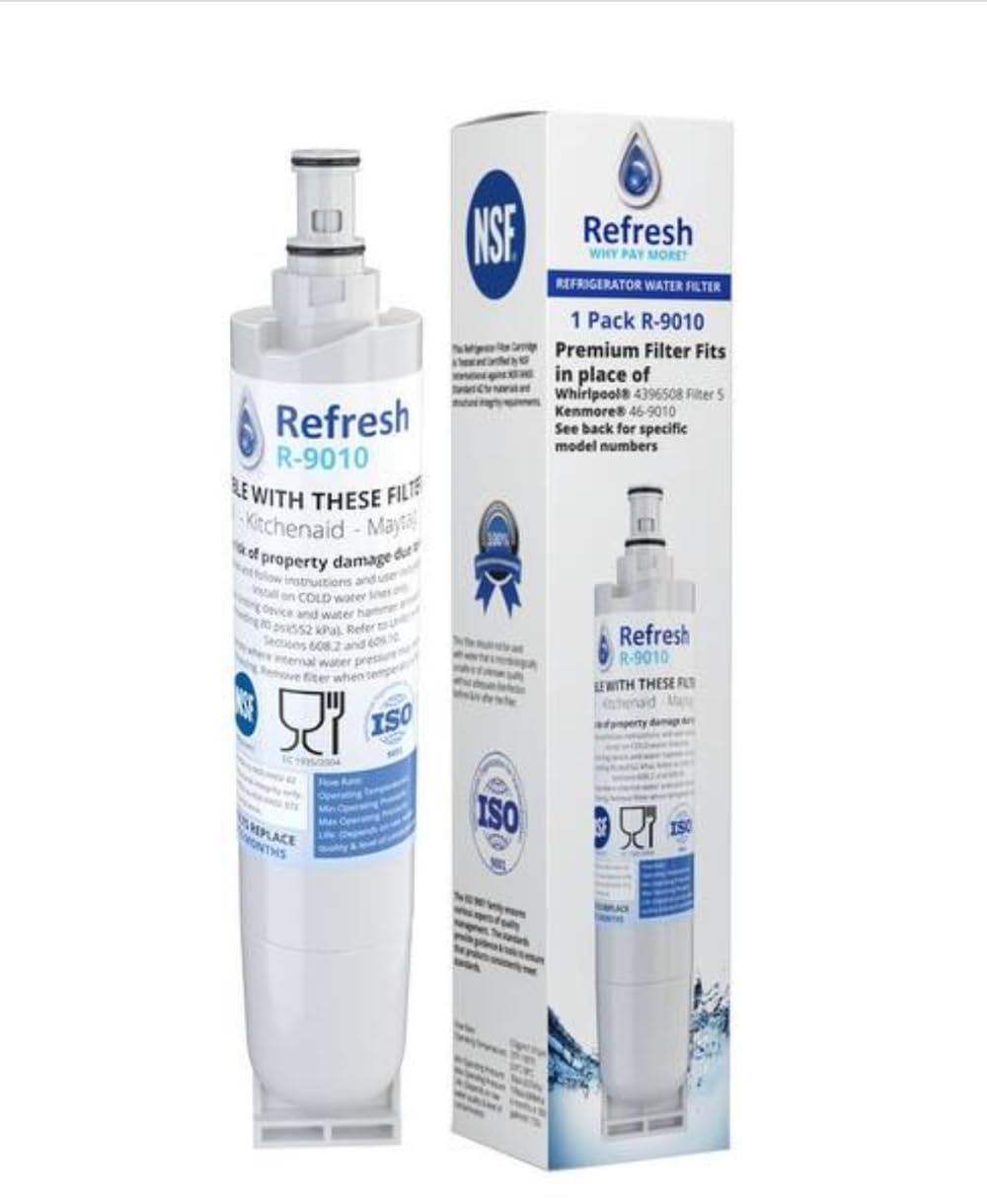
Image: The Refresh R-9010 water filter, showing its cylindrical shape and the top connection mechanism. A magnified view highlights the filter's connection point.

Image: A detailed performance data sheet and visual instructions for installing the Refresh R-9010 filter. It includes steps for removing the old filter, inserting the new one, and flushing the system.
Installation Date: For your convenience, a sticker may be included in the box to record the installation date. This helps track when the filter needs replacement.
5. Operation
Once installed, the Refresh R-9010 filter operates automatically with your refrigerator's water dispensing system. It continuously filters water as it passes through, providing filtered water for drinking and ice production.

Image: A hand holding a glass under a refrigerator water dispenser, illustrating the ease of use and quick-connect fittings of the Refresh filter system.
6. Maintenance
Regular maintenance ensures optimal performance and water quality.
Filter Replacement
- For best results and to maintain water quality, replace the filter every 6 months or after filtering 300 gallons (1,135 liters), whichever comes first.
- Refer to the installation section for steps on replacing the filter.

Image: A graphic emphasizing the compatibility of the Refresh R-9010 filter with various brands and reminding users to replace the filter every 6 months for best results.
7. Troubleshooting
If you encounter issues with your Refresh R-9010 filter, consider the following:
- Slow Water Flow: This often indicates a clogged filter. Replace the filter if it has been in use for 6 months or longer, or if water quality has noticeably decreased.
- Leaking: Ensure the filter is correctly seated and rotated fully into the housing. Check that the O-rings on the filter are intact and properly positioned. If leaks persist, turn off the water supply and re-install the filter carefully.
- Unusual Taste/Odor: If the water has an unusual taste or odor after installation, flush an additional 3-5 gallons of water through the dispenser. If the problem persists, the filter may be faulty or expired, and replacement is recommended.
- Filter Not Fitting: Double-check the compatibility list and your refrigerator's model number. Ensure you have the correct Refresh filter model.
8. Specifications
| Specification | Value |
|---|---|
| Model Number | R-9010 |
| Material | Plastic |
| Product Dimensions (D x W x H) | 2.5" x 6" x 8" |
| Item Weight | 0.34 Kilograms |
| Flow Rate | 0.5 gpm (1.9 Lpm) |
| Operating Temperature | 33°F - 100°F (0.6°C - 38°C) |
| Min Operating Pressure | 30 psi (207 kPa) |
| Max Operating Pressure | 120 psi (827 kPa) |
| Filter Life | 6 months or 300 gallons (1,135 liters) |
| Certifications | ANSI, NSF/ANSI 42 |

Image: A woman holding a glass of water, with a prominent NSF certification logo and text highlighting the filter's benefits, including great tasting water and compliance with NSF/ANSI 42 standards.
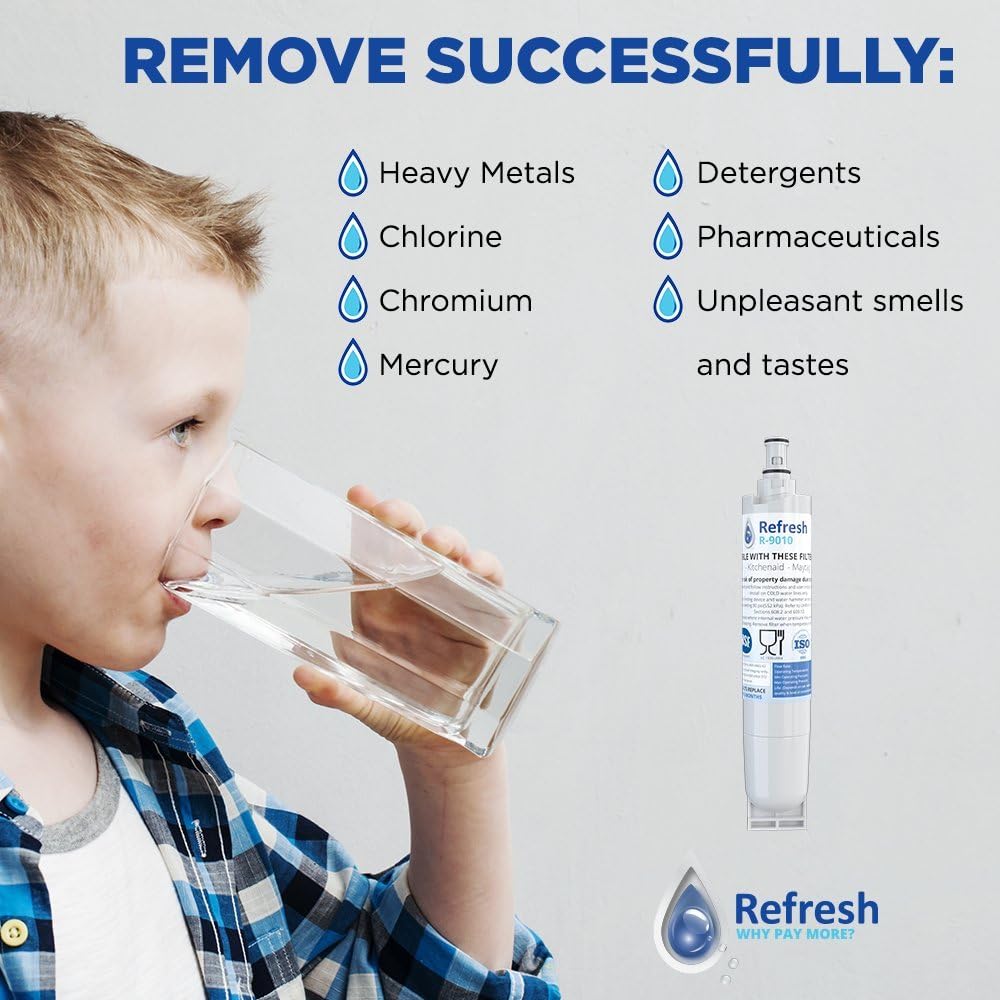
Image: A child drinking water, accompanied by a list of contaminants successfully removed by the Refresh filter, such as heavy metals, chlorine, and unpleasant tastes.
9. Warranty and Support
Limited Warranty
Refresh provides a 30-day limited warranty against defects in material and workmanship for this product. This warranty covers manufacturing defects under normal use. Please retain your proof of purchase for warranty claims.
Customer Support
For further assistance, questions, or warranty claims, please contact Refresh customer support. Contact information can typically be found on the product packaging or the official Refresh website.
