1. Introduction
Thank you for choosing the Kdfdfsa 881X 88-Key Digital Piano Keyboard. This manual provides essential information for the proper setup, operation, and maintenance of your instrument. Please read it thoroughly before use to ensure optimal performance and longevity.
The Kdfdfsa 881X features 88 semi-weighted keys designed to replicate the feel of an acoustic piano, making it suitable for learners and experienced players alike. It includes dual stereo speakers for rich sound, a MIDI/USB interface for connectivity, 200 rhythms, 200 tones, and 89 demo songs. The package comes complete with an X-style piano stand, music sheet holder, carrying bag, headphones, sustain pedal, and power supply.
2. Package Contents
Before proceeding with setup, please verify that all items listed below are present in your package:
- Kdfdfsa 88-Key Digital Piano Keyboard
- X-Style Piano Stand
- Music Sheet Holder
- Carrying Bag
- Headphones
- Triple Sustain Pedal
- Power Adapter
- User Manual (this document)

Figure 2.1: Included accessories for the Kdfdfsa 881X digital piano. This image displays the digital piano along with its X-style stand, headphones, triple pedal, and carrying bag, illustrating the complete package contents.
3. Setup Instructions
3.1 Assembling the Piano Stand
- Unfold the X-style piano stand and adjust it to your desired height. Ensure the locking mechanisms are securely engaged.
- Place the Kdfdfsa 881X digital piano securely on top of the stand.

Figure 3.1: Digital piano dimensions and stand setup. This diagram illustrates the physical dimensions of the Kdfdfsa 881X digital piano and its adjustable X-style stand, demonstrating how it can be configured for both standing and sitting playing positions.
3.2 Connecting the Triple Pedal
- Locate the pedal input port on the rear panel of the piano.
- Connect the cable from the triple sustain pedal to the designated pedal input.

Figure 3.2: Triple pedal connection. A close-up view of the included triple piano pedal, highlighting its three functions (soft, sostenuto, and sustain) and showing the cable connecting to the piano's input port.
3.3 Power Connection
- Ensure the piano's power switch is in the OFF position.
- Connect the power adapter to the DC IN port on the rear panel of the piano.
- Plug the power adapter into a standard electrical outlet.
3.4 Headphone and External Device Connections
The piano features multiple ports for various connections:
- Headphone Jacks: Two headphone jacks are available for private practice or simultaneous listening. Connect your headphones to either jack.
- MIDI/USB Interface: Use the MIDI or USB port to connect the piano to a computer or other intelligent devices for recording, software control, or enhanced learning experiences.
- Audio In/Out: Connect external audio sources or output the piano's sound to an amplifier or recording device.

Figure 3.3: Connectivity ports. This image displays the rear panel of the digital piano, detailing all available connectivity options such as pedal input, MIDI, USB, audio input/output, volume control, on/off switch, and power input.
4. Operating Instructions
4.1 Powering On/Off
Press the POWER button located on the control panel to turn the piano ON or OFF. The display will illuminate when the piano is powered on.
4.2 Adjusting Volume
Use the VOLUME knob or buttons on the control panel to adjust the overall output volume of the piano. Adjust to a comfortable listening level.
4.3 Selecting Tones and Rhythms
The Kdfdfsa 881X offers 200 tones and 200 rhythms. Use the dedicated buttons on the control panel to browse and select different instrument sounds and accompaniment patterns. Refer to the included tone and rhythm list for specific numbers and names.
4.4 Playing Demo Songs
The piano includes 89 demo songs. Press the DEMO button to start playback. Use the navigation buttons to select different demo songs.
4.5 Using the Triple Pedal
The triple pedal provides three functions:
- Soft Pedal: Reduces the volume and alters the timbre.
- Sostenuto Pedal: Sustains only notes held down at the moment the pedal is pressed.
- Sustain Pedal: Sustains all notes played while the pedal is held down.

Figure 4.1: Control panel overview. A detailed view of the piano's control panel, illustrating the buttons for selecting rhythms, tones, and demo songs, as well as the integrated USB and audio ports for various connections.
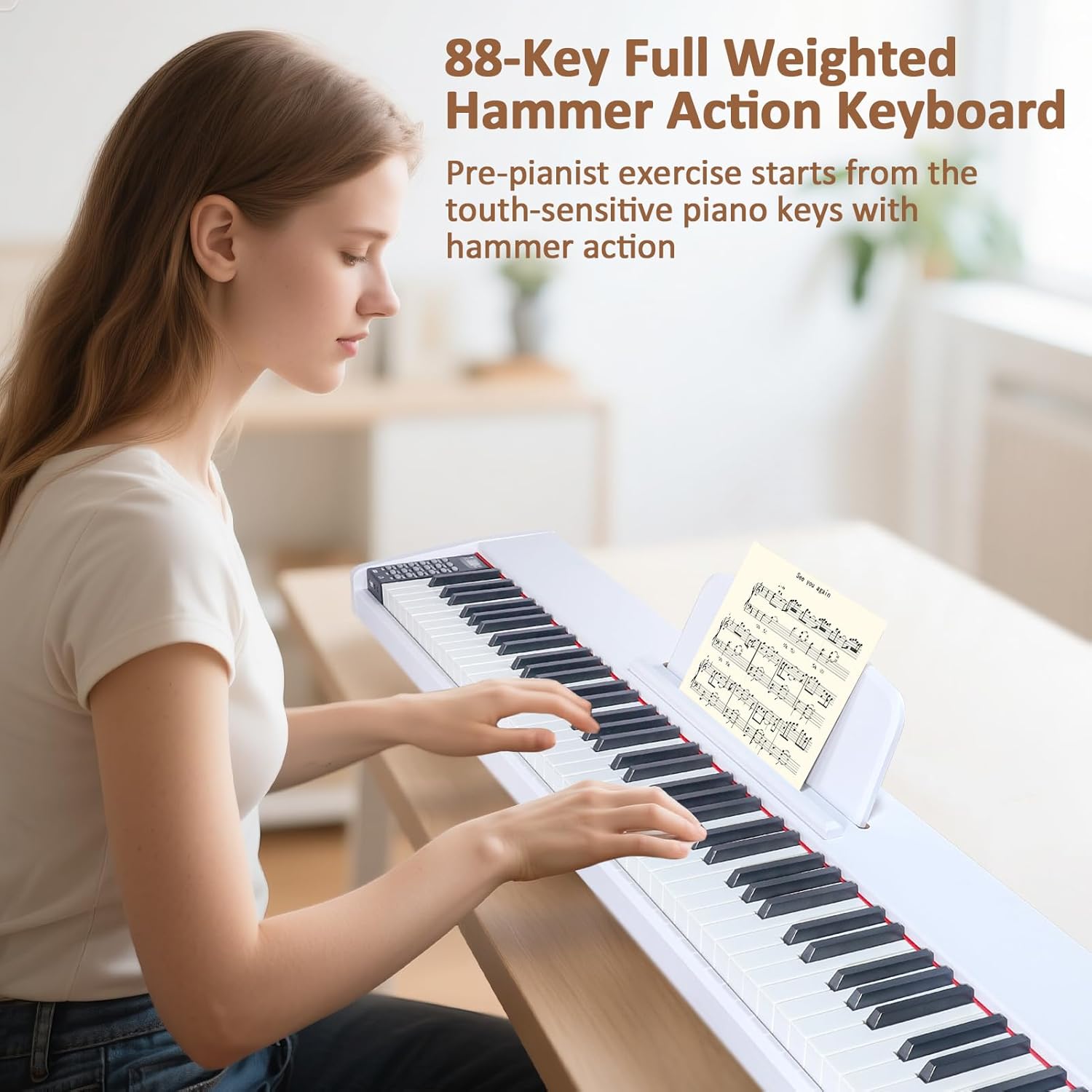
Figure 4.2: Piano in use. A person demonstrating the Kdfdfsa 88-key digital piano keyboard, showcasing its full-sized, semi-weighted keys and the integrated music stand for sheet music.
5. Maintenance
5.1 Cleaning
- Wipe the piano's surface with a soft, dry cloth.
- For stubborn dirt, slightly dampen the cloth with water and a mild soap solution, then wipe dry immediately.
- Do not use abrasive cleaners, waxes, or solvents, as these can damage the finish.
5.2 Storage
- Store the piano in a cool, dry place away from direct sunlight, extreme temperatures, and high humidity.
- When not in use for extended periods, disconnect the power adapter.
- Use the provided carrying bag for protection during transport or storage.
6. Troubleshooting
If you encounter any issues with your Kdfdfsa 881X digital piano, please refer to the following common problems and solutions:
- No Sound:
- Ensure the power is ON and the volume is turned up.
- Check if headphones are plugged in. If so, unplug them to hear sound from the speakers.
- Verify that external audio connections (if used) are properly connected and their volume is adjusted.
- Keys Not Responding:
- Restart the piano by turning it off and on again.
- Ensure no foreign objects are lodged between the keys.
- Power Issues:
- Check if the power adapter is securely connected to both the piano and the electrical outlet.
- Try a different power outlet to rule out an issue with the original outlet.
- Pedal Not Working:
- Ensure the pedal cable is fully inserted into the correct pedal input port.
- Verify that the pedal itself is not physically damaged.
If the problem persists after attempting these solutions, please contact Kdfdfsa customer support for further assistance.
7. Specifications
| Feature | Specification |
|---|---|
| Brand | Kdfdfsa |
| Model Number | 881X |
| Keys | 88 Semi-Weighted Keys |
| Tones | 200 |
| Rhythms | 200 |
| Demo Songs | 89 |
| Speakers | Dual Stereo Speakers |
| Connectivity | MIDI/USB, Audio In/Out, Headphone Jacks (x2), Pedal Input |
| Pedal Type | Triple Pedal (Soft, Sostenuto, Sustain) |
| Colour | Black |
| Item Weight | 14 kg (30.86 lbs) |
| Parcel Dimensions | 141.73 x 78.49 x 13.21 cm (55.8 x 30.9 x 5.2 inches) |
| Skill Level | Beginner |
| UPC | 763300640757 |
| Date First Available | Sept. 26 2025 |
8. Warranty and Support
For warranty information, technical support, or service inquiries regarding your Kdfdfsa 881X Digital Piano Keyboard, please refer to the warranty card included in your package or contact Kdfdfsa customer service directly. Please have your model number (881X) and proof of purchase available when contacting support.