
1. Product Overview
The HWWR T8 Karaoke Machine is a portable PA system designed for various entertainment needs, including home parties, karaoke singing, and events. It features powerful audio output, wireless connectivity, and dynamic lighting effects.

Image: The HWWR T8 Karaoke Machine, showcasing its main unit with illuminated speakers and a retractable handle for portability.
Included Components:
- Karaoke machine (main unit)
- 2 Wireless Microphones
- Remote Control
- USB Charging Cable
- AUX Cable
2. Setup Guide
2.1 Charging the Unit
Before first use, fully charge the karaoke machine. Connect the provided USB charging cable to the USB Type C port on the unit and to a compatible USB power adapter (not included). The charging indicator will show the charging status. A full charge typically takes 2-3 hours and provides over 24 hours of playtime.
2.2 Powering On/Off
Locate the power switch on the control panel. Flip the switch to the 'ON' position to power on the unit. Flip it to 'OFF' to power off.

Image: Detailed view of the control panel, showing the power switch, input ports, and various control buttons.
2.3 Connecting Wireless Microphones
- Ensure the karaoke machine is powered on.
- Insert 2 AA batteries (not included) into each wireless microphone.
- Power on the microphones. They should automatically pair with the karaoke machine. A successful connection is indicated by a stable light on the microphone.
- Adjust microphone volume using the 'MIC VOL +/-' buttons on the control panel.
2.4 Connecting Audio Sources
Bluetooth Connection:
- Power on the karaoke machine. It will automatically enter Bluetooth pairing mode.
- On your smartphone, tablet, or computer, enable Bluetooth and search for available devices.
- Select "HWWR T8" from the list of devices to pair. A confirmation sound will indicate successful pairing.
AUX Connection:
Connect one end of the provided AUX cable to the 'AUX In' port on the karaoke machine and the other end to the audio output of your device (e.g., TV, smartphone). The unit will automatically switch to AUX mode.
USB/TF Card Playback:
Insert a USB flash drive or TF card containing MP3 audio files into the respective port. The unit will automatically detect and play the audio files.

Image: The HWWR T8 Karaoke Machine demonstrating multiple connectivity options including Bluetooth to a TV, laptop, and tablet, and AUX to a guitar.
3. Operating Instructions
3.1 Basic Audio Playback
- Play/Pause: Press the 'PLAY/PAUSE' button to start or pause playback.
- Next/Previous Track: Use the 'PREV' and 'NEXT' buttons to skip tracks.
- Master Volume: Rotate the 'MASTER' knob to adjust the overall volume of the speaker.
Video: An official HWWR video demonstrating the use of the control panel, including adjusting the master volume knob.
3.2 Sound Effects and Modes
- Echo Control: Use the 'ECHO +' and 'ECHO -' buttons to adjust the echo effect on the microphones.
- Mode Selection: Press the 'MODE' button to switch between input sources (Bluetooth, AUX, USB, TF Card).
- Recording: Press the 'REC' button to initiate recording. (Note: Recording functionality may vary; refer to the product specifications for details on what can be recorded.)
3.3 Dynamic Disco Lights
The HWWR T8 features built-in 7-color LED effects that sync with the music. Press the 'LED MODE' button to cycle through different lighting patterns or to turn the lights off.

Image: The HWWR T8 Karaoke Machine showcasing its seven different colorful LED light modes, synchronized with music.
Video: An official HWWR video demonstrating the various LED light modes of the T8 Karaoke Machine.
3.4 TWS Pairing (True Wireless Stereo)
To achieve 360° immersive surround sound, you can pair two HWWR T8 speakers together:
- Ensure both T8 speakers are powered on and in Bluetooth mode, but not connected to any device.
- On one of the speakers, press and hold the TWS pairing button (refer to the control panel diagram for exact location, usually combined with another function or a dedicated button).
- The speakers will attempt to pair with each other. A confirmation sound will indicate successful TWS pairing.
- Once paired, connect your device via Bluetooth to the primary speaker. Audio will now play through both speakers in stereo.
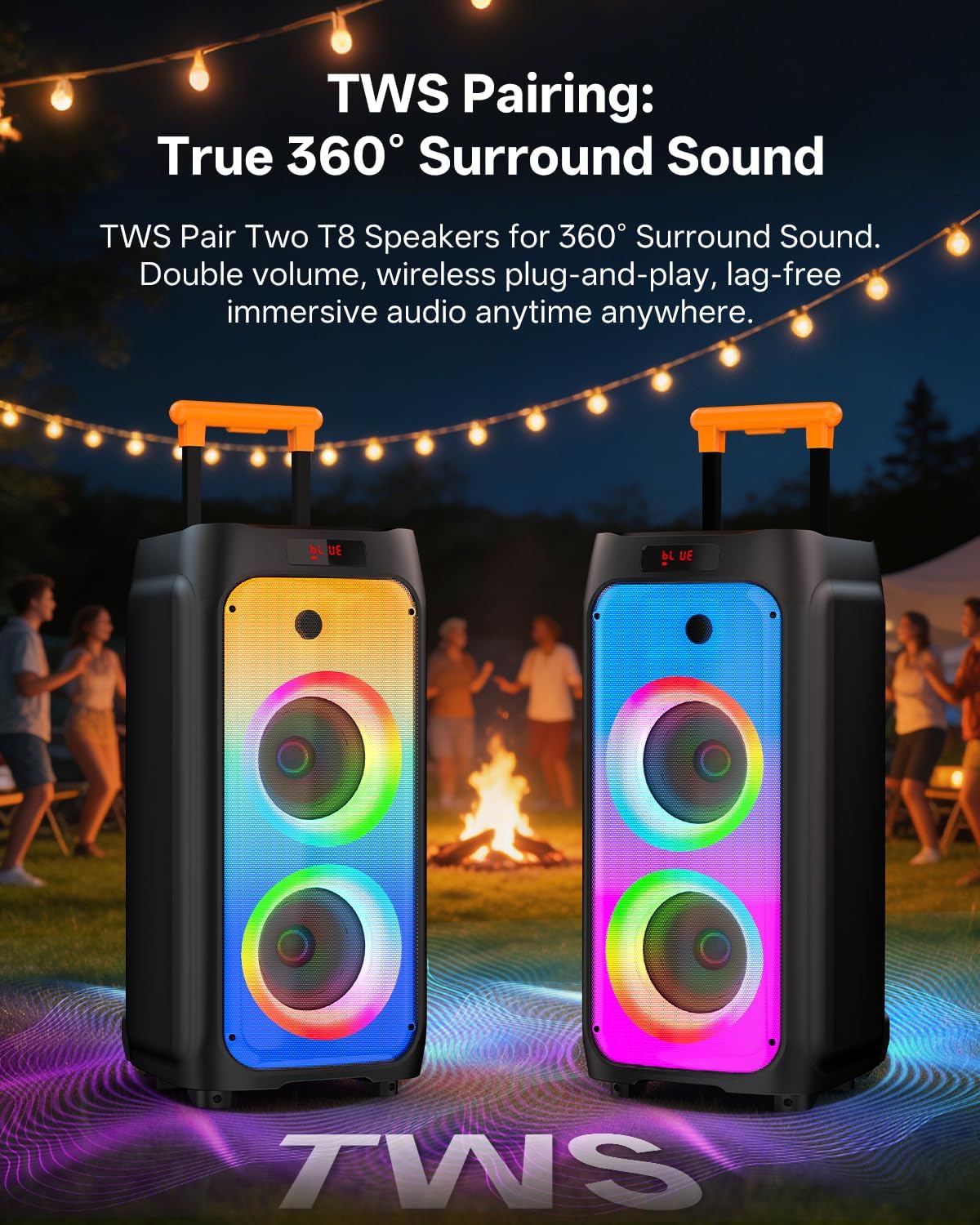
Image: Two HWWR T8 Karaoke Machines positioned to demonstrate True Wireless Stereo (TWS) pairing for enhanced sound.
3.5 Portability Features
The HWWR T8 is designed for easy transport. It features built-in silent universal wheels and a retractable trolley handle. Extend the handle by pulling it upwards for convenient rolling, and push it down to retract for compact storage.

Image: The HWWR T8 Karaoke Machine being easily transported on its silent wheels and retractable handle across a beach, highlighting its portability.
4. Maintenance
4.1 Cleaning
Wipe the exterior of the karaoke machine with a soft, dry cloth. Do not use abrasive cleaners, waxes, or solvents as they may damage the finish. Keep the speaker grilles free of dust and debris.
4.2 Storage
When not in use for extended periods, store the unit in a cool, dry place away from direct sunlight and extreme temperatures. Ensure the unit is fully charged before storing to maintain battery health.
4.3 Battery Care
To prolong battery life, avoid fully discharging the unit frequently. Recharge the battery when the low battery indicator appears. If the unit will not be used for a long time, charge it every 3-6 months to prevent deep discharge.
5. Troubleshooting
5.1 No Power
- Ensure the power switch is in the 'ON' position.
- Check if the unit is charged. Connect the USB charging cable and allow it to charge for a few minutes before attempting to power on again.
5.2 No Sound Output
- Increase the 'MASTER' volume knob on the karaoke machine.
- Check the volume level on your connected audio source (smartphone, tablet, TV).
- Ensure the correct input mode is selected (Bluetooth, AUX, USB). Press the 'MODE' button to cycle through modes.
- For Bluetooth connections, ensure the device is properly paired. Disconnect and re-pair if necessary.
- For AUX connections, ensure the cable is securely connected at both ends.
5.3 Microphone Issues
- Ensure the microphones are powered on and have fresh batteries.
- Increase the 'MIC VOL +' on the control panel.
- Ensure the microphones are within range of the karaoke machine.
- If experiencing feedback (squealing), reduce microphone volume or move further away from the speaker.
5.4 Bluetooth Connectivity Problems
- Ensure the karaoke machine is in Bluetooth mode.
- Turn off Bluetooth on your device and the karaoke machine, then turn them back on and try pairing again.
- Clear the "HWWR T8" entry from your device's Bluetooth list and attempt to pair as a new device.
- Ensure there are no other Bluetooth devices interfering with the connection.
6. Specifications
| Feature | Detail |
|---|---|
| Brand | HWWR |
| Model Name | T8 |
| Power Output | 500W Peak Power |
| Speaker Configuration | Dual 8-inch Subwoofers, 3-inch Tweeter |
| Connectivity Technology | Bluetooth 5.3, USB, AUX Cable |
| Compatible Devices | Smartphone, Tablet, Personal Computer |
| Audio Output Mode | Surround |
| Battery Capacity | 10000 mAh |
| Charging Time | 2-3 hours |
| Playing Time | 24+ hours |
| Item Weight | 18 pounds |
| Item Dimensions (D x W x H) | 11.8"D x 23.6"W x 11"H |
| Microphones | 2 Wireless 2.4G Noise-Reduction Microphones |
| Special Features | Disco Lights (7-color LED), TWS Pairing, Retractable Handle, Silent Wheels, DSP Chips |
7. Warranty Information
The HWWR T8 Karaoke Machine comes with a 1-year warranty from the date of purchase. This warranty covers manufacturing defects and quality-related problems under normal use. Please retain your proof of purchase for warranty claims.
8. Support
For any questions, technical assistance, or warranty claims regarding your HWWR T8 Karaoke Machine, please contact our customer support team:
- Phone: 757-943-7037
- Email: service@hwwr.net
We are dedicated to assisting you and ensuring your satisfaction with our product.

Image: HWWR customer support details, showing a phone number and email address for assistance.


