
Introduction
This manual provides detailed instructions for the installation, use, and maintenance of your Aroepurt Hybrid Phone Case for the FOXXD A67L. This product is designed to offer robust protection for your device, combining a hard PC back panel with a soft silicone frame and reinforced corners.
The package includes:
- 1 x Aroepurt Hybrid Phone Case
- 2 x Tempered Glass Screen Protectors
Product Features
- Hybrid Construction: Combines a durable PC hard back panel with a flexible soft silicone frame for dual-layer protection.
- Shock Airbags: Features four-corner shock airbags to absorb impact from drops.
- 3D Multi-Directional Design: The frosted surface exhibits a unique 3D pattern that changes appearance with different light and angles, while resisting fingerprints.
- Enhanced Protection: The case design ensures the edges are higher than both the camera and the screen, providing additional flat surface protection.
- Screen Protector: Includes two 9H high hardness tempered glass screen protectors for comprehensive screen defense.
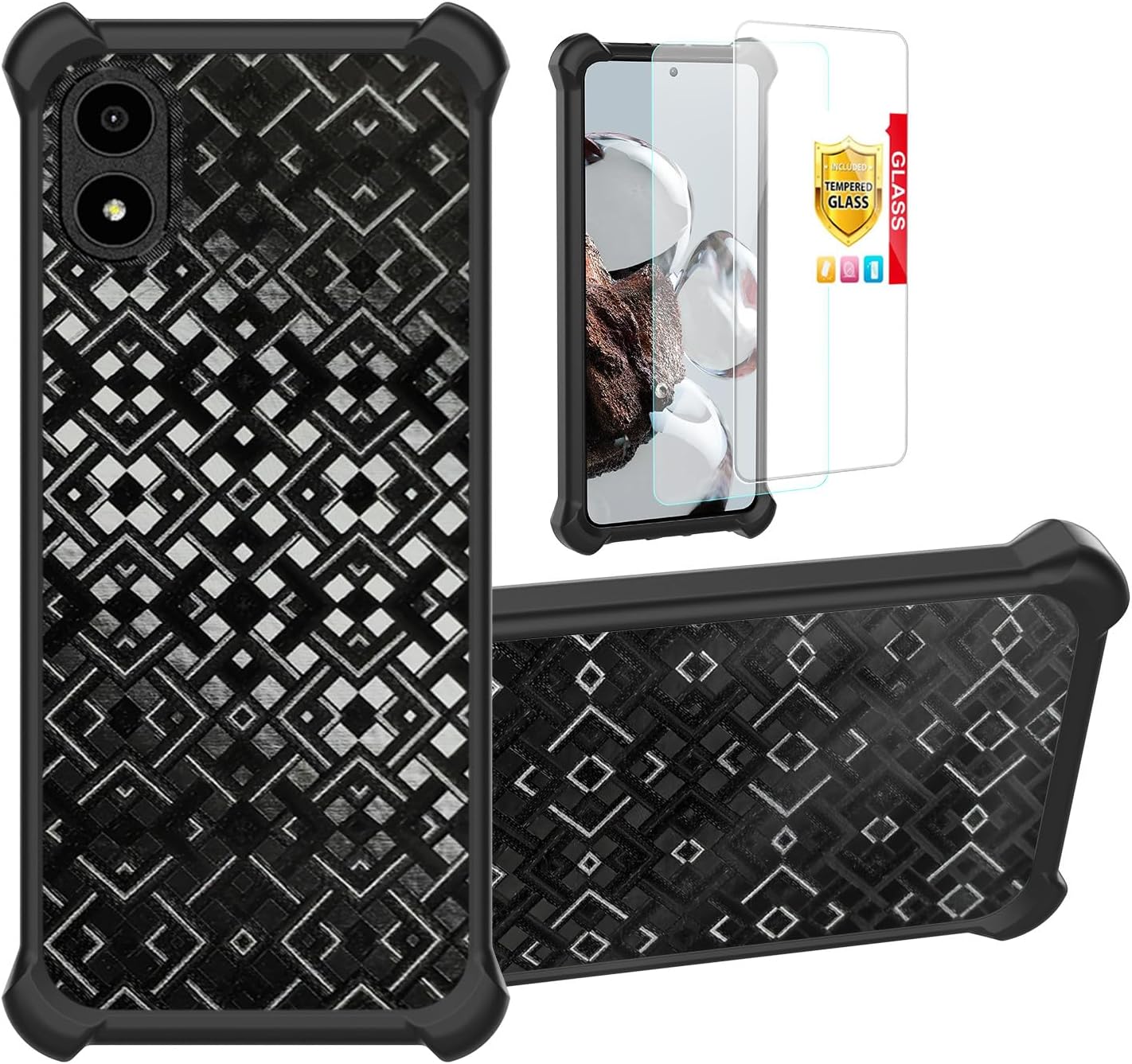
Image: The Aroepurt Hybrid Phone Case in black, showcasing its textured back, alongside two clear tempered glass screen protectors. This image illustrates the complete product package.

Image: A close-up view of the phone case's frosted surface, highlighting its stain-proof, scratch-proof, and fingerprint-proof properties with corresponding icons.
Setup and Installation
1. Installing the Tempered Glass Screen Protector
- Clean the Screen: Thoroughly clean your phone's screen using the provided alcohol wipe and microfiber cloth. Ensure no dust, smudges, or fingerprints remain.
- Align the Protector: Carefully align the tempered glass screen protector with your phone's screen. Pay attention to the cutouts for the camera and sensors.
- Apply: Once aligned, gently lower the protector onto the screen. It will adhere automatically. If bubbles appear, gently push them towards the edges with the microfiber cloth.

Image: A visual representation of the tempered glass screen protector's key features, including 9H hardness, perfect adhesion, shatterproof design, case-friendly fit, high transparency, and anti-fingerprint coating.

Image: An illustration depicting the scratch-proof capability of the screen protector, showing a hammer impacting the glass without causing damage.
2. Installing the Phone Case
- Insert Phone: Gently insert your FOXXD A67L phone into the soft silicone frame of the case, starting with one side and then pressing the other side in.
- Ensure Fit: Make sure all corners of the phone are securely seated within the case's frame. Verify that all ports, buttons, and camera lenses are properly aligned with the case's cutouts.

Image: A detailed view of the phone case's corner, illustrating the integrated shock airbags designed for impact absorption.
Operating and Usage
Once installed, the Aroepurt Hybrid Phone Case provides continuous protection for your FOXXD A67L. The case is designed for daily use and maintains full functionality of your device.
- Button Access: The case features precise cutouts and responsive button covers for easy access to power and volume controls.
- Port Access: All charging ports and headphone jacks remain accessible without removing the case.
- Camera Protection: The raised bezel around the camera module protects the lenses from scratches when placed on flat surfaces.
- Screen Protection: The raised edges around the screen, combined with the tempered glass protector, offer comprehensive front-side defense.

Image: A visual demonstration of the case's 3D variation style, showing how different positions and lighting conditions create varied visual effects and colors on its surface.

Image: A composite image displaying the phone case from various angles, illustrating how its unique 3D design reflects different visual effects depending on the viewing perspective.
Maintenance
To ensure the longevity and appearance of your Aroepurt Hybrid Phone Case and screen protectors, follow these simple maintenance guidelines:
- Cleaning the Case: Wipe the case regularly with a soft, damp cloth to remove dust and smudges. For tougher stains, a mild soap solution can be used, followed by wiping with a clean, dry cloth. Avoid harsh chemicals or abrasive cleaners.
- Cleaning the Screen Protector: Use a microfiber cloth to gently wipe the screen protector. For smudges, a screen cleaner spray designed for electronics can be applied to the cloth (not directly to the screen) and then wiped.
- Avoid Extreme Conditions: Do not expose the case or screen protector to extreme temperatures or direct sunlight for prolonged periods, as this may affect material integrity.
- Inspect Regularly: Periodically inspect the case and screen protector for any signs of wear or damage. If significant damage occurs, consider replacing them to ensure optimal protection for your device.
Troubleshooting
| Problem | Possible Cause | Solution |
|---|---|---|
| Screen protector bubbles after installation. | Dust particles or improper alignment during installation. | Gently lift the nearest edge of the protector and re-apply, pushing out bubbles with a microfiber cloth. Ensure the screen is completely dust-free before re-application. |
| Case does not fit phone correctly. | Incorrect phone model or improper installation. | Verify your phone model is FOXXD A67L. Ensure all corners of the phone are fully seated within the case. |
| Ports or buttons are partially blocked. | Case not fully seated or manufacturing defect. | Re-adjust the phone within the case to ensure proper alignment. If the issue persists, contact customer support. |
| Screen protector cracks easily. | Severe impact or manufacturing defect. | While designed to be shatterproof, extreme impacts can cause damage. Replace the screen protector with one of the two provided. |
Specifications
- Product Name: Aroepurt Hybrid Phone Case
- Compatible Model: FOXXD A67L
- Model Number: FOXXD A67L ZJBB Black
- Material: PC (Polycarbonate) hard back, Silicone soft frame
- Color: Black
- Dimensions: 0.39 x 0.39 x 0.39 inches
- Item Weight: 2.46 ounces
- Screen Protector Hardness: 9H
- Special Features: Fingerprint-resistant frosted surface, Thickened anti-drop design (via Shock Airbags)
Warranty and Support
For any questions, concerns, or issues regarding your Aroepurt Hybrid Phone Case, please contact the seller directly through the platform where you made your purchase. Please refer to your purchase receipt for specific warranty details and return policies.
Seller: Huayijie-us
ASIN: B0FDQ5YWVD