
NEXPEAK bc02-1a
NEXPEAK 15A Battery Charger User Manual
Model: bc02-1a
Brand: NEXPEAK
1. Introduction and Overview
The NEXPEAK 15A Battery Charger (Model: bc02-1a) is an advanced 9-stage smart battery charger and maintainer designed for a wide range of 12V and 24V batteries. It is compatible with both LiFePO4 and lead-acid battery types, including AGM, GEL, SLA, and Flooded batteries. This charger provides efficient and safe charging for vehicles such as cars, trucks, SUVs, motorcycles, lawnmowers, and marine vessels. Its intelligent design incorporates multiple protection features and a pulse repair function to optimize battery performance and extend lifespan.
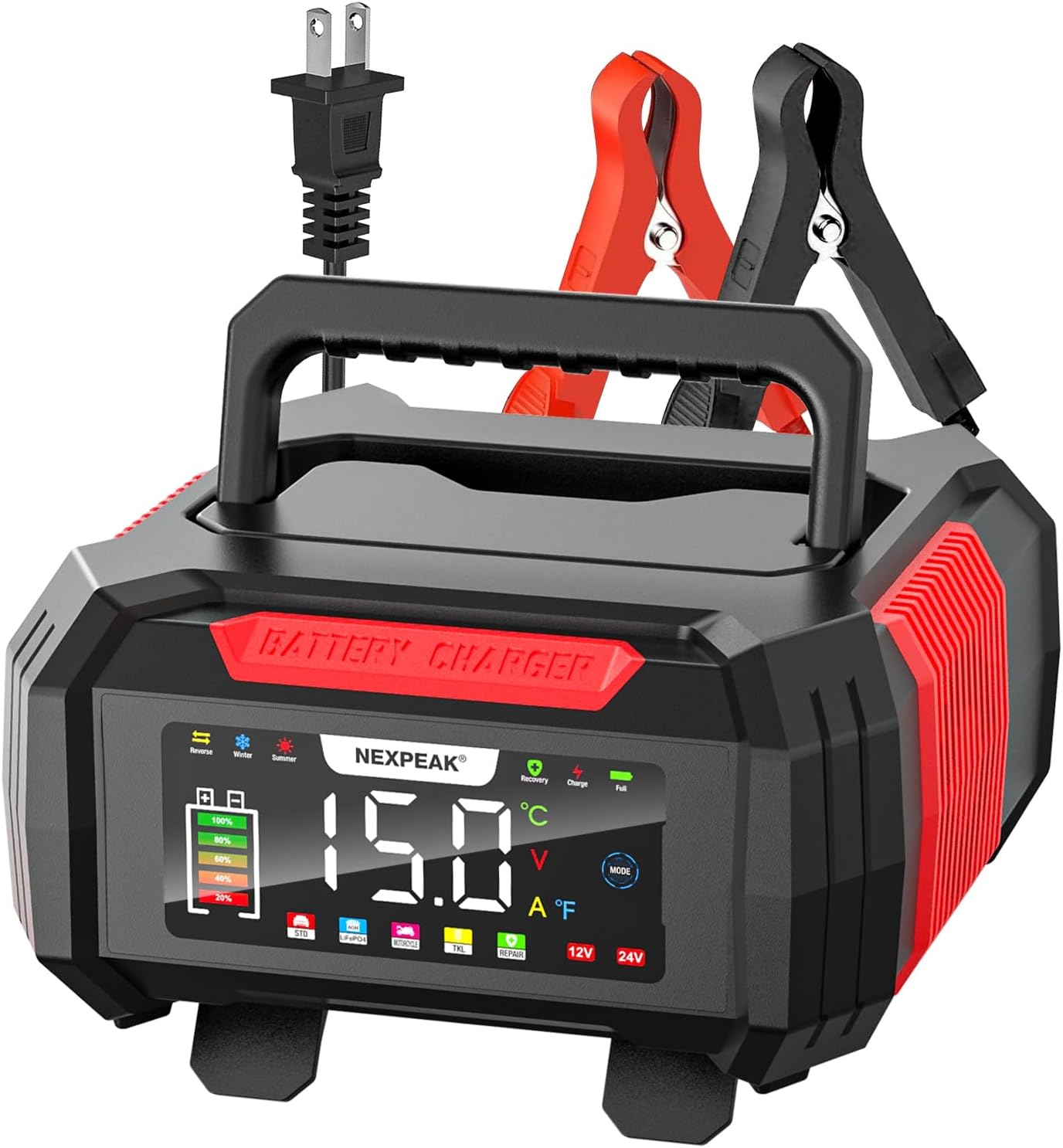
Figure 1: NEXPEAK 15A Battery Charger, front view with display and clamps.
2. Safety Information
Always prioritize safety when operating electrical equipment and handling batteries.
- Read the Manual: Before use, thoroughly read and understand all instructions and safety warnings in this manual.
- Ventilation: Ensure adequate ventilation when charging batteries, as they can produce explosive gases. Do not charge in an enclosed area.
- Eye and Skin Protection: Always wear appropriate eye protection (safety glasses) and protective gloves when working with batteries. Battery acid is corrosive.
- No Smoking/Sparks: Do not smoke or allow sparks or flames in the vicinity of the battery or charger during operation.
- Proper Connection: Connect the battery clamps to the battery terminals correctly before plugging the charger into an AC power outlet. Ensure the charger is unplugged from the AC outlet before disconnecting the clamps.
- Avoid Short Circuits: Prevent the positive and negative clamps from touching each other or touching the same metal surface simultaneously.
- Damaged Equipment: Do not operate the charger if it has been dropped, damaged, or if the cables or clamps are compromised. Contact customer support for assistance.
- Children and Pets: Keep the charger and batteries out of reach of children and pets.
- Intended Use: Use the charger only for its intended purpose as described in this manual.
3. Product Features
The NEXPEAK 15A Battery Charger offers a range of features designed for efficient and safe battery maintenance:
- Versatile Battery Compatibility: Supports both 12V and 24V LiFePO4 and lead-acid batteries (AGM, GEL, SLA, Flooded).
- High-Speed Quick Charge: Provides 15-Amp (12V) and 8-Amp (24V) charging, significantly faster than lower-amperage chargers.
- 9-Stage Smart Charging: An advanced charging process that optimizes battery health and extends cycle life. This includes stages like Battery Detection, Desulphation, Soft Start, Bulk Charging, Absorption Charging, Battery Test, Recondition Charging, Float & Maintenance Charging, and Monitoring.
- 1.75A Trickle Charger Mode (TKL): Automatically enters a trickle/float charging mode after full charge, maintaining battery levels over extended periods without overcharging. Ideal for stored vehicles or seasonal equipment.
- Bright LCD Color Screen: An extra-large display provides clear visibility of charging status, voltage, current, temperature (℉), charge percentage, and selected modes (Summer/Winter).
- Pulse Repair Function: Automatically detects battery sulfation and acid stratification, utilizing pulse technology to restore lost battery performance and improve starting power. Note: This function cannot activate or charge completely dead batteries (below 1V).
- Comprehensive Safety Protections: Features smart control, temperature compensation, reverse polarity protection, cooling system, overcurrent protection, fireproof material, overcharge protection, and short circuit protection.
- Temperature Compensation: Automatically adjusts charging parameters based on ambient temperature, ensuring optimal charging in both hot (Summer Mode, above 82°F) and cold (Winter Mode, below 50°F) climates.
- Convenient Design: Features a removable cover for cable storage and a lengthened 10ft charging cable for ease of use.

Figure 2: High-speed quick charge capability for Lead-Acid and LiFePO4 batteries.

Figure 3: The 1.75Amp trickle charger mode for maintaining stored batteries.
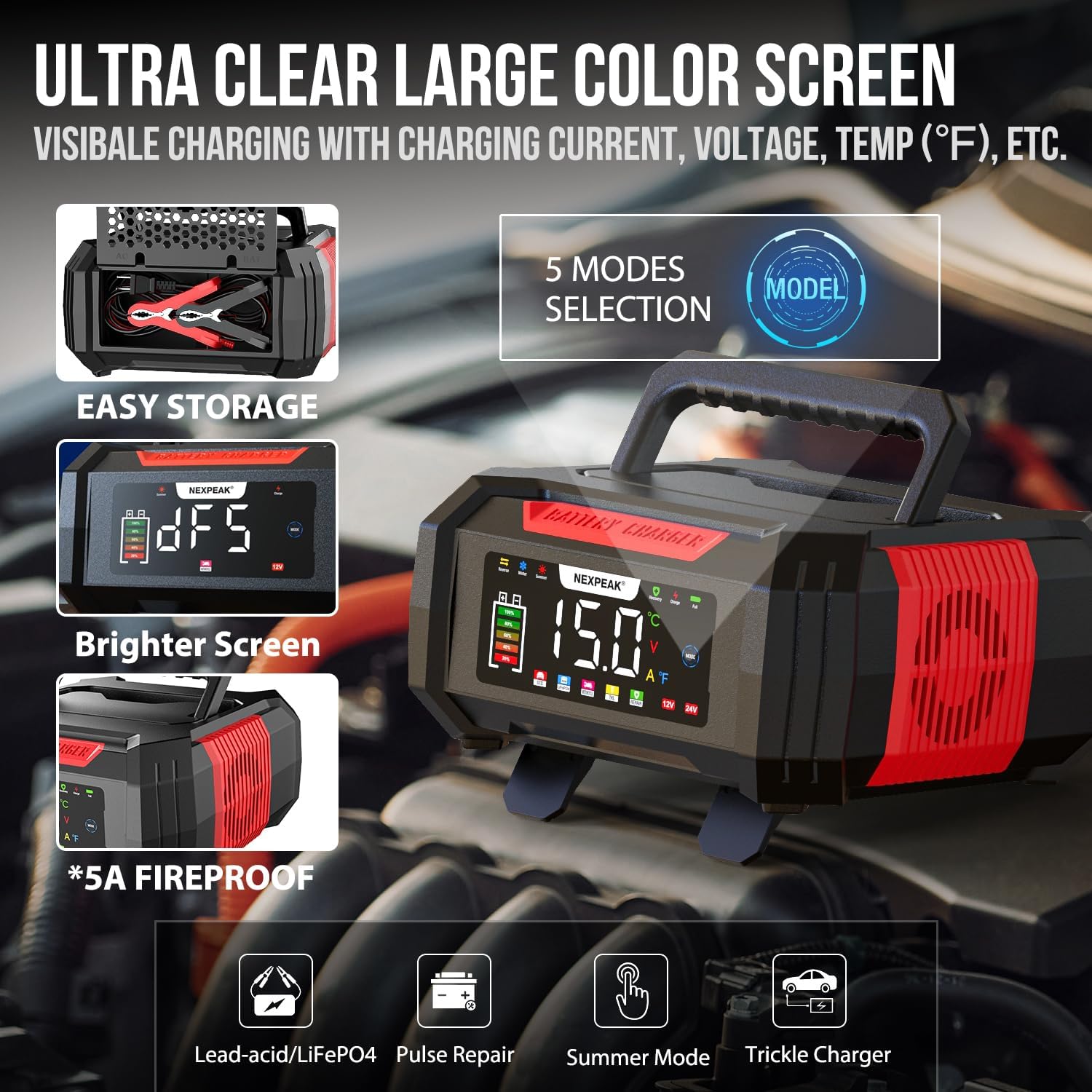
Figure 4: Ultra-clear large color screen and mode selection.
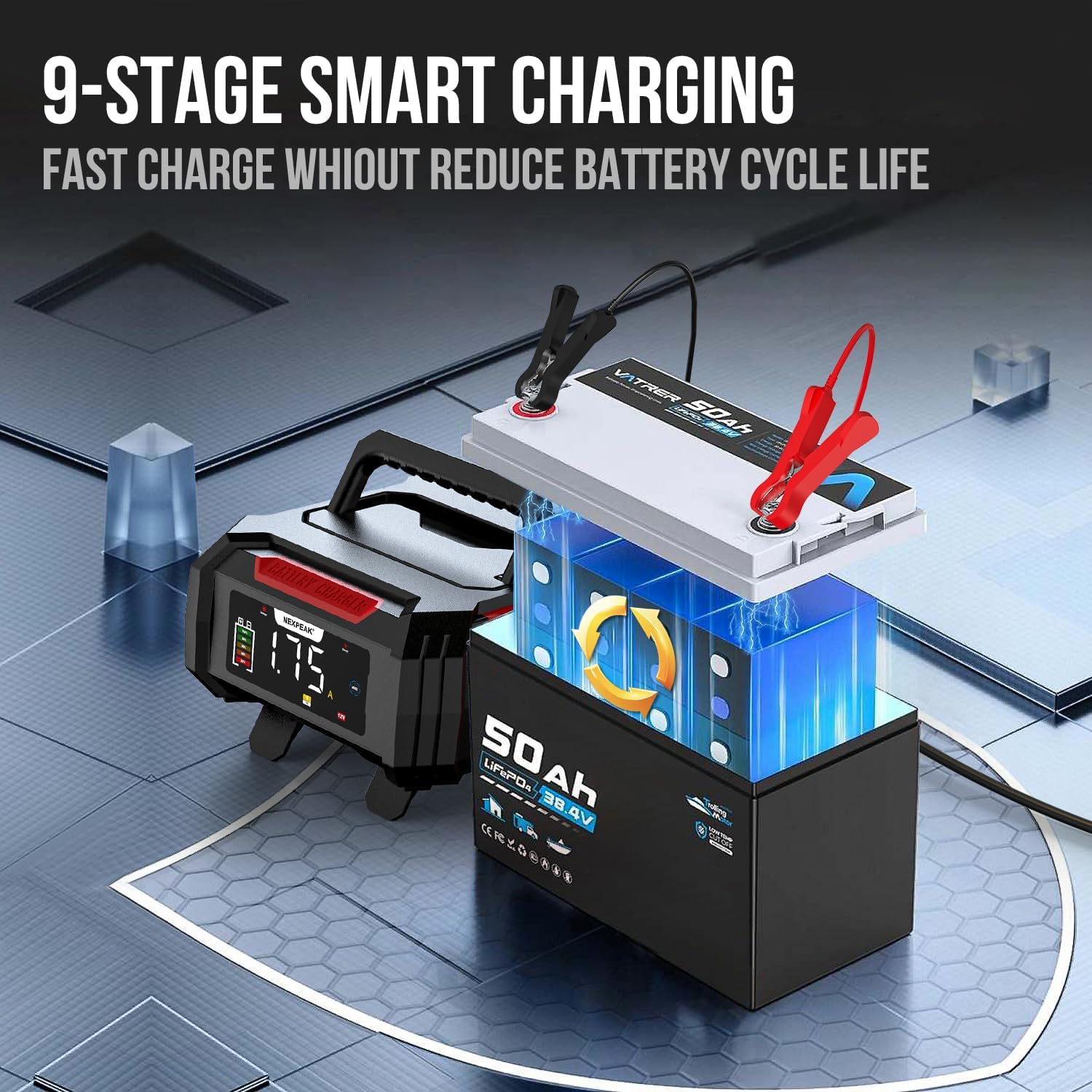
Figure 5: Illustration of the 9-stage smart charging process.

Figure 6: The pulse repair function for restoring battery performance.
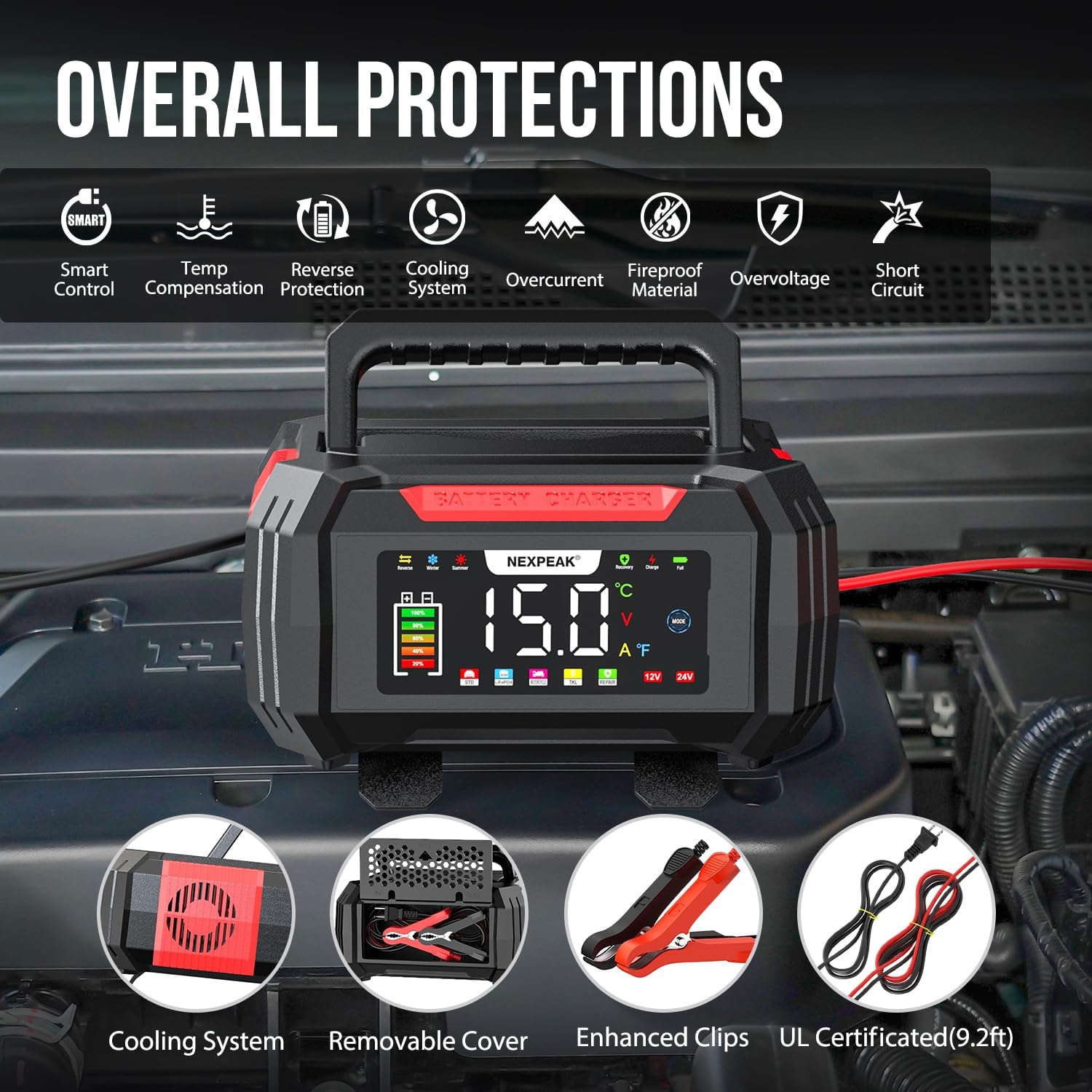
Figure 7: Overview of the comprehensive safety protections.

Figure 8: Temperature compensation for optimized charging in different climates.
4. Setup
Follow these steps to set up your NEXPEAK battery charger:
- Prepare the Battery: Ensure the battery terminals are clean and free of corrosion. If necessary, clean them with a wire brush.
- Connect Clamps:
- Connect the red positive (+) clamp to the positive (+) terminal of the battery.
- Connect the black negative (-) clamp to the negative (-) terminal of the battery.
Important: Ensure the charger is NOT plugged into an AC power outlet before connecting the clamps to the battery.
- Plug in Charger: Once the clamps are securely connected to the battery, plug the charger's AC power cord into a standard 120V AC wall outlet.
- Initial Display: The charger's LCD screen will illuminate and display the current battery voltage and other information.
5. Operating Instructions
The NEXPEAK charger operates largely automatically, but you can select specific modes as needed.
5.1 Automatic Charging
After connecting the charger to the battery and power outlet, the charger will automatically detect the battery type (12V or 24V) and begin the appropriate 9-stage charging process. The LCD screen will show real-time charging voltage, current, temperature, and charge percentage.
5.2 Mode Selection
Press the MODE button on the charger's display to cycle through available charging modes. The charger offers 5 modes:
- Standard Charge: Default mode for general charging.
- LiFePO4: Specific mode for Lithium Iron Phosphate batteries.
- Pulse Repair (PUL): For desulfation and repair of lead-acid batteries. Select this mode if your battery is showing signs of sulfation or reduced performance. The charger will attempt to restore the battery.
- Summer Mode: Automatically activated when ambient temperature is above 82°F (28°C). Adjusts charging parameters for hot climates.
- Winter Mode: Automatically activated when ambient temperature is below 50°F (10°C). Adjusts charging parameters for cold climates.
- Trickle Charge (TKL): Automatically engaged after a full charge to maintain the battery. This mode is ideal for long-term storage.
5.3 Disconnecting the Charger
- Unplug the charger's AC power cord from the wall outlet.
- Disconnect the black negative (-) clamp from the battery's negative (-) terminal.
- Disconnect the red positive (+) clamp from the battery's positive (+) terminal.
6. Maintenance
Proper maintenance ensures the longevity and optimal performance of your NEXPEAK battery charger.
- Cleaning: Disconnect the charger from all power sources and batteries before cleaning. Wipe the exterior with a soft, damp cloth. Do not use harsh chemicals or abrasive cleaners.
- Cable and Clamp Inspection: Regularly inspect the charging cables and clamps for any signs of damage, fraying, or corrosion. Replace if damaged.
- Storage: Store the charger in a cool, dry place when not in use. Utilize the removable cover to neatly store the cables and clamps within the unit.
- Ventilation: Ensure the cooling vents on the charger are not blocked during operation to prevent overheating.
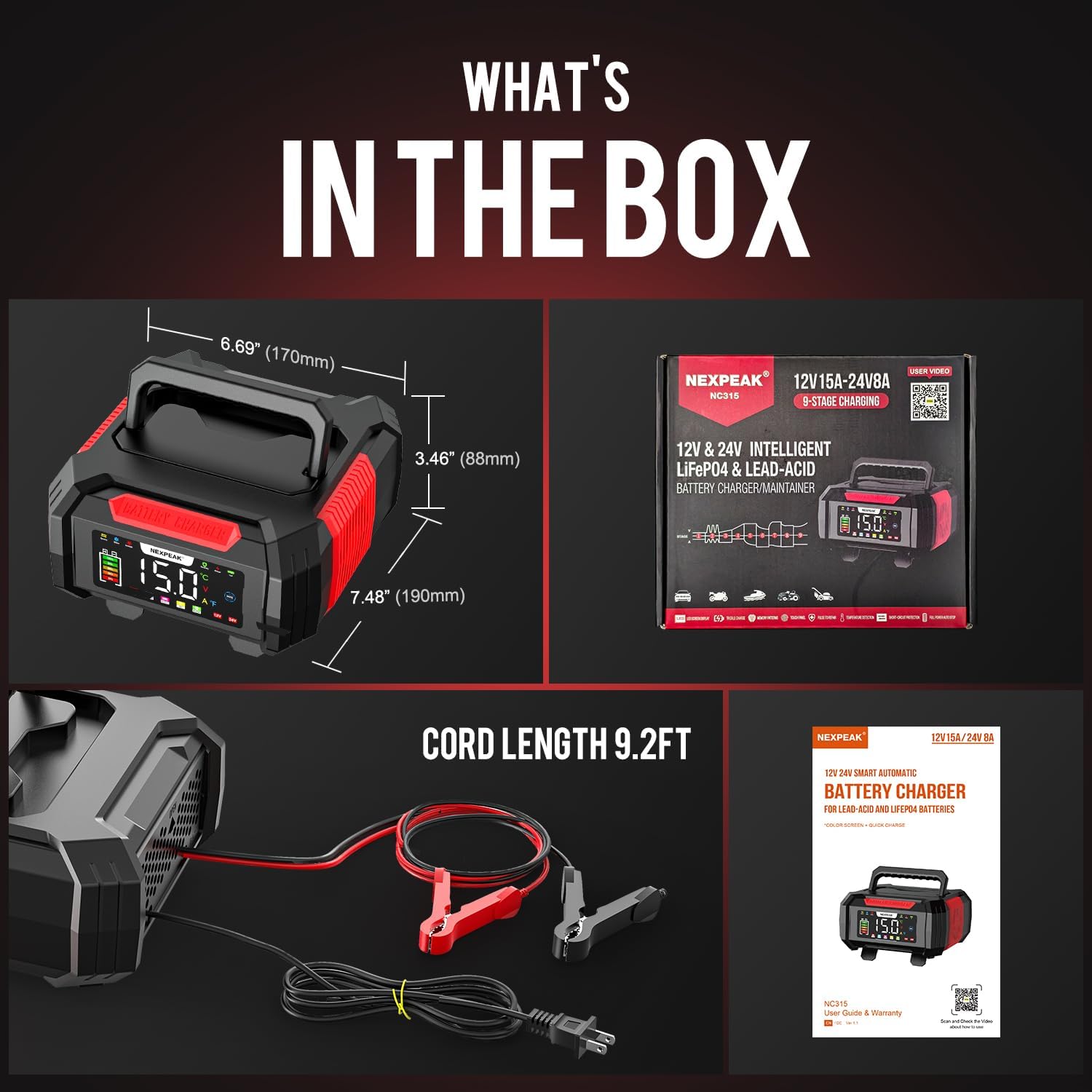
Figure 9: What's in the box, showing the charger and its accessories.
7. Troubleshooting
If you encounter issues with your NEXPEAK battery charger, refer to the following common problems and solutions:
| Problem | Possible Cause | Solution |
|---|---|---|
| Charger does not turn on. | No power from outlet; loose connection; charger malfunction. | Check the wall outlet with another device. Ensure the power cord is securely plugged into the charger and the outlet. |
| Charger displays an error or warning. | Reverse polarity; short circuit; overcharge; battery fault. | Disconnect the charger immediately. Check clamp connections for correct polarity (+ to + and - to -). Inspect cables for damage. If the error persists, the battery may be faulty or the charger requires service. |
| Battery not charging or charging slowly. | Poor connection; battery sulfation; battery is completely dead (below 1V); incorrect mode selected. | Ensure clamps have good contact with battery terminals. Try the Pulse Repair (PUL) mode for sulfated lead-acid batteries. Note that the charger cannot activate or charge batteries with voltage below 1V. Verify the correct battery type mode is selected. |
| Charger gets warm during operation. | Normal operation; blocked ventilation. | It is normal for the charger to get warm during charging. Ensure the cooling vents are not obstructed and there is adequate airflow around the unit. If it becomes excessively hot, disconnect and allow it to cool. |
8. Specifications
| Feature | Detail |
|---|---|
| Model Number | bc02-1a |
| Input Voltage | 100-240V AC, 50/60Hz |
| Output Voltage | 12V DC, 24V DC |
| Output Current | 12V: 15A; 24V: 8A |
| Trickle Charge Current | 1.75A |
| Battery Types | LiFePO4, Lead-Acid (AGM, GEL, SLA, Flooded) |
| Charging Stages | 9-Stage Smart Charging |
| Pulse Repair Function | Yes (for lead-acid batteries, not for batteries below 1V) |
| Temperature Compensation | Yes (Summer Mode >82°F, Winter Mode <50°F) |
| Display | Large LCD Color Screen |
| Product Dimensions | 8.46"D x 7.16"W x 4.13"H (21.5cm x 18.2cm x 10.5cm) |
| Item Weight | 2.1 pounds (0.95 kg) |
| Cable Length | 9.2 ft (2.8 m) |
9. Warranty and Support
NEXPEAK stands behind the quality of its products. A replacement is available for any quality issue. For technical support, warranty claims, or any questions regarding your NEXPEAK 15A Battery Charger, please contact NEXPEAK customer service.
Please refer to the contact information provided on the product packaging or the official NEXPEAK website for the most up-to-date support details.
Ask a question about this manual
Ask about setup, troubleshooting, compatibility, parts, safety, or missing instructions. Manuals+ will review the question and use this page’s manual context to help answer it.