
1. Introduction
Thank you for choosing the Mova E40 Ultra Robot Vacuum and Mop. This device is designed to provide efficient and autonomous cleaning for your home, combining powerful vacuuming with effective mopping. Please read this manual thoroughly before using the product to ensure proper operation, maintenance, and safety.
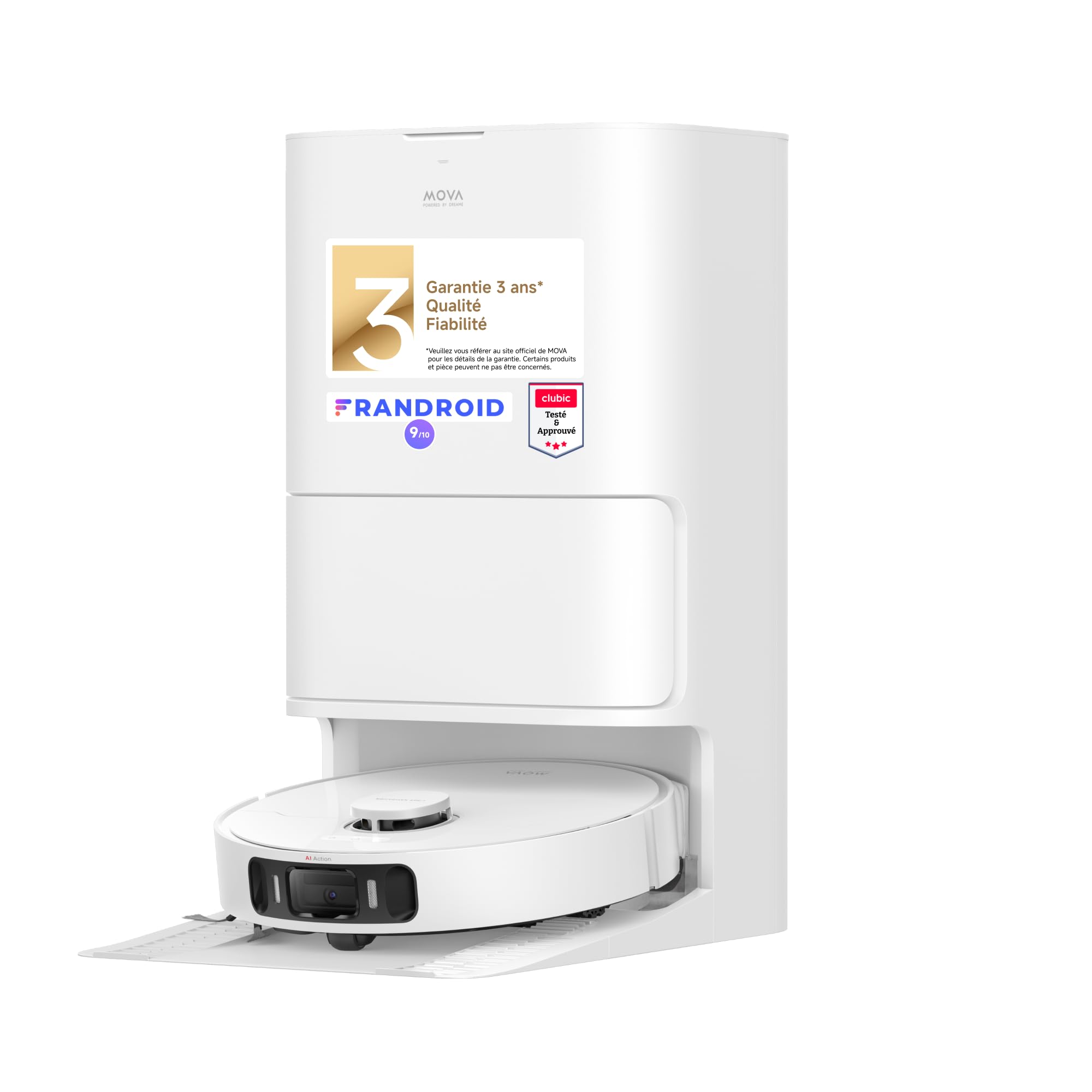
The Mova E40 Ultra robot vacuum and mop with its all-in-one base station.
2. Safety Instructions
To reduce the risk of injury or damage, read these safety instructions carefully and keep them for future reference.
- This appliance can be used by children aged 8 years and above and persons with reduced physical, sensory or mental capabilities or lack of experience and knowledge if they have been given supervision or instruction concerning use of the appliance in a safe way and understand the hazards involved.
- Children should be supervised to ensure that they do not play with the appliance.
- Cleaning and user maintenance shall not be made by children without supervision.
- Do not use the robot in environments with open flames or fragile objects.
- Ensure the charging base is placed on a flat surface against a wall, with adequate clear space around it.
- Do not use the robot to pick up large debris, liquids, or burning objects.
- Regularly clean the brushes and sensors to maintain optimal performance.
3. Package Contents
Verify that all components are present in the package:
- Mova E40 Ultra Robot Vacuum and Mop
- All-in-One Auto-Empty and Mop Washing Base Station
- Dust Bag (pre-installed or spare)
- Clean Water Tank
- Dirty Water Tank
- Mop Pads (pre-installed or spare)
- Side Brush (pre-installed or spare)
- Main Brush
- HEPA Filter (pre-installed or spare)
- Power Cord
- User Manual
4. Product Overview
Key Features
- Powerful 19,000 Pa Suction: MOVA's exclusive 90,000 rpm TurboForce 6 motor delivers 19,000 Pa suction power for thorough, quiet cleaning.
- MaxiReach Mopping Technology: The automatic extendable mop allows the E40 Ultra to easily reach confined spaces, cleaning gaps under furniture and narrow corners up to 4 cm deep.
- Anti-Tangle Side Brush: Features a 45° angled rubber strip that guides hair downwards, dislodging it from the brush for tangle-free operation.
- All-in-One Base: Provides automatic mop washing, hot air drying for mop pads, and an automatic emptying system with a 3.2 L dust bag for up to 75 days of autonomous cleaning.
- Monoline Laser Obstacle Avoidance: Detects and bypasses objects, limiting collisions and ensuring uninterrupted cleaning.
- Integrated 80 mL Water Tank: Offers precise humidification of mop pads with three flow rates for various cleaning needs.
- Ultrasonic Carpet Detection: Automatically lifts mop pads by 10.5 mm when a carpet is detected to prevent wetting, and optimizes suction for deep carpet cleaning.
- 5200 mAh Battery: Provides extended cleaning time with 30% faster recharging.
- Smart Mapping: Creates detailed 3D maps of your home for customized cleaning zones, no-go areas, and scheduling via the smartphone app.
Components
Familiarize yourself with the main components of your Mova E40 Ultra and its base station.
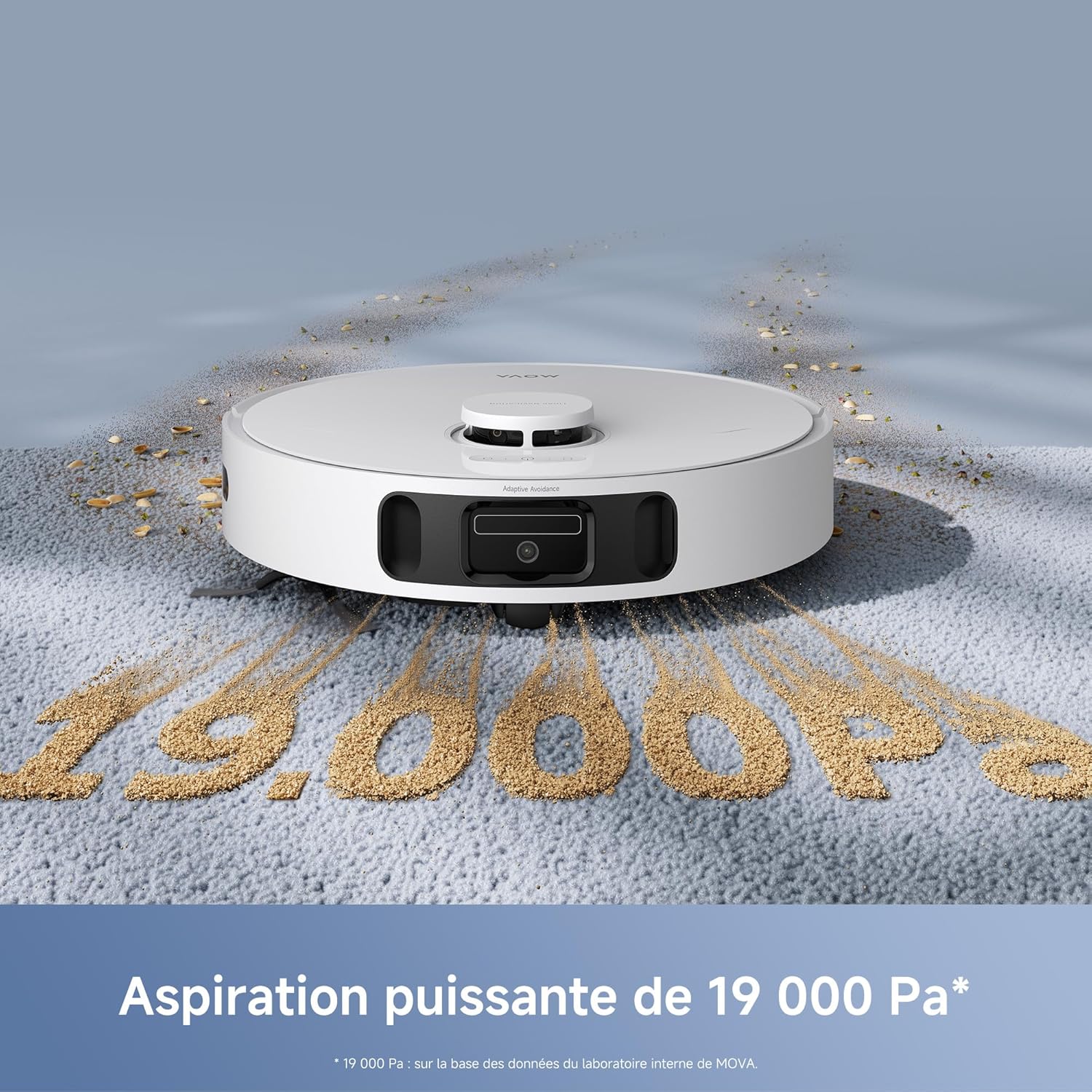
The Mova E40 Ultra robot vacuum on a carpet, illustrating its powerful 19,000 Pa suction capability, effectively collecting debris.

The Mova E40 Ultra robot mop extending its mop pads to clean close to furniture edges, showcasing the MaxiReach technology.

An underside view of the Mova E40 Ultra, highlighting the anti-tangle side brush designed to prevent hair entanglement during cleaning.

The Mova E40 Ultra robot vacuum navigating a room, using its monoline laser system to detect and avoid obstacles like slippers and furniture.
5. Setup
5.1 Unpacking
Carefully remove all components from the packaging. Remove any protective films or stickers from the robot and the base station.
5.2 Base Station Placement
Place the all-in-one base station on a hard, level surface against a wall. Ensure there is at least 0.5 meters (1.6 feet) of clear space on both sides and 1.5 meters (5 feet) in front of the base for optimal robot navigation and docking. Connect the power cord to the base station and plug it into a power outlet.

The Mova E40 Ultra robot docked at its all-in-one base station, showing the clean and dirty water tanks for automatic mop washing and refilling.
5.3 Initial Charge
Place the robot onto the charging base. Ensure the charging contacts on the robot align with those on the base. The robot will automatically begin charging. For first-time use, fully charge the robot before operation (approximately 6 hours).

The Mova E40 Ultra robot vacuum charging at its base station, indicated by a lightning bolt icon.
5.4 App Download and Connection
- Download the Mova app from your smartphone's app store (iOS or Android).
- Open the app and create an account.
- Follow the in-app instructions to add your Mova E40 Ultra device. This typically involves pressing a button on the robot to enter pairing mode and connecting to your home Wi-Fi network.

The Mova E40 Ultra robot vacuum alongside a smartphone displaying its 3D mapping feature, allowing for customized cleaning zones and settings.
5.5 Initial Mapping
Once connected, initiate a mapping run through the app. The robot will navigate your home to create a detailed map without cleaning. This map is essential for advanced features like zone cleaning and setting no-go areas.
6. Operating Instructions
6.1 Starting/Stopping Cleaning
- Via App: Tap 'Start Cleaning' on the main screen of the Mova app.
- Via Robot Button: Press the power button on the robot once to start or pause cleaning.
6.2 Cleaning Modes
The Mova E40 Ultra offers various cleaning modes, selectable via the app:
- Vacuum Only: For dry debris collection.
- Mop Only: For wet cleaning (ensure water tank is filled).
- Vacuum & Mop: Simultaneous vacuuming and mopping. The robot will lift mops on carpets.
- Zone Cleaning: Select specific areas on the map for cleaning.
- Spot Cleaning: Direct the robot to clean a small, concentrated area.
6.3 Water Level Adjustment for Mopping
The integrated 80 mL water tank allows for precise control over mop pad humidification. Adjust the water flow rate (Low, Medium, High) via the Mova app to suit different floor types and cleaning needs.

A close-up view of the Mova E40 Ultra's integrated 80ml water tank, which precisely humidifies the mop pads during operation.
6.4 Scheduling and Customization
Use the Mova app to:
- Set cleaning schedules for specific times and days.
- Define no-go zones or virtual walls to restrict the robot from certain areas.
- Adjust suction power and water flow levels.
- Manage and edit saved maps.
7. Maintenance
Regular maintenance ensures optimal performance and extends the lifespan of your Mova E40 Ultra.
7.1 All-in-One Base Maintenance
- Dust Bag Replacement: The 3.2 L dust bag in the base station needs replacement approximately every 75 days, depending on usage. The app will notify you when it's full.
- Clean/Dirty Water Tanks: Regularly empty the dirty water tank and refill the clean water tank. Clean both tanks periodically to prevent mold or odors.
- Mop Washing Tray: Clean the mop washing tray in the base station to remove accumulated dirt and debris.
7.2 Robot Components
- Mop Pads: The robot automatically washes and hot-air dries the mop pads. Replace mop pads when they show signs of wear or reduced cleaning effectiveness.
- Side Brush: Regularly check and clean the anti-tangle side brush for any hair or debris. Replace if bristles are damaged.
- Main Brush: Remove the main brush cover and clean the main brush. Use the cleaning tool to cut and remove tangled hair.
- HEPA Filter: Tap the filter to remove dust or rinse it under running water (ensure it's completely dry before reinstallation). Replace every 3-6 months.
- Sensors: Wipe all sensors (cliff sensors, obstacle avoidance sensors, charging contacts) with a clean, dry cloth.

A detailed view of the optional CleanChop Brush 3.0, showing its precision cutting heads designed to prevent hair entanglement on the main brush.
8. Troubleshooting
If you encounter issues with your Mova E40 Ultra, refer to the following common problems and solutions:
| Problem | Possible Cause | Solution |
|---|---|---|
| Robot does not turn on or charge. | Low battery; charging contacts are dirty; power cord not connected. | Ensure robot is on the charging base; clean charging contacts; check power connection. |
| Robot gets stuck frequently. | Obstacles in the path; sensors are dirty. | Clear obstacles; clean all sensors. |
| Poor vacuuming performance. | Dust bag full; main brush or side brush tangled; filter clogged. | Replace dust bag; clean brushes; clean/replace filter. |
| Poor mopping performance or streaks. | Water tank empty; mop pads dirty or worn; incorrect water flow setting. | Refill water tank; clean/replace mop pads; adjust water flow in app. |
| Robot cannot return to charging base. | Base station obstructed; robot too far from base; base station not powered. | Ensure clear path to base; place robot closer to base; check base power. |
For further assistance, please refer to the Mova app or contact customer support.
9. Specifications
| Feature | Specification |
|---|---|
| Brand | Mova |
| Model Name | Mova E40 Ultra |
| Model Number | RLE21SE |
| Suction Power | 19,000 Pa |
| Battery Type | Lithium-ion |
| Battery Capacity | 5200 mAh |
| Dust Bag Capacity (Base) | 3.2 L (up to 75 days autonomous cleaning) |
| Integrated Water Tank Capacity | 80 mL |
| Product Dimensions (L x W x H) | 35L x 35W x 9.7H cm |
| Item Weight | 12.35 Kilograms |
| Noise Level | 56 Decibels |
| Filter Type | HEPA |
| Control Methods | App Control, Button Control, Voice Control, Remote Control, Touch |
| Special Features | Anti-Fall, Anti-collision, Automatic Dust Collection, Advanced Customized Cleaning, Smart Mapping, MaxiReach Mopping, Anti-Tangle Side Brush, Ultrasonic Carpet Detection |
| Recommended Uses | Floor Cleaning, Carpet, Hard Floors |
| Country of Origin | China |

A comparison table highlighting key features and differences between the Mova E40 Ultra and Mova E30 Ultra robot vacuums, including suction power, mopping technology, and base station capabilities.
10. Warranty and Support
10.1 Warranty Information
The Mova E40 Ultra comes with a 3-year warranty, ensuring reliability and quality. Please retain your proof of purchase for warranty claims.
10.2 Customer Support
For technical support, troubleshooting assistance, or warranty inquiries, please contact Mova customer service through the official Mova website or the support section within the Mova app. You can also refer to the FAQ section on the Mova website for common questions.


