
MACFOX X1S
MACFOX X1S Electric Bike User Manual
Model: X1S
1. Introduction
Welcome to the MACFOX X1S Electric Bike user manual. This guide provides essential information for the safe and efficient operation, assembly, maintenance, and troubleshooting of your new electric bike. Please read this manual thoroughly before your first ride to ensure optimal performance and safety.

Image: The MACFOX X1S Electric Bike, showcasing its robust design and fat tires.
2. Safety Information
Your safety is paramount. Always adhere to local traffic laws and regulations. While the MACFOX X1S electric bike has a maximum speed of 25 MPH and typically does not require a driver's license, it is crucial to wear a helmet and other protective gear during every ride.
General Safety Guidelines:
- Always wear a certified helmet.
- Perform a pre-ride inspection before each use.
- Be aware of your surroundings and traffic.
- Do not ride under the influence of alcohol or drugs.
- Ensure proper lighting for night riding.
- Familiarize yourself with the braking system.
3. Product Features
The MACFOX X1S is engineered for performance and durability, offering a powerful and comfortable riding experience.
Key Features:
- Peak Power 750W Motor: Equipped with a 500W high-octane brushless motor, providing 750W peak power and 65NM of torque for effortless traversal across various terrains.
- 25 MPH Top Speed: Compliant with regulations, offering a maximum speed of 25 MPH.
- Lightweight High-Strength Steel Frame: Designed for stability, durability, and resilience, capable of handling wheelie impacts.
- 20" x 4.0" CST Fat Tires: Features a multi-section tread pattern for unparalleled grip and traction on dry land, muddy roads, smooth asphalt, and loose sand.
- Front Shock Absorber: Inhibits spring bouncing after impacts, enhancing driving smoothness.
- Dual Battery System (Optional): Offers extended range for longer rides.
- Reliable Disc Brakes: Front and rear disc brakes ensure dependable stopping power.
- Backlit LCD Screen: Provides clear ride information day or night.
- Extended Seat: Designed for maximum comfort during long rides.

Image: Visual representation of the MACFOX X1S highlighting its 750W peak power, 25 MPH top speed, and 76 miles max range.

Image: Detailed view of the high-performance 750W motor and the dual battery system of the MACFOX X1S.
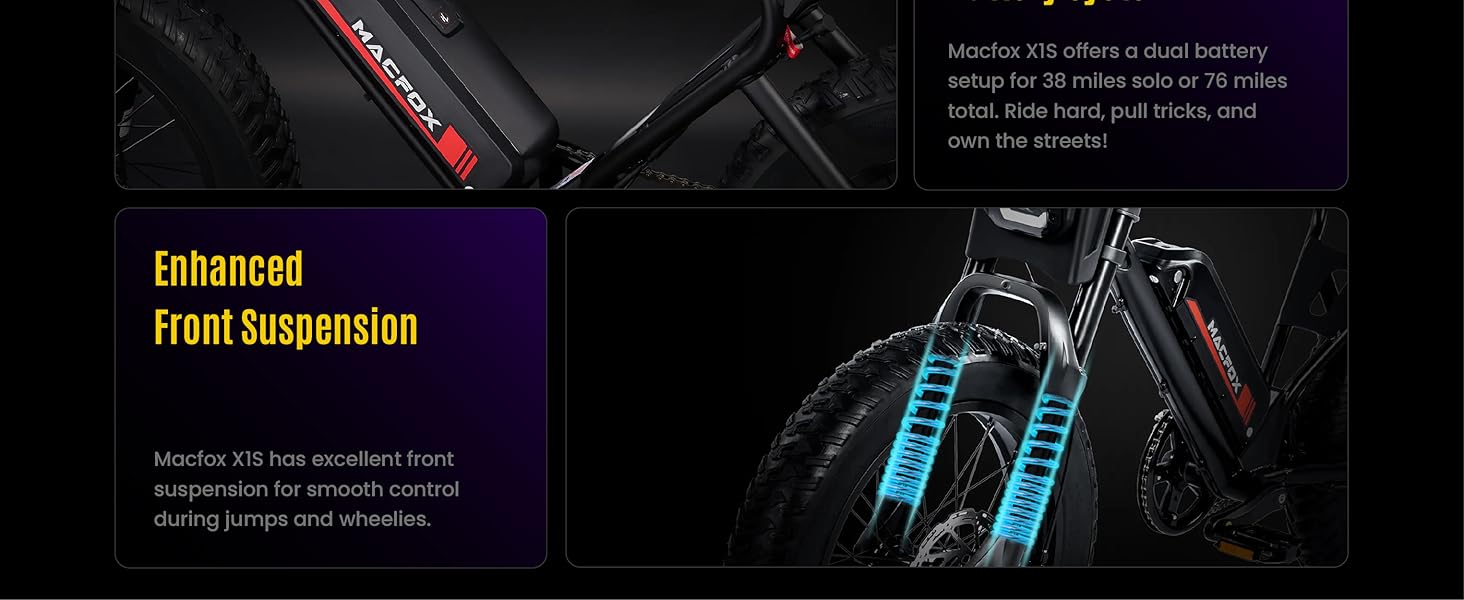
Image: Close-up of the 20" x 4" fat tires and reliable disc brakes, emphasizing grip and stopping power.
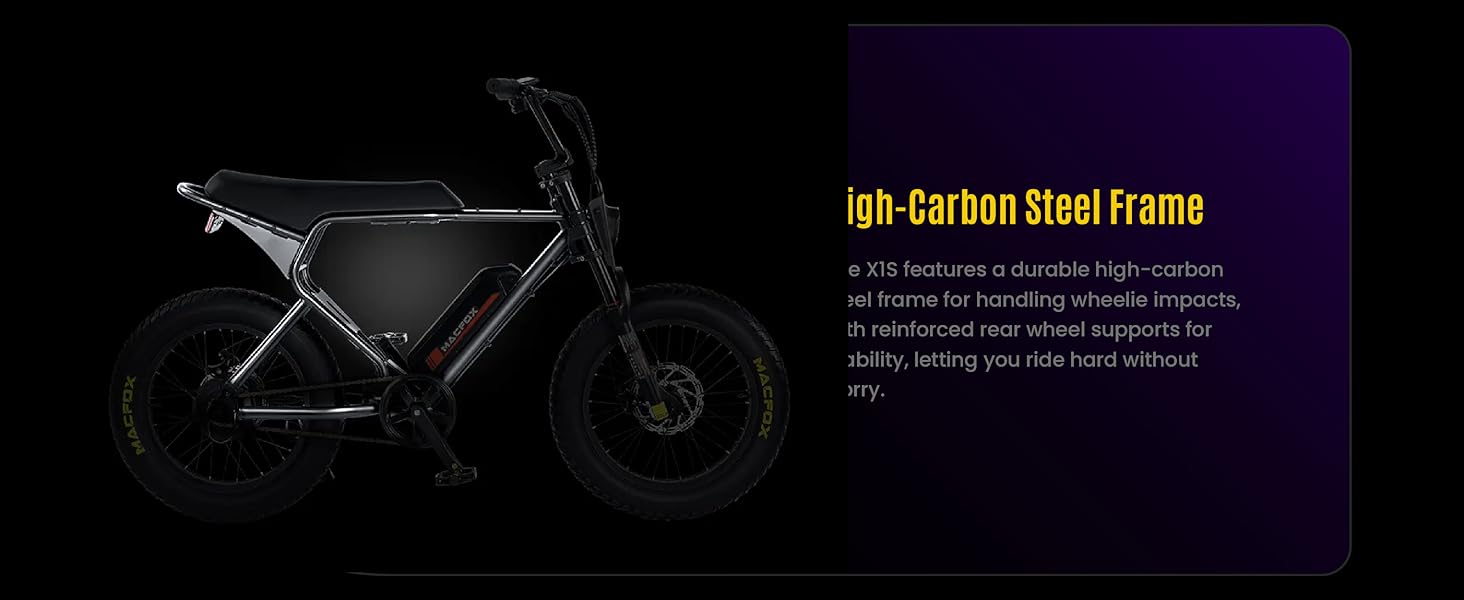
Image: The backlit LCD screen for clear ride information and the extended seat designed for comfort.
4. Setup and Assembly
The MACFOX X1S requires some assembly upon arrival. A tool kit is included to assist with the process. It is recommended to have two people for certain steps.
Assembly Steps:
- Unpacking: Carefully remove all components from the packaging. Retain the original box for potential returns or future transport.
- Handlebar Installation: Attach the handlebars to the stem, ensuring they are centered and tightened securely.
- Front Wheel Attachment: Install the front wheel, aligning the disc brake rotor with the caliper.
- Pedal Installation: Screw the pedals into the crank arms. Note that pedals are typically marked 'L' for left and 'R' for right, and the left pedal has a reverse thread.
- Seat Adjustment: Adjust the seat height for a comfortable and safe riding position.
- Battery Insertion: Insert the battery securely into its compartment.
- Pre-Ride Checks: Before your first ride, double-check all bolts, nuts, and quick releases to ensure they are properly tightened. Verify tire pressure and brake functionality.
5. Operating Instructions
Operating your MACFOX X1S is straightforward. Familiarize yourself with the controls before riding.
Starting the Bike:
- Ensure the battery is charged and properly installed.
- Press and hold the power button on the LCD display to turn on the bike.
Riding Modes:
- Pedal Assist Mode: The motor provides assistance as you pedal. Adjust the assist level using the '+' and '-' buttons on the display.
- Throttle Mode: Use the twist throttle to engage the motor without pedaling.
Braking:
- Apply both front and rear brakes simultaneously for effective stopping.
- Practice braking in a safe, open area to understand the bike's stopping distance.
LCD Display:
The backlit LCD screen provides real-time information such as speed, battery level, assist level, and distance traveled. Refer to the detailed display manual for specific functions.
Video: A rider demonstrating the MACFOX X1S in various urban and scenic environments, including San Francisco. This video highlights the bike's maneuverability and suitability for city commuting.
Video: An overview of the MACFOX Ebike for adults, showcasing its features and design. This video provides a general impression of the bike's capabilities and target audience.
Video: A demonstration of personalized paint options for MACFOX bikes, highlighting customization possibilities. This video is useful for users interested in personalizing their bike's appearance.
6. Maintenance
Regular maintenance ensures the longevity and safe operation of your MACFOX X1S electric bike.
Routine Checks:
- Tires: Check tire pressure regularly. The 20" x 4.0" fat tires typically require specific pressure ranges for optimal performance and comfort. Refer to the tire sidewall for recommended PSI.
- Brakes: Inspect brake pads for wear and ensure brake levers are firm and responsive. Adjust as needed.
- Chain: Keep the chain clean and lubricated to prevent rust and ensure smooth pedaling.
- Battery: Store the battery in a cool, dry place. Charge it regularly, even when not in use, to maintain battery health. Avoid fully discharging the battery.
- Fasteners: Periodically check all bolts, nuts, and screws for tightness.
- Cleaning: Clean the bike with a damp cloth. Avoid high-pressure washing directly on electrical components.
7. Troubleshooting
This section addresses common issues you might encounter with your MACFOX X1S electric bike.
Common Issues and Solutions:
| Problem | Possible Cause | Solution |
|---|---|---|
| Bike does not power on | Battery not charged or improperly installed; loose connections | Charge battery; ensure battery is fully seated; check all electrical connections. |
| Motor not assisting | Low battery; assist level set to zero; brake levers engaged | Charge battery; increase assist level; ensure brake levers are fully released. |
| Brakes feel spongy or weak | Worn brake pads; air in hydraulic lines (if applicable); misaligned caliper | Inspect and replace brake pads; consult a bike mechanic for brake bleeding or caliper adjustment. |
| Unusual noises during riding | Loose components; dry chain; rubbing brakes | Check all fasteners; lubricate chain; adjust brake caliper or rotor. |
If you encounter issues not listed here or require further assistance, please contact MACFOX customer support.
8. Specifications
Detailed specifications for the MACFOX X1S Electric Bike:
| Specification | Value |
|---|---|
| Bike Type | Electric Bike |
| Model Name | X1S |
| Brand | MACFOX |
| Motor Peak Power | 750W |
| Top Speed | 25 MPH |
| Frame Material | High Carbon Steel |
| Wheel Width | 20 Inches (4.0" Fat Tires) |
| Suspension Type | Front |
| Brake Style | Disc |
| Number of Speeds | 1 (with pedal assist levels) |
| Included Components | Tool Kit |
| Assembly Required | Yes |
| Color (as reviewed) | Black-Dual Battery |

Image: Technical drawing illustrating the key dimensions of the MACFOX X1S Electric Bike, including total length, handlebar height, wheelbase, seat height, wheel diameter, and seat length.
9. Warranty and Support
MACFOX is committed to providing quality products and support.
Warranty Information:
MACFOX offers a one-year warranty on key parts against non-human damage. If a product issue arises, please provide video and pictures for technical analysis. The return or exchange window is within one month from the order generation date. Returns not due to product quality require the customer to cover return logistics costs. All returns or exchanges require the original packaging.
Customer Support:
For any questions, technical assistance, or warranty claims, please contact MACFOX customer support through the platform where you purchased the product or visit the official MACFOX store page for contact details.
Thank you for choosing MACFOX.
Ask a question about this manual
Ask about setup, troubleshooting, compatibility, parts, safety, or missing instructions. Manuals+ will review the question and use this page’s manual context to help answer it.