
PeakTech P 9037
PeakTech 9037 Energy Cost Meter - Instruction Manual
Model: P 9037 | Brand: PeakTech
1. Product Overview
The PeakTech P 9037 Energy Cost Meter is designed to provide comprehensive measurements of various electrical parameters directly from your power outlet. It accurately measures watts, voltage, current, kilowatt-hours (kWh), power factor (Cos Phi), mains frequency, and electricity costs. This device is an essential tool for precise monitoring of electricity consumption and identifying potential savings.
Key features include:
- Versatile Measurement: Measures V (voltage), W (power), kWh (consumption), Hz (mains frequency), Cos Phi (power factor), and cost in €.
- Compatible Socket: Features a Type F 'Schuko' socket (CEE-7/4-), suitable for most European countries.
- Advanced Display: Large, multi-line 2.2" (approx. 6 cm) LCD display with backlight. Includes a main display and two additional displays for operating time and costs.
- Practical Swivel Display: The backlit LCD display can be tilted 90° and remains self-supporting, ensuring optimal readability from various angles (e.g., at eye level, behind furniture, or near the floor).
- Non-Volatile Data Memory: All consumption readings are stored in internal non-volatile memory until manually reset, eliminating the need for a battery to retain data.
- Safety Certified: Tested by Intertek GS and compliant with all applicable European CE certification standards.
- Multilingual Manual: Includes a user manual in German and English.
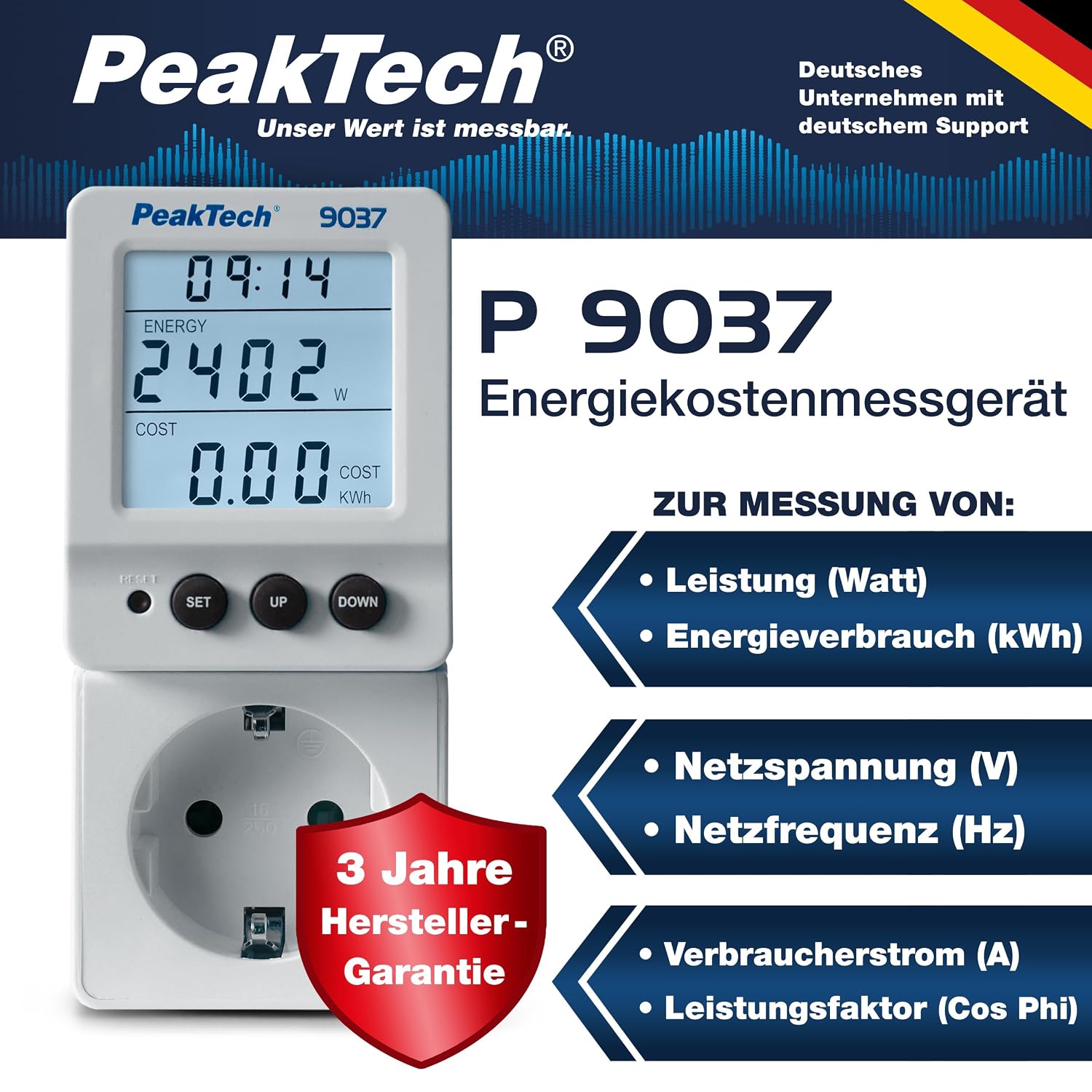
Figure 1: PeakTech 9037 Energy Cost Meter displaying current time, power consumption in watts, and accumulated cost in kWh.
2. Setup
- Unpack the Device: Carefully remove the PeakTech 9037 Energy Cost Meter from its packaging.
- Plug into Wall Socket: Insert the meter into a standard Type F 'Schuko' wall socket (CEE-7/4-). Ensure it is securely plugged in.
- Connect Appliance: Plug the appliance you wish to monitor into the socket on the front of the PeakTech 9037 meter.
- Power On Appliance: Turn on the connected appliance. The meter will automatically begin displaying real-time measurements.

Figure 2: The PeakTech 9037 meter connected to a wall socket with an appliance (blender) plugged into it, illustrating the simple setup process.
3. Operating Instructions
3.1 Display and Controls
The PeakTech 9037 features a large, backlit LCD display and three control buttons: SET, UP, and DOWN.
- Display: Shows various parameters such as voltage (V), current (A), power (W), energy consumption (kWh), frequency (Hz), power factor (Cos Phi), and accumulated cost. The backlight activates when a button is pressed and remains on for approximately 30 seconds.
- Swivel Feature: The display can be manually tilted up to 90 degrees for improved visibility, especially when the meter is in a low or awkward position.
- SET Button: Used to enter settings menus and confirm selections.
- UP Button: Used to navigate through display modes or increase values in settings.
- DOWN Button: Used to navigate through display modes or decrease values in settings.
- RESET Button (recessed): A small, recessed button (usually requiring a pointed object like a pen) to clear all accumulated data and reset the device.

Figure 3: The PeakTech 9037's display swiveled upwards by 90 degrees, demonstrating its flexibility for optimal viewing.
3.2 Monitoring Energy Consumption
- Once an appliance is connected and powered on, the meter will immediately start displaying real-time power consumption (W).
- Press the UP or DOWN buttons to cycle through different display modes, such as voltage (V), current (A), frequency (Hz), power factor (Cos Phi), accumulated kWh, and total cost.
- To set the electricity tariff for cost calculation, refer to the detailed instructions in the included multilingual user manual. This typically involves pressing the SET button to enter the tariff setting mode and using UP/DOWN to adjust values.
- The meter continuously records energy consumption. To view accumulated data, cycle through the display modes.
- To reset all accumulated data (kWh, cost, operating time), use a pointed object to press the recessed RESET button.

Figure 4: The PeakTech 9037 in use, helping to identify energy-intensive appliances within a household.
4. Maintenance
The PeakTech 9037 Energy Cost Meter requires minimal maintenance to ensure its longevity and accurate operation.
- Cleaning: Wipe the device regularly with a soft, dry cloth. Do not use abrasive cleaners, solvents, or harsh chemicals, as these can damage the casing or display.
- Storage: When not in use for extended periods, store the meter in a cool, dry place away from direct sunlight and extreme temperatures.
- Avoid Moisture: Do not expose the device to water or high humidity. It is not waterproof.
- No User-Serviceable Parts: The device contains no user-serviceable parts. Do not attempt to open or repair the meter, as this will void the warranty and could pose a safety risk.
5. Troubleshooting
If you encounter issues with your PeakTech 9037, please refer to the following common troubleshooting steps:
- No Display/No Power:
- Ensure the meter is securely plugged into a live wall socket.
- Check if the wall socket itself is functioning by plugging in another appliance.
- Ensure the connected appliance is powered on and drawing current.
- Incorrect Readings:
- Verify that the appliance is functioning correctly.
- Ensure the meter is not overloaded beyond its specified maximum ratings (see Specifications section).
- Perform a reset using the recessed RESET button to clear any potentially corrupted data.
- Display Backlight Not Working:
- The backlight is designed to activate only when a button is pressed and turns off after approximately 30 seconds to save energy. This is normal operation.
If the problem persists after attempting these steps, please contact PeakTech customer support or refer to the full user manual for more detailed troubleshooting.
6. Specifications
| Item Model Number | P 9037 |
| Product Dimensions (L x W x H) | 13 x 6 x 8.5 cm |
| Item Weight | 180 Grams |
| Min. Operating Voltage | 220 Volts |
| Max. Operating Voltage | 240 Volts |
| Measurement Type | Ammeter, Energy Meter, Voltmeter |
| Compliant Specification | CE, EN 61010-1 |
| Compatible Devices | All devices with 'Schuko' standard (CEE-7/4-) |
| Included Components | Energy Cost Meter, DE/EN User Manual |
| Country of Origin | China |
7. Warranty and Support
Manufacturer's Warranty: PeakTech Prüf- und Messtechnik GmbH offers a three-year manufacturer's warranty on all devices, effective from the date of purchase.
Spare Parts Availability: Spare parts for this product are available for 5 years.
User Manual: A multilingual user manual (German/English) is included with the device for detailed instructions and further assistance.
For technical support or warranty claims, please contact PeakTech customer service directly. Refer to the contact information provided in your user manual or on the official PeakTech website.

Figure 5: The PeakTech 9037 display and buttons, along with the multilingual user manual.
Related documentsP 9037


Ask a question about this manual
Ask about setup, troubleshooting, compatibility, parts, safety, or missing instructions. Manuals+ will review the question and use this page’s manual context to help answer it.