1. Introduction and Safety Guidelines
This manual provides essential information for the safe operation and maintenance of your iScooter IK3/IK3Pro electric scooter. Please read it thoroughly before first use and retain it for future reference.
Important Safety Information
- Always wear a helmet and appropriate protective gear (knee pads, elbow pads) when riding.
- Ensure adult supervision for riders aged 6-12 years.
- Do not exceed the maximum weight limit of 154 lbs (70 kg).
- Check all brakes and connections before each ride.
- Ride on smooth, dry surfaces away from traffic. Avoid riding in wet conditions, on uneven terrain, or at night.
- The scooter requires a kick-start to engage the motor. This safety feature prevents accidental acceleration.
- Familiarize yourself with local regulations regarding electric scooter use.

Image: Two children riding iScooter electric scooters. The IK3/IK3Pro is designed for riders aged 6-12 years, with recommended rider heights between 4.0 ft and 5.2 ft.
2. Product Overview
The iScooter IK3/IK3Pro is an electric scooter designed for children, featuring a 150W motor, an LED display, dual braking system, and unique magnetic charging. It is built with an aluminum frame and solid rubber wheels for durability and a smooth ride.

Image: The iScooter IK3 electric scooter in rose pink, showcasing its overall design and an integrated LED display on the handlebars.
Key Features
- 150W Motor: Provides smooth and consistent power.
- LED Digital Display: Shows speed and battery life.
- 3 Adjustable Speed Modes: E (3 MPH), N (6 MPH), S (10 MPH).
- Dual Braking System: Electronic brake and foot brake for reliable stopping.
- Magnetic Charging: Effortless and secure charging connection.
- Colored Ambient Lights: Integrated lights on the deck for enhanced visibility and aesthetics.
- Durable Construction: Aluminum frame and 6-inch solid rubber tires.

Image: This image illustrates two children, one on a black iScooter and one on a pink iScooter, with text overlays indicating a 150W motor, 154 lbs maximum load capacity, and 6-inch solid tires.
3. Setup
Initial Assembly
Your iScooter IK3/IK3Pro comes mostly pre-assembled. Typically, you will need to:
- Carefully remove the scooter from its packaging.
- Unfold the handlebar stem and secure it in the upright position. Ensure the locking mechanism is fully engaged.
- Attach the handlebars if they are separate, ensuring they are firmly in place and all screws are tightened.
- Inspect all components for any signs of damage or loose parts.
First Charge
Before the first ride, it is crucial to fully charge the scooter's battery to ensure optimal performance and battery longevity. Refer to the 'Charging' section for detailed instructions.
4. Operating Instructions
Powering On/Off
- To power on: Press and hold the power button on the LED display until the screen illuminates.
- To power off: Press and hold the power button again until the display turns off.
Starting the Ride (Kick-Start Mechanism)
The iScooter IK3/IK3Pro features a safety kick-start mechanism. The motor will not engage until the scooter is already in motion.
- Place one foot on the scooter deck.
- Use your other foot to push off the ground, gaining some initial speed.
- Once the scooter is moving, gently press the accelerator lever on the handlebar to engage the motor.
Adjusting Speed Modes
The scooter offers three adjustable speed settings:
- E (Economy): Approximately 3 MPH (5 km/h) - Ideal for beginners or crowded areas.
- N (Normal): Approximately 6 MPH (10 km/h) - Standard riding speed.
- S (Sport): Approximately 10 MPH (16 km/h) - For experienced riders seeking higher speeds.
To switch between speed modes, briefly press the mode button located near the LED display. The current mode will be indicated on the display.
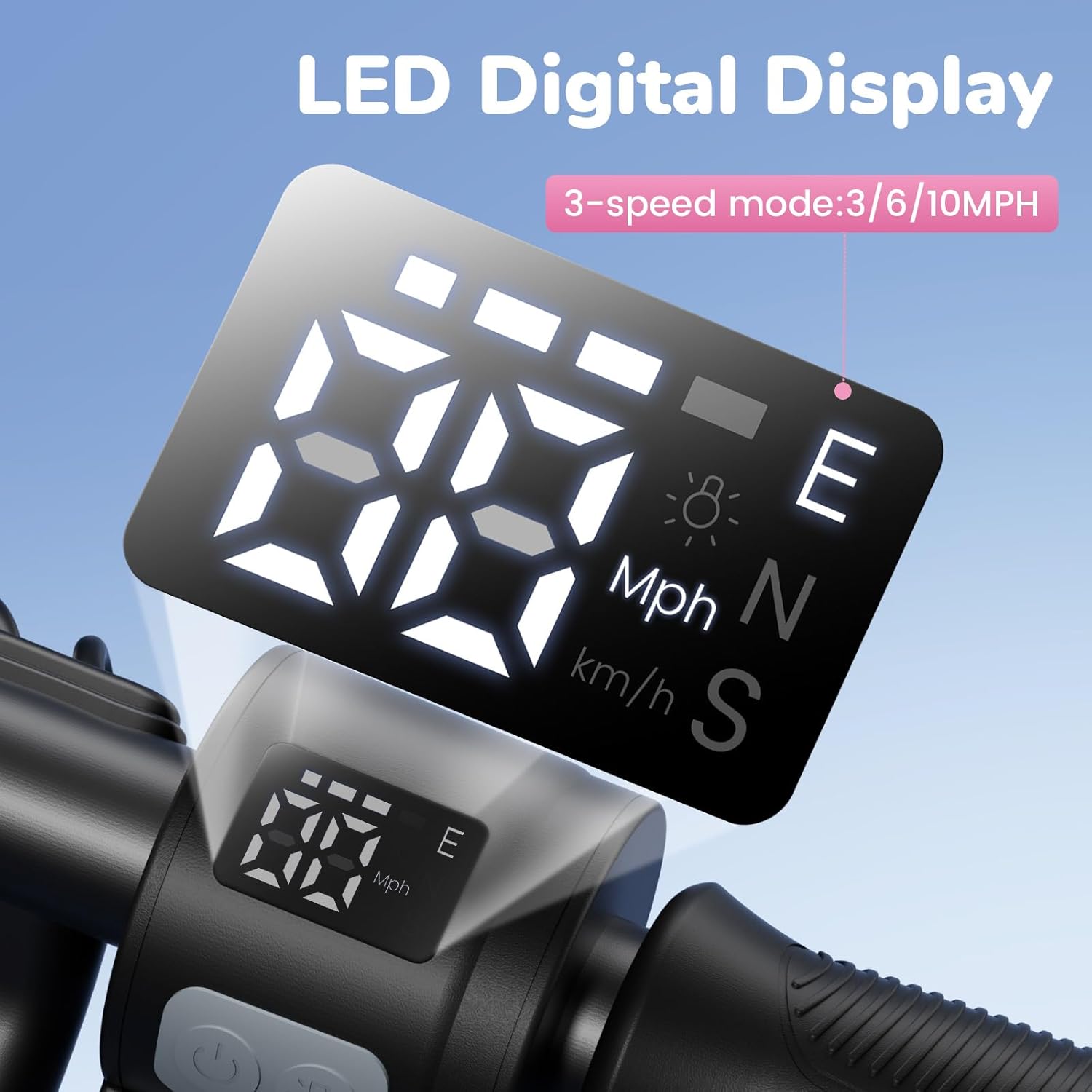
Image: A detailed view of the scooter's LED digital display, which shows current speed, battery level, and selectable speed modes: E (Economy), N (Normal), and S (Sport), with speeds of 3, 6, and 10 MPH respectively.
Braking
The iScooter IK3/IK3Pro is equipped with a dual braking system for enhanced safety:
- Electronic Brake: Located on the handlebar. Gently squeeze the lever to activate.
- Foot Brake: Located on the rear fender. Press down on the fender with your foot to apply the brake.
Always use both brakes in conjunction for optimal stopping power, especially in emergency situations.
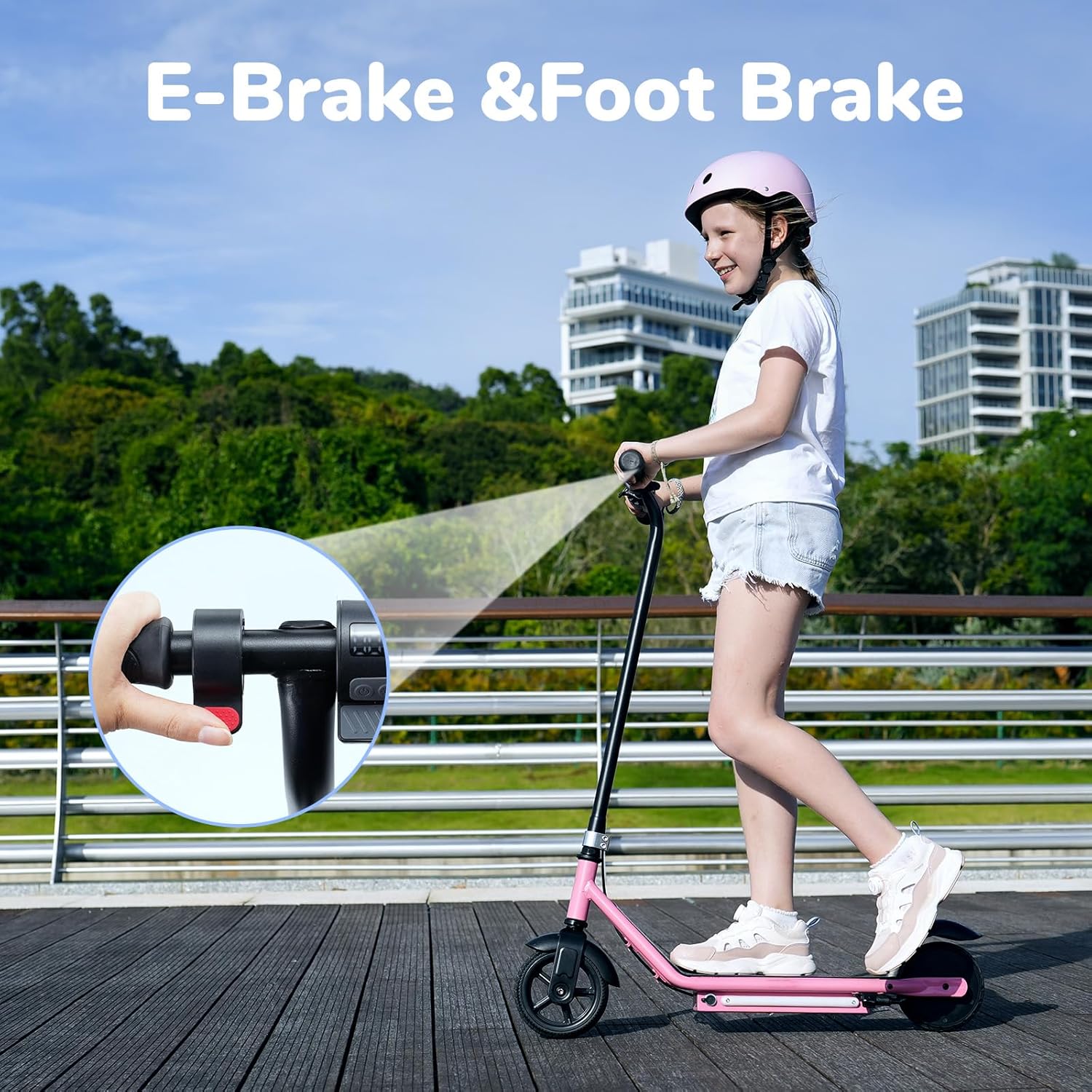
Image: A child riding the iScooter, with an inset showing how to engage the electronic brake on the handlebar and mentioning the foot brake for dual stopping power.
Colored Ambient Lights
The scooter features vibrant colored ambient lights on the deck. These lights automatically activate when the scooter is powered on, improving visibility and adding a fun element to the ride.

Image: The underside of the iScooter's deck showcasing the vibrant, colored ambient lights that enhance visibility and add a fun element to riding.
5. Charging
Magnetic Charging System
The iScooter IK3/IK3Pro utilizes an innovative magnetic charging port for easy and secure connection.
- Ensure the scooter is powered off before charging.
- Locate the magnetic charging port on the scooter's deck.
- Connect the magnetic charger to the port. The magnetic connection will guide the plug into place.
- Plug the charger into a standard wall outlet.
- The charging indicator on the charger will typically show red during charging and turn green when fully charged.
Charging Time and Range
- A full charge typically takes approximately 2.5 hours.
- A single charge can provide 60-80 minutes of ride time, or a maximum distance range of approximately 13 miles.
- Actual range and ride time may vary based on factors such as rider weight, terrain, speed, temperature, and riding habits.

Image: An illustration of the magnetic charging process for the iScooter, showing the charger easily connecting to the port on the scooter's deck.
6. Maintenance
Cleaning
- Wipe the scooter with a damp cloth after each use to remove dirt and dust.
- Do not use harsh chemicals or abrasive cleaners.
- Avoid spraying water directly onto electrical components.
Storage
- Store the scooter in a cool, dry place away from direct sunlight and extreme temperatures.
- If storing for an extended period, ensure the battery is charged to approximately 50-70% and recharge it every 30-60 days to prevent deep discharge.
Tire and Frame Care
- The scooter uses solid rubber tires, which require minimal maintenance. Regularly inspect them for wear or damage.
- The aluminum frame is designed for durability. Check for any cracks or bends periodically.

Image: A person placing an iScooter electric scooter into a car trunk, demonstrating its compact size for storage and transport.
7. Troubleshooting
| Problem | Possible Cause | Solution |
|---|---|---|
| Scooter does not move when accelerator is pressed. | Kick-start safety feature not engaged. | Ensure the scooter is moving at a low speed (kick-started) before pressing the accelerator. |
| Scooter does not power on. | Low or depleted battery. | Charge the scooter fully. Refer to the 'Charging' section. |
| Reduced range or battery life. | Factors like rider weight, terrain, speed, or temperature. | Ensure full charge. Ride in economy mode or on flat surfaces for extended range. |
| Brakes feel ineffective. | Brake components may need inspection. | Check brake levers and foot brake for proper function. If issues persist, contact customer support. |
8. Specifications
| Feature | Detail |
|---|---|
| Brand | iScooter |
| Model Name | IK3/IK3Pro |
| Motor Power | 150W |
| Age Range (Recommended) | 6-12 Years |
| Weight Limit (Max) | 154 Pounds (70 kg) |
| Speed Settings | 3 (E: 3 MPH, N: 6 MPH, S: 10 MPH) |
| Braking System | E-brake and Footbrake |
| Charging Type | Magnetic Charging |
| Charging Time | Approx. 2.5 Hours |
| Maximum Distance Range | Approx. 13 Miles (21 km) |
| Number of Wheels | 2 |
| Wheel Size | 6 Inches |
| Wheel Material | Rubber (Solid) |
| Frame Material | Aluminum |
| Special Features | LED Display, Colored Ambient Lights |
9. Warranty Information
iScooter provides a warranty for its products to ensure customer satisfaction. The IK3/IK3Pro electric scooter comes with a warranty period of 360 days or 180 days on different parts, depending on the specific component.
For detailed warranty terms and conditions, or to initiate a warranty claim, please refer to the documentation included with your purchase or contact iScooter customer support directly.
10. Customer Support
Should you have any questions, require assistance with setup, operation, or encounter any issues with your iScooter IK3/IK3Pro electric scooter, please do not hesitate to contact our dedicated customer support team.
Contact Information:
- Call Center: +1 (855) 916-2366
- Live Chat/Email Support: support@iscooterglobal.com
- For order-related inquiries, please reach out via your Amazon order page for prompt and professional service.

Image: iScooter customer service team ready to assist with inquiries.


