
1. Introduction
This manual provides detailed instructions for the setup, operation, and maintenance of your ZdalaMit RC-F01 Voice Remote Control. This remote is designed as a replacement for compatible Fire TV Stick and Fire TV Cube devices, offering voice control and dedicated shortcut buttons.
Please read this manual thoroughly before using the remote control to ensure proper functionality and to maximize your user experience.
2. Product Overview
2.1 Key Features
- Voice Control: Integrated microphone for voice commands and search.
- Dedicated Shortcut Buttons: Quick access to popular streaming services and apps.
- Power and Volume Control: Manage your TV's power and volume directly from the remote.
- Ergonomic Design: Lightweight and comfortable to hold.
- Bluetooth Connectivity: Reliable wireless connection to your device.
2.2 Remote Control Layout
Familiarize yourself with the buttons and their functions on your ZdalaMit RC-F01 remote control.

Image 2.2.1: Front view of the ZdalaMit RC-F01 Voice Remote Control, showing all buttons including power, voice, navigation, playback, volume, and app shortcuts.
- Power Button: Turns your TV on or off.
- Voice Button (Microphone Icon): Activates voice commands for search and control.
- Navigation Ring: Up, Down, Left, Right, and Select (center) for menu navigation.
- Back Button: Returns to the previous screen.
- Home Button: Returns to the main home screen.
- Menu Button (Three Horizontal Lines): Accesses contextual menus.
- Rewind, Play/Pause, Fast Forward: Media playback controls.
- Mute Button: Mutes TV audio.
- Volume Up/Down: Adjusts TV volume.
- App Shortcut Buttons: Direct access to services like Prime Video, Netflix, Apps, and Music.
3. Compatibility
3.1 Compatible Devices
The ZdalaMit RC-F01 Voice Remote Control is compatible with the following devices:
- Fire TV Cube (2nd / 3rd Gen)
- Fire TV Stick 4K Max (2nd Gen)
- Fire TV Stick 4K (2nd Gen)
- Fire TV Stick (2nd / 3rd Gen)
- Fire TV Stick Lite

Image 3.1.1: Visual representation of compatible Fire TV Stick and Fire TV Cube models.
3.2 Incompatible Devices
This remote control is not compatible with the following devices:
- Fire TV Stick 1st Generation
- Fire TV Edition TVs (Smart TVs with Fire TV built-in)
- Fire TV 1st Generation
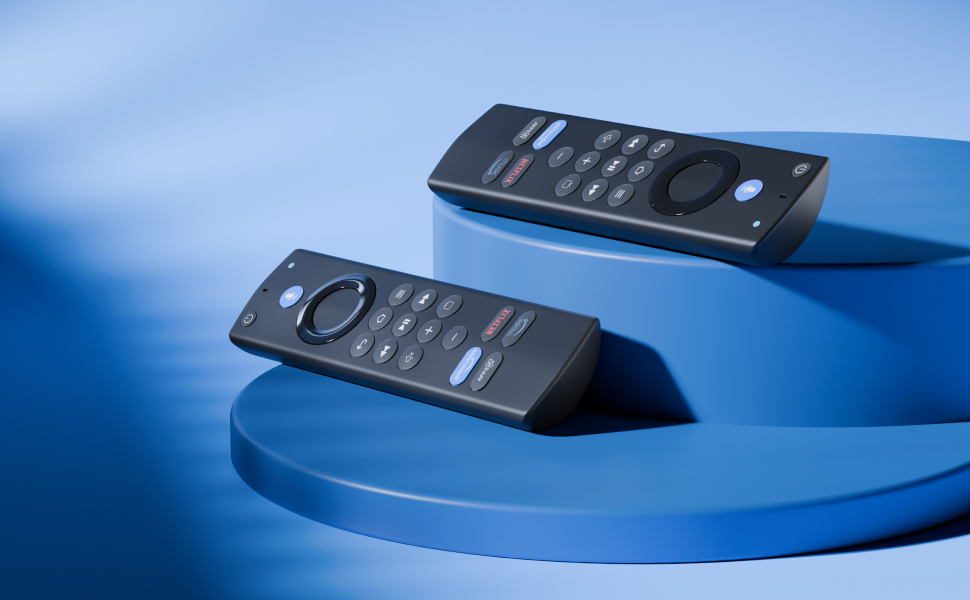
Image 3.2.1: Visual guide to devices that are not compatible with the RC-F01 remote.
4. Setup Instructions
4.1 Battery Installation
The ZdalaMit RC-F01 remote control requires two AAA batteries (not included). Follow these steps to install the batteries:
- Locate the battery compartment cover on the back of the remote control.
- Slide the cover downwards to open the compartment.
- Insert two AAA batteries, ensuring the positive (+) and negative (-) terminals align correctly with the markings inside the compartment.
- Slide the battery compartment cover back into place until it clicks securely.
Note: Always use new batteries and dispose of old batteries responsibly.
4.2 Pairing the Remote Control
To enable voice control and full functionality, the remote must be paired with your compatible Fire TV device. Ensure your Fire TV device is powered on and connected to your TV.
- Point the new ZdalaMit RC-F01 remote control towards your Fire TV device.
- Press and hold the Home button (house icon) on the remote for approximately 8 to 30 seconds.
- Continue holding until the LED indicator on the remote begins to flash rapidly in amber.
- Release the Home button. The remote should automatically pair with your Fire TV device.
- A confirmation message will appear on your TV screen once pairing is successful.
Tip: If pairing fails, ensure there are no obstructions between the remote and the Fire TV device, and that the batteries are correctly installed and charged. You may need to restart your Fire TV device and try pairing again.
5. Operating Instructions
5.1 Basic Navigation
- Use the Navigation Ring to move through menus and select items.
- Press the Select button (center of the ring) to confirm a selection.
- Press the Back button to return to the previous screen.
- Press the Home button to go directly to the Fire TV home screen.
5.2 Using Voice Control (Alexa Function)
The integrated Alexa function allows you to control your Fire TV device using voice commands. This makes it easy to find content, launch apps, and perform various tasks.
- Press and hold the Voice button (microphone icon) on the remote control.
- Speak clearly into the microphone located at the top of the remote.
- Release the Voice button when you have finished speaking.
Examples of voice commands:
- "Open Prime Video"
- "Search for action movies"
- "Play music"
- "Go home"
- "What's the weather?"

Image 5.2.1: Illustration of using the voice command button and example voice prompts.
5.3 Using Shortcut Buttons
The remote features dedicated buttons for quick access to popular applications:
- Press the Prime Video button to launch Amazon Prime Video.
- Press the Netflix button to launch Netflix.
- Press the Apps button to access your installed applications.
- Press the Music button to open music streaming services.

Image 5.3.1: Detailed view of the dedicated application shortcut buttons.
6. Maintenance
- Cleaning: Wipe the remote control with a soft, dry cloth. Do not use liquid cleaners or abrasive materials.
- Battery Replacement: Replace batteries when the remote's response becomes sluggish or if the LED indicator flashes intermittently during use. Always replace both batteries at the same time.
- Storage: Store the remote in a cool, dry place away from direct sunlight and extreme temperatures. If storing for extended periods, remove the batteries to prevent leakage.
7. Troubleshooting
7.1 Remote Not Responding
- Check Batteries: Ensure batteries are correctly installed and have sufficient charge. Replace if necessary.
- Re-pair Remote: Follow the pairing instructions in Section 4.2 to re-establish the connection.
- Obstructions: Ensure there are no physical obstructions between the remote and your Fire TV device.
- Distance: The remote operates effectively up to 30 feet (approximately 9 meters). Ensure you are within this range.
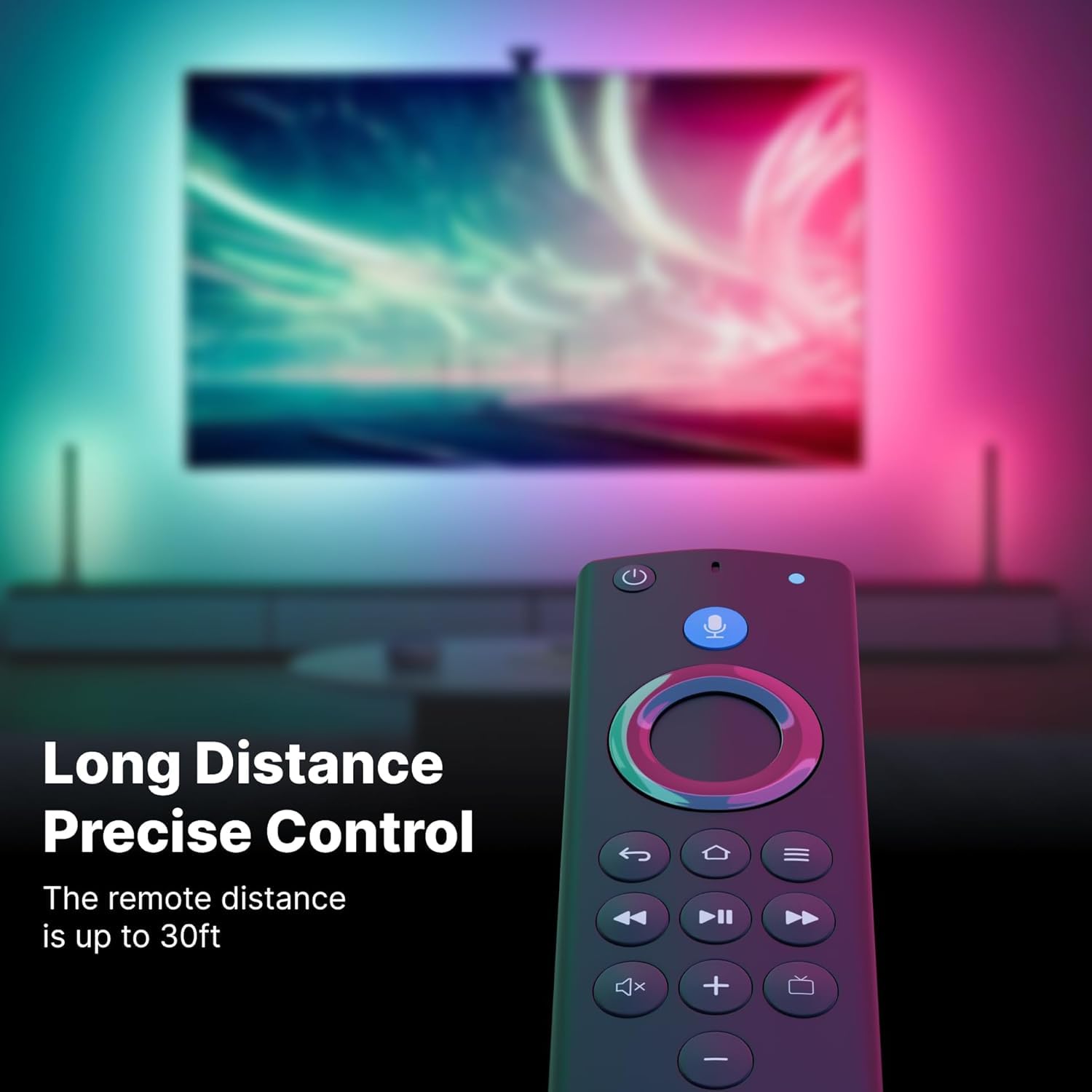
Image 7.1.1: The remote control demonstrating its effective operating distance of up to 30 feet.
7.2 Voice Control Not Working
- Hold Button: Ensure you are pressing and holding the Voice button while speaking.
- Speak Clearly: Speak directly into the microphone clearly and at a normal volume.
- Internet Connection: Voice commands require an active internet connection on your Fire TV device. Verify your device's network status.
- Re-pair Remote: Sometimes re-pairing can resolve voice control issues.
7.3 Power/Volume Buttons Not Controlling TV
- TV Compatibility: Ensure your Fire TV device is updated and supports TV control features with the remote.
- Fire TV Settings: Navigate to your Fire TV settings (usually under "Equipment Control" or "Manage Equipment") to configure TV control. You may need to select your TV brand and model for the remote to learn its IR codes.
- Line of Sight: For TV power and volume, the remote often uses infrared (IR) signals, which require a clear line of sight to your TV.
8. Specifications
| Brand | ZdalaMit |
| Model | RC-F01 |
| Connectivity | Bluetooth |
| Special Features | Ergonomic, Lightweight, Voice Search |
| Power Source | 2 x AAA Batteries (not included) |
| Dimensions (L x W x H) | 10 x 10 x 10 cm (approximate) |
| Item Weight | 50 g (approximate) |
| Operating Range | Up to 30 feet (9 meters) |
9. Safety Information
- Do not expose the remote control to water or excessive moisture.
- Avoid dropping or subjecting the remote to strong impacts.
- Keep out of reach of children to prevent accidental ingestion of small parts or batteries.
- If battery leakage occurs, avoid contact with skin and eyes. If contact occurs, rinse immediately with water and seek medical attention.
- Dispose of used batteries according to local regulations.
10. Warranty and Support
For warranty information and customer support, please refer to the documentation provided with your purchase or contact ZdalaMit customer service through their official website or the retailer where the product was purchased.
Please have your model number (RC-F01) and purchase details ready when contacting support.