
1. Introduction
Thank you for choosing the DEWENWILS Wireless Remote Control Outlet. This device allows you to conveniently control your electrical appliances from a distance, enhancing comfort and accessibility. It is designed for both indoor and outdoor use, providing a reliable solution for managing lights, fans, and other electronics with ease.
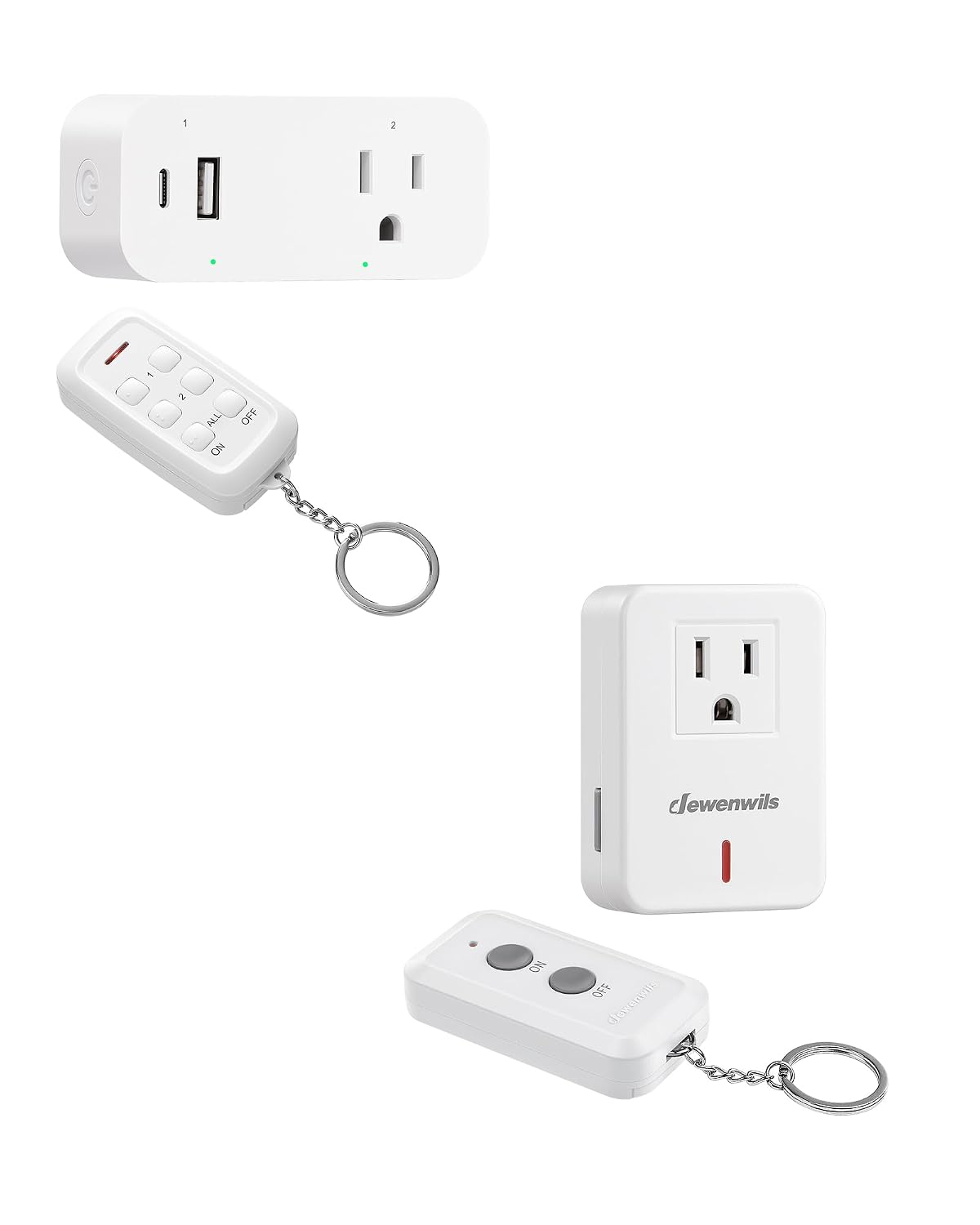
Image: The DEWENWILS Wireless Remote Control Outlet receiver and its accompanying remote control. The receiver is a compact white plug-in unit with two outlets and USB ports, while the remote is a small, white, rectangular device with multiple buttons and a keychain.
2. Product Contents
Please verify that all components are present in your package:
- 1 x DEWENWILS Wireless Remote Control Outlet Receiver
- 1 x Remote Control Transmitter
- 1 x User Manual (this document)
3. Setup and Installation
Follow these steps to set up your DEWENWILS Wireless Remote Control Outlet:
- Insert Battery: The remote control typically comes with a pre-installed battery. If not, open the battery compartment on the back of the remote and insert the required battery type (usually CR2032 or similar, check remote for specifics), ensuring correct polarity.
- Plug in Receiver: Plug the DEWENWILS Wireless Remote Control Outlet receiver into a standard 120V AC wall outlet. The indicator light on the receiver will illuminate briefly.
- Connect Appliance: Plug the appliance you wish to control into one of the outlets on the receiver. Ensure the appliance's power switch is in the 'ON' position if it has one.
- Pairing (if necessary): The remote and receiver are usually pre-paired from the factory. If they do not respond to each other, refer to the 'Troubleshooting' section for re-pairing instructions.

Image: A close-up view of the DEWENWILS Wireless Remote Control Outlet receiver plugged into a wall. Labels indicate the AC outlets (15A), USB Type-C port, and USB Type-A port, highlighting its versatile power options. The remote control is shown in the foreground.
4. Operating Instructions
The remote control provides flexible options for managing your connected devices:
- Individual Control: Use the numbered 'ON' and 'OFF' buttons (e.g., '1 ON', '1 OFF', '2 ON', '2 OFF') to control specific outlets or groups of outlets on the receiver.
- All Control: The 'ALL ON' button will turn on all connected outlets and USB ports. The 'ALL OFF' button will turn off all connected outlets and USB ports simultaneously.
- USB Port Control: The USB-A and USB-C ports are controlled along with the AC outlets. When the unit is 'ON', power is supplied to both AC and USB ports.

Image: A diagram illustrating the remote control's functions. Dashed lines connect the remote's buttons to different parts of the outlet, showing how '1' controls USB ports, '2' controls the AC outlet, and 'ALL' controls both, allowing for precise or universal power management.
Usage Examples:
- Control indoor lighting from your bed.
- Turn on outdoor string lights from inside your home.
- Manage holiday decorations with a single button press.

Image: A collage of common household appliances that can be controlled by the remote outlet, including a floor lamp, a standing fan, a coffee maker, and a Christmas tree, demonstrating the product's versatility.
5. Features
- Extended RF Range: Operates up to 100 feet in open areas, allowing control through walls and doors without line-of-sight.
- Individual and All Control: Manage specific outlets or all connected devices simultaneously.
- Versatile Power Options: Features AC outlets, USB Type-A, and USB Type-C ports for various devices.
- Easy Setup: Plug-and-play design with pre-paired remote and receiver.

Image: A cross-section diagram of a multi-story house, illustrating the 100-foot remote control range. The remote is shown in the basement, controlling an outlet on the main floor, demonstrating its ability to work through walls and floors for whole-home coverage.

Image: An aerial view diagram of a house, highlighting the 100-foot RF remote range. The remote is shown controlling an outlet across multiple rooms, emphasizing its strong signal penetration through walls and doors.
6. Maintenance
To ensure optimal performance and longevity of your device:
- Cleaning: Wipe the device with a soft, dry cloth. Do not use liquid cleaners or aerosols.
- Battery Replacement: If the remote control's indicator light dims or its range decreases, replace the battery. Refer to the remote's battery compartment for the correct battery type.
- Storage: Store the device in a cool, dry place when not in use for extended periods.
7. Troubleshooting
If you encounter issues with your DEWENWILS Wireless Remote Control Outlet, try the following solutions:
| Problem | Possible Cause | Solution |
|---|---|---|
| Outlet not responding to remote. | Remote battery low or dead. Out of range. Interference. Not paired. | Replace remote battery. Move closer to the receiver. Avoid placing near large metal objects or strong RF sources. Re-pair the remote and receiver. |
| Reduced remote range. | Low remote battery. Obstructions (thick walls, metal). | Replace remote battery. Try to minimize obstructions between remote and receiver. |
| Appliance not turning on/off. | Appliance's own power switch is off. Appliance malfunction. | Ensure the appliance's power switch is in the 'ON' position. Test the appliance by plugging it directly into a wall outlet. |
| Re-pairing Remote and Receiver | Loss of pairing. | 1. Unplug the receiver from the wall outlet. 2. Press and hold the 'ON' button for the desired channel on the remote (e.g., '1 ON'). 3. While holding the button, plug the receiver back into the wall outlet. 4. Continue holding the button until the receiver's indicator light flashes, then release. The pairing should be successful. |
8. Specifications
| Parameter | Value |
|---|---|
| Model | B0FDKLFML1 |
| Voltage | 125V AC |
| Current | 15A Max |
| Max Load | 1875W |
| RF Frequency | 433.92 MHz |
| Remote Range | Up to 100 feet (open area) |
| USB Output | DC 5V, 3.1A Total |
| Operating Temperature | -10°C to 40°C (14°F to 104°F) |
9. Safety Information
Please read and follow these safety precautions:
- Do not exceed the maximum load rating of 15A / 1875W.
- Do not immerse the device in water or expose it to excessive moisture.
- Do not disassemble or modify the device.
- Keep out of reach of children.
- Ensure the device is properly plugged into a grounded outlet.
- Unplug the device from the wall outlet before cleaning or when not in use for extended periods.

Image: The DEWENWILS Wireless Remote Control Outlet plugged into a wall, controlling a standing fan. The image also prominently displays the ETL and FCC certification logos, indicating compliance with safety and regulatory standards.
10. Warranty and Support
DEWENWILS products are designed for reliability and performance. For warranty information or technical support, please refer to the contact details provided on the product packaging or visit the official DEWENWILS website. Please have your model number (B0FDKLFML1) ready when contacting support.