1. Introduction
The Conyat H63 AI Language Translator Earbuds are designed to facilitate seamless communication across language barriers, offering real-time translation in 164 languages. These versatile earbuds combine translation, music playback, and call functions, making them an ideal companion for travel, business, and learning. Featuring advanced AI algorithms, Bluetooth 5.4 connectivity, and a long-lasting battery, the H63 earbuds provide a reliable and high-quality audio experience.

Figure 1.1: Overview of Conyat H63 Earbuds features.
2. What's in the Box
Please check the package contents to ensure all items are present:
- Translator Earbuds (Left and Right)
- Charging Case
- USB Type-C Charging Cable
- Silicone Ear Tips (S/M/L sizes)
- User Manual

Figure 2.1: Package contents of the Conyat H63 Earbuds.
3. Product Overview
The Conyat H63 earbuds feature a compact design with a digital LED power display on the charging case. Each earbud is equipped with a 13mm diaphragm speaker driver for clear audio and a built-in microphone for calls and translation. The earbuds are designed for comfortable and stable wear.

Figure 3.1: Conyat H63 Earbuds and Charging Case.

Figure 3.2: 3-in-1 Functionality and Internal Components.
4. Setup Guide
4.1 Charging the Earbuds and Case
Before first use, fully charge the earbuds and the charging case. Connect the provided USB Type-C cable to the charging port on the case and a power source. The LED display on the case will indicate the charging status. A full charge provides 7 hours of listening time for the earbuds, and the charging case holds enough power for 4 full charges, totaling over 40 hours of use.
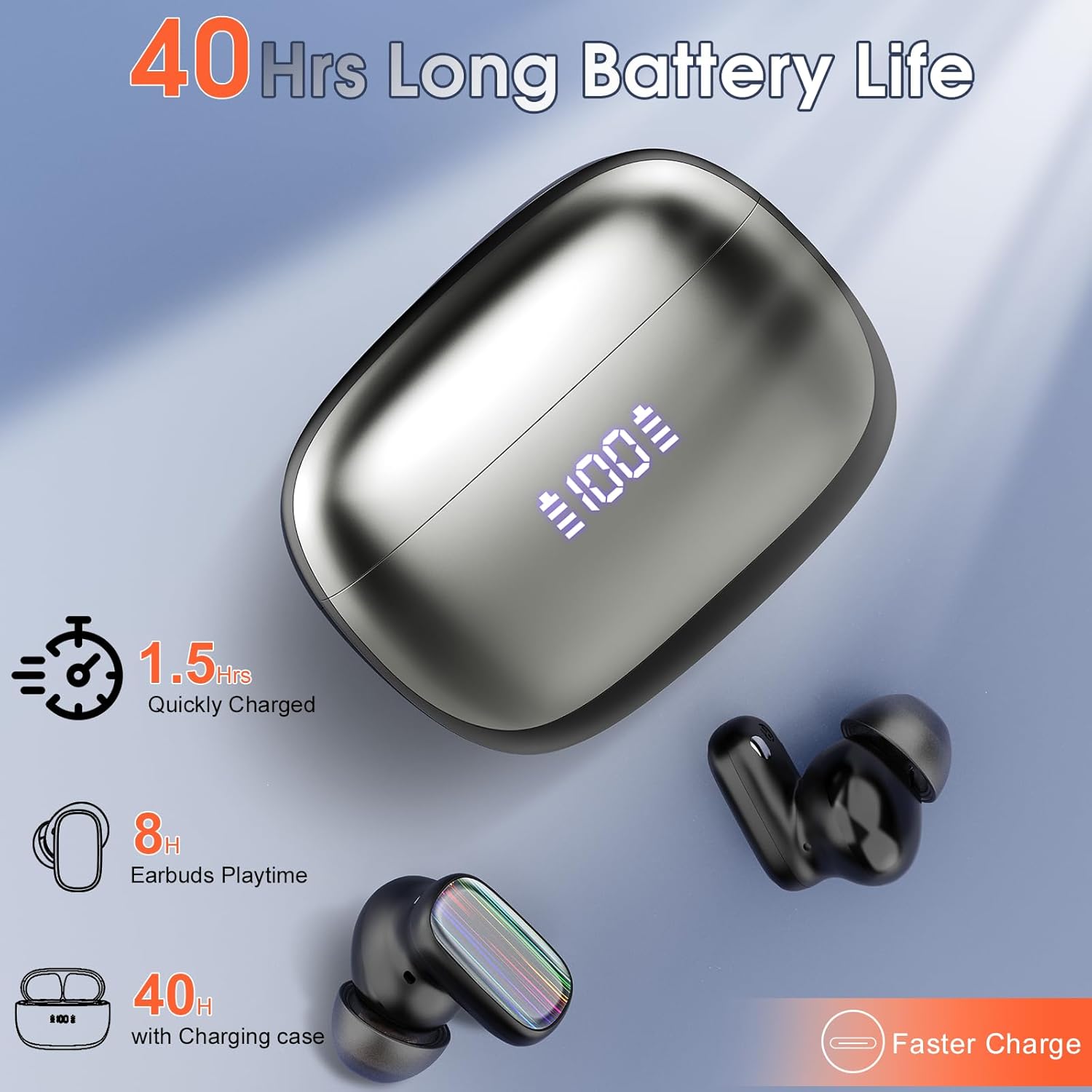
Figure 4.1: Battery Life and Charging Information.
4.2 App Download and Connection
The Conyat H63 earbuds require the "EarDance" app for translation functions. Follow these steps to connect:
- Download the App: Scan the QR code provided in the user manual or visit the official download link: EarDance App Download.
- Start the App: Open the "EarDance" app. It should automatically detect and attempt to connect to the earbuds if they are powered on and in pairing mode.
- Bind Device: Navigate to the "My" page within the app and select "Bind Device."
- Authorization: Scan the QR code or enter the authorization code found on the packaging box. After successful authorization, you can begin using the translation features.

Figure 4.2: Connecting Earbuds to the "EarDance" App.
4.3 Bluetooth Pairing
The earbuds utilize Bluetooth 5.4 for a stable and low-latency connection up to 15 meters. Once the earbuds are out of the charging case, they will automatically enter pairing mode. Open your device's Bluetooth settings and select "H63" to connect.
5. Operating Modes
The Conyat H63 earbuds offer 6 distinct translation modes to suit various communication scenarios:
5.1 Free Talk Mode
In this mode, both users wear an earbud. The earbuds automatically detect and translate speech in real-time, allowing for natural, free-flowing conversations. This mode supports 164 languages.

Figure 5.1: Free Talk Mode Operation.
5.2 Headphone + Phone Mode
One user wears an earbud, while the other person speaks into the phone. The translation is played through the phone's speaker. This mode is ideal for quick interactions, such as ordering food or negotiating, and supports 164 languages.

Figure 5.2: Headphone + Phone Mode Operation.
5.3 Translation Machine Mode
This mode functions similarly to a traditional handheld translator. After setting up the app, the device acts as a classic translator, providing seamless multilingual translation for easy communication across languages.

Figure 5.3: Translation Machine Mode Operation.
5.4 Photo Translation Mode
Users can take photos of text (e.g., road signs, menus) and translate them directly through the app. This mode includes a text control function for specific translation needs.

Figure 5.4: Photo Translation Mode Operation.
5.5 Audio & Video Translation Mode via Shared Links
This mode allows for real-time translation during audio and video calls by sharing an invite link. Both parties can communicate without obstacles.

Figure 5.5: Audio & Video Translation Mode Operation.
5.6 Voice Note Mode
This mode converts spoken content from classrooms, videos, or audio into text records, enabling users to quickly take notes and review them later. It supports 10 languages.

Figure 5.6: Voice Note Mode Operation.
5.7 AI Chat Mode
Within the "EarDance" app, the AI chat mode provides intelligent answers to your questions by leveraging large model algorithm analysis.

Figure 5.7: AI Chat Mode Functionality.
6. Touch Controls
The earbuds feature smart touch controls for easy management of music, calls, and voice assistance:
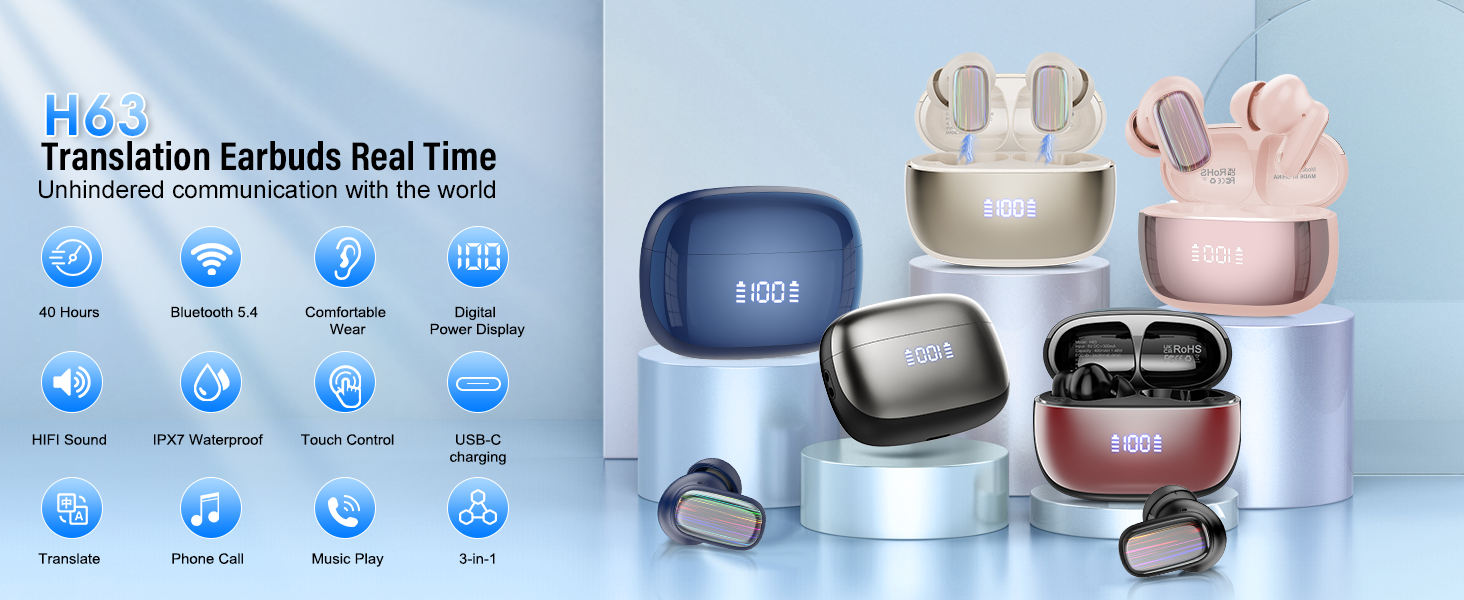
Figure 6.1: Fingerprint Touch Control Functions.
- Play/Pause: Tap 2 times (X2)
- Switch Song (Next/Previous): Press and hold for 2 seconds (2S)
- Adjust Volume (+/-): Tap 1 time (X1)
- Reject Call/End Call: Press and hold for 2 seconds (2S)
- Answer Call: Tap 1 time (X1)
- Voice Assistant (Siri): Tap 3 times (X3)
7. Audio Quality and Noise Reduction
The H63 earbuds are equipped with 13mm diaphragm speaker drivers for pristine audio quality across all music genres. They also feature a built-in ENC (Environmental Noise Cancellation) chip that effectively reduces external ambient noise by up to 40dB, ensuring clear sound for calls and translations even in noisy environments.
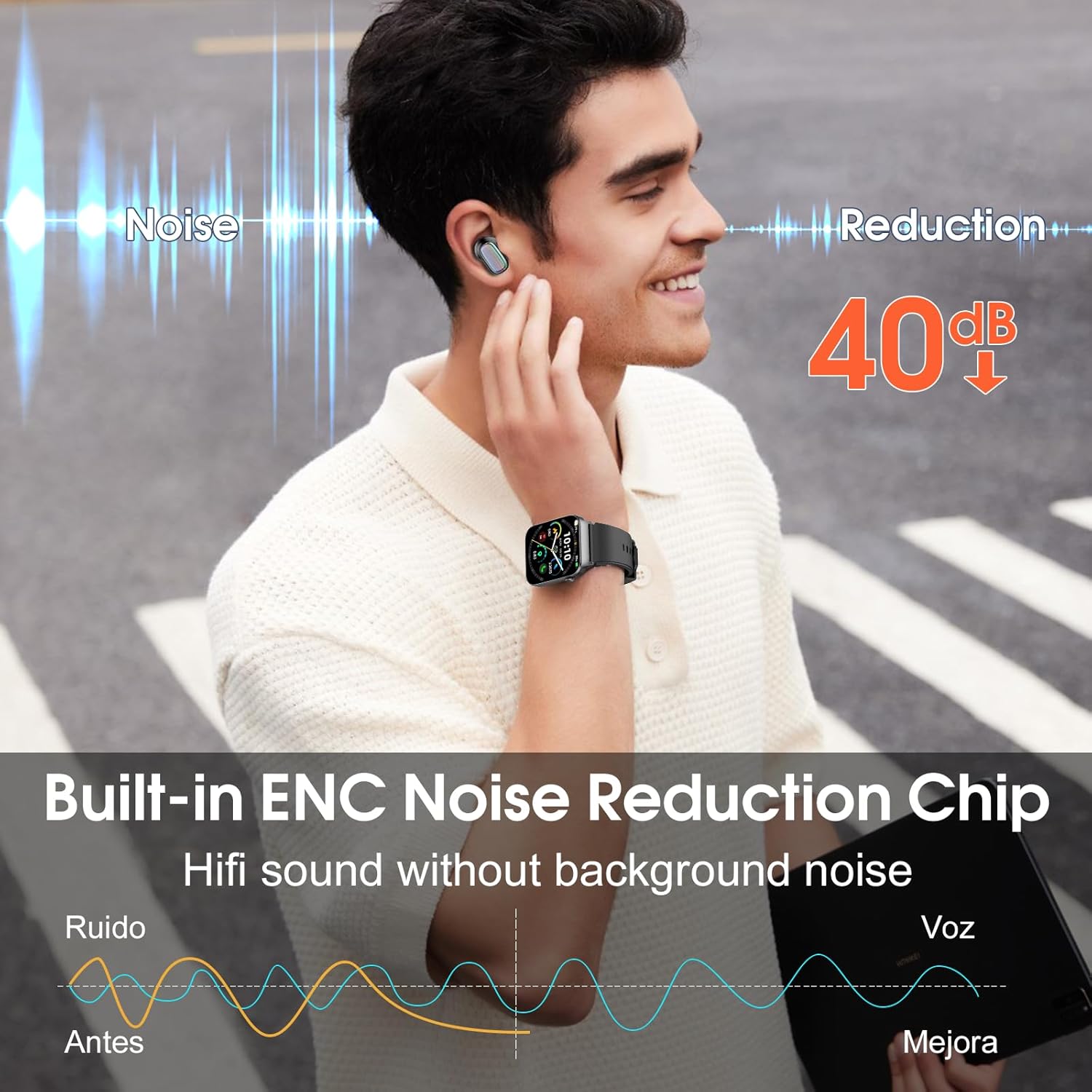
Figure 7.1: ENC Noise Reduction Feature.

Figure 7.2: Microphone Placement for Noise Cancellation.
8. Water Resistance
The Conyat H63 earbuds are rated IPX7 waterproof, meaning they can withstand splashes, sweat, and rain. This makes them suitable for outdoor sports and various environments, but they are not designed for submersion in water.

Figure 8.1: IPX7 Water Resistance.
9. Specifications
| Feature | Description |
|---|---|
| Model Name | H63 |
| Connectivity Technology | Wireless (Bluetooth 5.4) |
| Translation Languages | 164 Languages (via EarDance App) |
| Translation Modes | Free Talk, Headphone+Phone, Translation Machine, Audio & Video, Voice Notes, AI Chat, Photo Translation |
| Battery Life (Earbuds) | 7 hours (single charge) |
| Battery Life (with Case) | Up to 40 hours |
| Charging Port | USB Type-C |
| Water Resistance | IPX7 Waterproof |
| Noise Control | Passive Noise Cancellation (ENC up to 40dB) |
| Control Type | App Control, Touch Control |
| Compatible Devices | iOS/Android Smartphones, Tablets, Bluetooth-enabled Laptops |
| Material | Plastic |
| Item Weight | 3.84 ounces |
| Manufacturer | Conyat |
10. Maintenance
To ensure the longevity and optimal performance of your Conyat H63 earbuds, follow these maintenance guidelines:
- Cleaning: Regularly clean the earbuds and charging case with a soft, dry, lint-free cloth. Do not use abrasive cleaners or solvents.
- Ear Tips: Remove and clean the silicone ear tips periodically. Ensure they are completely dry before reattaching.
- Charging Contacts: If charging issues occur, gently clean the charging contacts on both the earbuds and inside the charging case with a cotton swab.
- Storage: Store the earbuds in their charging case when not in use to protect them and keep them charged. Avoid extreme temperatures.
- Water Exposure: While IPX7 rated, avoid prolonged submersion or exposure to saltwater or chemicals. Dry thoroughly if exposed to water.
11. Troubleshooting
If you encounter issues with your Conyat H63 earbuds, refer to the following common solutions:
- Earbuds not charging:
- Ensure the charging cable is securely connected to both the case and the power source.
- Check if the charging contacts on the earbuds and inside the case are clean and free of debris.
- Verify the charging case has sufficient battery charge.
- Earbuds not pairing/connecting to device:
- Ensure Bluetooth is enabled on your device and the earbuds are out of the charging case.
- Forget the device in your phone's Bluetooth settings and try pairing again.
- Restart your phone and the earbuds (by placing them back in the case and taking them out).
- Translation not working or inaccurate:
- Ensure the "EarDance" app is open and the earbuds are properly connected and authorized.
- Check your internet connection; real-time translation requires a stable connection.
- Verify that the correct source and target languages are selected in the app.
- Speak clearly and at a moderate pace.
- No sound or low volume:
- Adjust the volume on both your connected device and using the earbud touch controls.
- Ensure the earbuds are properly seated in your ears.
- Check if the earbuds are connected to the correct audio output on your device.
12. Warranty and Support
Conyat is committed to providing high-quality products and customer satisfaction. Your Conyat H63 earbuds come with the following:
- 24-Hour Customer Service: Dedicated support available to assist you with any inquiries or issues.
- 30-Day Worry-Free Trial: Experience the product with confidence.
- 12-Month Quality Guarantee: Assurance of product quality and reliability for one year from the date of purchase.
For further assistance, please refer to the contact information provided in your product packaging or visit the official Conyat support website.

Figure 12.1: Conyat Customer Support and Warranty.


