
WLIVE B0FDKC9PNR
WLIVE Floating King Bed Frame
User Manual
Product Overview
The WLIVE Floating King Bed Frame is designed to provide a modern and functional sleeping solution. It features an innovative hidden tripod design that creates a 'floating' visual effect, complemented by integrated LED light strips. For convenience, the bed frame includes a built-in charging station with AC outlets and USB ports. Constructed with durable metal slats and reinforced support, it ensures stability and a quiet sleeping environment. This bed frame eliminates the need for a box spring.

Image: The WLIVE Floating King Bed Frame, showcasing its unique floating design and under-bed LED lighting in a bedroom setting.
Video: An overview of the WLIVE Floating Bed Frame, highlighting its LED lights, charging station, and hidden support legs.
Safety Information
- Ensure all components are securely fastened before use. Regularly check bolts and connections for tightness.
- Do not exceed the maximum weight capacity of 1500 pounds.
- Keep electrical components (charging station, LED lights) away from liquids. Do not attempt to modify the electrical wiring.
- Exercise caution when moving the bed frame to prevent injury or damage.
- Keep small parts out of reach of children during assembly.
Setup
The WLIVE Floating King Bed Frame is designed for easy assembly, typically completable within an hour. All necessary tools and clearly marked parts are included. No box spring is required for this bed frame.
Assembly Steps:
- Unpack all components and verify against the parts list provided in the packaging.
- Follow the detailed assembly guide to connect the main frame sections. Pay attention to the orientation of each piece.
- Install the steel slats into the designated slots. Ensure they are evenly spaced and securely seated.
- Attach the hidden support legs and mattress stoppers as indicated in the instructions.
- Secure the LED light strip using the provided 3M adhesive and Velcro to ensure it adheres well to the metal frame.
- Connect the built-in charging station to the designated port on the frame and plug it into a wall outlet.
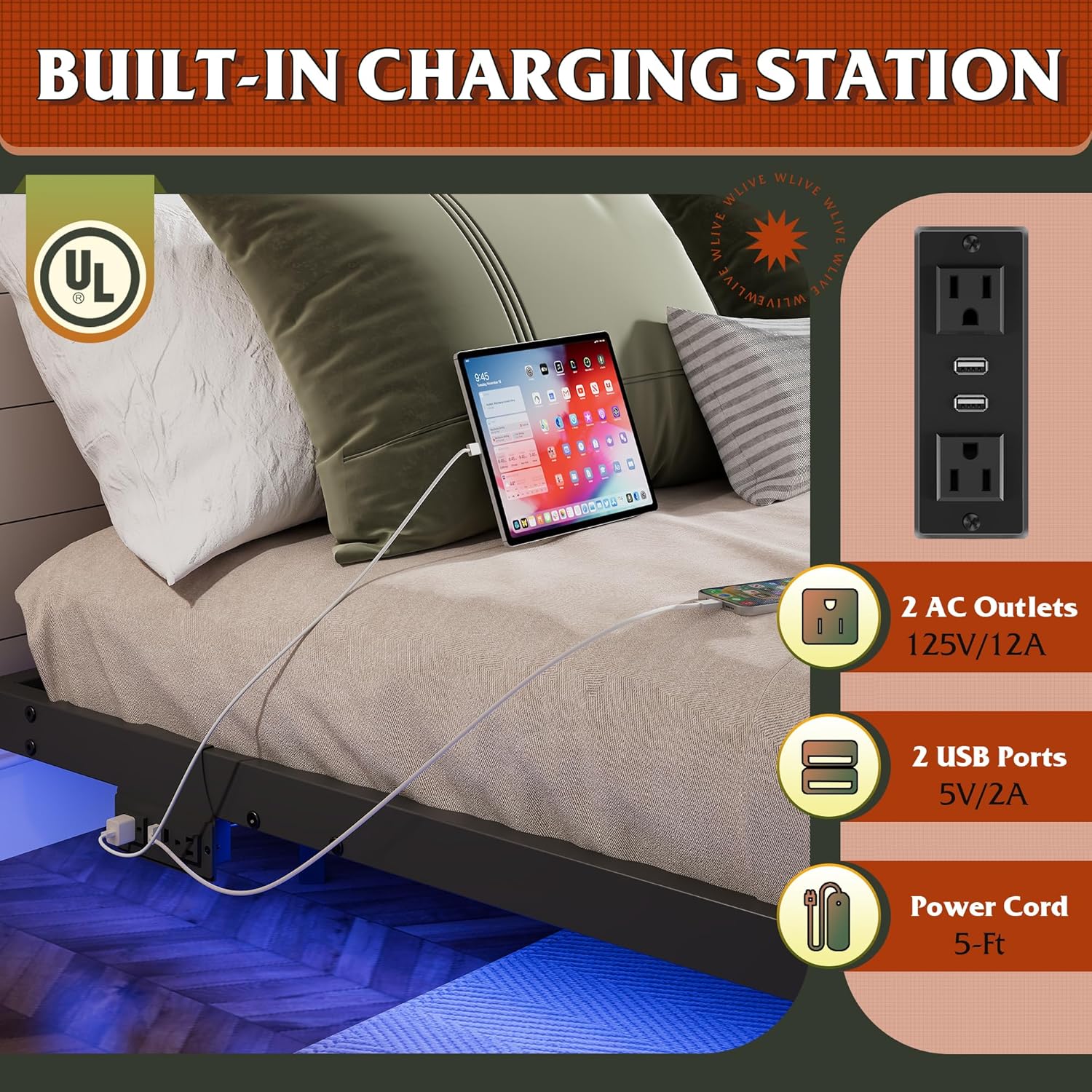
Image: A detailed view of the bed frame's metal structure, illustrating the sturdy triangle support and slat system for easy assembly.
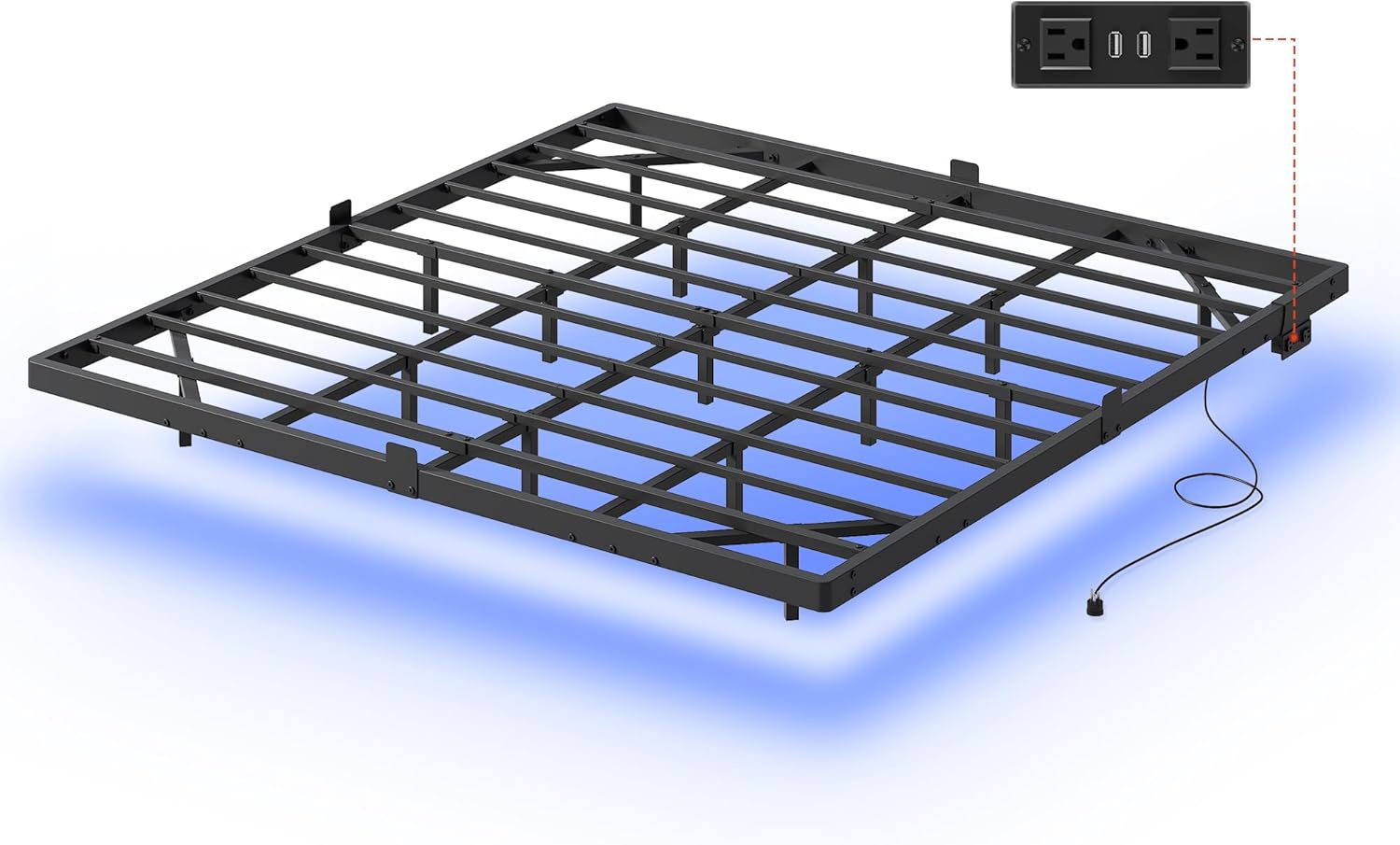
Image: Close-up views of key features including sturdy triangle support, mattress stopper, easy assembly mechanism, and noise-free anti-slip feet.
Operating Instructions
LED Light Operation:
The integrated LED light strips offer a customizable ambiance. Control the lights using the provided remote control or a dedicated mobile application.
- Colors: Choose from over 6000 colors to match your mood or decor.
- Modes: Select from 12 scene modes, including music mode and timing mode.
- Adjustments: Adjust the speed and brightness of the lights to your preference.
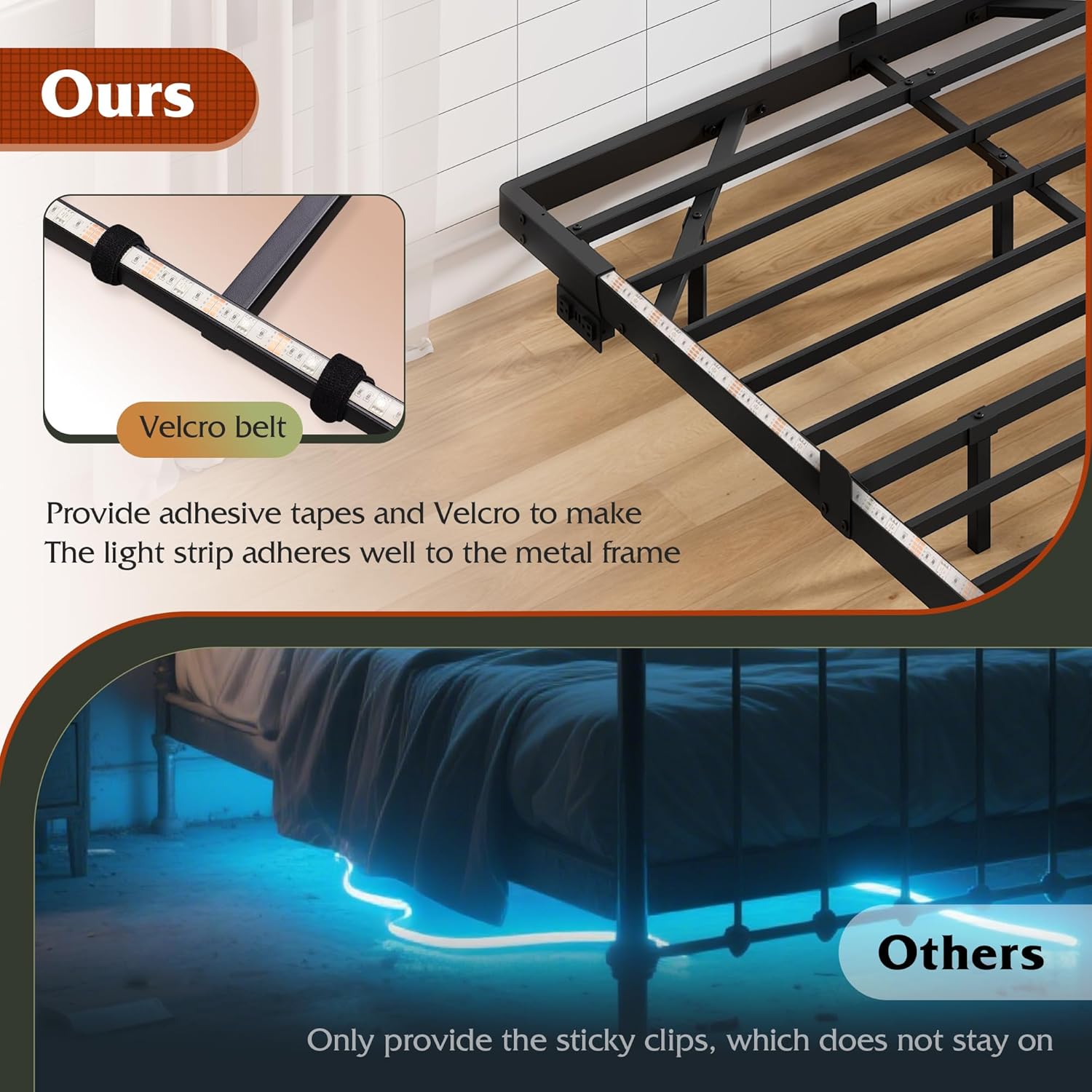
Image: Illustration of the multiple LED light modes and control options, including over 6000 colors, mic mode, timing mode, music mode, and APP/Key control.
Charging Station Usage:
The built-in charging station provides convenient power access for your devices.
- AC Outlets: Two 125V/12A AC outlets are available for standard plugs.
- USB Ports: Two 5V/2A USB ports are available for charging mobile phones, tablets, and other USB-powered devices.
- Power Cord: The charging station features a 1.5m flexible power cord. Ensure it is plugged into a functional wall outlet.

Image: A close-up of the built-in charging station with two AC outlets and two USB ports, demonstrating device charging.
Maintenance
Regular maintenance helps ensure the longevity and optimal performance of your WLIVE Floating King Bed Frame.
- Cleaning: Wipe down the metal frame with a soft, damp cloth. Avoid abrasive cleaners or harsh chemicals that could damage the finish.
- Connection Check: Periodically inspect all bolts and screws to ensure they remain tight. Re-tighten if necessary to maintain stability and prevent noise.
- LED Strip: Ensure the LED light strip remains securely attached. If it begins to peel, re-secure it using the Velcro or additional adhesive if needed.
- Anti-slip Pads: Check the anti-slip pads on the bed legs for wear and tear. Replace if damaged to protect your floor and prevent sliding.

Image: A close-up showing the Velcro belt used to secure the LED light strip to the metal frame, ensuring it stays in place.
Troubleshooting
If you encounter any issues with your bed frame, refer to the common problems and solutions below. If the problem persists, please contact customer support.
| Problem | Possible Cause | Solution |
|---|---|---|
| Bed frame is noisy/squeaky. | Loose bolts or connections. | Tighten all assembly bolts. Ensure slats are properly seated. |
| Mattress slides on the frame. | Mattress stoppers not installed or incorrectly positioned. | Verify that the 4 mattress slide stoppers are correctly installed and engaged. |
| LED lights not working. | Loose connection, power issue, or remote battery. | Check all LED strip connections. Ensure the power adapter is plugged in. Replace remote control battery if applicable. |
| Charging station not working. | Power cord not plugged in, circuit issue. | Ensure the power cord is securely plugged into a working wall outlet. Check household circuit breaker. |
Specifications
| Feature | Detail |
|---|---|
| Brand | WLIVE |
| Model | B0FDKC9PNR |
| Size | King |
| Product Dimensions (L x W x H) | 80.12 x 76.38 x 9.13 inches |
| Item Weight | 45.9 pounds |
| Material | Metal |
| Weight Capacity | Up to 1500 pounds |
| Special Feature | 4 Mattress Slide Stopper, LED Lighting, Built-in Charging Station |
| Charging Station | 2 AC Outlets (125V/12A), 2 USB Ports (5V/2A) |
| LED Lights | 6000+ RGB Colors, Multiple Modes (Key/APP Control) |

Image: A visual representation of the King size bed frame with its key dimensions and weight capacity of 1500 lbs.
Warranty and Support
WLIVE is committed to providing high-quality products and excellent customer service. For any questions, concerns, or assistance with your bed frame, please contact our professional after-sales team.
Please refer to your purchase documentation for specific warranty details and contact information. Keep your proof of purchase for warranty claims.
For further assistance, visit the official WLIVE store or contact their customer support directly.
Note: This manual provides general instructions. Specific details may vary slightly. Always refer to the most current information provided by the manufacturer.
Related documentsB0FDKC9PNR

Ask a question about this manual
Ask about setup, troubleshooting, compatibility, parts, safety, or missing instructions. Manuals+ will review the question and use this page’s manual context to help answer it.