Introduction
Thank you for choosing the FINYIORE WS-960 Astronaut Karaoke Machine. This portable Bluetooth speaker with wireless microphones is designed to provide an enjoyable audio experience. This manual will guide you through the setup, operation, and maintenance of your new device.
What's in the Box
- 1 x FINYIORE WS-960 Karaoke Machine (Main Unit)
- 2 x Wireless Microphones
- 1 x Power Cable (USB-C)
- 1 x Auxiliary Cable
- 1 x 1GB TF Card (pre-loaded with 24 nursery rhymes)
- 1 x User Manual
Product Overview
The FINYIORE WS-960 features a unique astronaut-shaped design, integrating a portable speaker with two wireless microphones. It offers various connectivity options and sound modes for versatile use.

Figure 1: Main unit and two wireless microphones.
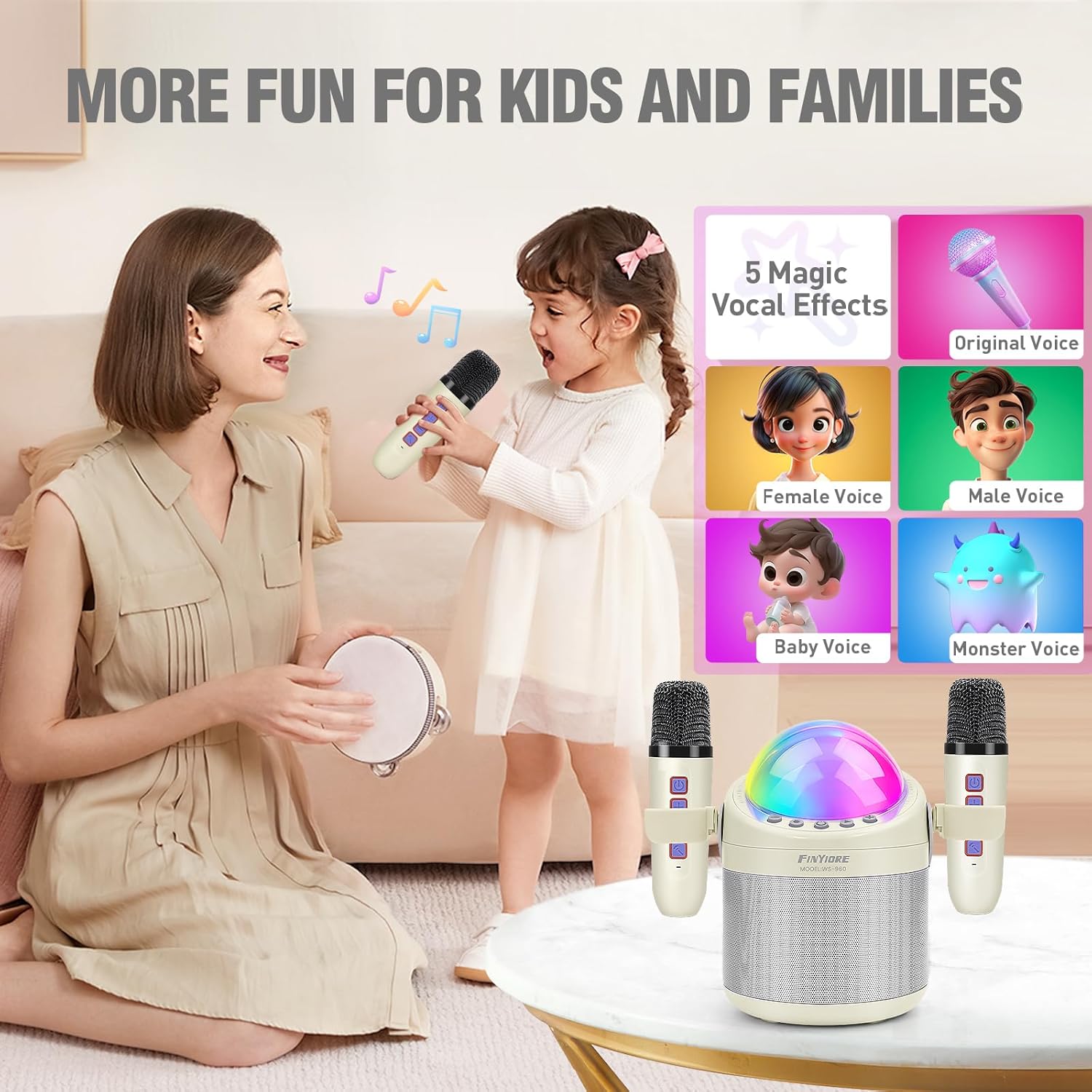
Figure 2: Karaoke machine with microphones securely stored in side clips.

Figure 3: Detachable snap for convenient microphone storage.
Setup
1. Charging the Device
Before first use, fully charge the karaoke machine and both wireless microphones. Use the provided USB-C power cable.
- Main Unit: Connect the USB-C cable to the DC5V port on the back of the main unit and to a USB power adapter (not included).
- Microphones: Each microphone has its own charging port. Connect them individually using the provided cable or a compatible USB-C cable.
Charging typically takes 2-3 hours. A full charge provides approximately 6-10 hours of playtime.
2. Inserting the TF Card
The included 1GB TF card comes pre-loaded with 24 classic nursery rhymes. Insert the TF card into the designated TF card slot on the back of the main unit.

Figure 4: Back panel with TF card slot, USB port, and DC5V charging port.
Operating Instructions
1. Power On/Off
- Main Unit: Long press the power button (center button) on the top panel to turn the unit on or off.
- Microphones: Long press the power button on each microphone to turn it on or off. The microphones will automatically pair with the main unit when both are powered on.
2. Connectivity Modes
The karaoke machine supports multiple connection methods:
- Bluetooth: The unit will automatically enter Bluetooth pairing mode when powered on. Search for "FINYIORE WS-960" on your mobile device's Bluetooth settings and connect.
- TF Card: Insert the TF card into the slot. The unit will automatically play songs from the card.
- USB Drive: Insert a USB drive into the USB port on the back. The unit will play audio files from the drive.
- AUX Input: Use the provided auxiliary cable to connect external audio devices.

Figure 5: Multiple connection options for the karaoke machine.
3. Controls (Main Unit)
- Power Button: Long press to turn on/off. Tap to switch modes (Bluetooth, TF Card, USB, FM).
- Play/Pause: Short press to play or pause music. Long press for FM automatic channel search.
- Previous Track/Volume Down: Short press for previous track. Long press to decrease volume.
- Next Track/Volume Up: Short press for next track. Long press to increase volume.
- Lighting Mode: Tap to switch between different colorful dancing light modes.
4. Controls (Microphones)
- Power Button: Long press to turn on/off.
- Microphone Volume: Press '+' to increase, '-' to decrease.
- Reverb Effect: Long press '+' to increase reverb, '-' to decrease reverb.
- Voice Changer: Tap the bottom button to cycle through 5 voice effects: Original, Male, Female, Baby, and Monster.
- Vocal Reduction: Long press the bottom button to reduce or restore original vocals from the music.

Figure 6: Explore 5 fun magic voice effects.
5. Sound Quality and Lighting
The speaker is equipped with a bass diaphragm and digital signal processor for enhanced bass and stereo sound. The colorful dancing lights on the main unit create an engaging atmosphere, with multiple modes to choose from.

Figure 7: Superior sound quality features.
Maintenance
- Cleaning: Use a soft, dry cloth to clean the exterior of the karaoke machine and microphones. Do not use liquid cleaners or abrasive materials.
- Storage: When not in use, store the microphones in their designated clips on the main unit to prevent loss and damage. Store the device in a cool, dry place away from direct sunlight and extreme temperatures.
- Battery Care: To prolong battery life, avoid fully discharging the device frequently. Charge the unit regularly, even if not in active use, to maintain battery health.
Troubleshooting
- No Sound:
- Ensure the main unit and microphones are powered on and charged.
- Check the volume levels on both the main unit and the microphones.
- Verify Bluetooth connection or proper insertion of TF card/USB drive.
- Microphone Not Working:
- Ensure the microphone is powered on and fully charged.
- Confirm the microphone is paired with the main unit (indicated by a steady blue light).
- Check microphone volume.
- Connection Issues:
- For Bluetooth, ensure the device is within range (up to 33 feet) and no other devices are interfering. Try unpairing and re-pairing.
- For TF/USB, ensure the media is correctly formatted and contains compatible audio files.
- Muffled Sound:
- Adjust the microphone's reverb level.
- Ensure the microphone is not too close to the speaker, which can cause feedback.
- Check the audio source quality.
Specifications
| Model Number | WS-960 |
| Brand | FINYIORE |
| Power Source | Battery Powered |
| Battery Type | 1 Lithium Polymer battery (included) |
| Playtime | 6-10 hours |
| Charging Time | 2-3 hours |
| Connectivity Technology | Bluetooth 5.3 |
| Connector Types | TF Card, USB, Bluetooth, Micro (AUX) |
| Audio Input | Wireless Microphones, Bluetooth |
| Voice Effects | 5 (Original, Male, Female, Baby, Monster) |
| Pre-loaded Content | 24 classic nursery rhymes on 1GB TF card |
| Product Dimensions | 5.9 x 4.1 x 3 inches |
| Item Weight | 1.95 pounds |
Warranty and Support
For warranty information and customer support, please refer to the contact details provided with your purchase or visit the official FINYIORE website. Keep your purchase receipt for any warranty claims.