
1. Introduction
This manual provides essential instructions for the safe and effective use of your Lumos Ultra E-Bike Helmet and Firefly Bike Light System. Please read this manual thoroughly before using the product and retain it for future reference. The Lumos Ultra E-Bike Helmet is designed to enhance rider visibility and safety with integrated lighting and turn signals. The Lumos Firefly Bike Light System further augments visibility and communication on the road.
2. What's in the Box
Carefully unpack all components and ensure all items are present. If any items are missing or damaged, please contact Lumos support.
- 1x Lumos Ultra E-Bike Helmet
- 1x Lumos Remote (for turn signals)
- 1x Lumos Firefly Bike Light
- 1x Firefly Charging Cradle
- 1x Universal Mount (for Firefly)
- 1x Silicone Strap (for Firefly)
- 1x Low Profile Padding Set (for helmet)
- 1x Seat Post Padding Set (for Firefly)
- 2x Clips (for Firefly)
- 1x User Guide (this document)
- 1x Stickers
- 1x Velcro Strap

Image 2.1: The complete Lumos Ultra E-Bike Helmet and Firefly Bike Light System package, including the helmet, Firefly light, remote control, and charging cradle.
3. Safety Information
Your safety is paramount. Please adhere to the following guidelines:
- Helmet Use: Always wear your helmet correctly fitted and securely fastened when cycling. A helmet cannot protect against all possible impacts.
- Visibility: While the integrated lights enhance visibility, they do not replace the need for traditional bike lights or reflectors as required by local regulations.
- Maintenance: Regularly inspect your helmet and lights for any signs of wear or damage. Replace components as necessary.
- Charging: Use only the provided charging cradle and appropriate power sources. Do not attempt to charge damaged devices.
- Water Exposure: The helmet and lights are designed to be weather-resistant, but avoid prolonged submersion or high-pressure water jets.
4. Setup
4.1. Helmet Fit and Adjustment
- Place the helmet on your head so it sits level and covers your forehead.
- Adjust the retention system at the back of the helmet until it feels snug but comfortable.
- Adjust the chin straps so they form a 'V' shape below your ears and the buckle is centered under your chin.
- Tighten the chin strap until it is snug, allowing only one finger to fit between the strap and your chin.
- Shake your head gently; the helmet should not shift significantly.
4.2. Firefly Light Mounting and Pairing
The Firefly light can be mounted in various positions using the universal mount, silicone strap, or clips.
- Choose your desired mounting location (e.g., seat post, handlebars, helmet).
- Secure the universal mount or silicone strap to the chosen location.
- Attach the Firefly light to the mount using its magnetic base. Ensure it clicks securely into place.
- To pair the Firefly with your helmet or remote, ensure both devices are charged and powered on. Follow the pairing instructions in the Lumos App.

Image 4.2.1: Lumos Firefly lights attached to a bicycle, demonstrating their versatile mounting options for front, rear, and turn signal functions.
4.3. Remote Control Pairing and Mounting
- Mount the Lumos Remote to your handlebar in an easily accessible position using the provided strap.
- Ensure the remote is charged.
- Power on the helmet and the remote.
- Open the Lumos App and follow the instructions to pair the remote with your helmet.

Image 4.3.1: A cyclist demonstrating the use of the Lumos Remote to activate turn signals, indicating their intentions to other road users.
4.4. App Installation and Connection
- Download the Lumos App from your device's app store (iOS or Android).
- Open the app and create an account or log in.
- Follow the in-app instructions to connect your Lumos Ultra Helmet and Firefly lights via Bluetooth.
5. Operating
5.1. Helmet Lights (Modes and Turn Signals)
The Lumos Ultra Helmet features integrated front and rear LED lights with multiple modes and turn signal functionality.
- Power On/Off: Press and hold the power button on the helmet for 2 seconds.
- Change Light Mode: Briefly press the power button to cycle through available light modes (e.g., Always On, Slow Flashing, Flashing).
- Turn Signals: Use the Lumos Remote to activate left or right turn signals. The corresponding lights on the helmet will flash amber.

Image 5.1.1: Illustration of the various front and rear LED light patterns available on the Lumos Ultra Helmet, including Always On, Slow Flashing, and Flashing modes.

Image 5.1.2: A cyclist wearing the Lumos Ultra Helmet with the integrated turn signals activated, clearly indicating a change in direction.
5.2. Firefly Lights (Modes and Synchronization)
The Firefly light offers additional visibility and can synchronize with your helmet.
- Power On/Off: Press and hold the button on the Firefly light.
- Change Light Mode: Briefly press the button to cycle through modes.
- Synchronization: Once paired via the app, the Firefly lights will automatically synchronize with the helmet's turn signals and braking lights (if enabled).
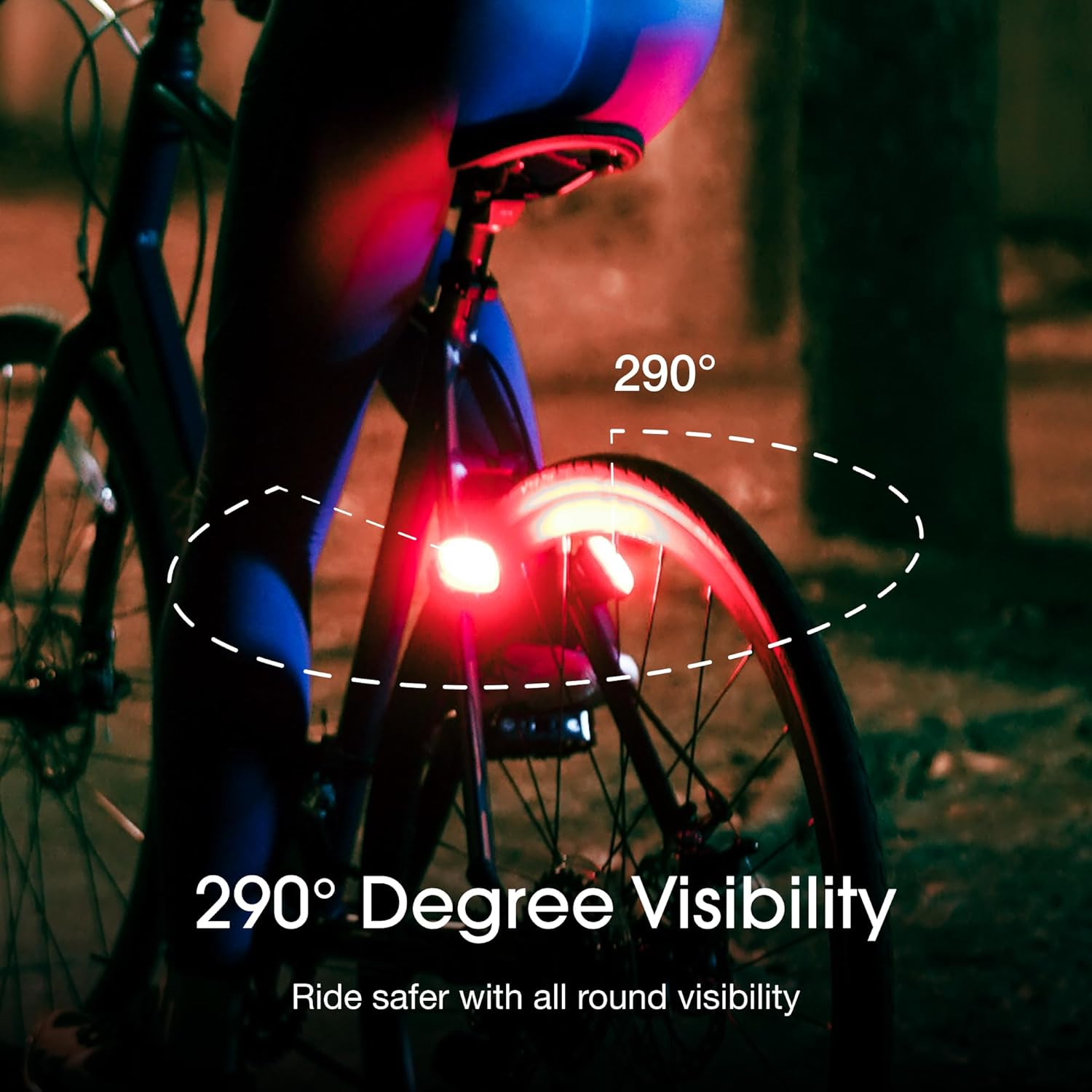
Image 5.2.1: The Lumos Firefly light providing 290-degree visibility, enhancing safety by making the rider more noticeable from various angles.
5.3. Charging
- Helmet: Connect the provided charging cable to the helmet's charging port and a USB power source. The LED indicator will show charging status.
- Firefly: Place the Firefly light onto the charging cradle. The cradle supports Qi wireless charging. Ensure the light is correctly seated.
- Remote: Connect the remote to a USB power source using its dedicated charging cable.
5.4. App Features
The Lumos App allows for advanced customization and monitoring.
- Customize LED Patterns: Select and personalize light patterns and brightness settings.
- Check Battery Life: Monitor the battery status of your helmet, Firefly, and remote.
- Ride Tracking: Track your rides and view statistics.
- Firmware Updates: Receive and install firmware updates for improved performance and new features.

Image 5.4.1: The Lumos mobile application interface, displaying options to customize light flashing patterns and check the battery life of connected devices.
6. Maintenance
6.1. Cleaning
- Helmet: Use a soft, damp cloth and mild soap to clean the exterior. Do not use harsh chemicals or abrasive cleaners. The internal padding can be removed and hand-washed.
- Lights: Wipe the LED surfaces with a soft, dry cloth to ensure maximum light output.
6.2. Battery Care
- Charge your devices regularly, even if not in frequent use, to maintain battery health.
- Avoid fully discharging the batteries for extended periods.
6.3. Storage
Store your helmet and lights in a cool, dry place away from direct sunlight and extreme temperatures.
7. Troubleshooting
- Device Not Turning On: Ensure the device is fully charged. Try a different charging cable or power source.
- Lights Not Working: Check battery level. Ensure the device is powered on and not in a low-power mode.
- Remote Not Controlling Helmet/Firefly: Re-pair the remote via the Lumos App. Ensure the remote's battery is charged.
- App Connectivity Issues: Ensure Bluetooth is enabled on your phone. Restart the app and your Lumos devices.
- Firefly Not Charging Wirelessly: Ensure the Firefly is correctly seated on the charging cradle. Check if the cradle is powered.
For further assistance, please refer to the Lumos support website or contact customer service.
8. Specifications
| Feature | Specification |
|---|---|
| Brand | Lumos |
| Model | Ultra E-Bike Helmet & Firefly Bike Light System |
| ASIN | B0FDJRS434 |
| Helmet Certification | NTA 8776 (Speed E-Bike Helmet Certification) |
| Connectivity | Bluetooth (for app and remote pairing) |
| Firefly Charging | Qi Wireless Charging |
Image 8.1: The Lumos Ultra E-Bike Helmet, highlighting its NTA 8776 certification for speed e-bike use, indicating protection against impacts at higher speeds.
9. Warranty and Support
Lumos products are covered by a limited warranty against manufacturing defects. For specific warranty terms, registration, and support, please visit the official Lumos website or contact their customer service. Keep your proof of purchase for warranty claims.
Lumos Support: www.lumoshelmet.co/support


