
1. Introduction
This user manual provides comprehensive instructions for the safe and effective operation of the BSIDE Thermal Imager Multimeter. Please read this manual thoroughly before using the device and retain it for future reference.
2. Safety Information
Always adhere to the following safety precautions to prevent injury or damage to the device:
- Do not operate the device if it appears damaged.
- Ensure proper polarity when connecting test leads.
- Do not exceed the maximum input ratings for any function.
- Use caution when working with live circuits.
- Refer to local electrical codes and safety standards.
3. Product Overview
The BSIDE Thermal Imager Multimeter is a versatile tool combining a high-resolution thermal camera with a full-featured digital multimeter. It is designed for applications such as home inspection, HVAC, electrical plumbing, electronic maintenance, and circuit analysis.
3.1 Key Features
- 428x320 IR Resolution Thermal Imaging Camera
- Dual-Light Fusion for enhanced visibility
- 20000 Count Digital Multimeter functions (AC/DC Voltage, Resistance, Capacitance, Diode, Continuity, Temperature, AC Current Clamp)
- Data Recording Mode for tested data over time
- Macro Lens for detailed inspection of small components
- 15 Thermal Palettes for diverse visualization
- 3.98-inch Touch TFT LCD Screen (320x480 resolution)
- Temperature Range: -20℃ to 550℃ (-4℉ to 1022℉)
- 25Hz Refresh Rate
- Efficient Data Storage and Export via USB
3.2 Package Contents
- 1 x Infrared Camera Multimeter
- 1 x Macro Lens
- 1 x Charging Cable
- 1 x Carrying Case
- 1 x User Manual (this document)
Note: The flexible AC current clamp is not included in the standard package.
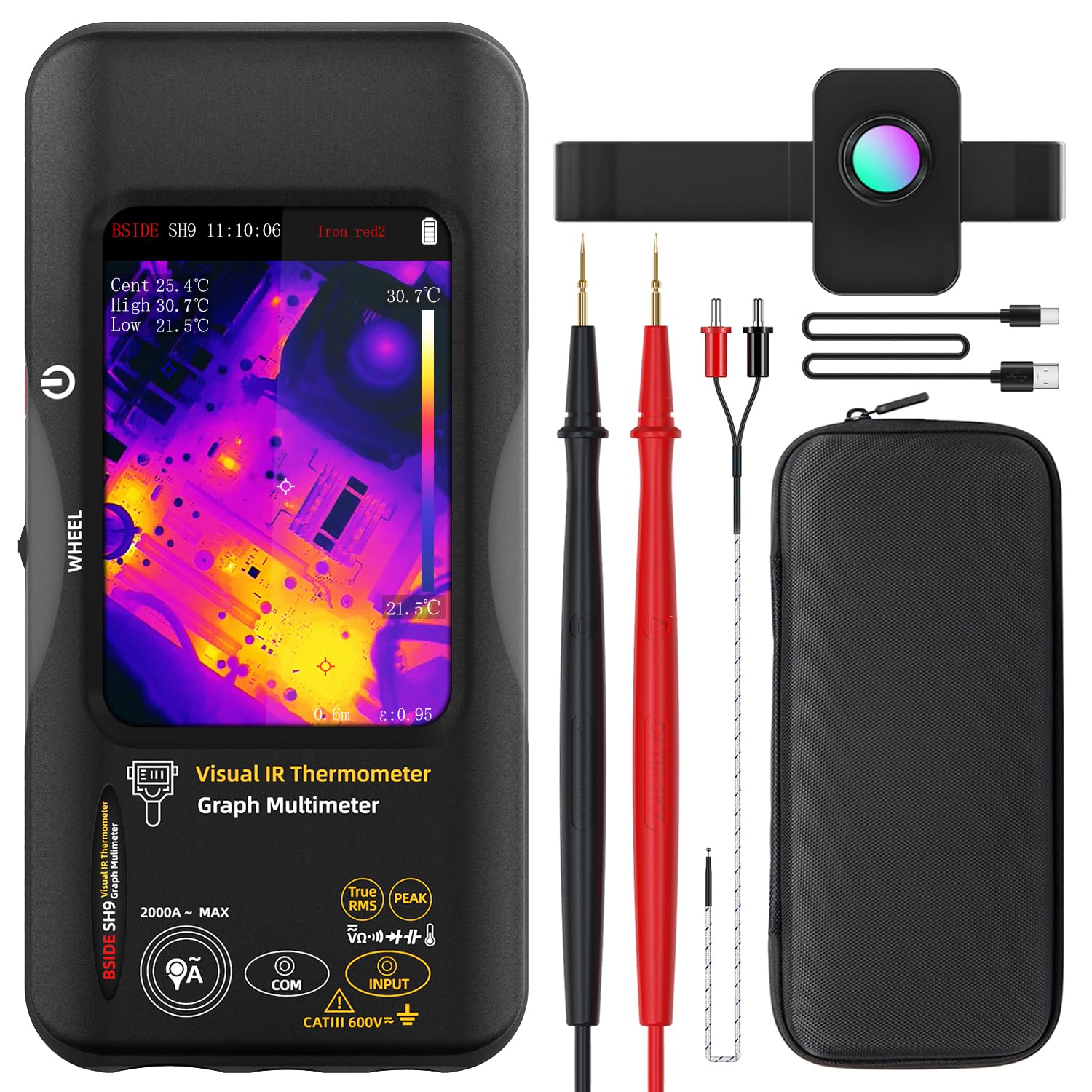
Figure 1: The BSIDE Thermal Imager Multimeter along with its included accessories, such as the macro lens, charging cable, and carrying case.
4. Setup
4.1 Charging the Device
The device comes with a built-in 2500mAh rechargeable battery. Before first use, fully charge the device using the provided charging cable. Connect the charging cable to the device's charging port and a suitable USB power source.
4.2 Powering On/Off
Press and hold the power button located on the side of the device to power it on or off. The TFT LCD screen will illuminate upon successful power-on.
5. Operating Instructions
5.1 Navigating the Interface
The device features a 3.98-inch touch TFT LCD screen for intuitive navigation. Use touch gestures to select functions, adjust settings, and view data. A physical wheel button may also be present for additional control.
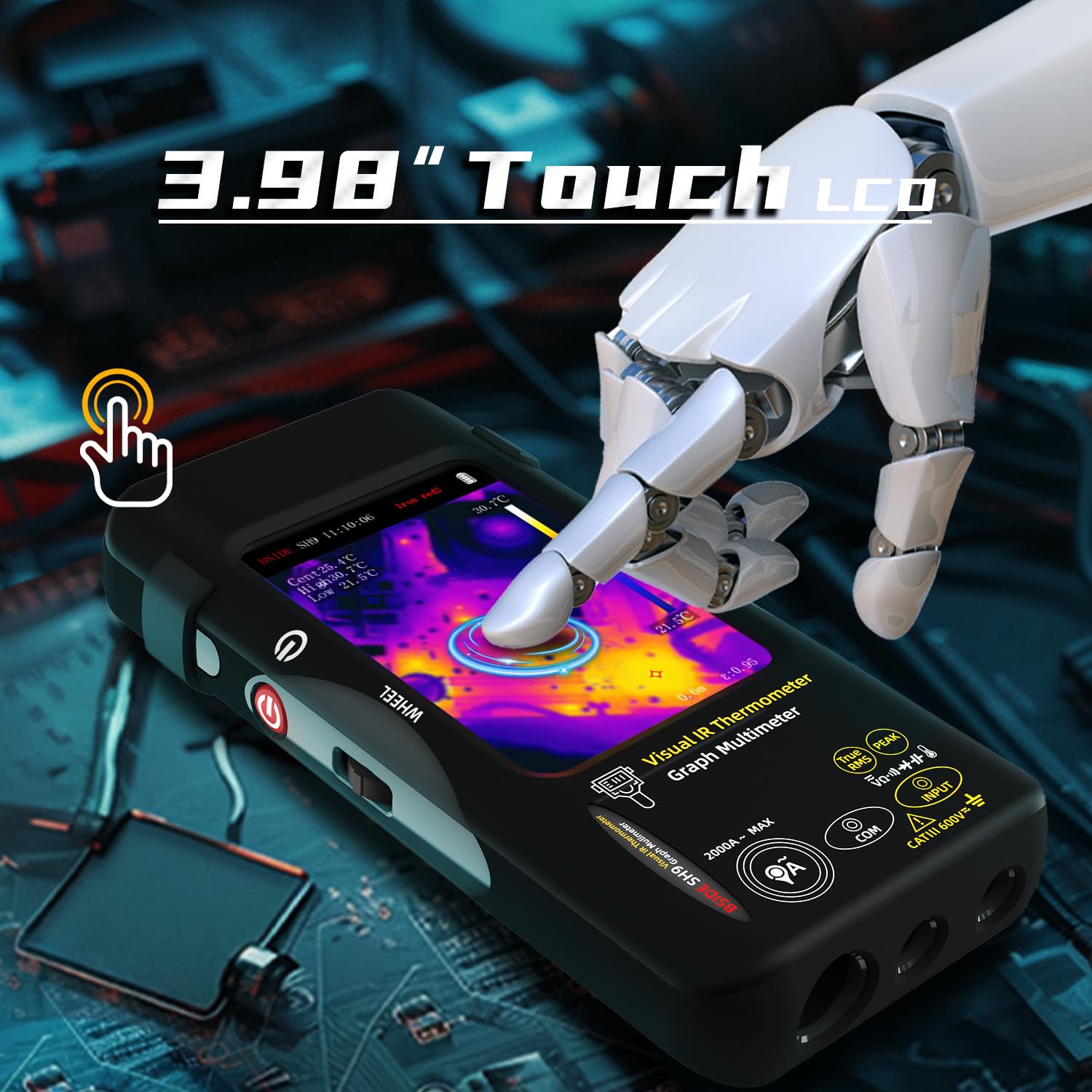
Figure 2: Demonstrates the touch screen interface of the device, allowing for easy interaction and data viewing.
5.2 Thermal Imaging Mode
To activate the thermal imaging function, select the appropriate mode on the screen. The device will display a thermal image with a resolution of 428x320 pixels. Hot, cold, and central spots temperatures are displayed on the screen.

Figure 3: The device displaying a thermal image with temperature readings, highlighting its 428x320 IR resolution capability.
5.2.1 Dual-Light Fusion
The Dual-Light Fusion feature overlays regular visual images with thermal images, providing enhanced detail and context. This mode is particularly useful for identifying the exact location of thermal anomalies.

Figure 4: Illustrates the difference between Fusion Mode and pure Thermal Mode, demonstrating how dual-light fusion provides a clearer understanding of the thermal landscape.
5.2.2 Thermal Palettes
The device offers 15 different thermal palettes to visualize temperature differences. Users can select the most suitable palette for their application to improve contrast and clarity.

Figure 5: A visual representation of the 15 distinct thermal palettes, including White Hot, Black Hot, Rainbow, and Iron Red, which can be selected to optimize thermal image interpretation.
5.2.3 Using the Macro Lens
Attach the included macro lens for detailed inspection of small electronic components, PCB hot spots, or other miniature objects. The macro lens has a working object distance of 35mm and a magnification of 0.3X.
5.3 Multimeter Functions
The integrated digital multimeter provides 20000 counts for precise measurements. Connect the test leads to the appropriate input jacks on the device.

Figure 6: The multimeter function showing a DC voltage reading with 20000 counts, demonstrating its high precision for electrical measurements.
5.3.1 Measurement Modes
Select the desired measurement mode (e.g., DC Voltage, AC Voltage, Resistance, Capacitance, Diode, Continuity, Temperature, AC Current) using the on-screen interface or physical controls. Refer to the display for real-time readings.

Figure 7: The device in multimeter mode, displaying an AC voltage measurement along with a graph, indicating its data recording capability.
5.3.2 Data Recording Mode
The device can record up to 3 measurements over time, displaying them as a graph. This feature is useful for monitoring trends or intermittent issues. Access the recording mode through the menu.
6. Data Management
6.1 Image and Data Export
The device can store over 15,000 images. Connect the device to a computer via the provided USB cable to export stored thermal images and recorded measurement data for further analysis or reporting.

Figure 8: The device connected to a laptop, illustrating the real-time image export feature, allowing users to transfer and review thermal images on a larger screen.
7. Maintenance
7.1 Cleaning
Wipe the device's exterior with a soft, damp cloth. Do not use abrasive cleaners or solvents. Ensure the device is powered off before cleaning.
7.2 Storage
When not in use, store the device in its carrying case in a cool, dry place, away from direct sunlight and extreme temperatures.
7.3 Battery Care
To prolong battery life, avoid fully discharging the battery frequently. Recharge the device regularly, even if not in active use, especially if storing for extended periods.
8. Troubleshooting
| Problem | Possible Cause | Solution |
|---|---|---|
| Device does not power on. | Low battery; Device malfunction. | Charge the battery; Contact customer support. |
| Thermal image is blurry or unclear. | Lens is dirty; Incorrect focus/distance. | Clean the lens with a soft cloth; Adjust distance to object. |
| Multimeter readings are inaccurate. | Incorrect mode selected; Damaged test leads. | Verify the selected measurement mode; Inspect and replace test leads if necessary. |
| Cannot export data to computer. | USB cable issue; Driver not installed. | Try a different USB port/cable; Install necessary drivers (if applicable, check manufacturer website). |
9. Specifications
9.1 Infrared Camera Specifications
- Display Size: 3.98 Inch TFT LCD
- IR Resolution: 320 x 428
- Screen Resolution: 320 x 480
- Angle of View (FOV): 50.0°(H)x 37.2°(V)/63.6°(D)
- Spatial Resolution (IFOV): 8.89mrad
- Temperature Range: -20℃ to 550℃ (-4℉ to 1022℉)
- Thermal sensitivity/NETD: Less than 50mk
- Refresh Rate: 25Hz
- Distance Settings: 0.3-3 m
- Emissivity: 0.01-1 (Adjustable)
- Number of storage image: 15000
9.2 Digital Multimeter Specifications
- MAX Display: 20000 counts
- DC Voltage: 20mV/200mV (±0.1%+3), 2V/20V (±0.1%+3), 200V/1000V (±0.5%+3)
- AC Voltage: 20mV/200mV (±0.5%+3), 2V/20V/200V/750V (±0.05%+3)
- Flexible AC Current: 200A/2000A (0.1A/1A resolution)
- Resistance: 200Ω (±0.5%+3), 2kΩ/20KΩ/200KΩ (±0.2%+3), 2MΩ/20MΩ (±1%+3), 200MΩ (±5%+5)
- Capacitance: 999.99nF (±5.0%+20), 9.999µF/999.9µF (±2%+5), 99.999mF (±5%+10)
- Temperature: -20℃~1300℃/-4℉-2372℉ (±2%+5)
- Diode: Yes
- Continuity: Yes
9.3 Macro Lens Specifications
- Working object distance: 35mm
- Magnification: 0.3X
9.4 General Specifications
- Power: 2500mAh rechargeable battery (built-in)
- Size: 169 x 81 x 26.8mm (6.65 x 3.19 x 1.02 inches)
- Weight: 274g (9.69 ounces)
10. Warranty and Support
For warranty information and technical support, please refer to the manufacturer's official website or contact their customer service department. Retain your proof of purchase for warranty claims.
Manufacturer: BSIDE
Contact information may be found on the official BSIDE website or within the product packaging.


