
1. Introduction
This manual provides detailed instructions for the assembly, operation, and maintenance of your VOWNER Vanity Desk with Lighted Mirror. Please read this manual thoroughly before assembly and use to ensure proper function and safety.

Figure 1: VOWNER Vanity Desk with Lighted Mirror and Stool
2. Safety Information
Warning: This product requires assembly. Always follow the included instructions for safe assembly. Be cautious when handling, as the product weighs 106.5 pounds. Ensure stability and proper installation to prevent tipping or collapse. Keep small parts away from children during assembly.
3. Setup and Assembly
Assembly of the VOWNER Vanity Desk requires careful attention to detail. Please follow the step-by-step instructions provided in the included assembly guide. For visual assistance, refer to the assembly video below.
3.1 Assembly Video Guide
Video 1: LED Vanity Installation Instruction. This video provides a visual guide for assembling your vanity desk.
3.2 Key Assembly Steps
- Unpack Components: Carefully unbox all parts and verify against the parts list in your printed manual.
- Assemble Side Panels: Attach the drawer slides to the side panels (parts 7, 8, 9, 10) using screws (G).
- Construct Base Units: Connect the side panels (11, 12) to the bottom panels using dowels (C) and screws (B).
- Install Center Support: Secure the center shelves (14, 15) between the base units using screws (D).
- Attach Top Panel: Secure the top panel (1) to the assembled base using dowels (C) and screws (A).
- Install Mirror Frame: Attach the mirror frame (6) to the top panel.
- Connect Power Outlet: Install the power outlet (H) into the designated slot and connect the power cord (K).
- Assemble Drawers: Construct the drawer boxes (21, 23) by attaching the sides (18, 19, 20, 24, 25, 26, 27, 28) with screws (D, A). Install drawer slides (DL, DR) and crystal knobs (N, O).
- Assemble Stool: Connect the stool legs (30) to the stool top (29) and crossbar (31) using screws (D, F, A, B).
- Final Touches: Add M fittings to cover exposed holes on the front of the product for a clean finish.

Figure 2: Overview of vanity desk components during assembly.
4. Operating Instructions
Your VOWNER Vanity Desk is designed for ease of use with integrated features to enhance your daily routine.
4.1 Lighted Mirror Operation
The built-in LED mirror offers three color temperature modes and adjustable brightness. To operate:
- Power On/Off: Touch the power icon on the mirror surface to turn the lights on or off.
- Change Color Mode: Briefly touch the power icon to cycle through Warm White, Natural White, and Cool White light modes.
- Adjust Brightness: Press and hold the power icon to adjust the brightness level. Release when the desired brightness is achieved.
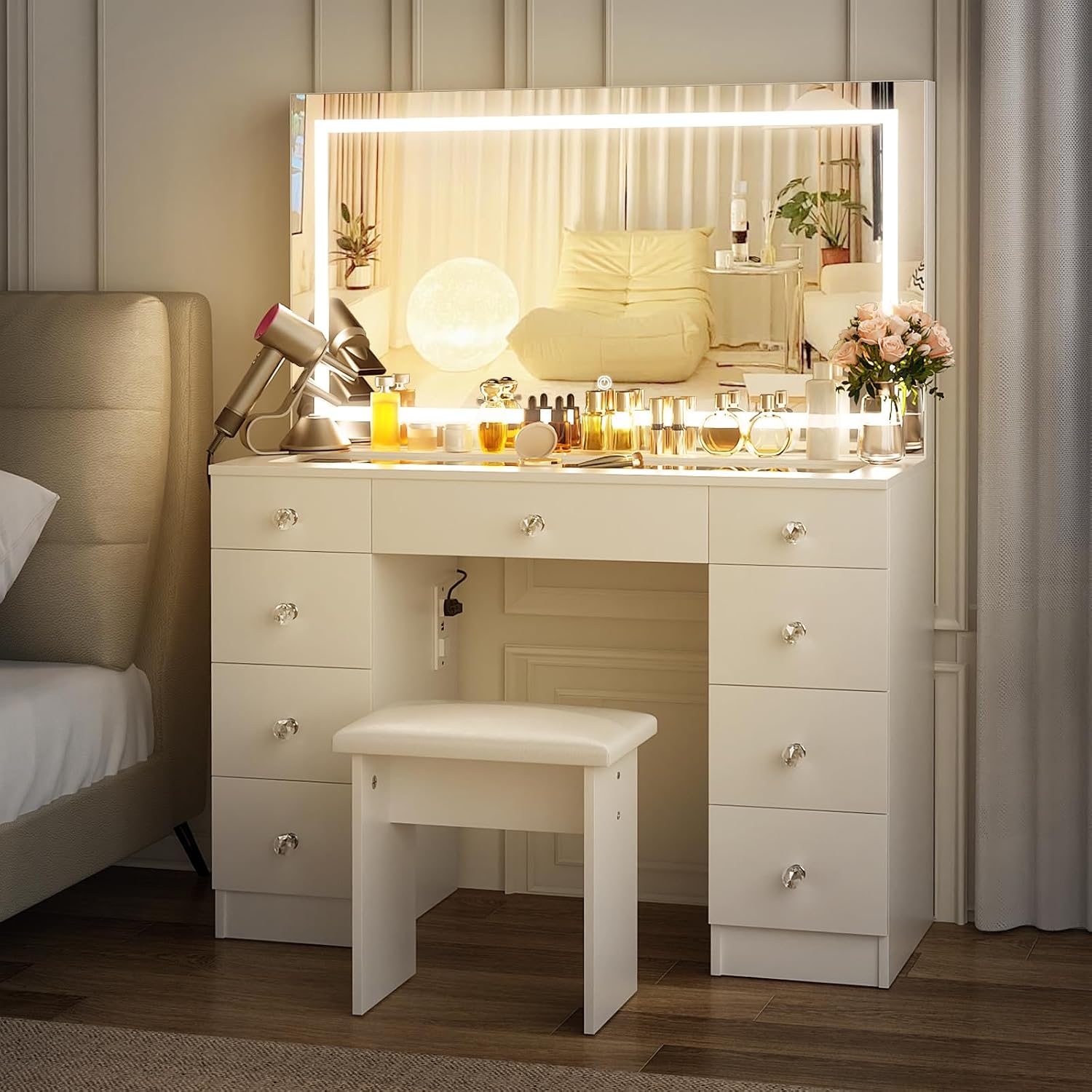
Figure 3: Mirror light options and brightness adjustment.
4.2 Power Outlet Usage
The vanity desk includes a convenient built-in power strip with 2 standard AC outlets and 2 USB ports. This allows for easy charging and powering of various devices such as hair dryers, curling irons, beauty devices, and mobile phones.
- Ensure the vanity desk is properly plugged into a wall outlet.
- Insert device plugs into the AC outlets or USB cables into the USB ports.
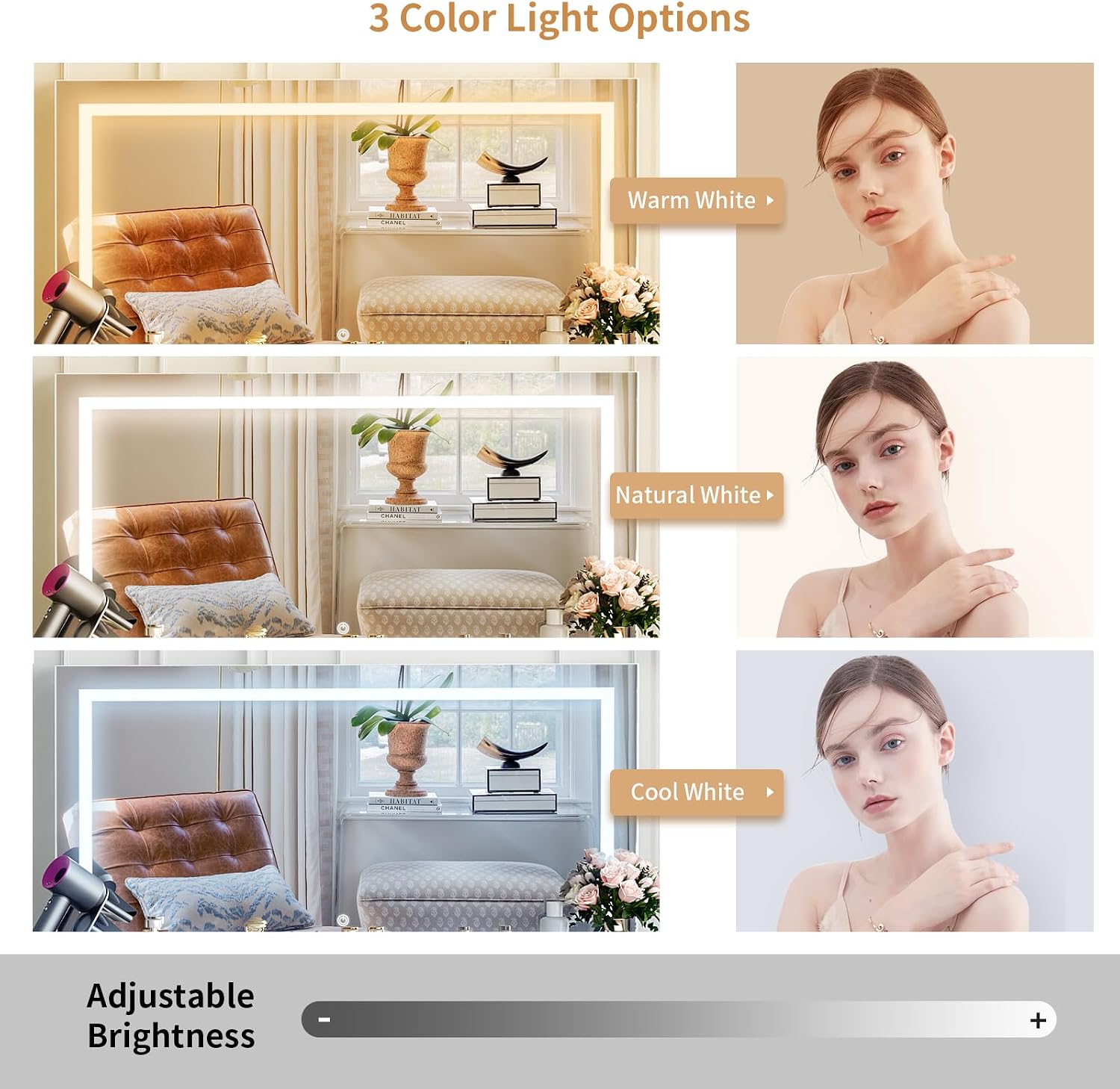
Figure 4: Detail of the built-in power strip.
4.3 Storage Drawers
The vanity desk features 9 large drawers and a spacious desktop, providing ample storage for all your beauty essentials. The glass top allows for easy visibility of items stored in the top compartments.

Figure 5: Vanity desk with glass top and drawers for storage.
4.4 Product Overview Video
Video 2: VOWNER LED Vanity. This video highlights the key features and design of the vanity desk.
5. Maintenance
To maintain the appearance and longevity of your VOWNER Vanity Desk:
- Cleaning: Wipe the surfaces with a dry cloth. Avoid abrasive cleaners or harsh chemicals that may damage the finish or glass.
- Glass Care: For the tempered glass top, use a glass cleaner and a soft cloth to prevent streaks.
- Drawer Maintenance: Periodically check drawer slides for smooth operation. If needed, apply a small amount of silicone lubricant.
6. Troubleshooting
If you encounter any issues with your vanity desk, refer to the following common troubleshooting tips:
- Mirror Light Not Working:
- Ensure the vanity desk is properly plugged into a functional power outlet.
- Check the connection of the mirror's power cable to the vanity desk.
- Verify that the power outlet itself is working by plugging in another device.
- If the issue persists, contact customer support.
- Drawers Not Sliding Smoothly:
- Ensure the drawer slides are correctly aligned and free of obstructions.
- Check that all screws securing the slides are tightened.
- Apply a silicone-based lubricant to the drawer slides if necessary.
- Stability Issues:
- Verify that all cam locks and screws are fully tightened according to the assembly instructions.
- Ensure the vanity is placed on a flat, level surface.
7. Specifications
| Feature | Detail |
|---|---|
| Brand | VOWNER |
| Model Name | VOWNER-591 |
| Product Dimensions | 16"D x 43"W x 54"H |
| Item Weight | 106.5 Pounds |
| Frame Material | Engineered Wood |
| Top Material Type | Tempered Glass |
| Color | White |
| Number of Drawers | 9 |
| Included Components | Vanity desk, vanity stool, power outlet |
| Required Assembly | Yes |
| Tools Recommended For Assembly | Screw Driver |
8. Warranty and Support
For warranty information or customer support, please refer to the documentation included with your purchase or visit the official VOWNER store online. Our customer service team is available to assist with any questions or concerns regarding your product.
Online Store: VOWNER Store