
Introduction
Thank you for choosing the TALONGAMES ULTRAPAD Glass Gaming Mouse Pad. This manual provides essential information for the proper setup, usage, and maintenance of your new gaming accessory. Designed for esports enthusiasts, the ULTRAPAD offers an ultra-smooth glide, high precision, and extreme speed for an optimized gaming experience.
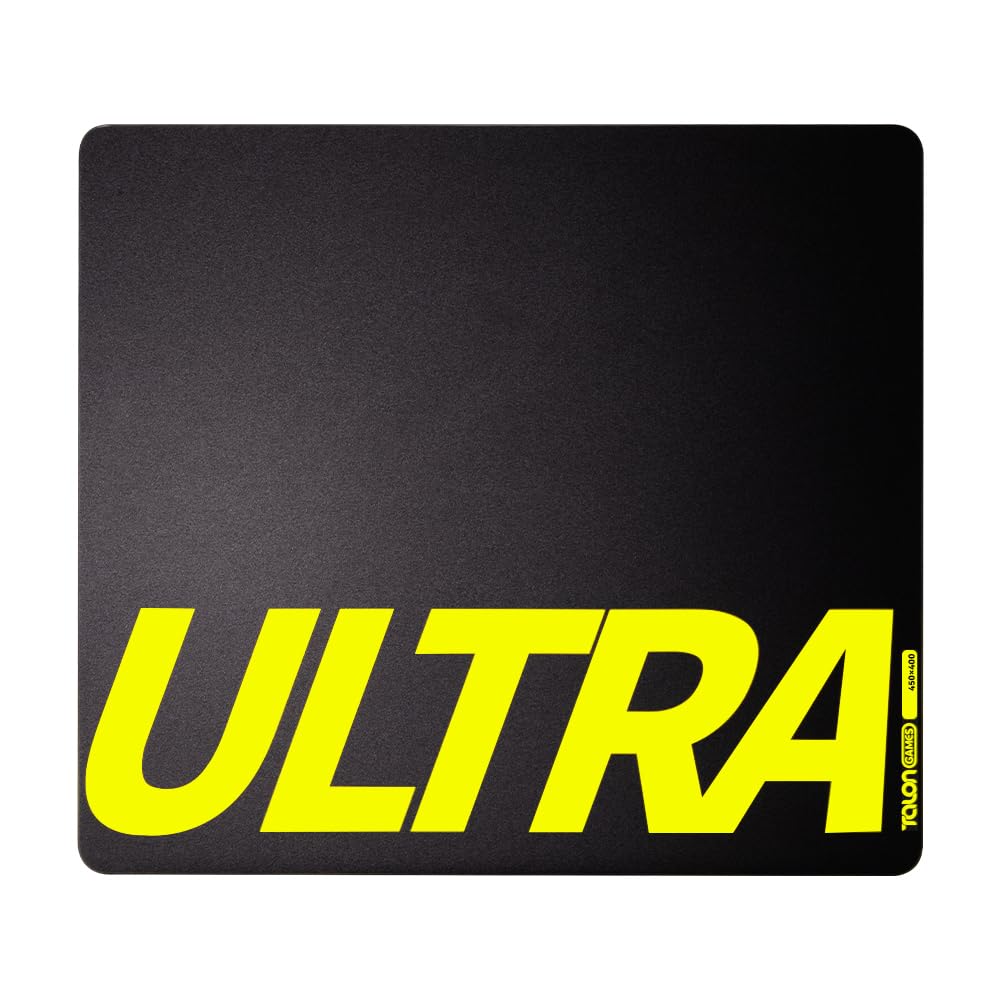
Image: The TALONGAMES ULTRAPAD Glass Gaming Mouse Pad in use with a gaming mouse.
Key Features
- High-Temperature Tempered Glass: Constructed from AGC tempered glass treated above 680°C for exceptional durability and wear resistance.
- Uncoated Design: Ensures consistent performance and stable control without degradation over time.
- Ultra-Smooth Glide & Precise Control: Micro-etched surface provides extremely low friction for smooth movement and pixel-perfect aiming.
- Precision CNC Milling: Rounded edges for safe and comfortable use during extended sessions.
- 3mm Thick Design: Robust yet wrist- and arm-friendly for comfort.
- Anti-Slip Base: Full-coverage polyurethane honeycomb base ensures the pad stays firmly in place.
- Waterproof and Dirt-Resistant: Easy to clean from sweat or spills, maintaining hygiene.
- Spacious Area: 450mm × 400mm size provides ample space for free movement.
- Includes Universal Mouse Skates: Comes with "Iwa" (control-oriented) and "Kumo" (speed-oriented) mouse skates to customize glide feel.

Image: Visual representation of the ULTRAPAD's key features including ultra-smooth, low friction, precise control, CNC polishing, and honeycomb rubber base.

Image: Diagram illustrating the multi-layered construction with uncoated glass surface, breakage-resistant inner layer, and polyurethane base.

Image: Close-up view of the 3mm thin glass edge, highlighting the smooth and comfortable finish.
Package Contents
Verify that all items are present in the package:
- TALONGAMES ULTRAPAD Glass Gaming Mouse Pad (Main Unit)
- Custom Cleaning Cloth
- "Iwa" Universal Mouse Skates (Control-oriented)
- "Kumo" Universal Mouse Skates (Speed-oriented)
- TALONGAMES Commemorative Stickers

Image: Contents of the TALONGAMES ULTRAPAD package, including the mouse pad, cleaning cloth, mouse skates, and stickers.
Setup
- Unboxing: Carefully remove the TALONGAMES ULTRAPAD from its packaging. Inspect the mouse pad for any signs of damage.
- Placement: Place the mouse pad on a clean, flat, and stable surface. Ensure the polyurethane honeycomb base is in full contact with the desk to prevent slipping.
- Mouse Skates Installation: The ULTRAPAD includes two types of universal mouse skates: "Iwa" for control and "Kumo" for speed. Choose the skates that best suit your play style. Clean the bottom of your mouse before applying the skates. Peel the skates from their backing and firmly press them onto the designated areas on your mouse's underside. Ensure they are evenly spaced and securely attached.
Video: An unboxing and initial setup demonstration of the TALONGAMES ULTRAPAD Glass Gaming Mouse Pad, showing the product and included accessories.
Operating Instructions
The TALONGAMES ULTRAPAD is designed for optimal mouse movement and precision. Its micro-etched glass surface provides a consistent, low-friction glide. The choice of mouse skates ("Iwa" for control, "Kumo" for speed) allows for customization of your mouse's glide characteristics.
Simply place your gaming mouse on the pad and begin use. The large surface area (450mm x 400mm) accommodates broad mouse movements, ideal for various gaming genres and professional work.

Image: Close-up of the "Moon-like" surface texture, engineered for smooth and precise mouse control.
Maintenance
To ensure the longevity and optimal performance of your ULTRAPAD, follow these maintenance guidelines:
- Cleaning the Surface: The glass surface is waterproof and dirt-resistant. For daily cleaning, use the provided custom cleaning cloth to wipe away dust and fingerprints. For spills or stubborn dirt, use a soft, damp cloth with a small amount of mild glass cleaner. Avoid abrasive cleaners or materials that could scratch the glass.
- Cleaning the Base: The polyurethane honeycomb base can be wiped with a damp cloth if it accumulates dust or debris. Ensure it is dry before placing it back on your desk.
- Handling: While durable, the glass mouse pad should be handled with care. Avoid dropping it or placing heavy objects on it, which could cause damage.

Image: Close-up of the full-coverage polyurethane honeycomb anti-slip base, designed to be odorless and keep the pad stable.
Troubleshooting
| Issue | Possible Cause | Solution |
|---|---|---|
| Mouse not gliding smoothly | Dirty mouse skates or mouse pad surface; worn-out mouse skates; incorrect mouse skates for surface. | Clean the mouse pad surface and mouse skates. Replace mouse skates if worn. Ensure you are using skates optimized for glass surfaces. Experiment with "Iwa" (control) or "Kumo" (speed) skates. |
| Mouse pad is slipping on the desk | Dust or debris on the anti-slip base or desk surface; uneven desk surface. | Clean the underside of the mouse pad and the desk surface. Ensure the desk is flat and free of obstructions. |
| Reduced tracking precision | Dirty mouse sensor; dirty mouse pad surface. | Clean your mouse's optical sensor. Clean the mouse pad surface thoroughly. |
Specifications
- Brand: TALONGAMES
- Model: ULTRAPAD
- Material: Tempered Glass (Surface), Polyurethane (Base)
- Dimensions: 450mm x 400mm (18.9 x 15.75 inches)
- Thickness: 3mm (4mm including anti-slip base)
- Color: Black
- Special Features: Durable, Waterproof, Non-slip, Micro-etched surface, CNC milled edges
- Recommended Use: Gaming

Image: Diagram showing the dimensions of the TALONGAMES ULTRAPAD Glass Gaming Mouse Pad (450mm x 400mm).
Warranty and Support
For warranty information or technical support, please contact TALONGAMES customer service. Refer to the contact details provided on the product packaging or the official TALONGAMES website.
Email: SUPPORT@TALONGAMES.NET
You can also find more information and connect with the TALONGAMES community through their social media channels:
- X (Twitter): @TALONGAMES_JP, @TALONGAMES_US
- Instagram: @TALONGAMES_OFFICIAL
- YouTube: @TALONGAMES-JP
- TikTok: TALONGAMES_OFFICAL
- Reddit: R/TALONGAMES
- Discord: TALONGAMES