1. Introduction
This manual provides detailed instructions for the installation and use of the Ayake iPhone 16e Screen Replacement. It is designed to assist users in successfully replacing their device's screen and understanding its features. Please read all instructions carefully before proceeding with installation.
2. Compatibility
This screen replacement is specifically designed for the iPhone 16e models. Please verify your phone's model number before ordering to ensure compatibility. Compatible models include:
- A3212
- A3408
- A3410
- A3409
3. Package Contents
The Ayake iPhone 16e Screen Replacement package includes the following items:
- Full HD LCD Display and Touch Digitizer Screen (with pre-installed front camera and earpiece speaker housing)
- Glass Digitizer
- Repair Tools Kit
- Screen Protector
- Waterproof Adhesive Tape

Image 1: Ayake iPhone 16e Screen Replacement kit, showing the display assembly, screen protector, waterproof adhesive, and a set of repair tools including screwdrivers, pry tools, suction cup, and SIM card pin.

Image 2: A closer look at the repair tools provided, including a 0.6*30mm Tri-Point Y0 screwdriver, 0.8*30mm P2 Pentalobe screwdriver, 1.5*35mm Phillips #00 screwdriver, crowbars, disassembly pry tools, a suction cup, and a SIM card pin.
4. Important Warnings and Safety Information
- Battery Disconnection: Always DISCONNECT the battery flex cable before installing the screen to prevent damage to your device or the new screen. Failure to do so may result in a dead screen or other malfunctions.
- True Tone Functionality: The True Tone function requires activation by a specialized programmer after installation. This is not an automatic process.
- Non-OEM Part Message: If a 'non-OEM part' message appears after installation, it is a standard system notification for third-party components. This message will typically disappear completely after 15 days of use.
- Handle all components with care to avoid damage. Static electricity can harm electronic parts; consider using anti-static precautions.
5. Installation Overview
The Ayake iPhone 16e screen replacement is designed for ease of installation, with the front camera and earpiece speaker housing pre-installed. This allows for a quicker transfer of original parts to the new screen.
General Steps:
- Power Off Device: Ensure your iPhone is completely powered off before beginning.
- Remove Old Screen: Carefully remove the damaged screen using the provided tools. Refer to online guides or professional repair videos for specific model instructions.
- Disconnect Battery: As a critical safety step, disconnect the battery flex cable.
- Transfer Components: Transfer the original home button, front camera, and earpiece speaker (if not pre-installed) from the old screen to the new replacement screen.
- Connect New Screen: Carefully connect the flex cables of the new screen to the logic board.
- Reconnect Battery: Reconnect the battery flex cable.
- Test Functionality: Before fully sealing the device, power it on and test the display, touch, front camera, and earpiece speaker.
- Secure New Screen: Apply the waterproof adhesive tape and carefully secure the new screen into place.

Image 3: Diagram illustrating the internal components of the screen replacement, including the pre-installed front camera holder, solid and durable cables and connectors, and the high-quality heat-dissipating LCD back metal plate.
6. Product Features and Performance
The Ayake iPhone 16e Screen Replacement offers several key features to restore your device's functionality and visual experience:
- Full HD Display: Experience high resolution and vibrant colors with the Full HD LCD display.
- High Saturation: The display provides high color saturation for a rich visual experience.
- Smooth 3D Touch: The original 3D Touch functionality is retained with this replacement screen.
- Face ID Retention: The Face ID function will remain 100% operational with the new screen, ensuring secure unlocking and payments.
- True Tone Programmable: While requiring a programmer for activation, the screen supports True Tone functionality for adaptive display lighting.

Image 4: Visual representation of key features: True Tone settings in iOS, 3D Touch menu, and Face ID setup screen, confirming these functionalities are supported.

Image 5: A side-by-side comparison demonstrating the high saturation and resolution of the Ayake display compared to other screens, showcasing enhanced visual quality.
7. Troubleshooting
This section addresses common issues that may arise during or after screen replacement.
| Issue | Possible Cause | Solution |
|---|---|---|
| Display Issue (e.g., lines, discoloration) | Loose flex cable connection, damaged screen during installation. | Ensure all flex cables are securely connected. Re-seat the screen connectors. |
| Dead Screen (no display) | Battery not disconnected during installation, damaged flex cable, faulty screen. | Verify battery was disconnected. Check flex cables for damage. Re-test connections. |
| Crack Screen (new screen) | Improper handling or excessive force during installation. | Handle with extreme care. Avoid applying pressure to the display area. |
| Touch Issue (unresponsive, ghost touches) | Loose digitizer flex cable, debris under screen, faulty digitizer. | Check digitizer flex cable connection. Ensure screen area is clean. |
| Non-OEM Part Message | System detection of a third-party component. | This is a standard notification and will disappear after approximately 15 days. |
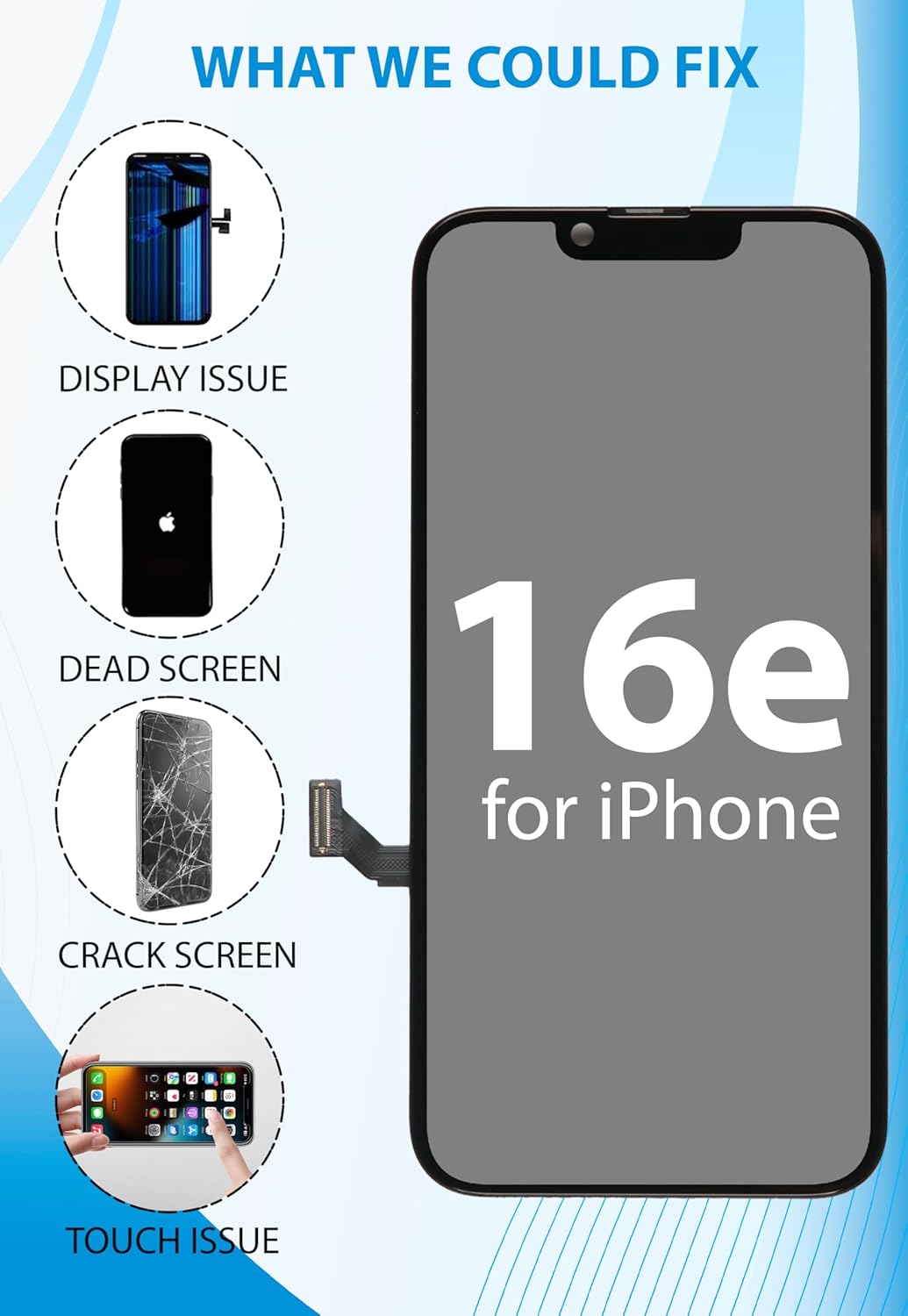
Image 6: Visual guide illustrating common screen issues that can be resolved with this replacement, including display issues, dead screens, cracked screens, and touch issues.
8. Specifications
- Model Compatibility: iPhone 16e (A3212, A3408, A3410, A3409)
- Display Type: FHD LCD Display and Touch Digitizer Screen
- Color: Black
- Item Weight: 5.3 ounces
- Package Dimensions: 6.81 x 3.58 x 0.75 inches
- Manufacturer: Ayake
9. Warranty and Support
For any questions, technical assistance, or warranty claims regarding your Ayake iPhone 16e Screen Replacement, please contact Ayake customer support through the retailer's platform or the official Ayake website. Please retain your proof of purchase for warranty validation.