1. Safety Information
Please read and understand all instructions before beginning assembly and use. Failure to follow these instructions may result in serious injury.
- Always assemble the loft bed according to the provided instructions.
- Keep the area around the bed clear to prevent tripping hazards.
- Do not allow children to play on or around the bed unsupervised.
- Ensure all connections are tight before use and periodically check for tightness.
- Use only mattresses that comply with the recommended dimensions and thickness for twin-size beds.
- Do not use the bed if any parts are missing, damaged, or broken. Contact customer support for replacement parts.
2. Product Specifications
- Brand: Merax
- Model Number: FFCALoftBedFrame26012101
- Size: Twin
- Material: MDF, Metal
- Color: Black
- Product Dimensions: 239.78 cm (L) x 104.39 cm (W) x 182.12 cm (H) (approximately 94.4 x 41.1 x 71.7 inches)
- Weight: 29 kg (approximately 63.9 lbs)
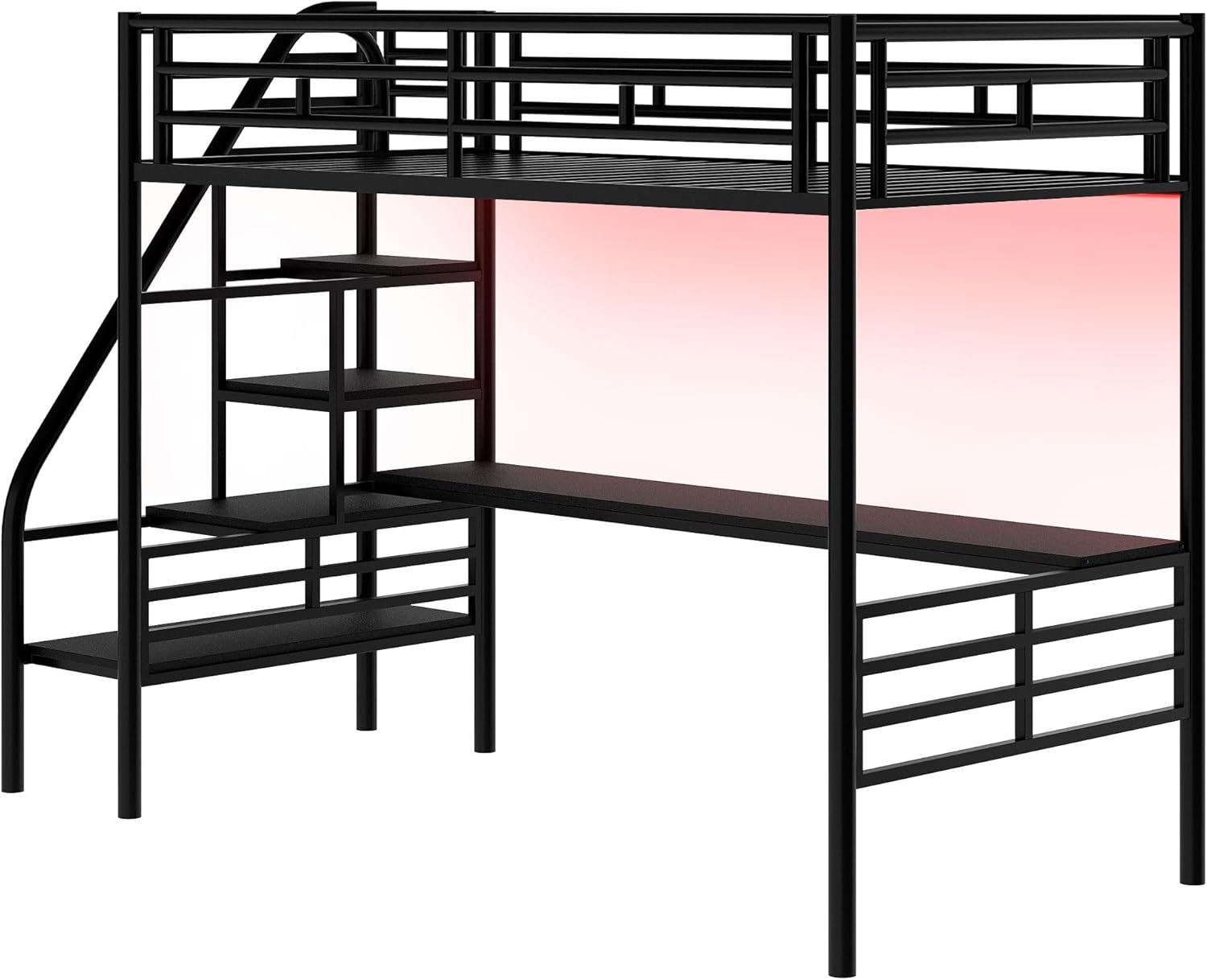
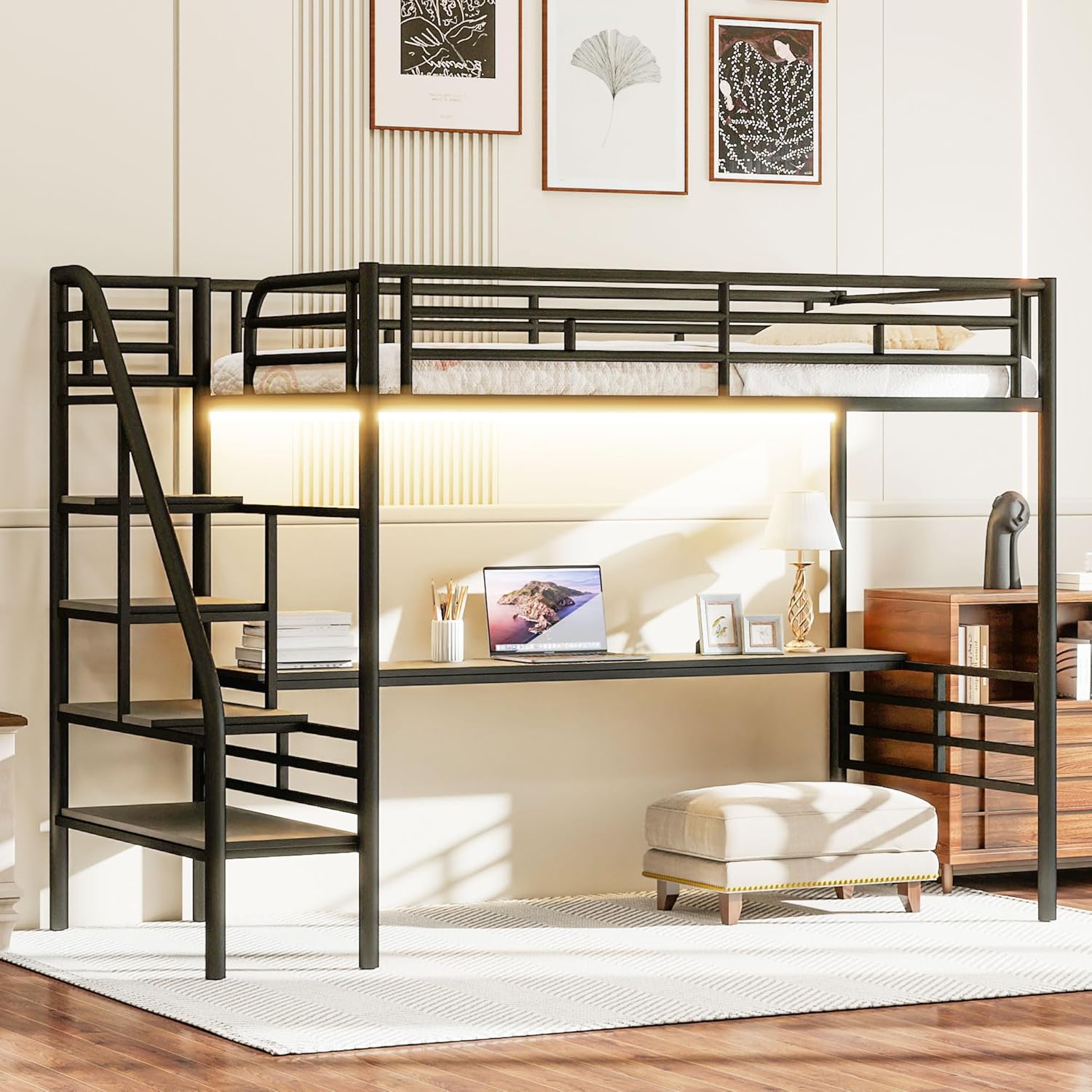
- Special Features: LED Lighting, Integrated Desk, Easy-Climb Stairs, No Box Spring Needed, Space Saving, USB & Type-C Charging Station
- Compatible Mattress Size: Twin

3. Setup and Assembly
Assembly requires two adults. Please ensure all parts are present before beginning. Refer to the included hardware pack for specific screws and tools.
3.1 Assembly Video Guide
For a visual step-by-step guide, please watch the official assembly video:
3.2 Key Assembly Steps
- Unpack and Identify Parts: Lay out all components and hardware. Refer to the parts list in your physical manual to ensure everything is accounted for.
- Assemble Storage Drawers: Attach the wheels to the drawer frames and then secure the fabric sides and bottom.
- Construct Desk Shelf: Assemble the desk shelf components, including the LED strip and dividers, ensuring all screws are tightened.
- Build Bed Frame Base: Connect the main metal frame components, including the vertical supports and horizontal bars.
- Attach Desk Shelf: Secure the assembled desk shelf to the main bed frame structure.
- Install Bed Slats: Place and secure the metal bed slats onto the frame.
- Connect Charging Station: Integrate the USB and Type-C charging station into the designated slot on the bed frame.
- Final Checks: Verify all screws are tightened and the structure is stable.
4. Operating Instructions
4.1 LED Lighting
The loft bed features integrated LED lighting for ambiance and illumination. The LED strip is typically controlled via a remote or a mobile application, allowing for color changes and brightness adjustments.

4.2 USB & Type-C Charging Station
The bed includes a built-in charging station. Connect your devices to the USB or Type-C ports for convenient charging while using the desk or resting in bed.
4.3 Storage Drawers
Utilize the two sliding storage drawers located beneath the bed for organizing clothes, books, or other personal items. These drawers are designed for easy access and mobility.
5. Maintenance
Regular maintenance will help prolong the life and appearance of your Merax Loft Bed.
- Cleaning: Wipe down metal and MDF surfaces with a soft, damp cloth. Avoid harsh chemicals or abrasive cleaners that could damage the finish.
- Hardware Check: Periodically inspect all bolts, screws, and connections to ensure they are tight. Re-tighten as necessary to maintain stability.
- LED Lights: If the LED lights malfunction, check the power connection. If issues persist, contact customer support.
- Slats: Ensure bed slats are properly seated and not damaged. Damaged slats should be replaced immediately.

6. Troubleshooting
If you encounter any issues with your Merax Loft Bed, please refer to the following common solutions:
- Squeaking Noises: Check all bolts and screws. Tighten any loose connections. Ensure the bed is on a level surface.
- LED Lights Not Working: Verify the power adapter is securely plugged into both the wall outlet and the LED strip. Check for any visible damage to the LED strip or remote.
- Instability: Ensure the bed is assembled correctly and all structural components are properly aligned and tightened.
- Missing Parts: If you find any parts missing during assembly, do not proceed. Contact customer support immediately.
7. Warranty and Support
Merax products are designed for quality and durability. For any product-related issues, warranty claims, or support, please contact us directly.
- Website: Merax.com
- Email: csr@merax.com
- Phone: 626-912-8886
Please have your model number (FFCALoftBedFrame26012101) and purchase information ready when contacting support.


