
1. Introduction
This manual provides detailed instructions for the proper use, maintenance, and troubleshooting of the Traceable® Infrared Thermometer, Model 4482. This device is designed for non-contact temperature measurements, offering convenience and accuracy for various applications including food preparation, life sciences, and pharmaceutical fields. Its key features include laser sighting for precise targeting, selectable temperature units (°F/°C), backlighting for low-light conditions, and an adjustable emissivity range from 0.10 to 1.00.
2. Safety Information
- Laser Safety: This device uses a Class II laser. Do not stare directly into the laser beam or point it at others. Avoid direct eye exposure.
- Battery Safety: Use only specified battery types (AAA). Do not mix old and new batteries, or different types of batteries. Dispose of batteries according to local regulations.
- Operating Environment: Do not expose the thermometer to extreme temperatures, humidity, or direct sunlight. Avoid dropping the device or subjecting it to strong impacts.
- Cleaning: Refer to the maintenance section for proper cleaning procedures. Do not immerse the device in water or use abrasive cleaners.
- Intended Use: Use the thermometer only for its intended purpose of non-contact temperature measurement.
3. Product Overview and Features
The Traceable® Infrared Thermometer is a compact, lightweight, and easy-to-use device for instant temperature readings. Its design prioritizes user convenience and measurement accuracy.
Key Features:
- Instant Temperature Readings: Provides quick and reliable temperature measurements.
- Laser Sighting: Pinpoints the exact measurement area for enhanced accuracy.
- Adjustable Emissivity: User-adjustable emissivity from 0.10 to 1.00 to accurately measure various surface types.
- Backlighting: Features a backlit display for clear viewing in low-light conditions.
- Selectable Units: Easily switch between Fahrenheit (°F) and Celsius (°C).
- Non-Invasive Measurement: Ideal for applications where contact measurement is not feasible or desirable.
- NIST-Traceable Calibration: Includes a NIST-traceable calibration certificate with data, ensuring measurement accuracy and traceability to national standards.
Product Views:
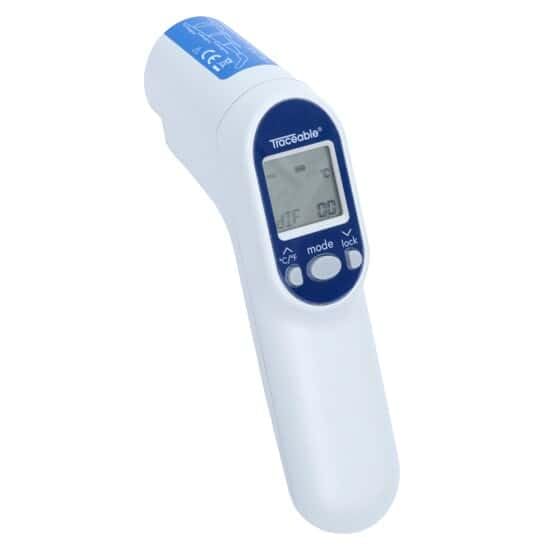
Figure 1: Angled view of the Traceable Infrared Thermometer, showing the display and control buttons.
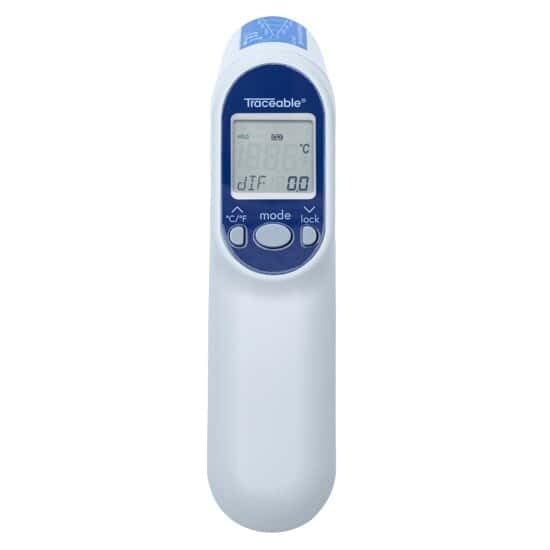
Figure 2: Front view of the thermometer, highlighting the display and primary controls.
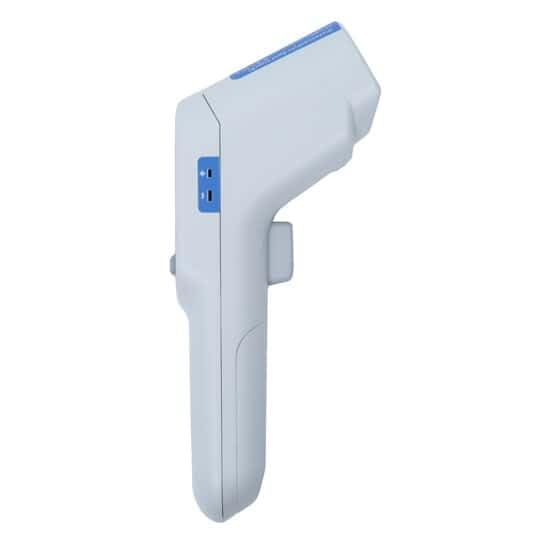
Figure 3: Side view of the thermometer, showing the ergonomic grip and trigger.
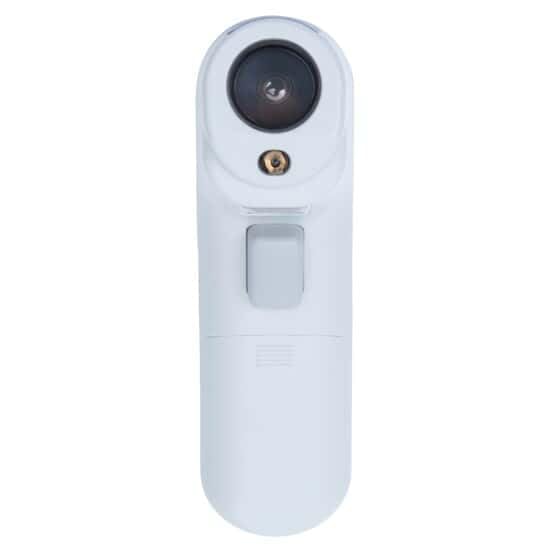
Figure 4: Top view of the thermometer, showing the infrared sensor and laser aperture.
4. Components and What's in the Box
Upon unpacking, please verify that all components are present and undamaged:
- Traceable® Infrared Thermometer (Model 4482)
- Two (2) AAA Batteries
- NIST-traceable Calibration Certificate with Data
5. Setup
5.1 Battery Installation
- Locate the battery compartment cover, typically on the handle or rear of the device.
- Slide or unclip the cover to open the compartment.
- Insert two (2) AAA batteries, ensuring correct polarity (+/-) as indicated inside the compartment.
- Replace the battery compartment cover securely.
6. Operating Instructions
6.1 Powering On/Off
To power on the thermometer, press the measurement trigger. The device will automatically power off after a period of inactivity to conserve battery life.
6.2 Taking a Measurement
- Point the thermometer at the target surface. Ensure the laser pointer (if activated) is aimed at the center of the desired measurement area.
- Press and hold the measurement trigger. The temperature reading will appear on the display.
- Release the trigger to hold the last measured temperature on the display.
6.3 Changing Temperature Units (°F/°C)
Locate the °C/°F button on the control panel. Press this button to toggle between Celsius and Fahrenheit temperature units.
6.4 Adjusting Emissivity
Emissivity is a measure of an object's ability to emit infrared energy. Different materials have different emissivities. This thermometer allows adjustment from 0.10 to 1.00 for accurate readings on various surfaces.
- Press the 'MODE' button until 'EMISSIVITY' or 'E' is displayed.
- Use the up/down arrow buttons (or similar controls) to adjust the emissivity value. Refer to a standard emissivity table for common materials if unsure.
- Press the 'MODE' button again or the measurement trigger to save the setting and return to measurement mode.
6.5 Backlight Operation
The display backlight automatically activates when the measurement trigger is pressed, improving visibility in dimly lit environments.
7. Maintenance
7.1 Cleaning
To clean the thermometer, gently wipe the exterior with a soft, damp cloth. Do not use abrasive cleaners, solvents, or immerse the device in water. Pay special attention to keeping the infrared lens clean for accurate readings.
7.2 Battery Replacement
When the low battery indicator appears on the display, replace the batteries as described in the 'Setup' section (5.1 Battery Installation).
7.3 Storage
Store the thermometer in a cool, dry place, away from direct sunlight and extreme temperatures. If storing for extended periods, remove the batteries to prevent leakage.
8. Troubleshooting
| Problem | Possible Cause | Solution |
|---|---|---|
| Device does not power on. | Dead or incorrectly installed batteries. | Check battery polarity or replace with new AAA batteries. |
| Inaccurate temperature readings. | Incorrect emissivity setting; dirty lens; distance to target too far; target too small. | Adjust emissivity for the target material; clean the lens; ensure proper distance and target size (refer to distance-to-spot ratio in specifications). |
| Laser not visible. | Laser function disabled (if applicable) or obstructed. | Check user manual for laser activation; ensure no obstruction. |
| Display is dim or flickering. | Low battery. | Replace batteries. |
9. Specifications
| Specification | Value |
|---|---|
| Model Number | 4482 |
| Brand | TRACEABLE |
| Emissivity | Adjustable from 0.10 to 1.00 |
| Power Source | 2 x AAA Batteries |
| Display Type | Digital |
| Outer Material | Plastic |
| Special Feature | High Accuracy |
| Included Components | Calibrated IR Gun Thermometer with Laser |
| Product Care Instructions | Wipe Clean |
| Certification | NIST-traceable calibration certificate with data |
10. Warranty Information
Specific warranty details for the Traceable® Infrared Thermometer, Model 4482, should be obtained directly from the manufacturer, TRACEABLE (a brand of Antylia Scientific), or your authorized reseller. Please retain your proof of purchase for warranty claims.
11. Support
For technical assistance, calibration services, or further inquiries regarding your Traceable® Infrared Thermometer, please contact the manufacturer or your supplier. You may also visit the official TRACEABLE brand store for additional resources and product information: