
Introduction
This manual provides detailed instructions for the installation and care of the AGCUT LCD Display Touch Screen Digitizer Assembly for the Vortex CG65 smartphone. Please read all instructions carefully before proceeding with the installation to ensure proper function and to prevent damage.
Product Overview
The AGCUT replacement kit for the Vortex CG65 includes a high-quality LCD display touch screen digitizer assembly, designed to restore your device's display functionality.
Package Contents:
- 1x Vortex CG65 LCD screen touch screen digitizer replacement kit (incell material)
- 1x Dust removal sticker
- 1x Free tape
- 1x Set of special removal tools for Vortex CG65 screen (3 screwdrivers, 1x plastic dredger, 2x blue open shell fragments, 1x Card Pin, 1x suction cup)
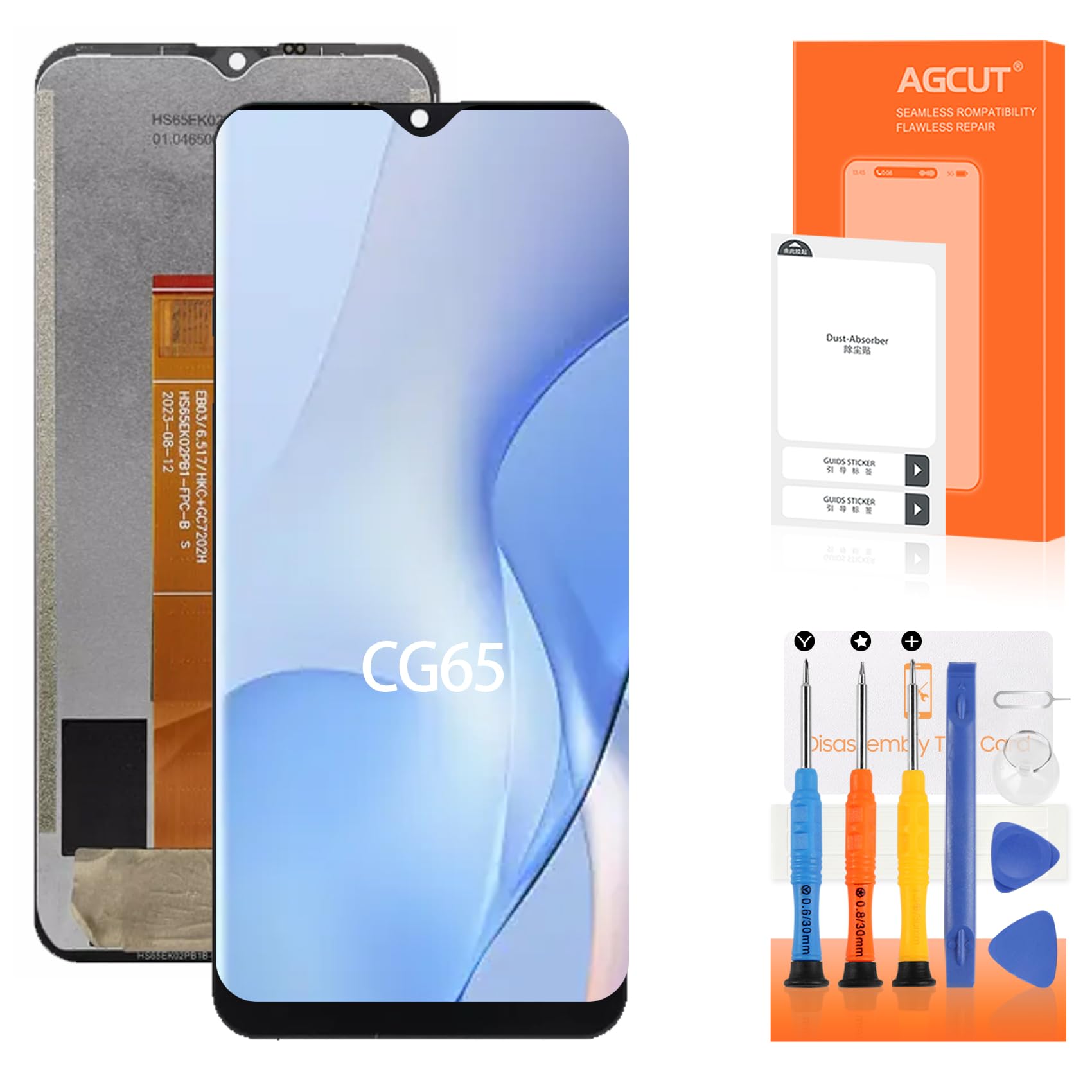
Image: Front (left) and back (right) view of the Vortex CG65 LCD Display Touch Screen Digitizer Assembly. The front shows a black screen, and the back shows the display panel with a flexible flat cable (FPC) connector.
Installation Precautions
Careful adherence to these precautions is crucial for a successful installation and to prevent damage to the new screen or your device.
- Pre-Installation Testing: Before proceeding with the full installation, check the product's condition and test its functionality. Do not remove any protective films or labels during this testing phase. Be mindful of static electricity.
- Fragility: The replacement screen for the Vortex CG65 is made of glass and is very fragile. Handle with extreme care. Testing before installation is strongly recommended.
- Cable Handling: Do not bend the flexible flat cable (FPC). During installation and testing, ensure the LCD cable is not bent. Bending the cable at an angle greater than 90 degrees can result in a black screen or display malfunction.
- Professional Installation: If you lack experience in repairing electronic equipment, it is highly recommended to seek assistance from a professional repair shop. Alternatively, search for relevant installation videos on platforms like YouTube and follow the steps carefully.
Quality Control
Each AGCUT Vortex CG65 LCD replacement screen undergoes strict quality control testing before shipment to ensure 100% integrity. This includes verifying the absence of scratches, dead zones, dot pixels, or lines on the screen. The display offers high color saturation, high resolution, a wide color gamut, and a smooth touch experience.
Application and Usage
This replacement screen is designed to address various display and touch issues on your Vortex CG65, including:
- Incorrect screen response or unresponsive touch.
- Display issues such as pixel distortion, dead pixels, or lines.
- Cracked or shattered LCD screen.
- Wrong colors or faded display.
- Old or frozen LCD.
The new LCD display provides high brightness and pixel density, aiming to restore a clear and vibrant visual experience.
Specifications
| Feature | Detail |
|---|---|
| Item Model Number | Vortex CG65 |
| Material | Incell |
| Color | Black |
| Package Dimensions | 3.14 x 1.96 x 1.14 inches |
| Item Weight | 3.2 ounces |
| Manufacturer | AGCUT |
Troubleshooting
- Black Screen During Installation: If your phone displays a black screen after connecting the new display, press and hold the power key and volume key simultaneously. If the phone vibrates, it indicates that the main flexible cable (FPC) is not installed correctly. Reinstall the product, ensuring all connections are secure.
- Display Issues After Installation: If you experience issues like incorrect response, pixel distortion, or wrong colors after installation, re-verify all cable connections. Ensure no cables are bent or damaged.
- Unresponsive Touch: If the touch function is not working, ensure the digitizer cable is properly connected and not damaged.
For persistent issues, it is advisable to consult a professional repair technician or refer to online video guides for detailed visual troubleshooting steps.
Maintenance
To ensure the longevity and optimal performance of your new screen:
- Avoid dropping your device, as the screen is fragile.
- Clean the screen gently with a soft, lint-free cloth. Avoid harsh chemicals.
- Consider using a screen protector and a protective case for added durability.
Warranty and Support
For specific warranty information or further technical support, please contact the seller directly. It is recommended to retain your purchase receipt for any warranty claims.