
1. Introduction
Thank you for choosing the WINONS Hot Wire Foam Cutter Tool WFC0010. This professional kit is designed for precise and clean cuts through various foam materials. Please read this manual thoroughly before use to ensure safe and optimal operation.
2. Safety Information
Your safety is paramount. Please adhere to the following guidelines:
- Usage Duration: Adhere to a maximum usage time of 40 minutes for continuous operation of the hot knife. Allow the tool to cool down before resuming use.
- Cutting Pressure: Exercise caution and avoid applying excessive pressure while cutting foam. Let the heat do the work.
- Post-Use Maintenance: Ensure to clean the tool thoroughly after each use to ensure it remains effective and maintains its performance.
- Thermal Protection: The tool includes thermal protection for secure and reliable operation.
- Safety Switch: Utilize the convenient safety switch for safe operation.

3. Package Contents
The WINONS Hot Wire Foam Cutter Tool WFC0010 kit includes the following components:
- 1x Handle
- 1x 2" (5cm) Straight blade
- 1x 4" (10cm) Straight blade
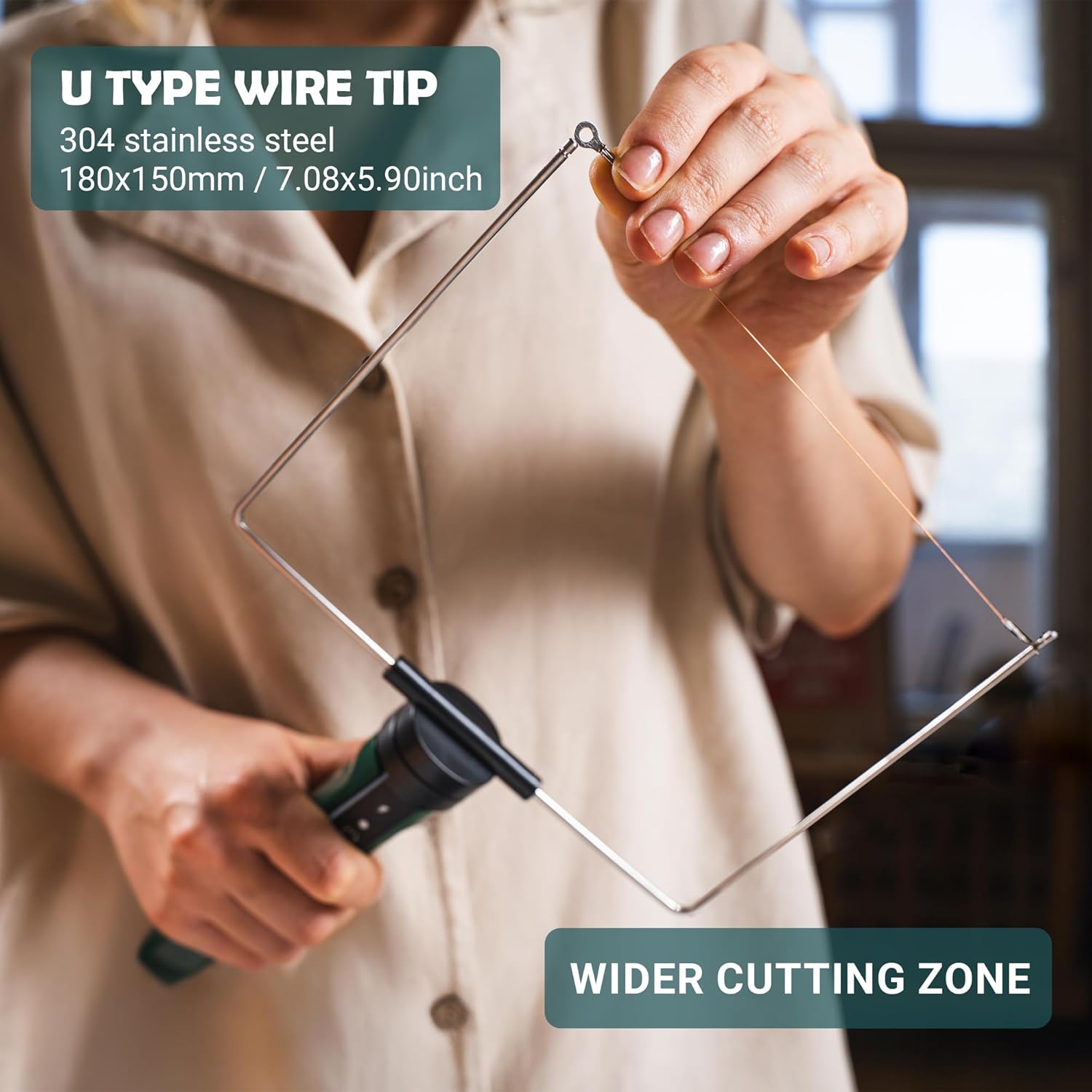
- 1x 7" (18cm x 15cm) U-type hot wire tip
- 1x 7" (18cm x 15cm) F-type hot wire tip
- 5x 7" (18cm) Replacement Wire
- 1x Power supply
- 1x Scraper
- 1x Support Frame
- 1x Table fixation
- User Manual
- Warranty Card

4. Setup
- Attach the Desired Tip: Select the appropriate cutting tip (straight blade, U-type, F-type, or engraving tip) for your project. Securely attach it to the handle.
- Connect Power: Plug the power supply into a suitable electrical outlet and connect it to the foam cutter handle.
- Use Support Frame (Optional): For stability and safety, place the tool on the provided support frame when not actively cutting.
- Table Fixation (Optional): For hands-free operation with U-type or F-type tips, attach the table fixation clamp to a stable surface and secure the foam cutter.

5. Operating Instructions
- Power On: Flip the safety switch to the 'ON' position. The indicator light will illuminate.
- Temperature Control: Adjust the numbered temperature controller to the desired heat setting. The hot wire tip heats up in 5 seconds to 320°C (608°F). The 5cm straight blade heats up in 30 seconds to 450°C (842°F), and the 10cm straight blade heats up in 30 seconds to 400°C (752°F).
- Prepare Material: Place the foam material (EPS, EPE, EVA, EPP, XPS, Sponge) on a stable, heat-resistant surface.
- Cutting: Gently guide the heated tip through the foam along your desired path. Avoid applying excessive force. The tool is designed for smooth, precise cuts.
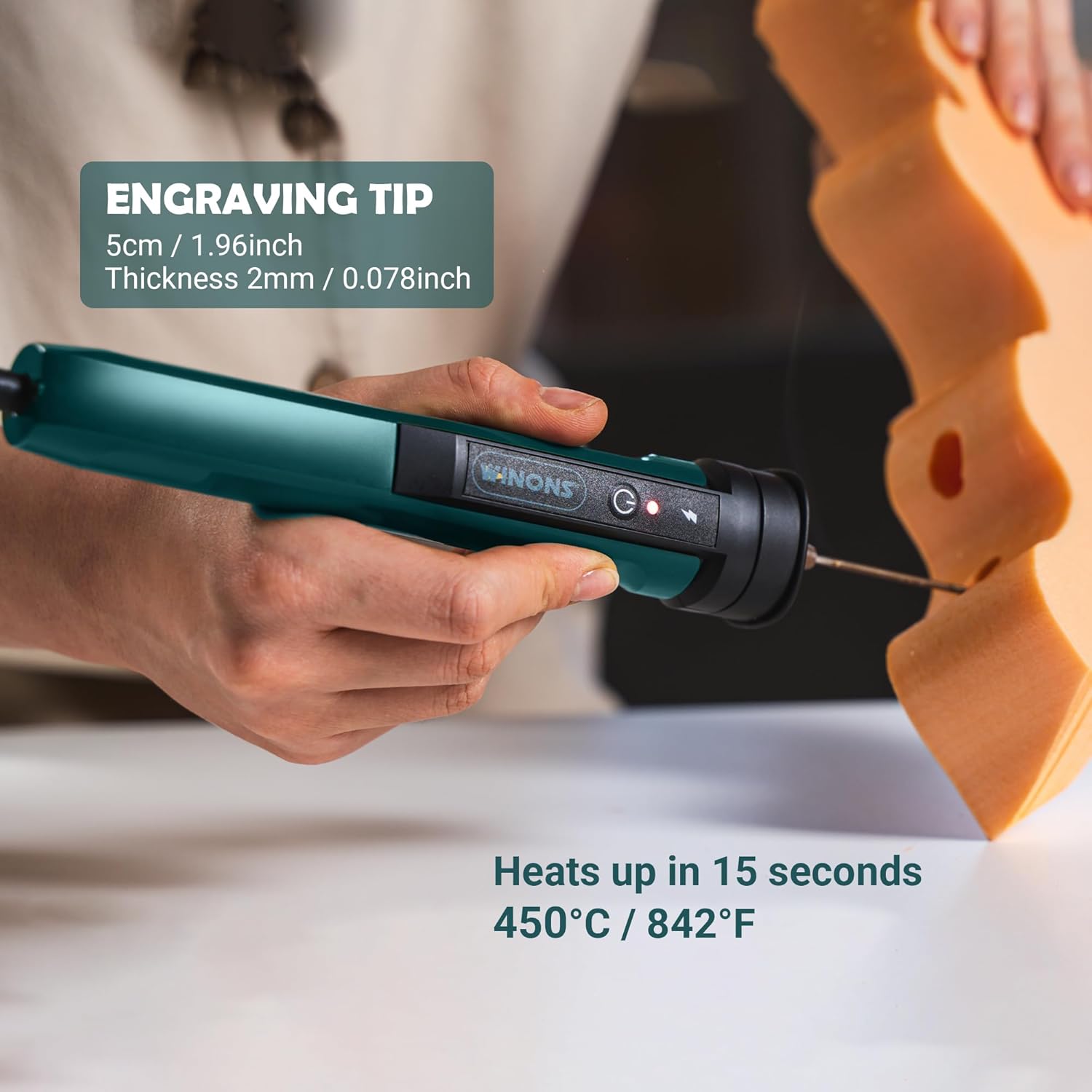
- Engraving: Use the engraving tip for detailed work and intricate designs.
- Power Off: After use, switch the tool off and allow it to cool completely on the support frame before storing.


6. Maintenance
- Cleaning: Use the provided scraper to clean any melted foam residue from the cutting tips after each use. Ensure the tool is cool before cleaning.
- Wire Replacement: If the hot wire tip breaks or wears out, replace it with one of the 5x 7" (18cm) replacement wires included in the kit. Refer to the user manual for detailed instructions on wire replacement.
- Storage: Store the tool and all accessories in a dry, safe place away from children when not in use.
7. Troubleshooting
- Tool Not Heating: Check if the power supply is securely connected and the safety switch is in the 'ON' position. Ensure the power outlet is functional.
- Poor Cutting Performance: The cutting tip may be dirty or worn. Clean the tip with the scraper or replace the wire if necessary. Ensure the temperature setting is appropriate for the foam material.
- Excessive Smoke: Reduce the cutting speed or adjust the temperature setting. Excessive smoke can indicate the temperature is too high for the material or the cutting speed is too slow.
8. Specifications
| Feature | Specification |
|---|---|
| Brand | WINONS |
| Model Number | WFC0010 |
| Material | Metal |
| Color | Dark Green |
| Handle Material | Metal |
| Item Weight | 300 Grams |
| Cutting Width (U-type/F-type) | 180mm (7 inches) |
| Max Temperature (Hot Wire Tip) | 320°C / 608°F (5 seconds heat-up) |
| Max Temperature (5cm Straight Blade) | 450°C / 842°F (30 seconds heat-up) |
| Max Temperature (10cm Straight Blade) | 400°C / 752°F (30 seconds heat-up) |
| Power | 18W |
| UPC | 860011993742 |
| Specification Met | DIN |
9. Warranty and Support
This product comes with a Warranty Card. Please refer to the card for details regarding warranty coverage and how to obtain support. For further assistance or inquiries, consult the comprehensive User Manual included in your kit or visit the official WINONS website.
